Input/Output Controllers (IO Controller)
A reader handles a format, such as comma-separated text, a spreadsheet or XML. An IO controller handles a location, such as a folder, a database, a URL, a mailbox, the request that started a WebAPI integration or a field of the record above. Because the two are separate, the same CSV Reader can read a file from disk in one integration, an email attachment in another and the body of a web request in a third, and parse each of them the same way.
There is a controller for each kind of location:
- File Controller — the IMan server's file system, a UNC path, or a cloud file system defined in Setup.
- Database Controller — a database connection, for the Database Reader and Writer only.
- HTTP Controller — an http or https URL, with a Webservice Behaviour behind it.
- Email Controller — a POP3 or IMAP mailbox, reading the emails or their attachments.
- Transaction Controller — a field of the parent transform's record.
- WebAPI Controller — the response to the request a WebAPI integration is answering.
A seventh, the Parameter controller, is used only by the Parameter Reader. It has no settings and no page of its own.
Setup Tab
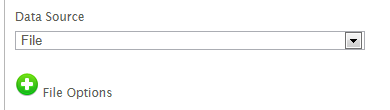
Each reader has a Source section on its Setup tab, and each writer a Target section. The first control in the section is a drop-down naming the controller. The fields beneath it belong to the controller and change with the choice. If you change the controller, IMan asks you to confirm, because it resets the controller's settings.
Each controller's own page documents its fields. A reader or writer page tells you which controllers the transform offers and names their fields. The controller pages describe what each field does and how the controller behaves, because a controller behaves the same under every transform that uses it.
Which transforms offer which controller
A transform offers only the controllers that suit its format. The first in its list is its default.
| Reader | Controllers offered |
|---|---|
| CSV, Excel, Fixed Width, XML | File, http(s) Url, Email, Transaction |
| JSON | http(s) Url, File, Email, Transaction |
| Form URL | Transaction, File |
| Database | SQL Database |
| WebAPI | WebAPI |
| Parameter | Parameter |
| Writer | Controllers offered |
|---|---|
| CSV, XML, JSON | File, http(s) Url, Transaction, WebAPI |
| Excel, Fixed Width | File, http(s) Url |
| Form URL | http(s) Url, WebAPI |
| Database | SQL Database |
| Http Redirect | WebAPI |
No writer offers Email. To send mail, use the Email Task. Only the JSON Reader defaults to http(s) Url instead of File, because a JSON document more often comes from a service than from disk.
The Pull and Push connectors are not in the tables. A connector has its own connection to the system it talks to, and has no controller.
Monitors
A monitor makes a reader watch its source and start the integration when something arrives, instead of waiting for a schedule.
Only the Email controller supports one. Its Monitor Enabled setting, on the reader's Setup tab, registers the reader as a monitor. The scheduler service then polls the mailbox every 60 seconds with the reader's own From, Subject and Attachment filters, and starts the integration as soon as it finds a matching email. While a monitor exists, IMan holds the integration's concurrency at one, so two polls cannot start two runs.
The monitor checks whether a matching email exists, not whether a new one has arrived. On POP3, a monitored integration must remove what it has read, with the Email controller's Delete From Server or an Email Task that deletes by UIDL. On IMAP, it needs a Mark Email Read task that advances the read position. Otherwise the same email starts it again a minute later.
Only the Email controller has a monitor
At present only the Email controller supports a monitor. The equivalent for a folder is a File Event, which is a separate Setup record, not a setting on the reader.
You manage monitors on the reader itself. There is no Monitors screen under Setup. See Monitors for the setup in full.