Skip to content

Audit Log Query

The audit log query lets you query the records in the IMan AUDIT table.
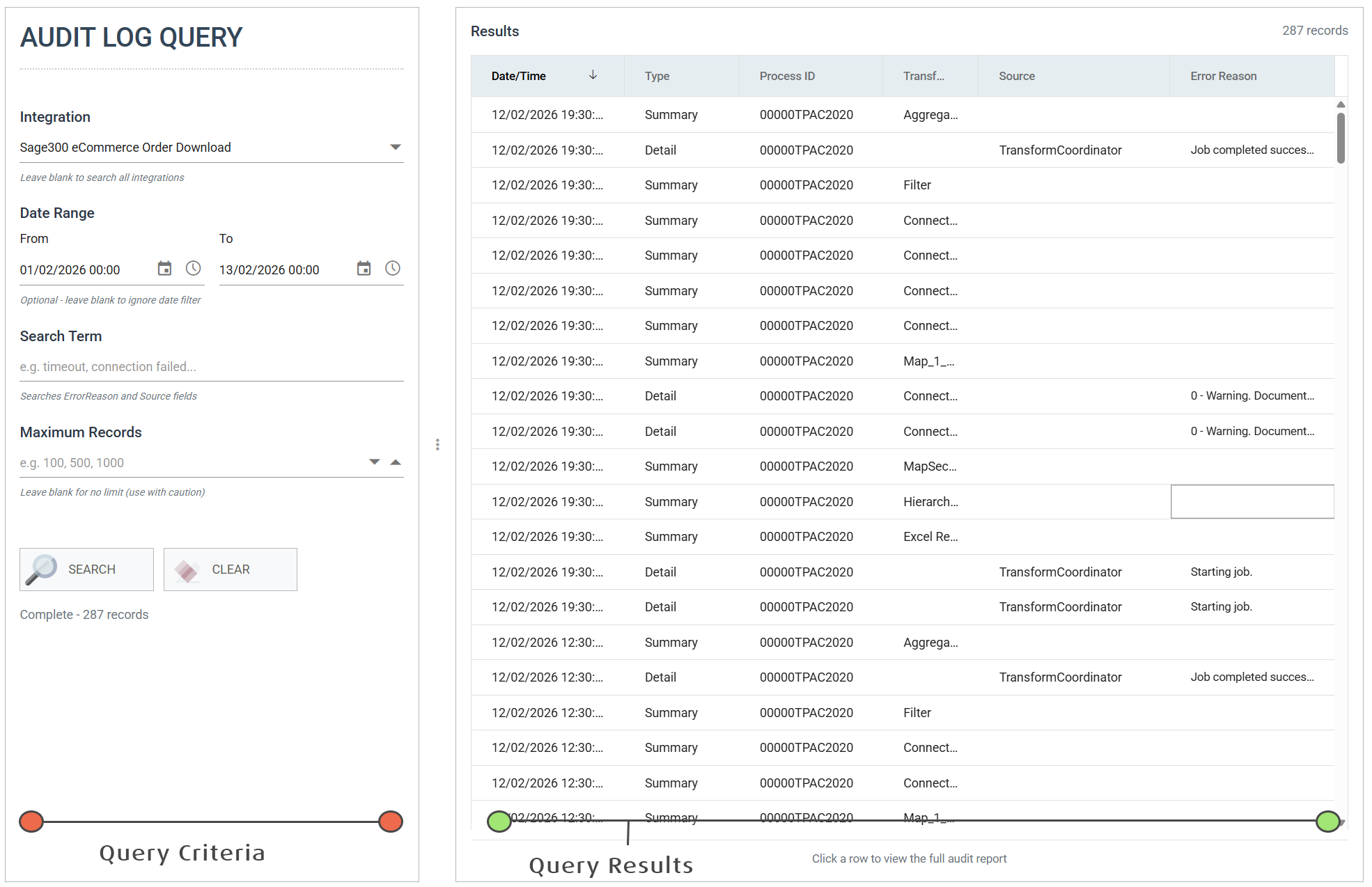
The Audit Log Query screen, split in two by a callout on each half. The query criteria on the left take an Integration, a From and To date range, a Search Term matched against the ErrorReason and Source fields, and a Maximum Records limit, above Search and Clear buttons and a record count. The query results on the right list Date/Time, Type, Process ID, Transform, Source and Error Reason, with a note that clicking a row shows the full audit report

Query Criteria Pane

Define the query for searching the audit logs here.

  • Integration
    • Select the integration to query. Leave it blank to search every integration.
  • Date Range
    • The From and To dates and times of the entries to return. Leave both blank to ignore the date.
  • Search Term
    • Text to find in each entry's Error Reason and Source.
  • Maximum Records
    • The most entries to return. Leave it blank for no limit.
    • Whatever you enter, a query returns at most 8,000 records. IMan says so when it reaches the limit. Narrow the criteria to see the rest.

Query Results Pane

Error reason

Hover over the Error Reason to see the full error reason.
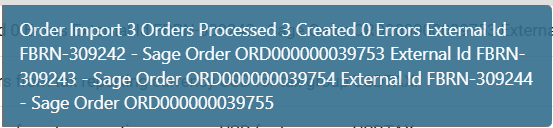
A tooltip over a truncated Error Reason cell, showing the whole message: an order import summary reporting three orders processed, three created and no errors, then each external id against the Sage order number it produced

Drill down

Click any entry to open a pop-up of the full audit log that contains it.
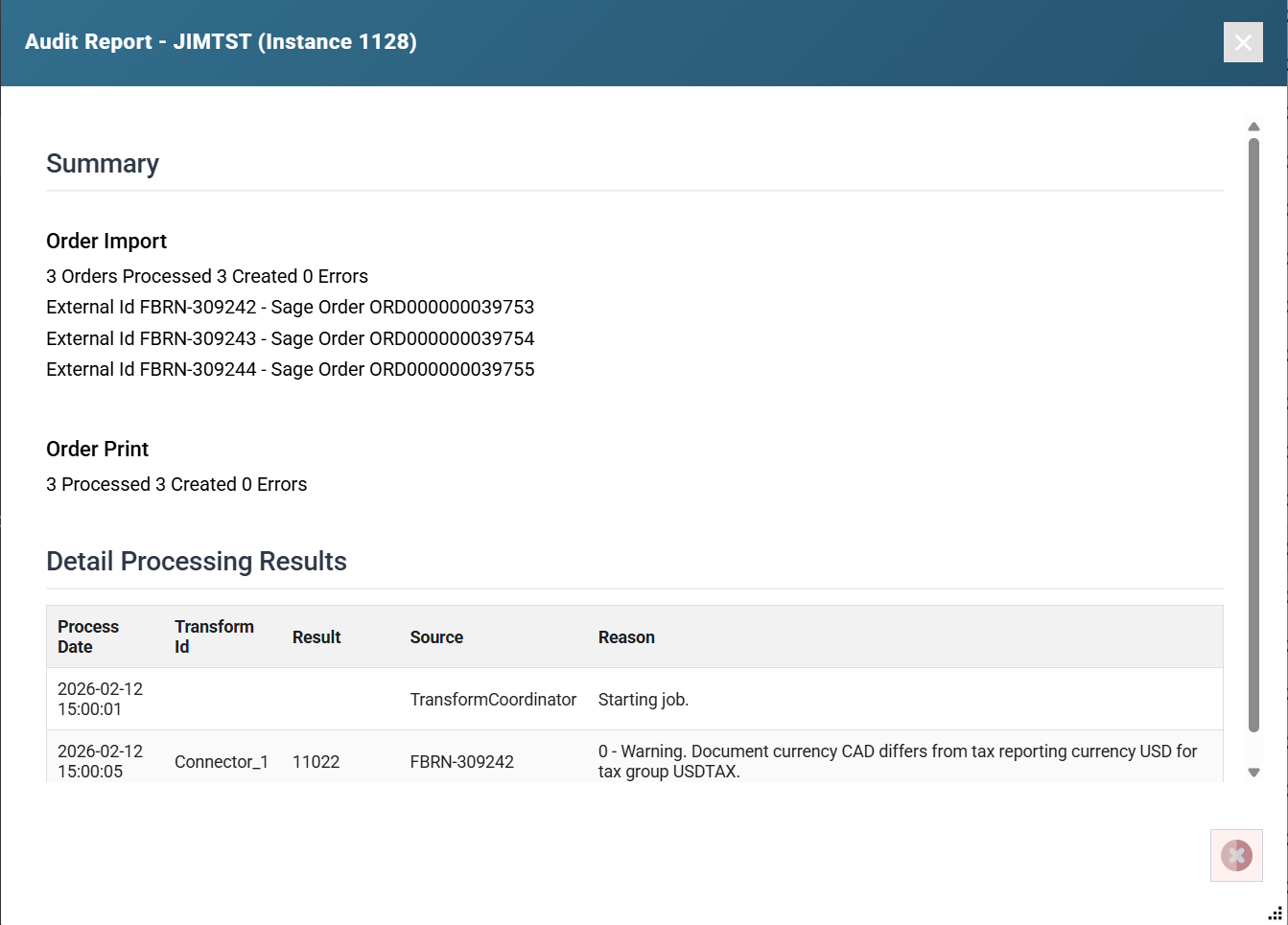
The Audit Report opened from a result row, headed with the integration id and instance number. A Summary section reports the Order Import and Order Print counts and lists each external id against its Sage order. A Detail Processing Results grid beneath lists Process Date, Transform Id, Result, Source and Reason, starting with "Starting job." and then a currency warning against a named order