HTTP IO Controller
The HTTP controller reads from, and writes to, a URL over http or https. Together with a Webservice Behaviour, which supplies the base URL, authentication, paging, throttling and tracing, IMan uses it to talk to REST services and to simpler SOAP services.
The controller's fields appear on the transform's Setup tab: in the Source section of a reader, and in the Target section of a writer. The two sets differ, and not every writer shows the whole write-side set. The Setup screens the fields depend on have their own pages under Setup > Webservices.
Which transforms offer it
Every file-format reader accepts http(s) Url as its Source and shows the same read-side controls: the CSV, Excel, Fixed Width, XML and JSON readers. The Form URL, Database, Parameter and WebAPI readers do not offer it.
On the write side six writers offer the controller, and the controls it shows depend on the writer:
| Writer | Controls shown against http(s) Url |
|---|---|
| CSV, Excel, Fixed Width | Encoding Method, Insert Url, Http Operation |
| Form URL, JSON | those three, plus Webservice Behaviour, Http Headers, Modify Field, Modify Url and Modify Operation |
| XML | the Form URL and JSON set, plus Content Type |
A writer can therefore post a CSV file to a URL, but only the three webservice formats can authenticate through a behaviour, send headers or choose between an insert and a modify per record. The Database and Redirect writers never offer the controller.
Jump To
Read Mode
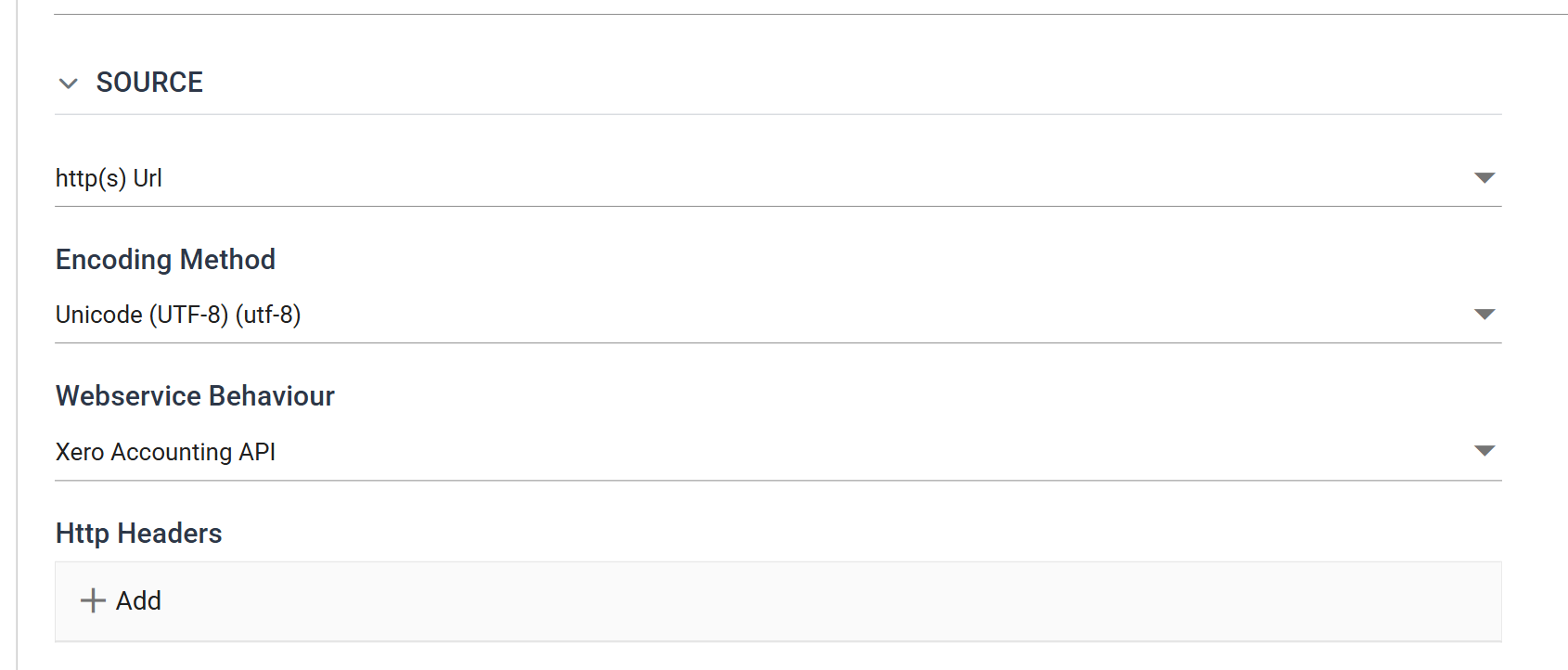
A reader on http(s) Url makes one request and parses the response as it would a file. The request is a GET unless Http Operation says otherwise. With a behaviour that pages, the reader makes one request per page.
Encoding Method
The character encoding used to read the response. The default is UTF-8, which is right for almost every service. See Character Encoding for the others.
Webservice Behaviour
The Webservice Behaviour that governs the request: its Base Url, how it authenticates, whether and how it pages, how it is throttled, and whether it is traced.
It is optional. With a behaviour selected, the Query Url is a path that the controller appends to the behaviour's Base Url. With no behaviour, the Query Url must be a full URL and the request goes out with no authentication and no paging. To remove the behaviour, use the clear button on the drop-down.
Http Headers
Headers sent with every request, in addition to those the behaviour sends.
Press Add to enter a Name and a Value. A value may hold a field reference,
%[Field]. IMan replaces it, request by request, from the record the reader
is working from. A reader with no parent transform has no record, so it sends
the value as typed. See
HTTP Headers.
Query Url
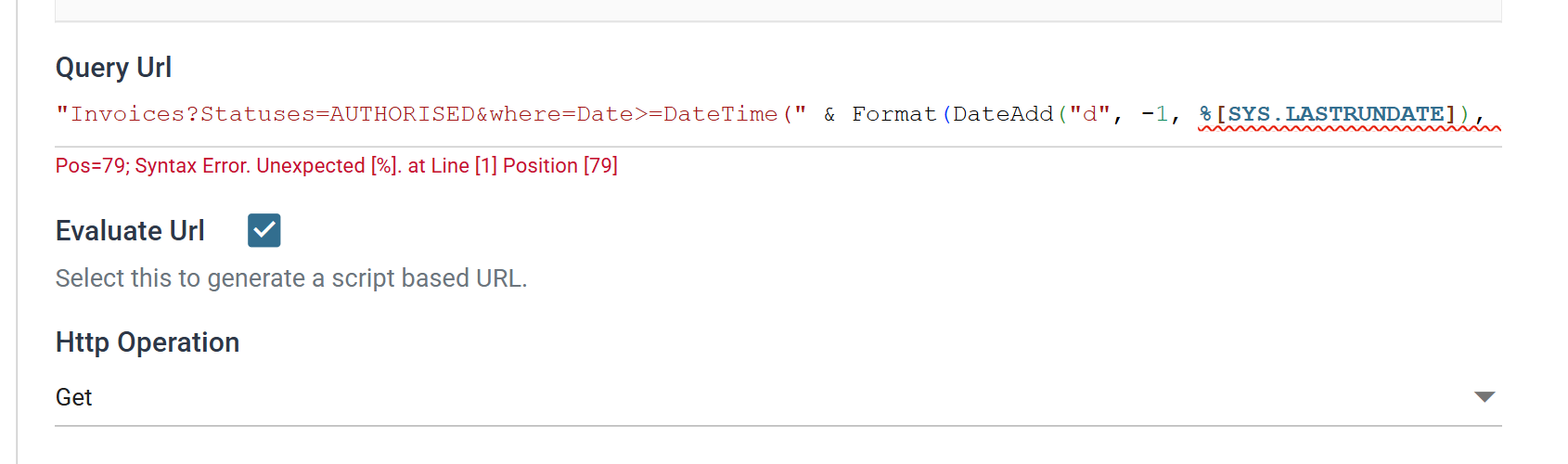
The path to request — or the whole URL, when no behaviour is selected.
The grey line beneath the box shows the URL the controller will send: the
behaviour's Base Url, a separator and the path. The controller supplies the
/ between them unless the Base Url already ends in one or carries a query
string. Write the path without a leading slash, as Invoices, not
/Invoices. Otherwise the preview shows a doubled //, and that is what the
controller sends.
The path may carry %[Field] placeholders. IMan resolves them from the parent
transform's record before it makes the request. Type % in the box to list
the fields available. A reader with no parent has nothing to resolve them from
and sends the path as typed.
Evaluate Url
Ticked, the Query Url is a VBScript expression, not a template. A single-line script editor replaces the box, and the reader requests the path (or full URL) that the expression returns.
Example
A JSON Reader beneath a Parameter Reader, asking Xero for the invoices dated since the day before the integration last ran:
"Invoices?Statuses=AUTHORISED&where=Date>=DateTime(" & Format(DateAdd("d", -1, %[SYS.LASTRUNDATE]), "yyyy,MM,dd") & ")"
With a last run on 5 September 2026, the preview's Trace tab shows this request:
GET https://api.xero.com/api.xro/2.0/Invoices?Statuses=AUTHORISED&where=Date>=DateTime(2026,09,04)&page=1
DateAdd steps a day back, Format writes the date the way the service
wants it, and the string pieces around them are the fixed part of the path.
The rules:
- The expression must return a string, and that string must be a valid path or URL. You can use any VBScript function.
- Field references are written
%[Field]and come from the parent transform's record. To parameterise its request, a reader needs a parent to supply the values, such as a Parameter Reader, a Database Reader or another webservice reader. With no parent, only constants and functions (such asNow) are available. - IMan evaluates it once per run, for the first request. Later pages of a paged read come from the paging mode, not from evaluating the expression again. The per-record URL of a stepped reader is a plain template with placeholders, never an expression.
Http Operation
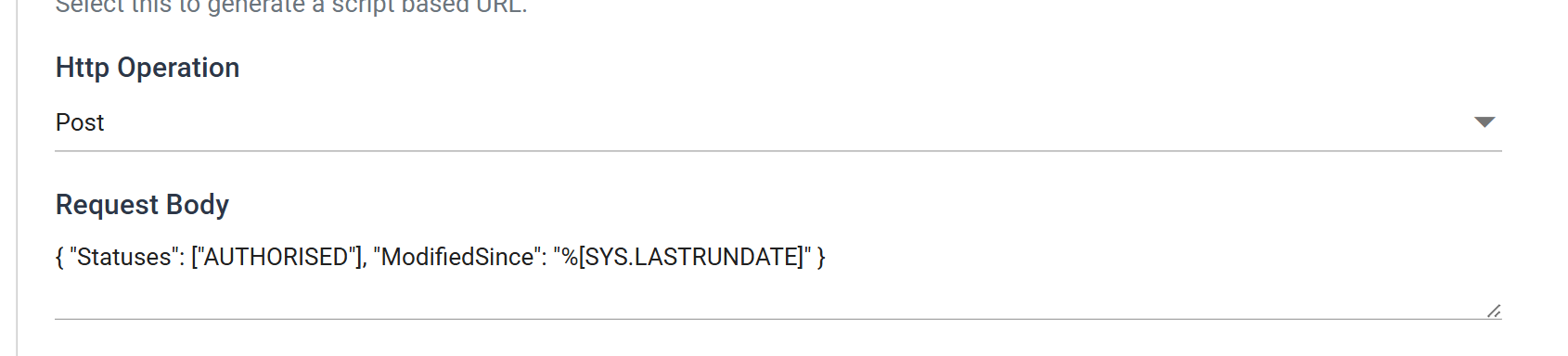
The verb of the request: Get (the default), Post, Put, Merge or Patch. Delete is not offered for a read. Choose anything other than Get and the Request Body appears beneath it.
Request Body
Shown only while Http Operation is something other than Get. IMan clears it when you set the operation back to Get, because a GET cannot carry a body.
The field holds either the body itself or the path of a file that holds it. A path is useful when the body is large or something else produces it. The file must exist when the run starts, or the reader fails before it requests anything.
IMan replaces %[Field] placeholders in the body from the parent transform's
record, the same way as in the Query Url. The body is not a VBScript
expression, whether or not Evaluate Url is ticked.
Paging
The Query Url is the first request. When the behaviour pages, the paging mode builds the requests for the later pages, using a page number in the URL, a cursor from the response or a link header. The reader reads and appends each page before it moves on, so the transforms beneath it see one dataset. Paging describes the modes.
Write Mode
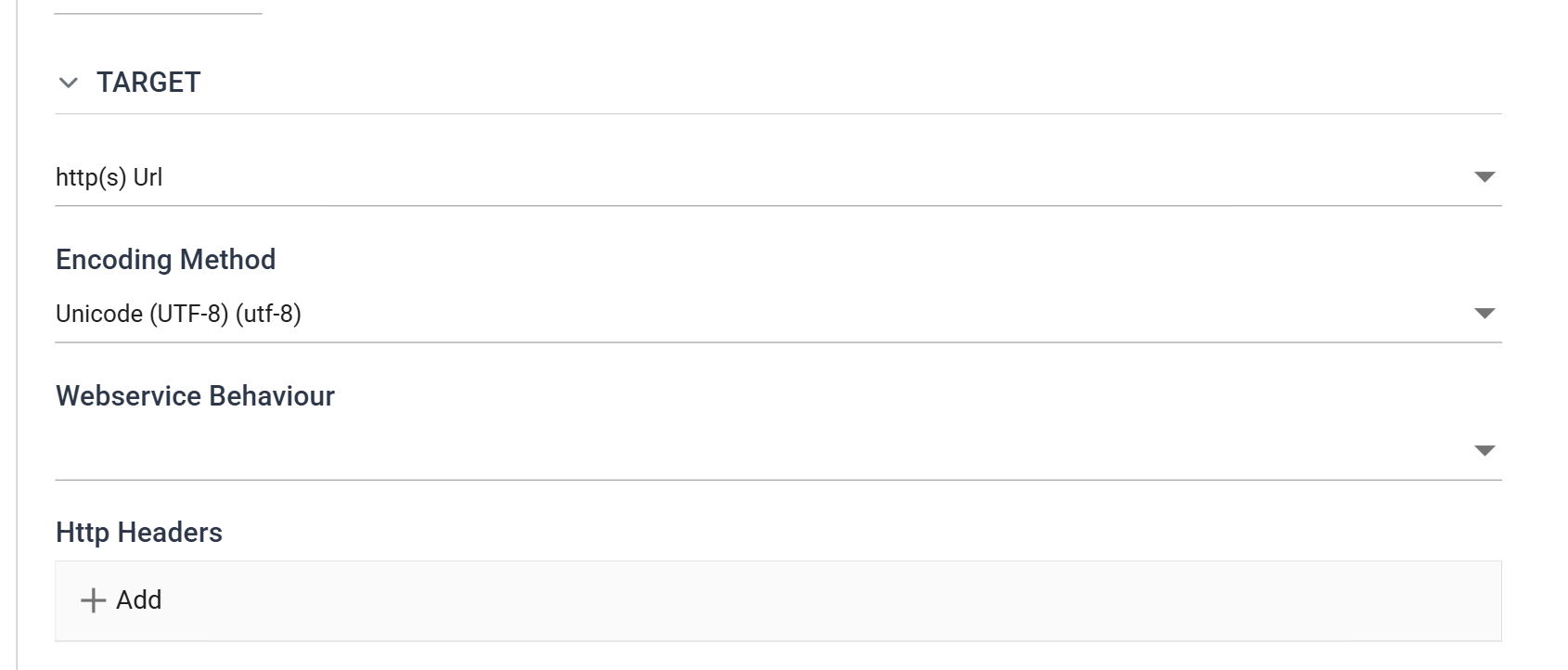
A writer on http(s) Url sends the document it produces as the body of a request. It sends one request each time the writer commits: once for the whole dataset, or once per record of the transaction named in the writer's Generate File Per Transaction. The three webservice writers can also choose, record by record, between an insert request and a modify request.
Encoding Method
The character encoding used to send the document. The default is UTF-8.
Webservice Behaviour
Form URL, JSON and XML writers only. The Webservice Behaviour that governs the request: Base Url, authentication, throttling and tracing. Paging does not apply to a write.
With a behaviour selected, Insert Url and Modify Url are paths appended to its Base Url, with the same separator rule as the read side. Without one, both must be full URLs. The CSV, Excel and Fixed Width writers have no behaviour to select and always take a full URL.
Http Headers
Form URL, JSON and XML writers only. Headers sent with every request, in
addition to the behaviour's. A value may hold %[Field] placeholders. IMan
resolves them from the transaction being written (the one Generate File Per
Transaction names), so a header can carry a value from each record.
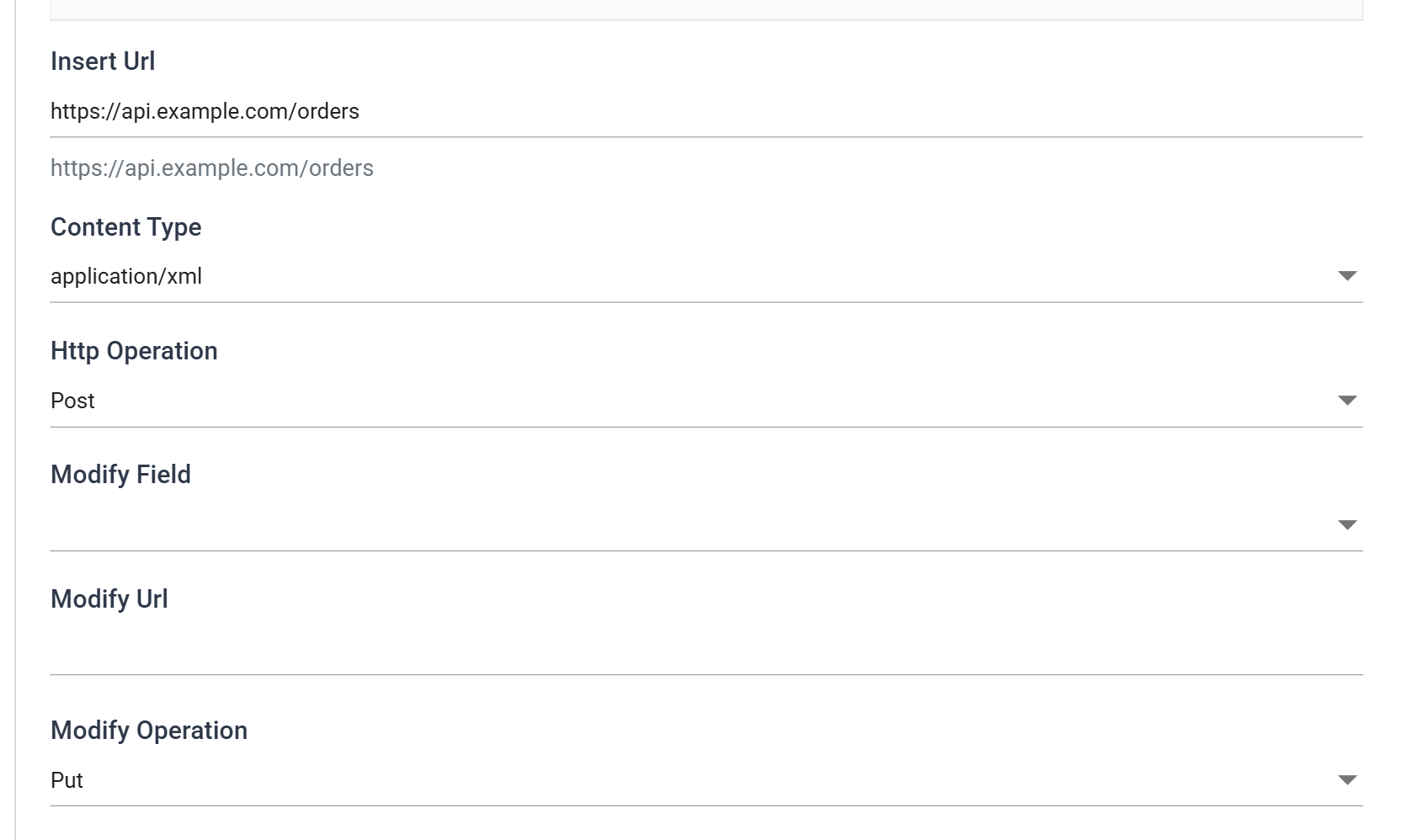
Insert Url
The path, or the whole URL, that a record is sent to when it is being created. Every record is created unless a Modify Field says otherwise. The grey line beneath shows the full URL that results with the behaviour.
The path may hold %[Field] placeholders, resolved from the transaction being
written. Type % in the box to list the fields.
Content Type
XML Writer only. The Content-Type header the request is sent with:
None, application/xml or application/soap+xml. Choose the SOAP one for
a SOAP endpoint. A Content-Type added under Http Headers overrides this
setting. With None, the header list or the connection's default sets the
content type.
Http Operation
The verb of an insert: Post (the default), Put, Merge, Patch or Delete.
Set to Delete, IMan disables the three Modify controls beneath and clears their values. Every record is a DELETE to the Insert Url, so there is nothing to choose between. The request still carries whatever document the writer produces. For a DELETE that must have no body, map nothing in the writer.
Modify Field
Form URL, JSON and XML writers only. A field of the writer's top-level transaction. When the record being written has a value in this field, the request is a modify: Modify Operation to Modify Url. When the field is empty, the request is an insert: Http Operation to Insert Url. If you leave Modify Field blank, every record is an insert.
The usual choice is the identifier the service allocated when it first created the record. A response rewrite writes it back into the dataset and it is stored between runs. A record the service already knows is then updated, not duplicated.
Modify Url
Form URL, JSON and XML writers only. The path, or the whole URL, for a
modify request. It almost always carries the record's identifier as a
placeholder, as in customers/%[CustomerId].json, because a modify addresses
that record.
Modify Operation
Form URL, JSON and XML writers only. The verb of a modify: Put by default, or Post, Merge, Patch or Delete.
Worked example
The Webservices Cookbook builds a reader on this controller against Xero, and its writer pages build the insert-or-modify pair against the same service.