Monitors
A monitor makes a reader watch its source and start the integration when something arrives, instead of waiting for a schedule.
Monitors do a similar job to File Events, but from inside the integration. A File Event is a separate Setup record that watches a folder and names the integration to run. A monitor is a setting on the reader itself, and it watches whatever the reader is already configured to read.
Only the Email controller has a monitor
At present only the Email Controller has Monitor support.
Monitor Setup
You set up a monitor entirely within the integration, on the Setup tab of the reader whose Source is Email.
There is no longer a Monitors screen under Setup
Earlier versions listed monitors on their own Setup screen. That screen has been retired. You administer a monitor from the transform that uses it, and nowhere else.
A monitor is not the same as the Integration Monitor, which shows what integrations are running now and what they did recently.
Transform > Setup
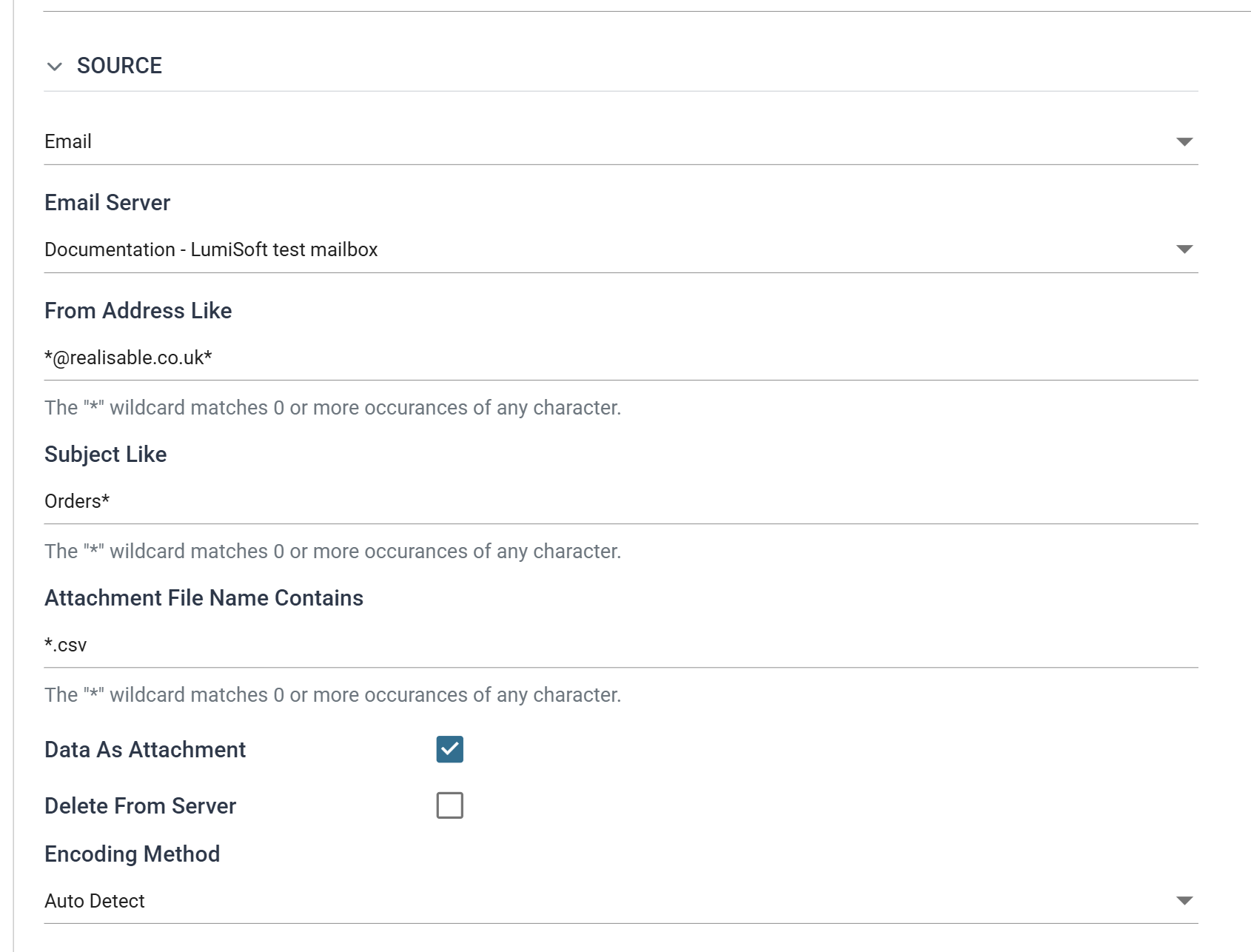
Transform Id
The transform Id of the reader that carries the monitor.
Source
Must be Email for a monitor to be available. No other controller supports one.
Email Server
The POP3/IMAP server whose mailbox the monitor watches. On an IMAP server, the monitor watches the reader's Folder, and the read position decides what counts as new. See Consuming what it reads below.
Monitor Enabled
When selected, IMan registers the reader as a monitor. The scheduler service then polls the mailbox every 60 seconds using the reader's own From Address Like, Subject Like and Attachment File Name Contains filters. As soon as the poll finds a matching email, the scheduler service starts the integration, and the same reader reads the email it found.
While a monitor exists, IMan holds the integration's concurrency at one. If a run outlasts the next poll, a second run does not start alongside it.
Unticking the box removes the monitor. Both changes take effect when you save the integration.
Consuming what it reads
The poll asks is there a matching email the reader has not dealt with?, not has a new one arrived?. An email the integration has read but neither removed nor acknowledged is still there a minute later, and starts the integration again. A monitored integration must therefore consume what it reads. How it does so depends on the server's Mailbox Protocol.
Over POP3, the mailbox keeps no record of what has been read, so the email
must be removed. Tick Delete From Server on the Email controller, or end the
integration with an Email Task
that deletes the emails it processed by their EML.Uidl. Doing neither is
the usual cause of an integration that runs every minute against the same
email.
Over IMAP, the reader keeps a read position, and the poll counts only
emails beyond it, so the email can stay. The reader never moves the position
itself. To advance it, end the integration with a Mark Email Read task
mapped to the reader's EML.ReadState. Without that task, a monitored IMAP
reader hands the same emails to the integration every 60 seconds, as an
undeleted email does over POP3. A Move Email task can then file the processed
mail into another folder, and you do not need Delete From Server.