Release 6.1
IMan v6.1 New Features and Improvements
Where V6 rebuilt IMan’s foundations, 6.1 finishes the job.
6.1 brings vast improvements to usability and visibility. The UI modernisation is now complete across every transform screen. The release adds a genuine development experience for scripting, first-class cloud file system support, IMAP mailboxes, real-time integration monitoring, much stronger protection for stored secrets and a great deal more.
It’s never been quicker to build an integration, and far easier to see what it’s actually doing.
Designer Connectivity Operations Platform Upgrading Prior versions
Major Highlights
-
Every transform setup screen now runs on the new UI platform, with quicker screen loads, resizable screens and drag-and-drop configuration.
-
Intellisense, syntax highlighting and collapsible regions bring a proper development experience to VBScript.
-
Native support for OneDrive/SharePoint, Amazon S3 and Azure Blob Storage, with browsing, a File Explorer and event-driven file watching.
-
See what’s running, what’s failed and where it failed, and drill down to the underlying audit report.
-
A dedicated editor with visual and HTML composition modes, merge-field pickers and detail-record tables.
-
JSON and XML now support schema detection, including flattening nested structures into their parent record.
-
Read any folder of an IMAP mailbox. IMan remembers where each reader has got to, and the mail stays in the mailbox.
-
Much stronger encryption for every password, key and token IMan stores, and none is sent to the browser unless you ask to see it.
-
IMan’s own RabbitMQ Message Broker replaces Microsoft Message Queuing, and MSMQ is no longer a prerequisite.
Why it matters
6.1 is about removing friction. Less guesswork when writing scripts, fewer trips to the Scheduler to check a result, no bespoke workarounds for cloud storage, and a live view of your integrations rather than a post-mortem in the logs.
Designer
Designer Screens
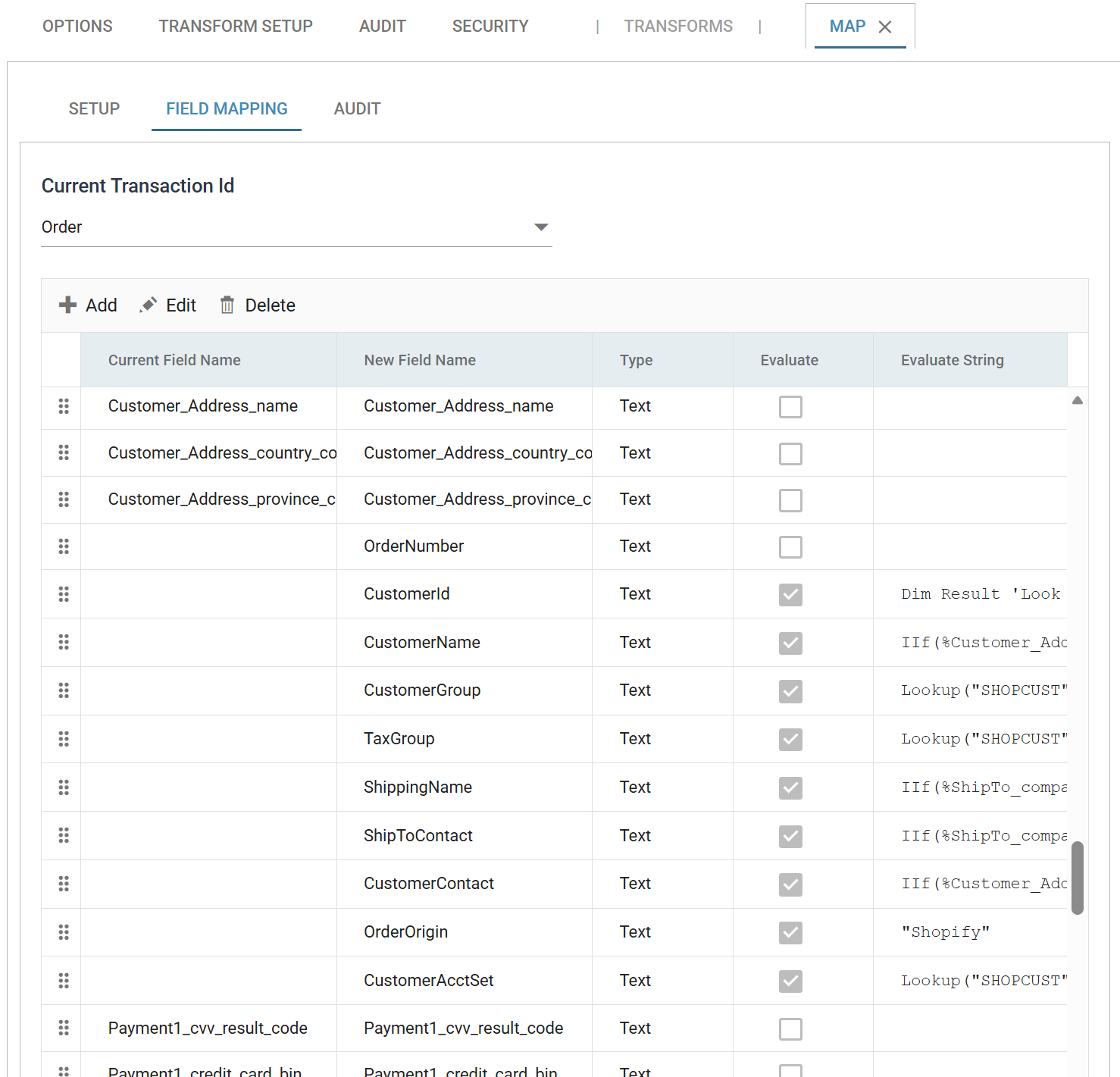
The UI modernisation that started in version 6 is now complete. Every transform setup screen now runs on the new UI platform.
Script Editor
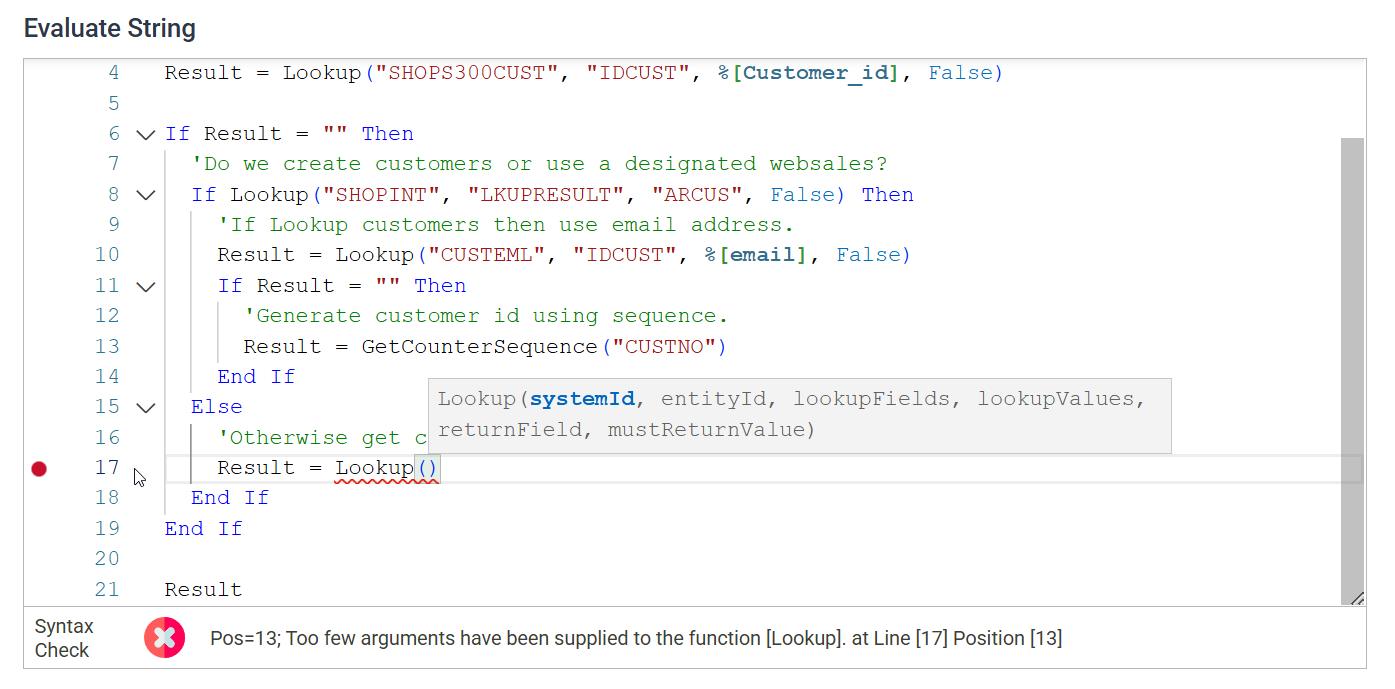
The Map, Filter and Aggregate controls gain a new scripting control. It brings a proper development experience to VBScript.
- Intellisense. The editor surfaces field references, available functions and function arguments as you type.
- Syntax highlighting.
- Collapsible regions.
Improved and Expanded Schema Detection

- JSON and XML now support schema detection, including the ability to flatten nested data structures into their parent record.
- IMan now remembers reader schemas (CSV, Excel, Database) and any changes to them. No more false warnings about deleted fields or records.
Expando Field Hints & Validation
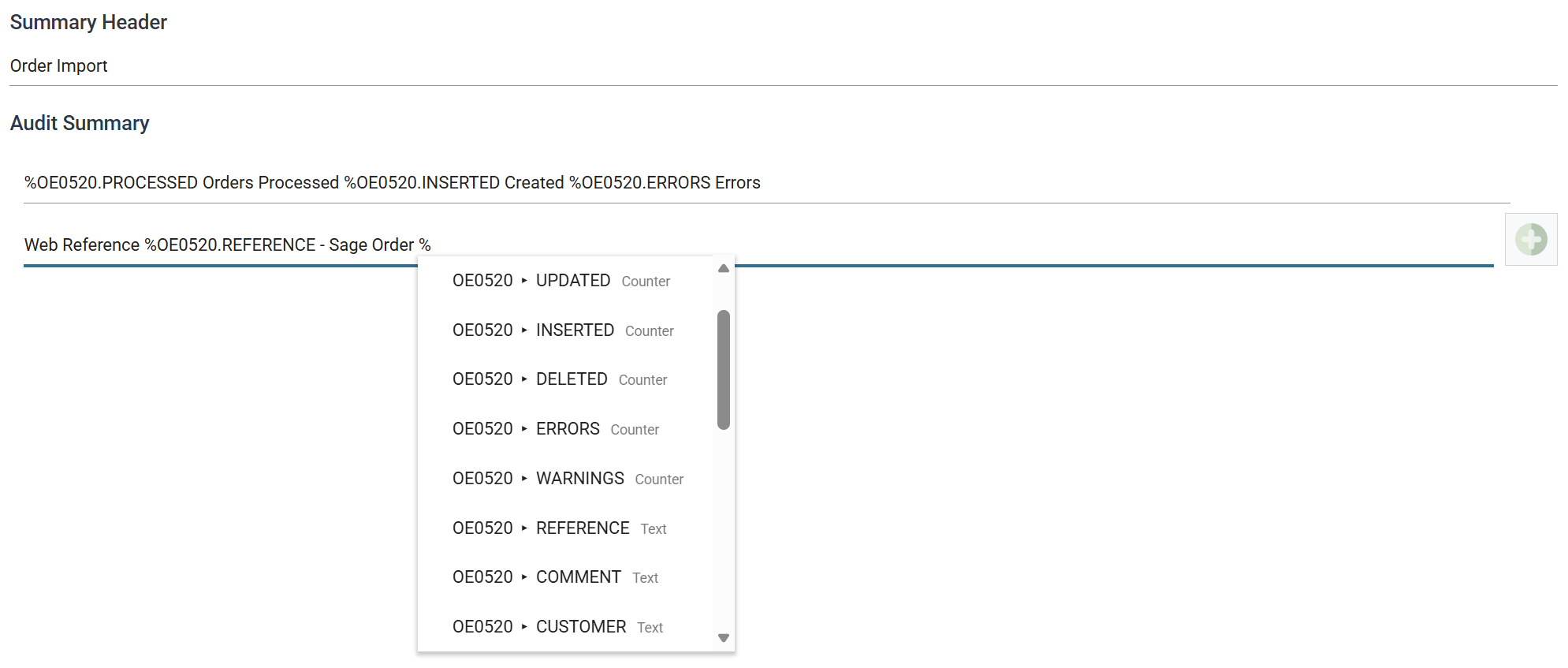
- Fields that support Expando values now offer a hint control that lists every available Expando value. They include the Audit Summary, email address fields, file locations and the DB Writer where clause.
- IMan now validates Expando fields and catches incorrect values at design time rather than at runtime.
Preview & Refresh
- Preview results now update in place without flicker. Expanded detail rows refresh in place when their parent changes mid-run.
- Find within the preview searches both field names and data.
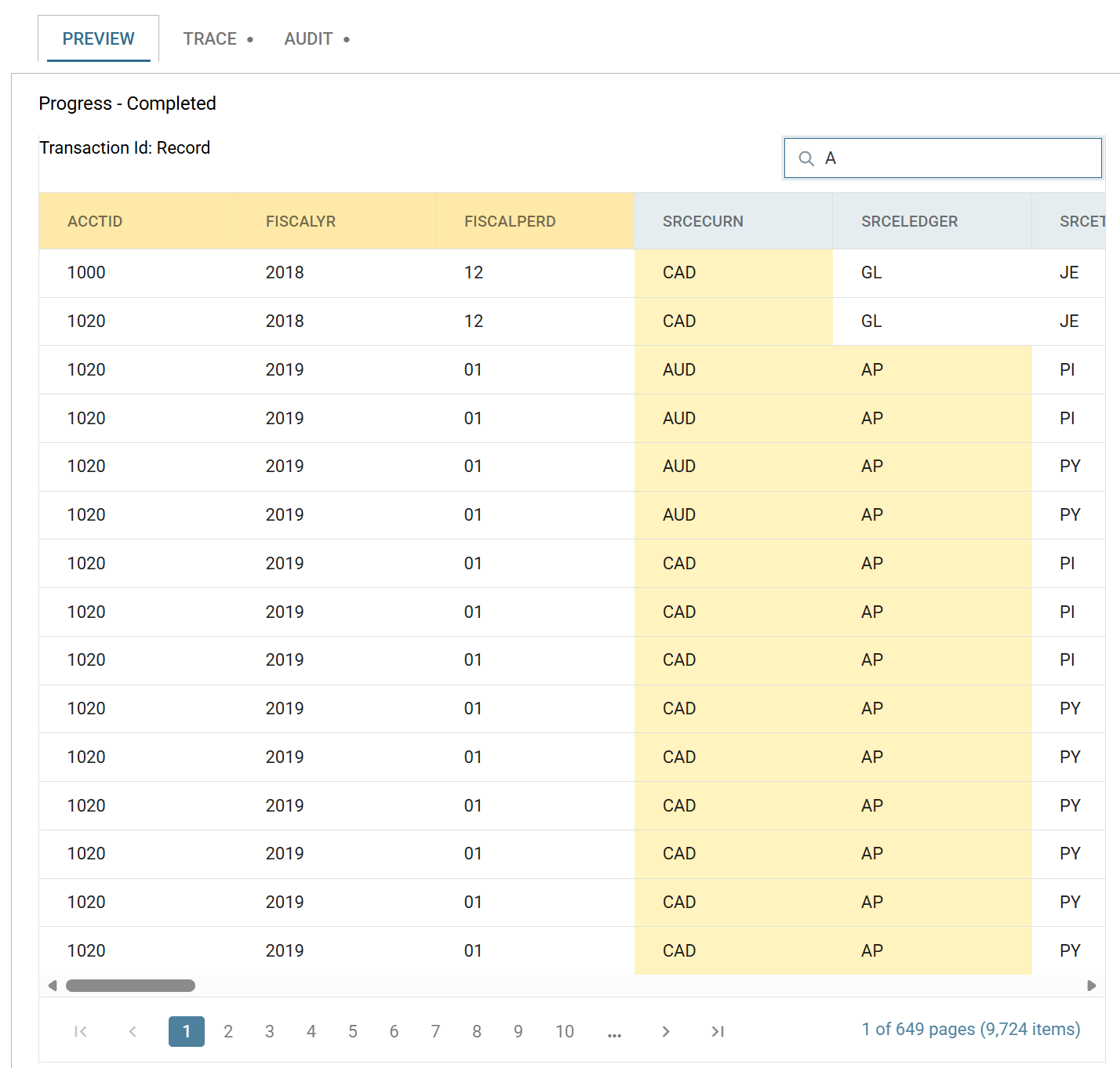
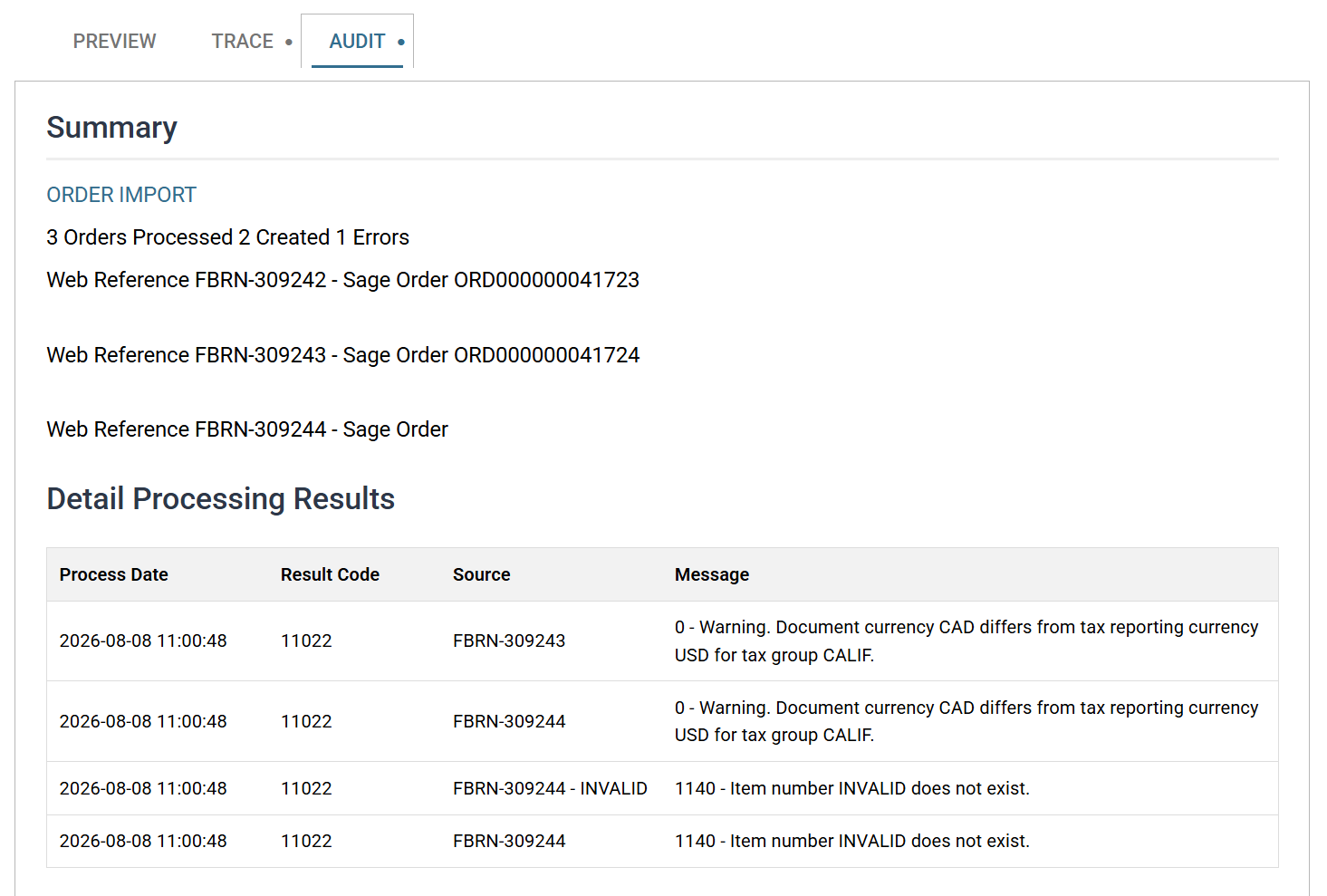
- A new Audit tab shows Audit Summaries directly in the Designer. You no longer need to run the integration from the Scheduler just to see the result.
Dark Mode
That is all.
Other UI Improvements
- Select All and Deselect All for the selectable transforms (Hierarchy, Flatten and the Writers).
- Drag-and-drop hierarchy configuration.

- Writers now carry a mapping visualisation that shows exactly what you have mapped.
- Consistency. Every UI now lists its fields on the second tab, and the awkward ‘second screen’ on the Aggregate, Hierarchy and JSON Writer transforms is gone.
- Truly resizable screens, draggable field reordering and a continuous list of fields. No more paging.
- Open and maintain setup items without leaving the Designer.
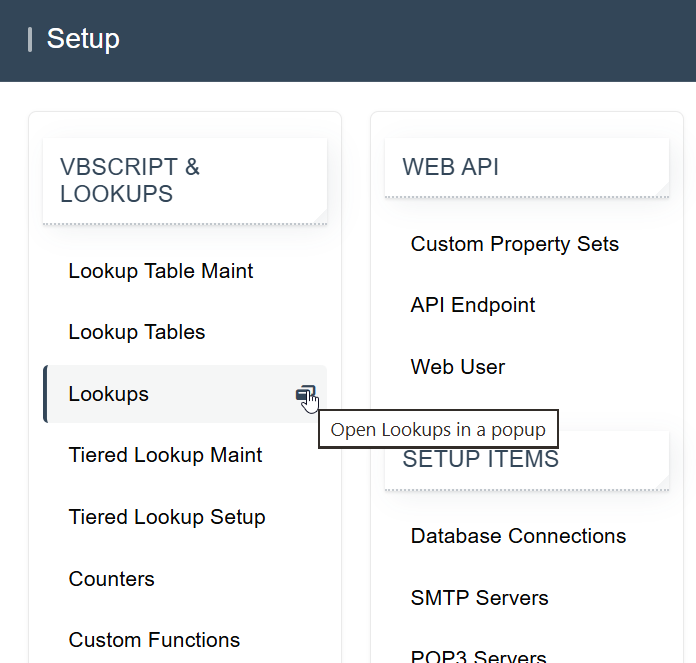
- Quicker screen loading.
Connectivity
DB Writer and DB Reader
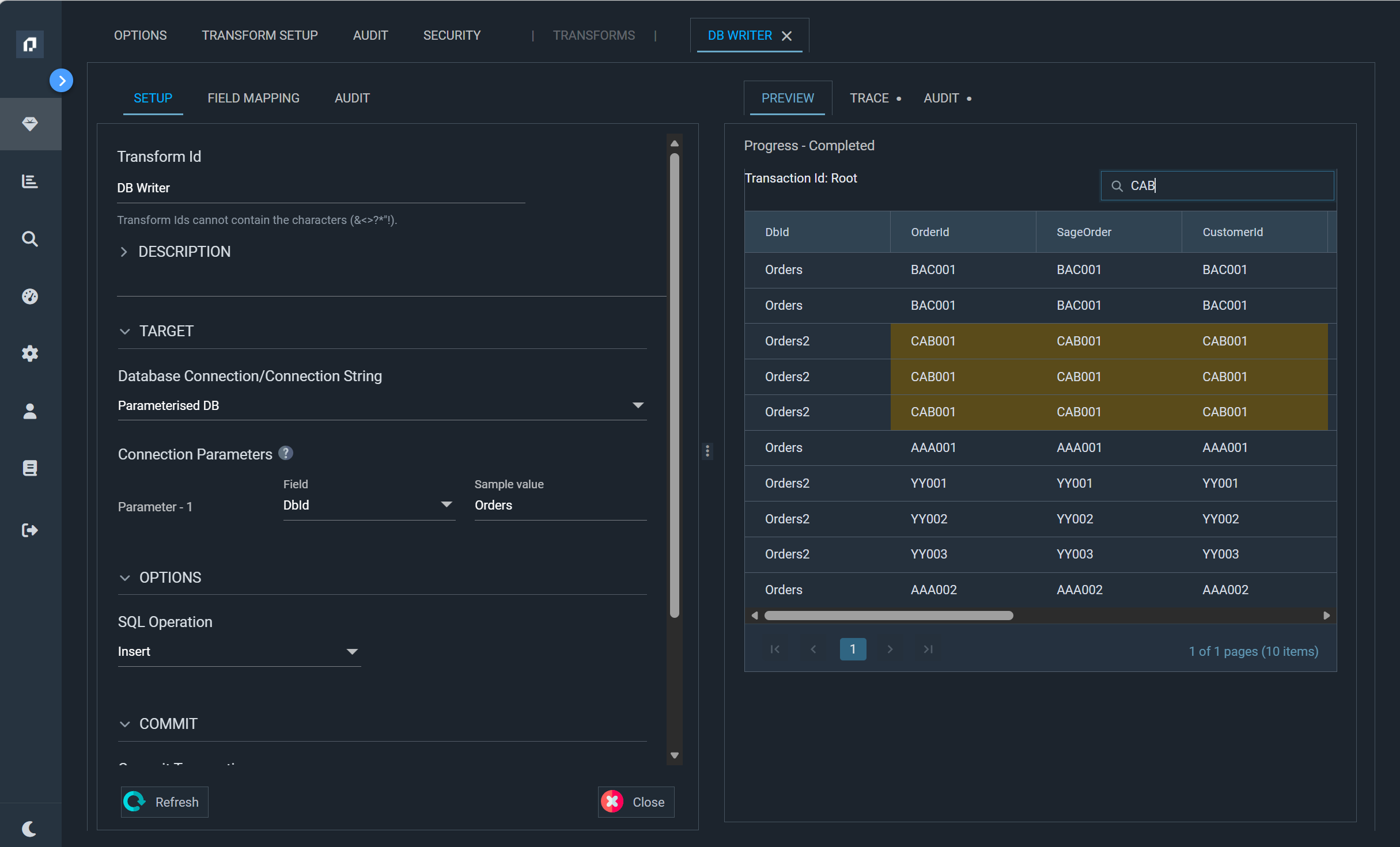
A long-requested feature: the DB Writer can now parameterise its connection string. A single DB Writer can target any database dynamically and removes the fan-out that previous versions required.
![The PARAMDB database connection, whose connection string names its database as %[1], linked to a DB Writer's Connection Parameters where Parameter 1 takes the writer's DbId field](../assets/Documentation/Resources/Images/whats-new/v6-1/ParameterisedDbConnection.png)
The DB Reader can do the same when it's a child of another transform. Bind each %[n] placeholder in its connection string to a field from the parent record, and each parent record can read from its own database.
DB Reader Connection Parameters
Richer Email Authoring
The Send Email task now has its own editor and a new way to compose message bodies.
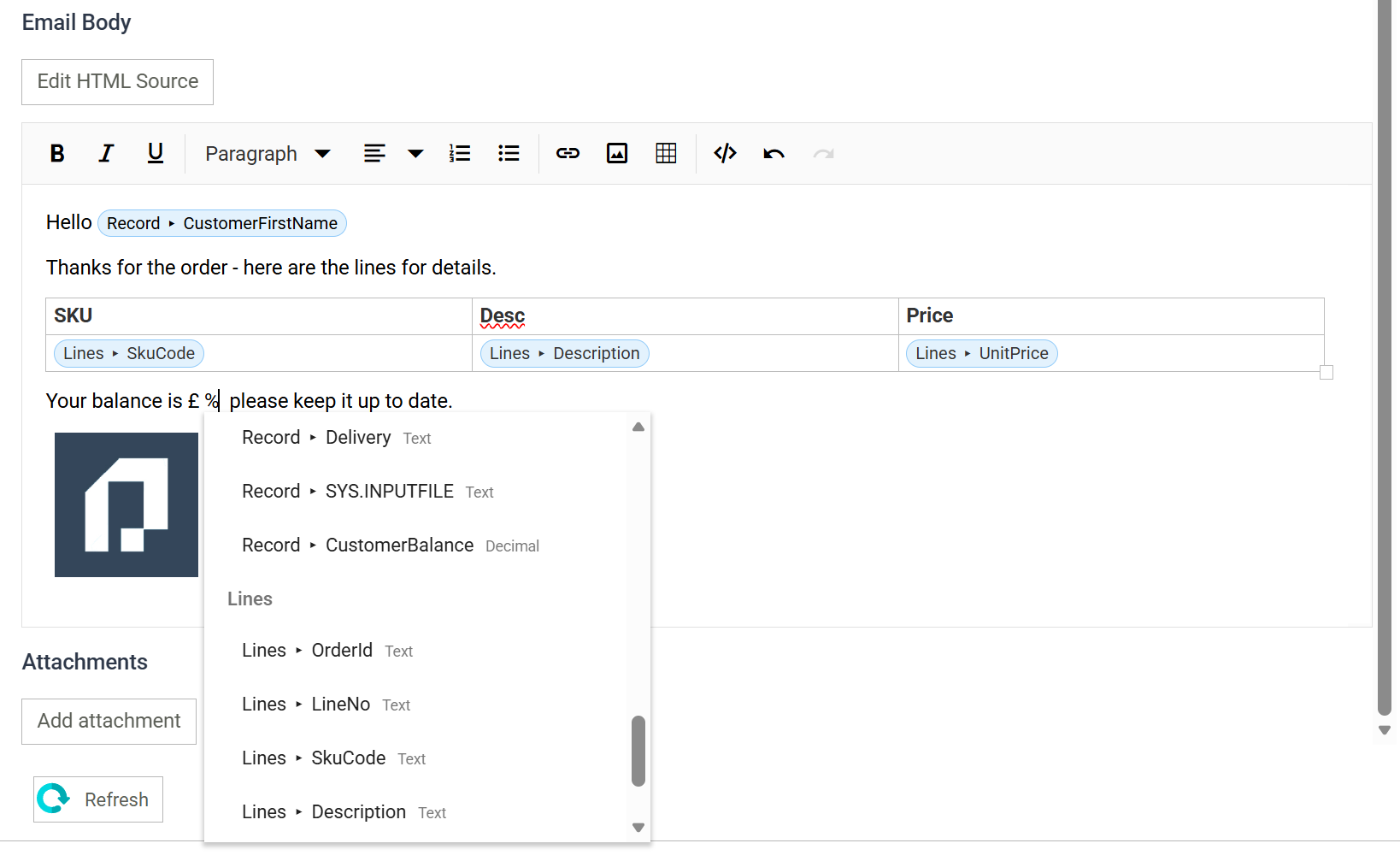
- Compose visually or in HTML. The body has two modes. In the visual rich-text mode, you insert merge fields as chips from a ‘%’ picker. The HTML source mode takes hand-crafted markup.
- Tables for detail records. Insert a table, and any row that holds detail-record merge fields repeats automatically for each record.
- All fields available for merging. The merge-field pickers cover the address, subject, attachment and body fields.
File System Support – Azure Blob Storage, AWS S3 and OneDrive
Version 6.1 massively extends IMan’s file handling. It treats cloud storage as a first-class file system rather than an add-on.
- New support for Office OneDrive/SharePoint, Amazon S3 buckets and Azure Blob Storage.
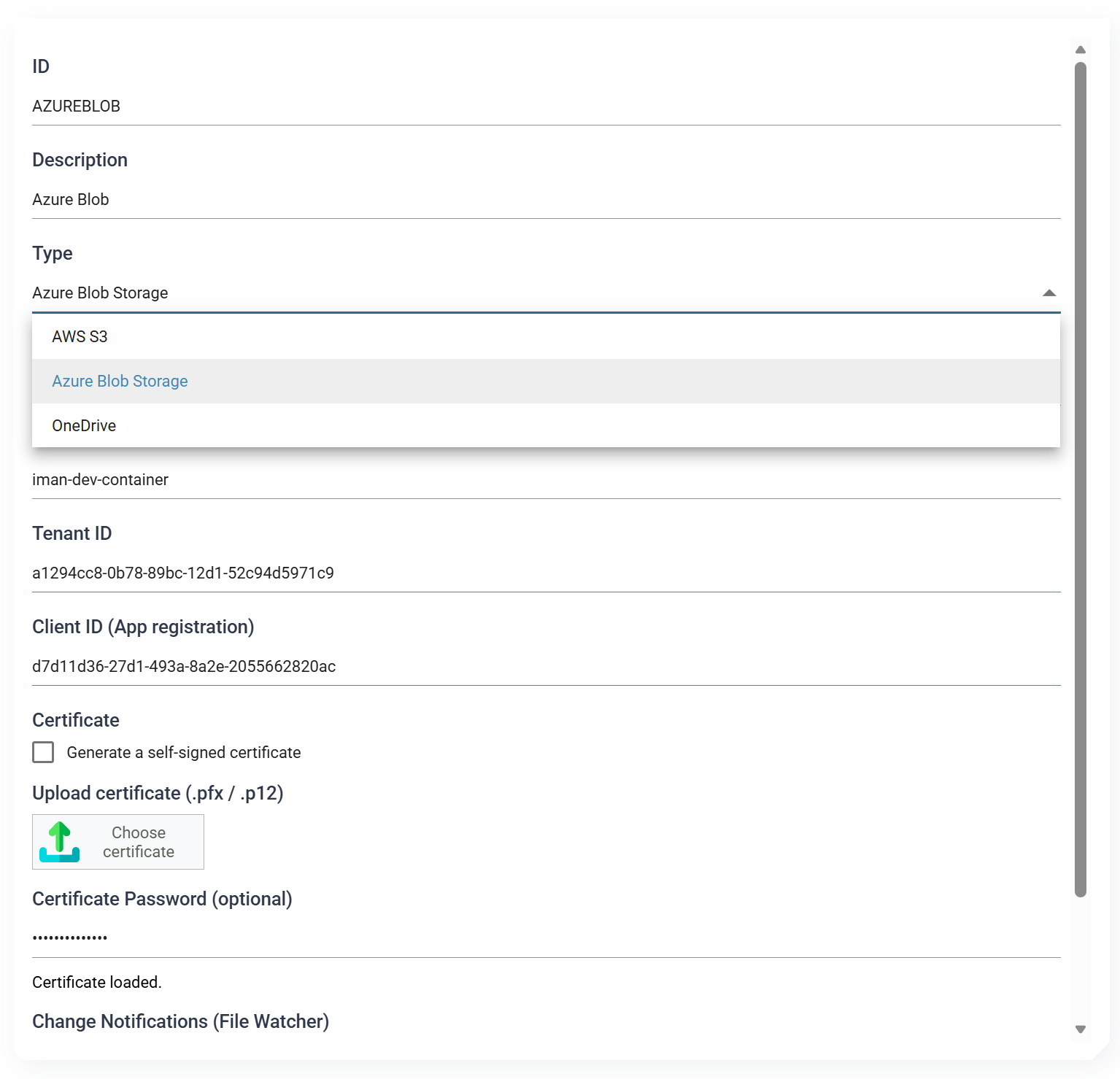
- A new browse button lets you navigate the target file system and select a folder or file, rather than type paths by hand.
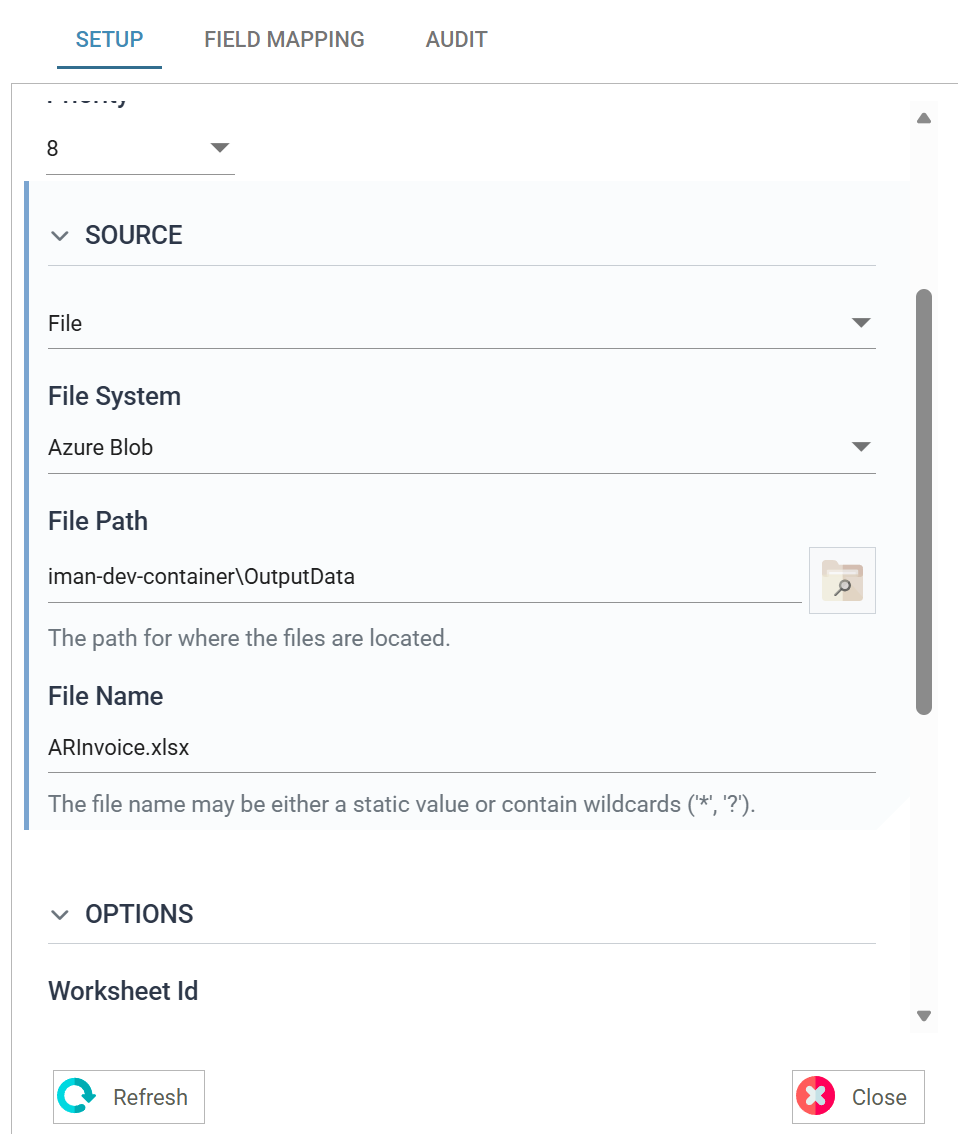
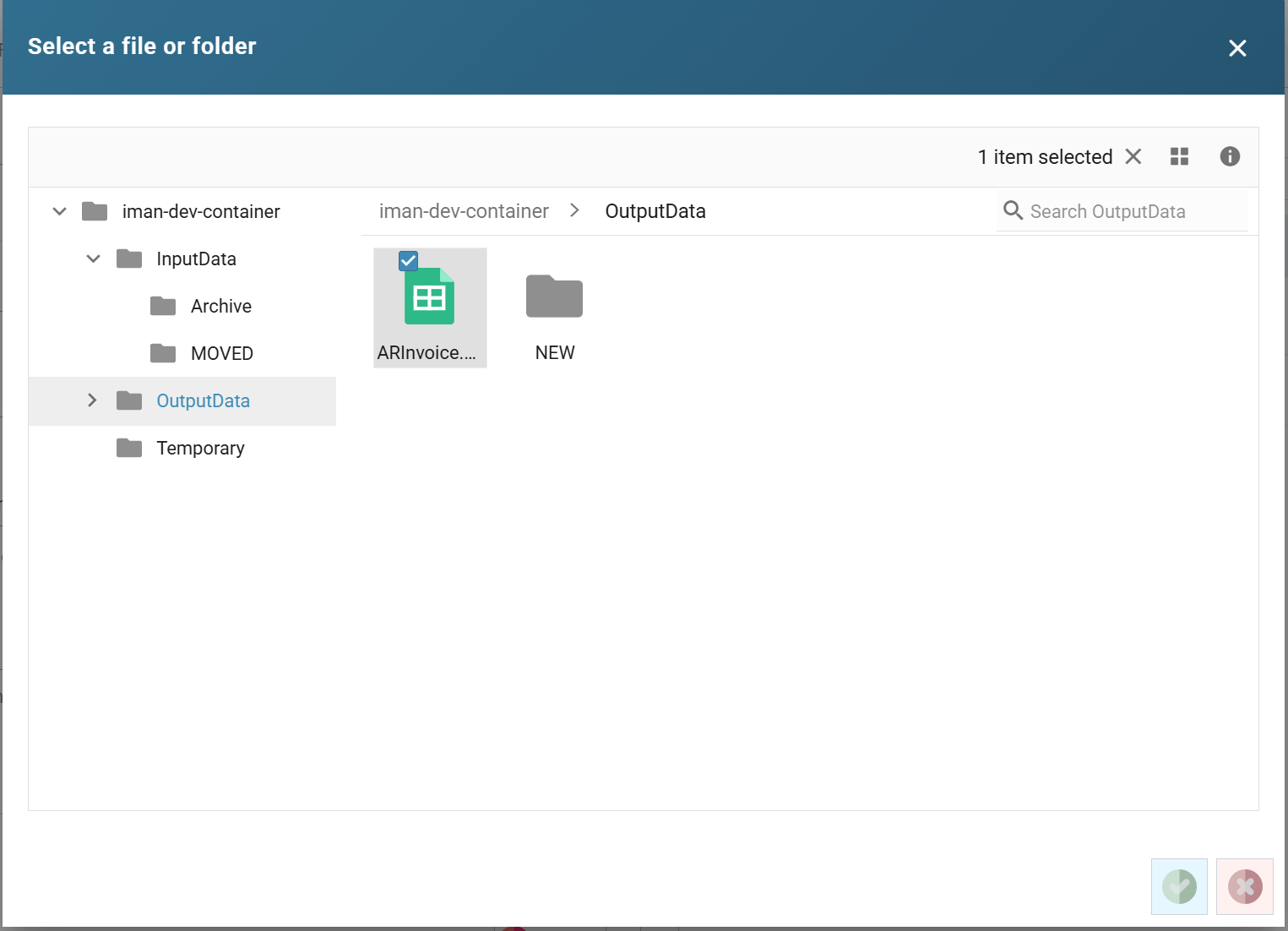
- A new File Explorer gives end users a management screen to move, delete and generally manage files across every supported file system, including Windows.
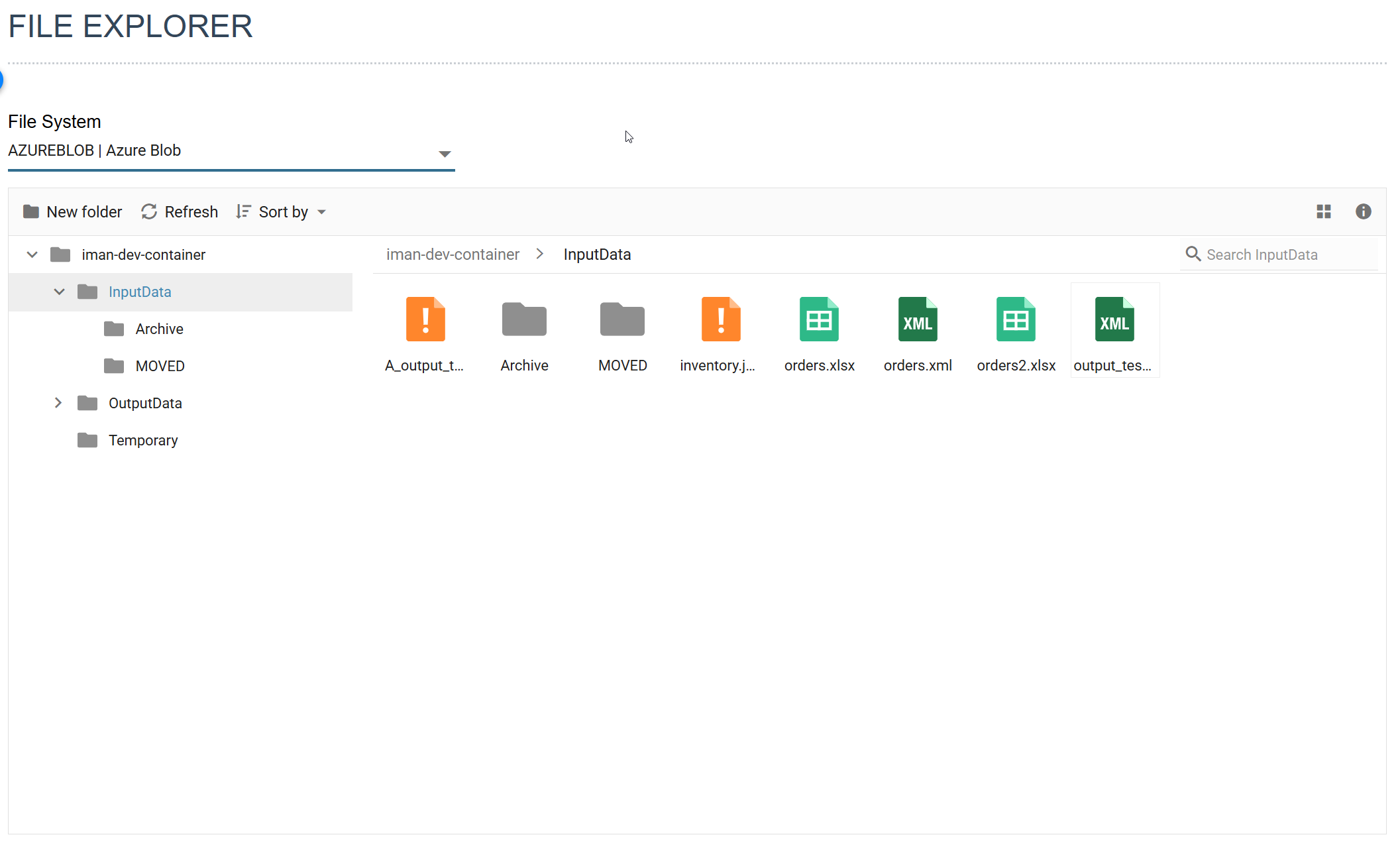
- The new file systems work everywhere IMan handles a file: reading, writing, email attachments, the file system functions and the file watcher.
- Browse and the File Explorer also work with FTP/SSH.
- Event-driven cloud file watching. File-event triggers can watch cloud storage directly. Azure Blob Storage uses Event Grid notifications, and Amazon S3 uses its native event notifications. IMan detects new and changed files as they happen rather than by polling. You can also target a file-event watch at a specific file system.
File Services Watching a cloud file system
IMAP Mailboxes
IMan now reads email over IMAP as well as POP3. The POP3 Servers screen becomes POP3/IMAP Servers, and each mailbox record chooses its Mailbox Protocol. IMAP works with a username and password, and with Office 365 through OAuth.
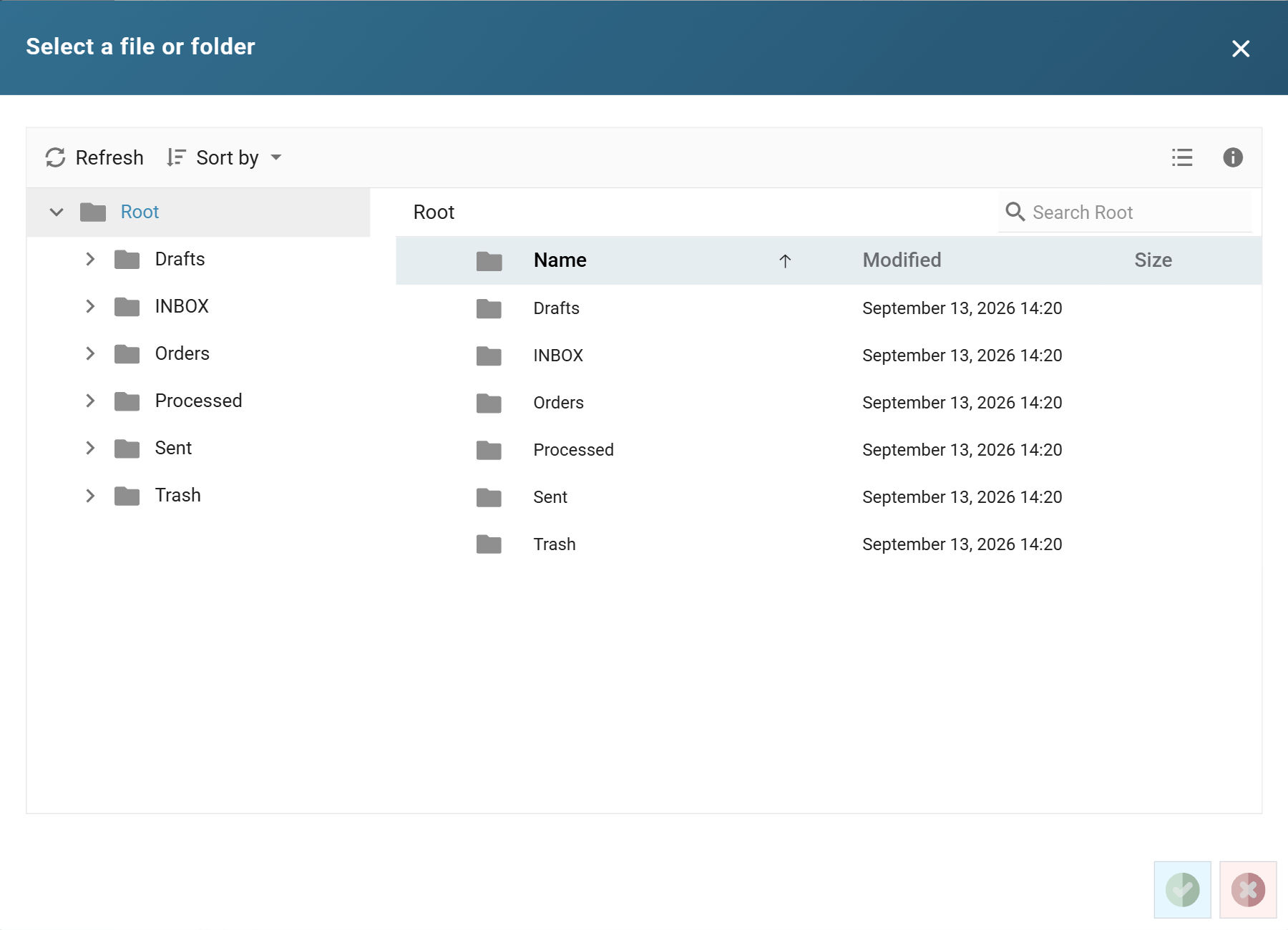
- Any folder, not just the inbox. A browse button lists the account's folders for you to pick from.
- A read position for every reader. IMan remembers where each reader has got to in its folder. The next run reads only the mail that arrived after it, and the mail can stay in the mailbox.

- Mark Email Read and Move Email. Two new Email task actions advance the read position once the integration has used the mail, and file processed mail into another folder.
- Preview Window and Batch Size. A Designer preview looks back a set number of days, and a run takes a set number of emails at most.
POP3/IMAP Servers Read Position
Operations
Realtime Monitoring
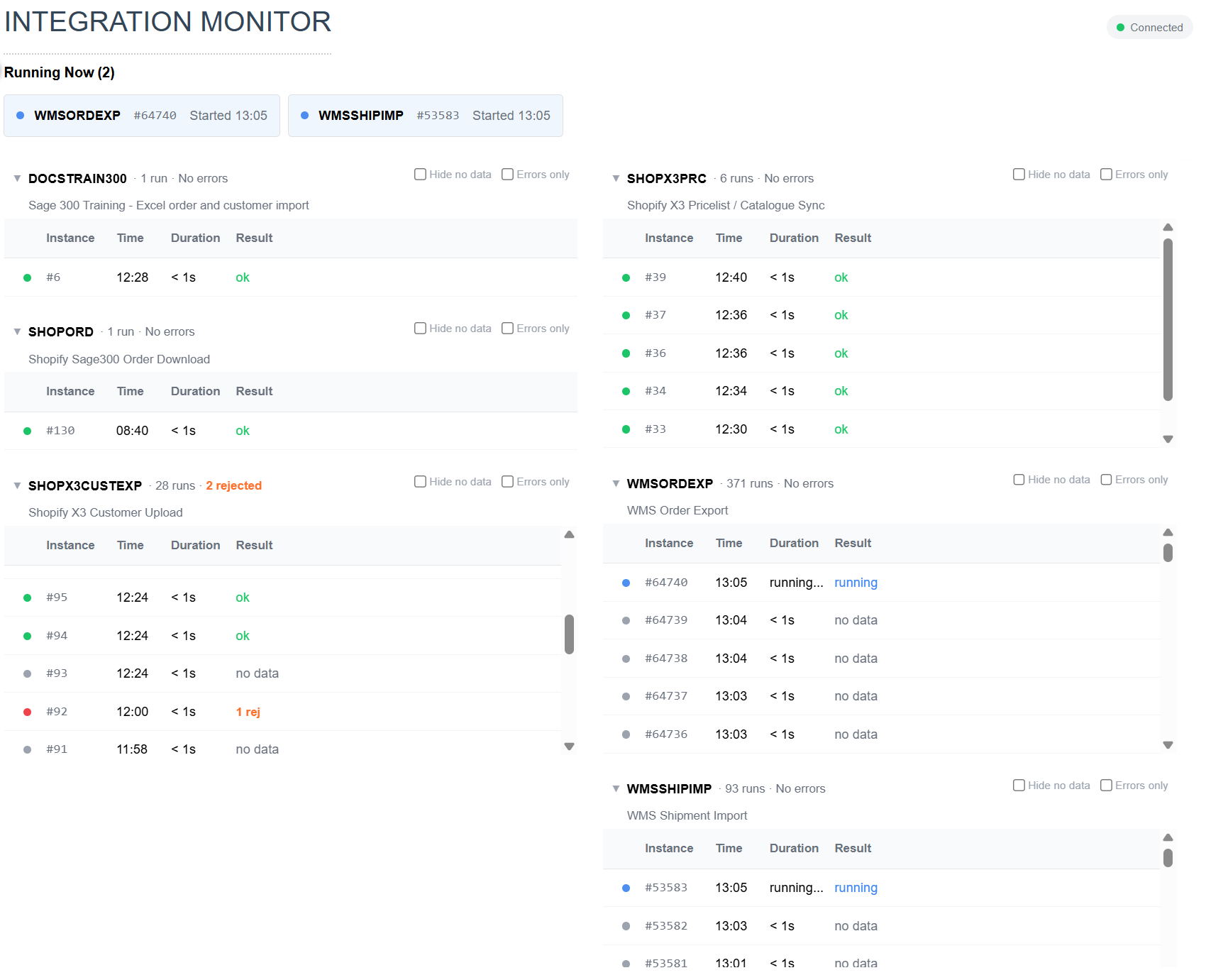
6.1 introduces a new capability to monitor your integrations as they run.
See what’s currently running, what’s failed and exactly where it failed, and drill straight down to the underlying audit report.
Scheduler Active/Blackout Times
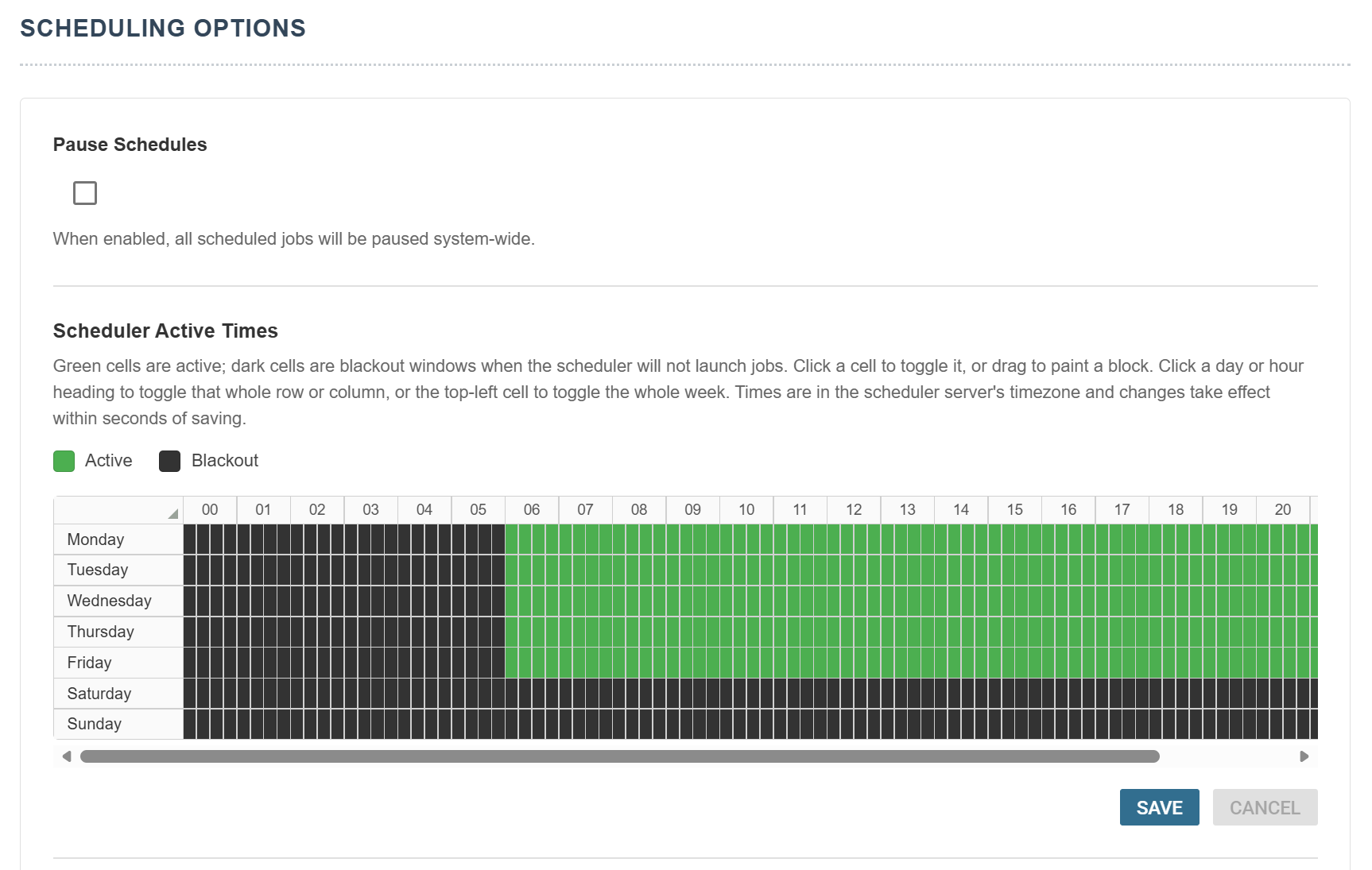
A new Active Times feature gives administrators precise control over when scheduled jobs may run. Use it to protect backup windows, ERP maintenance periods and peak trading hours.
Platform
Enhanced Security
IMan has always encrypted the passwords, keys and tokens it stores, which it calls secrets. 6.1 overhauls that protection and makes it far more secure.
- Encrypted at rest. IMan encrypts each secret with AES-256 under a data key for its kind: system connector passwords, FTP keys, OAuth tokens, web service credentials and the rest. Each encrypted value is bound to its place. A value copied into another column, or into another integration, does not open.
- Keys held on the server. A key certificate on the IMan server protects the data keys. A copy of the database on its own does not reveal the secrets.
- A recovery code. The Admin Console shows the code once, when it creates it. The code rebuilds the key certificate on another server when you move or restore IMan.
- A machine-bound database connection. Windows data protection encrypts IMan’s own database connection string for the server it runs on.
- The Secrets window. A new window in the Admin Console replaces the certificate, reissues the recovery code and re-keys every stored secret.
- Masked in the browser. IMan never sends a stored secret to the browser unless you ask to see it. Revealing one needs the new Can reveal a stored secret in full permission, and IMan records each reveal in the service log.
6.1 also includes the fixes from a security review of the IMan services.
Continued Modernisation: the Message Broker
6.1 continues the modernisation that V6 began. IMan no longer uses Microsoft Message Queuing (MSMQ). Its processes now pass audit entries and signals through the Message Broker, a private RabbitMQ instance that the installer sets up.
- Nothing to install first. MSMQ is no longer a prerequisite. The installer adds the broker along with its own Erlang runtime.
- Private to IMan. The broker runs as its own Windows service, RealisableMessageBroker, on its own ports. It listens only on the server's loopback address, and it runs beside any other RabbitMQ installation without sharing anything with it.
- Durable audit logging. The broker keeps audit entries on disk until Log Services has written them to the database.
- Live feeds. The same broker streams audit entries to the live Job Viewer and transform progress to the Integration Monitor.
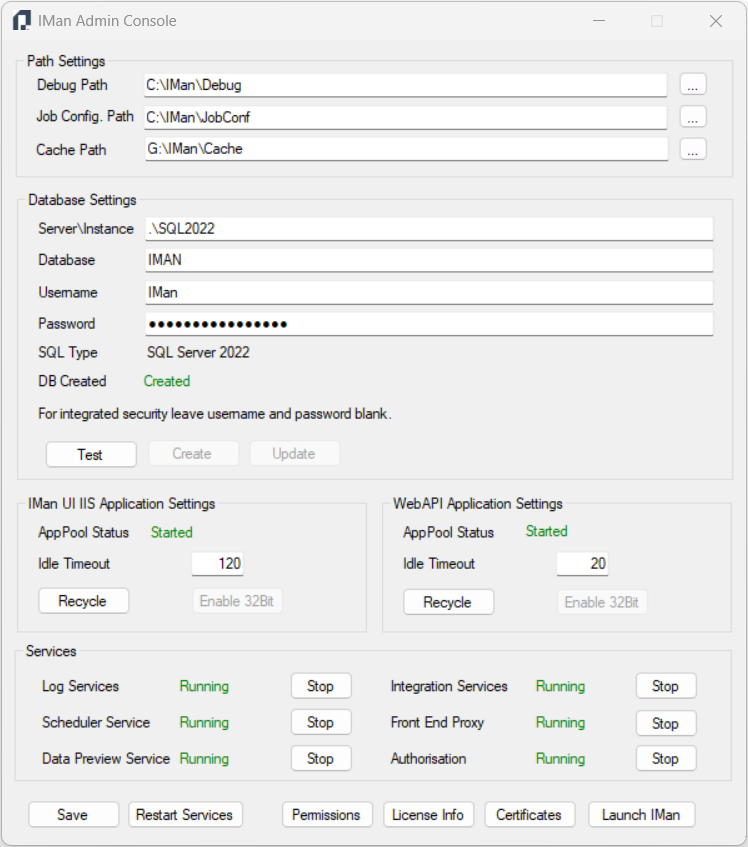
- The Admin Console lists the Message Broker with the other IMan services.
Every Service on Modern .NET
V6 moved most of IMan from .NET Framework to modern .NET, and 6.1 moves the rest. Every IMan service and the Admin Console now run on modern .NET.
- The WebAPI. The WebAPI now runs on ASP.NET Core, inside IIS as before. Its address, routes and authentication stay the same. Its error responses take a new shape, and Upgrading to 6.1 lists what a client needs to check.
- The Admin Console. The Admin Console looks and works as before. The installer adds the .NET Desktop Runtime it needs.
- The Scheduler. The Scheduler service moves to modern .NET too.
- The old web application is gone. In 6.0, the Designer showed each transform's setup screen from a separate web application,
/IMan, built on ASP.NET for .NET Framework. Every transform screen now runs on the new UI, and the installer no longer installs the old application.
Documentation
Rewritten and Refreshed
Most of the IMan documentation has been rewritten or refreshed for 6.1. That includes the IMan User Guide, the Administration Guide, the Quick Start Guide, the Integration Cookbook, the WebAPI Guide, and the Sage 200 and Sage 300 training manuals.
The Boring, but Necessary Stuff
Upgrading to 6.1
- The installer adds the Message Broker service. You no longer need Windows Message Queuing on the server.
- After the upgrade, press Update in the Admin Console. It creates the keys for your secrets, shows the recovery code and converts every secret stored in the older format. Record the recovery code somewhere safe, away from the server. See Create and Update.
- The WebAPI's responses change in four ways. Check any client that reads an error body or acts on a status code:
- An error comes back as
application/problem+json, withstatus,title,correlationIdanderror.titleholds the HTTP reason phrase, anderrorholds the message. 6.0 sentType,StatusandTitle, with the message inTitle. - A request that runs past its endpoint's Request Timeout returns 408. A request body over the size limit, 4 MB by default, returns 413. 6.0 returned 500 for both.
- The metrics route,
/IManWebAPI/metrics, needs a bearer token from the Authorisation Service. See Monitoring Installation & Setup. - Without a WebAPI licence, every endpoint takes two requests a second at most. 6.0 did not enforce that limit.
- An error comes back as
Upgrade Notice
If you are upgrading from v3.2 or earlier, you need to familiarise yourself with the V4.x Upgrade Process & Notes to note the possible breaking changes and to help plan your upgrades. We've tried to streamline this as much as possible by maintaining backwards compatibility.
License Change Notice
If you are upgrading from v3.2 or earlier there are changes to the 'Unlimited' license.
Please consult the following notification for further information.
For test licenses please consult the upgrade notice.
What's new in prior versions
Need to see how IMan has evolved? Follow the links below.