Transaction IO Controller
Every other controller connects a transform to something outside the integration, such as a file, a database, a URL or a mailbox. The Transaction controller connects it to the integration's own dataset. A reader on it reads the value of one field as though that value were its file. A writer on it writes its output into one field instead of to a file.
Its main use is the WebAPI integration. The
WebAPI Reader captures the body of
an incoming request as a single field, Http.Content, and a JSON, XML, CSV or
Form URL reader connected beneath it, with its Source set to Transaction and
its Field set to Http.Content, parses that body into records the rest of the
integration can work on. You can use the same arrangement wherever a document
arrives inside a field, such as a column holding XML, instead of as a file.
Which transforms offer it
As a Source, the CSV, Excel, Fixed Width, XML, JSON and Form URL readers offer it. It is the Form URL reader's default. A form-encoded body usually arrives inside a request, although the reader can also read one from a file.
As a Target, the CSV, XML and JSON writers offer it. The Excel and Fixed Width writers do not.
Setup
The controller has one control. It appears in the reader's Source section or the writer's Target section once you choose Transaction in the drop-down.
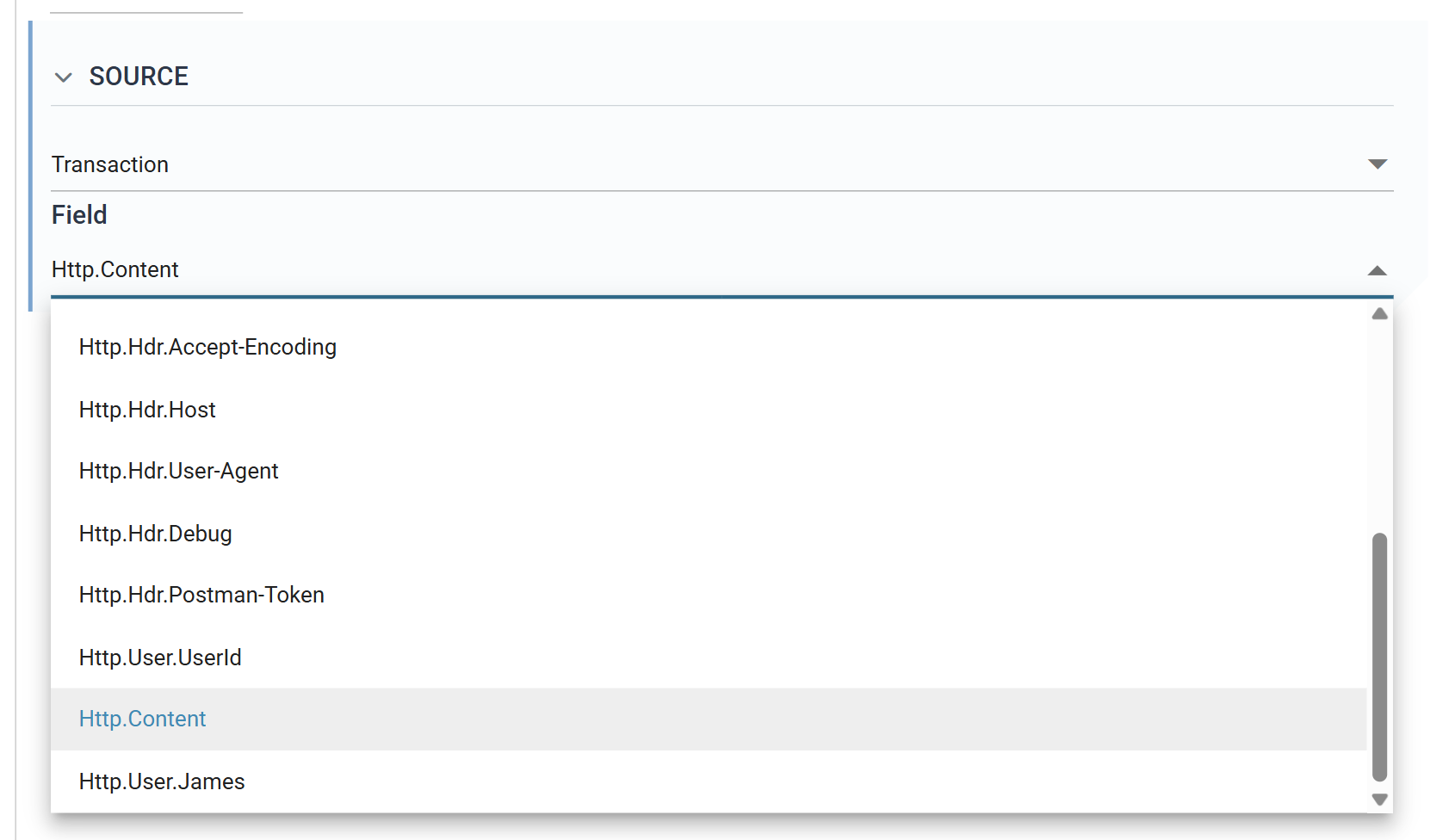
Field
The field to read from, or write into.
The list offers only the fields of the top-level record of the parent
transform. It does not offer the fields of the parent's child transactions,
or the transform's own fields. This is enough for the WebAPI case, because
every Http.* field the WebAPI Reader creates is on its root record. If the
parent has no fields on its root, the list is empty. A reader with no parent
has nothing to read.
If the saved field is no longer on the list, because the parent has changed or the field has been renamed, IMan selects the first field in the list instead and gives no warning. Check the setting after re-parenting a transform.
What a reader does with it
The value of the field on the record the parent passes down becomes the reader's input, as the contents of a file would. The reader applies its own format settings to it, such as delimiters, header rows or the JSON or XML entry point, and detects its Field Mapping from it in the usual way. A Binary field is read as bytes, so an Excel reader can read a workbook held in a field. A Text field is read as text.
The reader reads once per record the parent passes down. For a WebAPI reader that is once per request.
What a writer does with it
The writer produces its document as normal. Instead of writing a file, it writes the whole document into the chosen field of the transaction being committed, and the transforms beneath the writer see it as a field value. You can use this to build a document in one step and send or store it in another.
Worked example
The WebAPI Integration Setup Guide
walks through a WebAPI Reader with a JSON Reader on the Transaction controller
beneath it, reading Http.Content.