Transform Setup Interface
Double-click a transform on the design surface to open its setup pane. Here you configure the transform and see the result without running the integration.
What is on this page, and what is on the transform's own
These pages describe what every transform setup pane has in common. The fields a particular reader, writer, transform or task offers are described on that transform's own page.
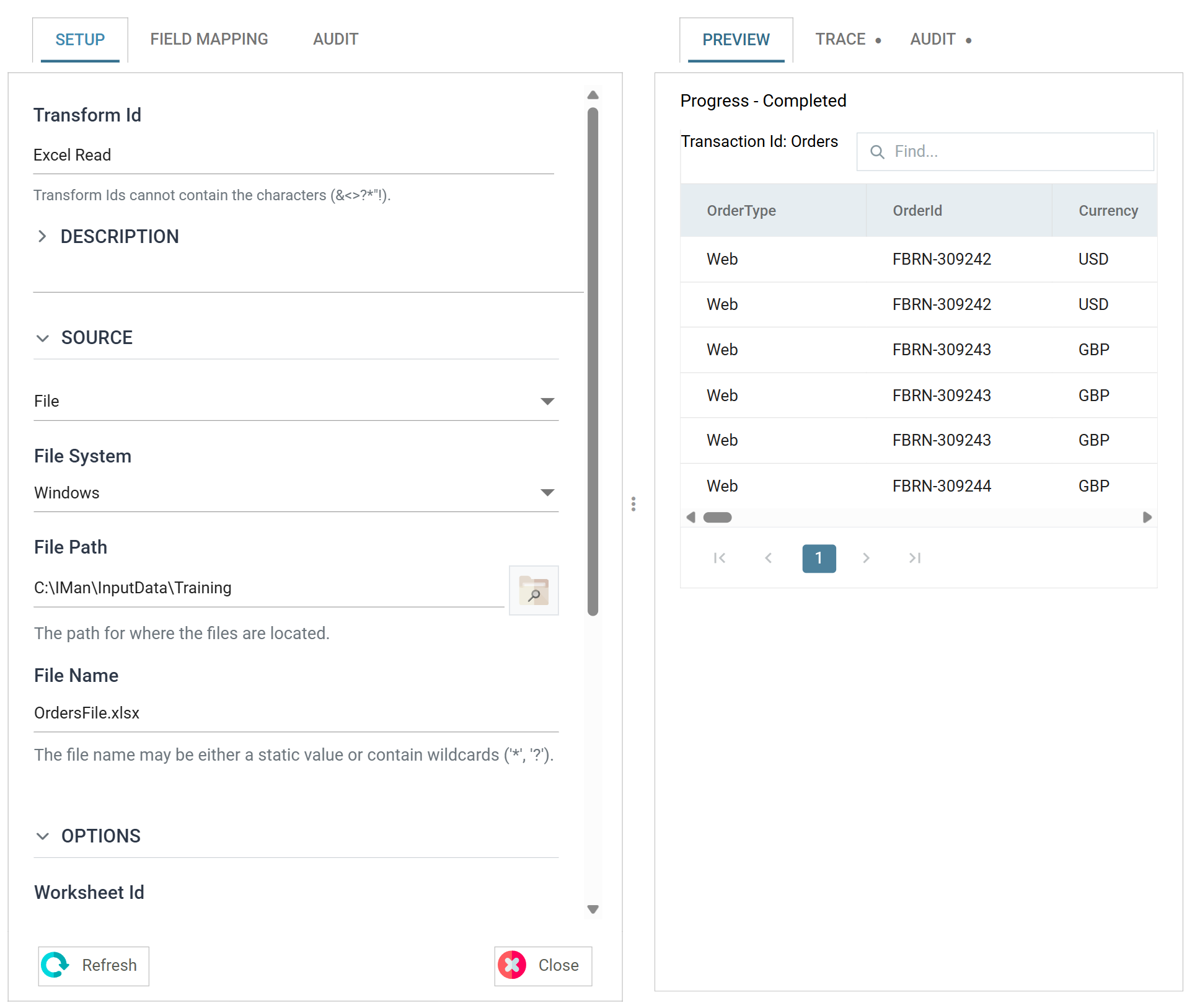
The pane is split in two. The left side configures the transform, and the right side shows what it produces. You can drag the divider between them, and IMan remembers where you leave it.
The tabs
There are three tabs. The middle one depends on the type of transform.
Setup
Always the first tab. It holds the three controls every transform has — Transform Id, Description and Priority — followed by the transform's own settings, grouped into a Source or Target section and an Options section.
Reader and writer transforms show their file paths, connection details and format settings here.
Field Mapping
The fields the transform carries, and what it does to them. Transforms have this tab. A task has a tab named after itself in this position instead, and some tasks have no middle tab at all.
Field mapping is essential to any integration. It defines what data the transform carries, and where the data belongs once it is in IMan.
Audit
What happens when the transform errors, what it writes to the log, and the lines it contributes to the Audit Report.
Preview area
The right-hand side. Refresh, at the foot of the pane, runs the integration as far as this transform and shows the result: the data itself, a trace of what the transform did and the audit it would have written.
Closing the pane
Close, at the foot of the pane, returns to the design surface.
The pane has no Save of its own. Settings take effect as you make them. The Save buttons inside the Field Mapping tab commit that grid, not the integration. You save the integration from the designer. Closing the pane does not save it.
Close does nothing while a preview is running. The Refresh button pulses instead. Cancel the run, or wait for it to finish.