Webservice Behaviour
A Webservice Behaviour groups the settings that apply to every request to one service. Most services from one site behave alike, so you usually create one behaviour per site or application. The readers, writers and lookups that use it then only have to say what to send.
A behaviour holds:
- the base URL,
- the authentication to use,
- request headers to send every time,
- request throttling,
- request paging,
- error handling and tracing.
Open the screen from Setup > Webservices > Webservice Behaviour. It shows a grid of the existing behaviours with Add, Edit and Delete. A behaviour opens as a dialog. The settings are on the left, in three sections with a Jump To list beside them. On the right is the request that TEST will send.
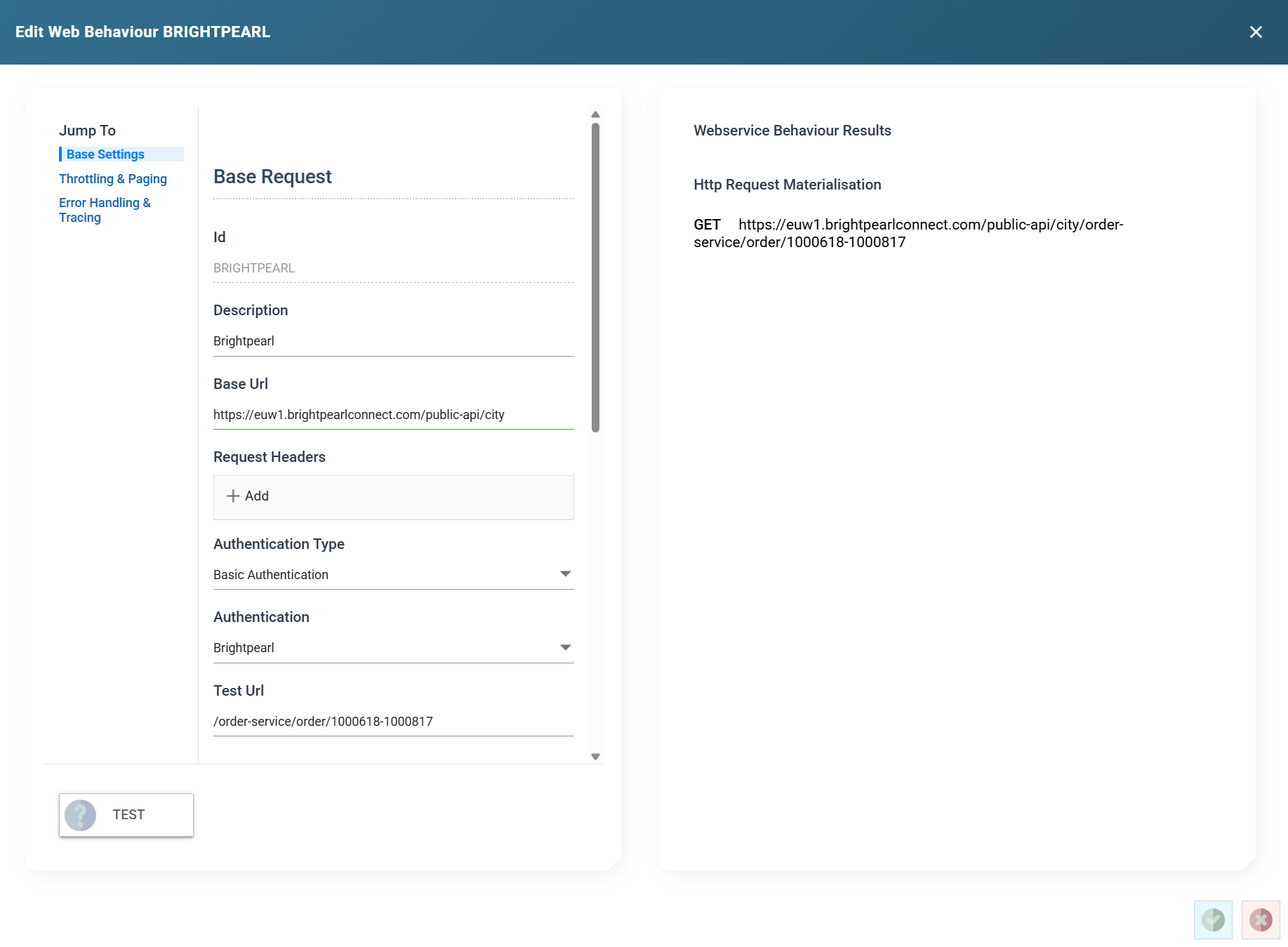
Base Request
Id
The id of the behaviour, up to 12 characters. You cannot change it after you save the behaviour. It also names the behaviour's trace file.
Description
A friendly name, up to 60 characters.
Base Url
The part of the URL every request to the service shares. IMan joins it to the URL of the reader, writer or lookup, so you can change the site being queried in one place. It is optional. A reader or writer can carry a full URL instead. IMan applies the URL checks to it.
Request Headers
Http Headers sent with every request that uses the behaviour. A header set on the request itself overrides one of the same name here. See precedence.
IMan masks the value of a secret header in the list. Secret values explains which headers count as secret. The list shows ********, followed by the last three characters when the value is eight or more characters long. Press Reveal above the list to show the stored values, and press Hide to mask them again. Revealing needs the Can reveal a stored secret in full permission.
Authentication Type
Whether and how IMan authenticates requests.
- None: no authentication.
- Basic Authentication: requests carry the headers of the Basic Authentication chosen below.
- OAuth 2.0: requests carry a token obtained by the OAuth 2.0 setup chosen below.
Authentication
The authentication record to use, from the records of the type chosen above. The box is hidden when the type is None.
Test Url
The URL TEST requests, relative to the Base Url. The materialisation on the right shows the full URL. The request is a GET, so choose a URL that answers one. A URL that expects a POST reports an error even when the authentication succeeds. A placeholder can appear in the path or query, but not in the host.
Throttling and Paging
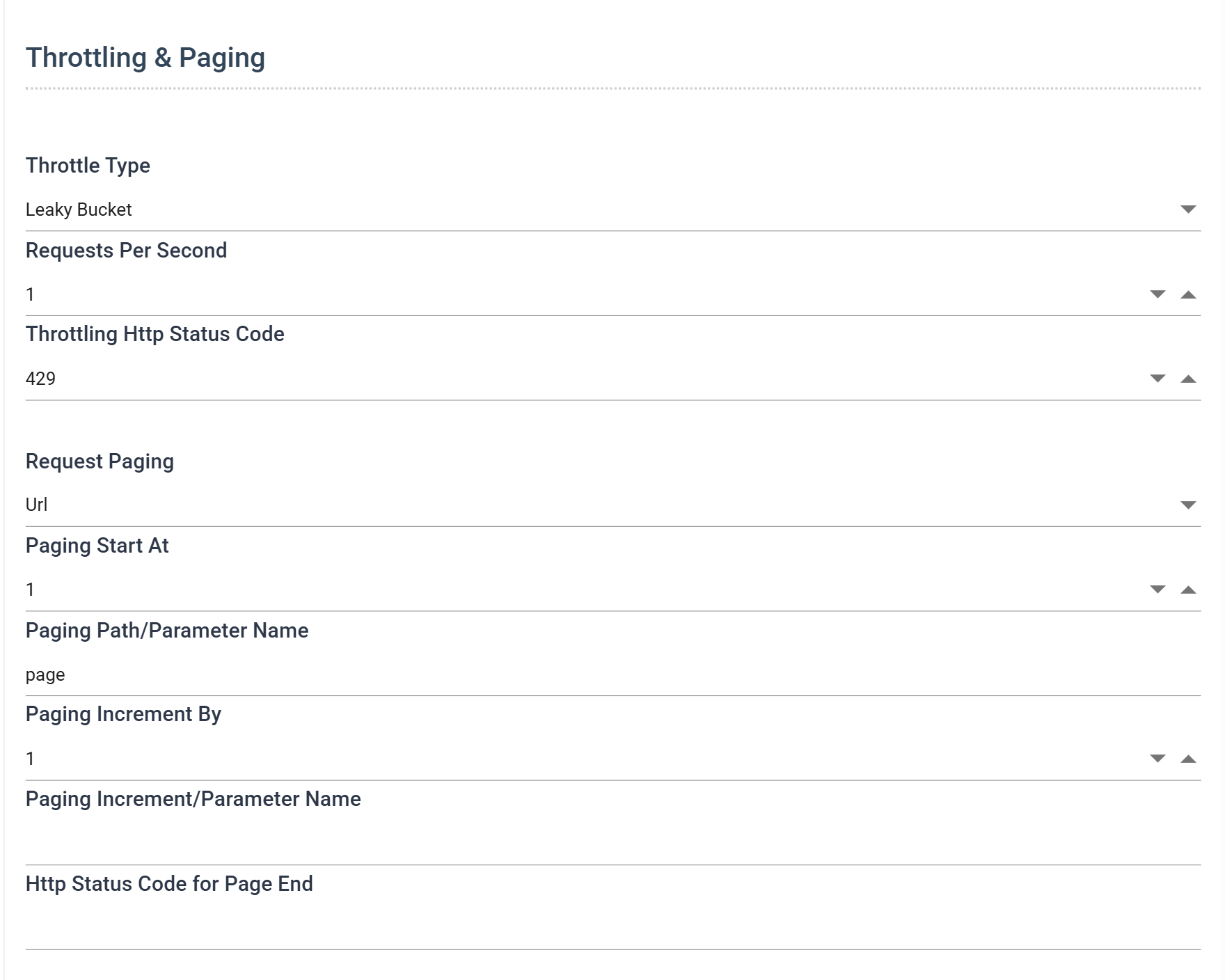
Throttle Type
- None: IMan makes requests as fast as the service answers them. Each request follows immediately on the reply to the previous one.
- Leaky Bucket: IMan makes requests as fast as the service answers them until the service refuses one with the status code below. That code means too many requests have been made in the period. From then on IMan holds to the number of requests per second set below, and retries the refused request at that rate. If the service still refuses after sixty retries, the request fails with a too-many-requests error.
The throttle applies only to the integration that is running. IMan does not count requests across integrations. For example, it cannot hold a whole site to a daily limit when several integrations share it.
Requests Per Second
Leaky Bucket only. The rate IMan drops to after the service refuses a request, from 1 to 10,000. Set it well under the limit the service documents, not at it. If IMan goes straight back to the rate that just failed, the run can stall.
Throttling Http Status Code
Leaky Bucket only. The status code the service returns when its limit has been reached. The standard code, and the default, is 429 Too Many Requests.
Request Paging
How IMan requests the next page of a large result. See Paging for the methods and the fields each one uses.
Error Handling and Tracing
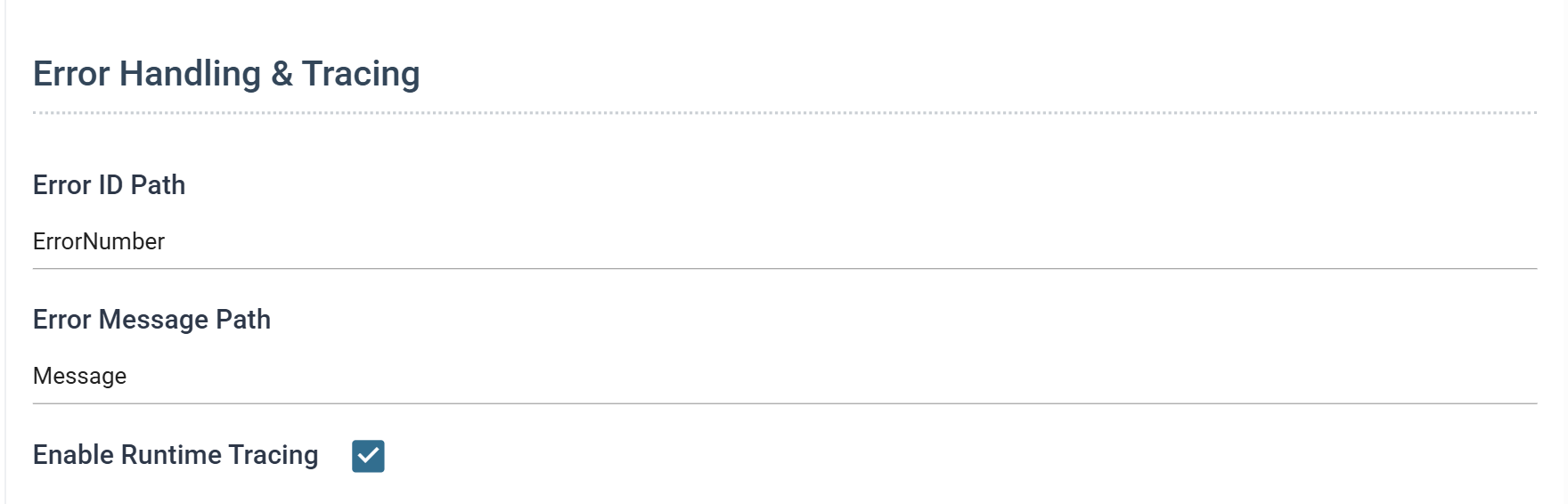
Error ID Path
Reserved. IMan stores the value with the behaviour but IMan 6.1 does not use it.
Error Message Path
The path to the part of an error response that carries the message. With it set, the error IMan reports is the service's own explanation instead of the whole body.
The path is a JPath or an XPath, matching the format of the service's error responses. It can point at a single node or at an array of messages. If you leave it empty, or IMan does not find the node, IMan builds the message from the entire response.
How an error is reported
When a request fails, the error IMan reports begins with the method, the URL, the status code and the message from the transport. If the service described the error in its response, IMan then handles the response as follows:
- IMan examines the response to decide whether it is JSON or XML.
- If it is either, IMan takes the node at the Error Message Path, or the whole response if no path is set or the node is not present. It lays out the node's names and values as text, without the JSON or XML syntax.
- If it is neither, IMan appends the response as it was received.
A transport error (the service is down or cannot be reached, or the URL is invalid) has no response to examine. The message is the one Windows returned.
Enable Runtime Tracing
When ticked, IMan writes every request made with the behaviour to a trace: the method, URL, headers and body of the request, and the headers and body of the response, or the status and message of an error.
At run time the trace is the file WSTRACE-<Id>.log in the IMan Debug folder, where <Id> is the behaviour's Id. At design time (TEST on this screen, or a preview in the Designer) the same detail appears in the trace pane instead.
TEST and the results pane
Http Request Materialisation on the right shows the request as IMan will send it: the method, the Base Url and Test Url joined, and the headers, including the authentication's headers. It updates as you type.
TEST sends that request. The result appears beside the button. The response, or the error the service returned, appears beneath the materialisation.