Http Headers
HTTP headers let the client and the server pass information alongside a request or a response. IMan uses the same control for headers wherever you can set them, and this page describes that control.
You can define headers at three levels:
- On an authentication: the headers of a Basic Authentication, or the Authenticated API Request Headers of an OAuth 2.0 setup.
- On a Webservice Behaviour, where they are sent with every request that uses the behaviour.
- On the request itself: the reader, writer or Webservice Lookup making it.
Precedence
When the same header name appears at more than one level, IMan sends one value, chosen in this order:
- IMan applies the behaviour's headers first.
- IMan applies the request's own headers next. They replace any of the same name.
- IMan applies the authentication's headers last. A Basic Authentication's headers replace any of the same name. IMan adds an OAuth setup's Authenticated API Request Headers only where no header of that name is already present, so a header set on the request keeps its value.
In practice, a header set on a reader, writer or lookup overrides the behaviour, and a Basic Authentication's headers override everything.
The control
The control is a list of the headers defined at that level, with an Add button above it. Each row shows the header name and the value as IMan will send it. Click a row to edit it, and press the bin icon at the end of the row to remove it.
Add and edit both open the same dialog.
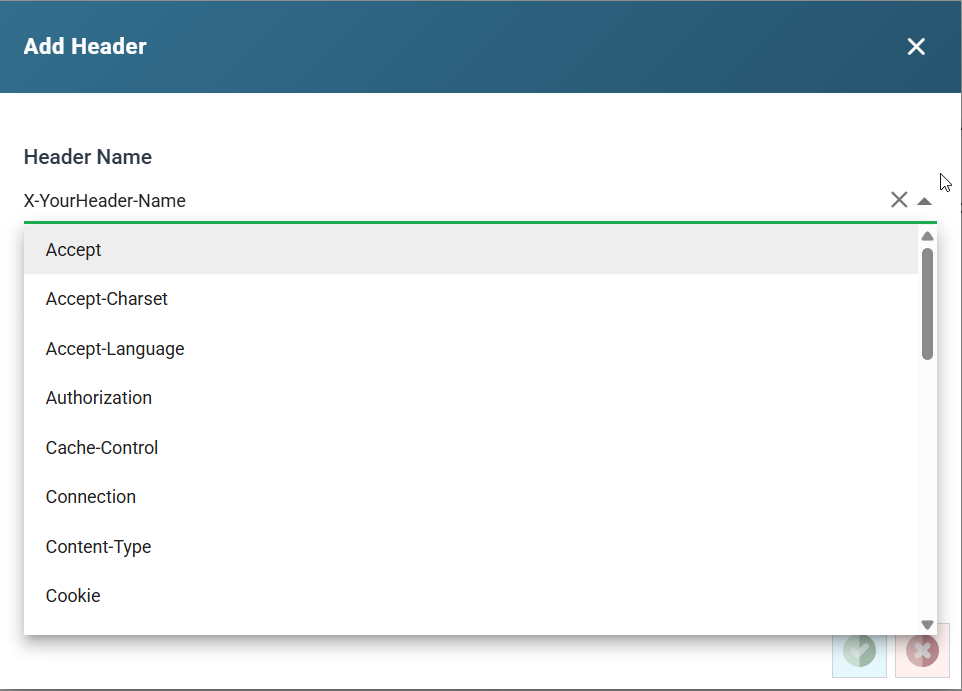
Header Name
The name of the header. The drop-down lists the standard request headers, such as Accept, Authorization, Content-Type and User-Agent. Type in a name that is not in the list, such as a vendor's own X- header. On the OAuth screen the list offers the standard OAuth parameter names instead, because the same control edits the token request's parameters.
You cannot change the name after you add the header. To rename a header, delete it and add it again.
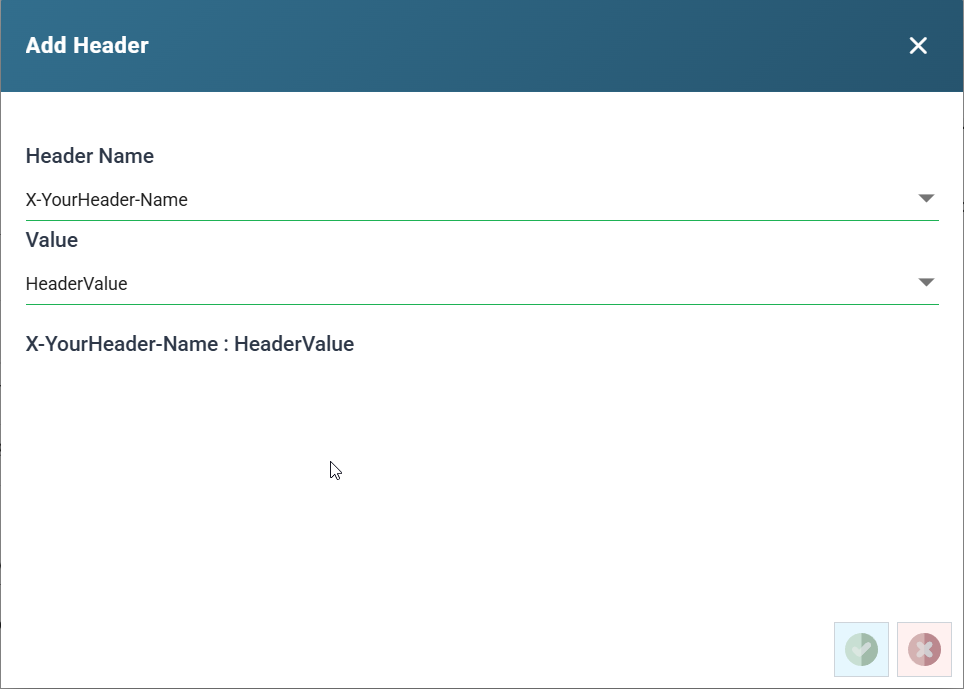
Value
The header's value. You can leave it empty. For Accept and Content-Type the drop-down offers the common media types. On the OAuth screen it offers the substitution tokens. Type in any other value. A value can carry a placeholder, described under placeholders below.
The line at the foot of the dialog shows the header as IMan will send it. For a secret header, IMan masks the value in both places. See Secret values.
The Authorization header
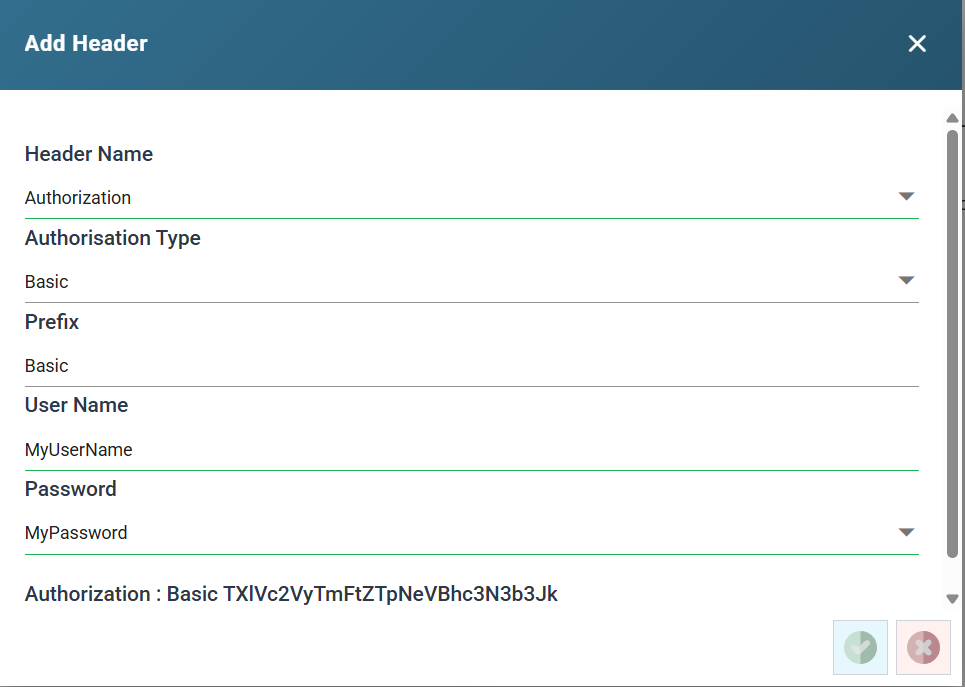
IMan handles the Authorization header differently from other headers. When you choose that name, IMan adds an Authorisation Type drop-down with three options: Raw, Basic and Bearer. The fields beneath change to match.
- Basic encodes a user name and password as RFC 7617 requires.
- Prefix: the word before the encoded value.
Basicby default. - User Name: the user name or id.
- Password: the password.
- The header sent is the prefix, a space and
username:passwordBase64-encoded.
- Prefix: the word before the encoded value.
- Bearer sends a token after a prefix.
- Prefix: the word before the token.
Bearerby default. - Value: the token.
- The header sent is the prefix, a space and the token.
- Prefix: the word before the token.
- Raw sends the value exactly as you type it, with no prefix and no encoding. Use it for a scheme the other two do not fit, or to send a literal
Bearerheader when a service is particular about it.
A Basic header with no password
If the password is empty, IMan sends the prefix and the user name on its own. The user name is neither Base64-encoded nor followed by a colon. Some services accept an API key that way. A service that expects RFC 7617 will not.
Secret values
On a Basic Authentication, a Webservice Behaviour, a Webservice Lookup and the Token Request Headers of an OAuth 2.0 setup, IMan treats some headers as secret. A secret header is Authorization, Proxy-Authorization, Cookie, or any name that is not a standard HTTP header, such as a vendor's X- header. A standard header such as Accept or Content-Type is not secret. The OAuth token request and refresh parameters follow the same rule: client_secret, password, refresh_token, code, code_verifier, code_challenge and any name outside the standard OAuth parameters are secret.
IMan masks the value of a secret header once you save it. The list shows ********, followed by the last three characters when the value is eight or more characters long. Press Reveal above the list to show the stored values, and press Hide to mask them again. Revealing needs the Can reveal a stored secret in full permission.
In the dialog, the value box of a secret header shows dots, with an eye button beside it. For a saved header, the eye button shows the stored value. While you type a new value, it shows or hides what you have typed. The line at the foot of the dialog masks the value in the same way as the list.
Placeholders in a header value
A header value can contain a placeholder that IMan resolves when it makes the request. This lets one header definition serve every record.
- On a writer, IMan replaces
%[FieldName]with that field's value from the transaction being written. - On a Webservice Lookup, IMan replaces
%[1],%[2]and so on with the values passed to the WebserviceLookup function. They are numbered the same way as the placeholders in the Query Url. - On a reader, IMan sends the headers as entered. The exception is a stepped reader, whose headers can use the fields of the parent transaction in the same way as its URL.
Example
![The Add Header dialog with the name Last-Order-Date and the value %[LastOrderDate], and beneath them the resulting header.](../../../../assets/Documentation/Resources/Images/UG/13.Setup_Admin/HttpHeader-ExpandoFields.png)
IMan replaces %[LastOrderDate] with the LastOrderDate field of the transaction the writer is sending.