POP3/IMAP Servers
The POP3/IMAP Servers screen holds the mailboxes IMan reads inbound email from. The Email controller reads a reader's input from a record here. The Email Task uses a record to download attachments, delete mail, mark mail read and move mail between folders. Sending mail uses a different screen, SMTP Servers.
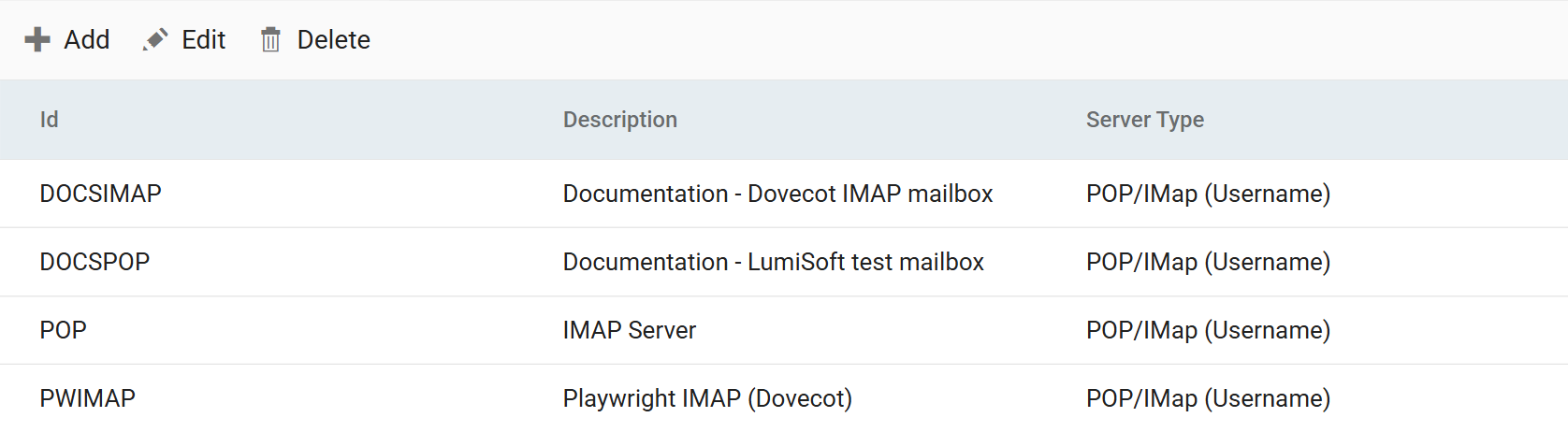
Each record is an account on one mail server. Two choices on the record decide the rest of its form.
Mailbox Protocol
How the mail is retrieved. The two protocols differ in what IMan can remember about the mailbox, and that decides how an integration avoids processing the same email twice.
| POP3 | IMAP | |
|---|---|---|
| What is read | The inbox only | Any folder the account has, chosen on the reader or task |
| What IMan remembers | Nothing. A run sees every matching email in the inbox | Where each reader has got to, as a read position kept in IMan's database |
| Not processing an email twice | Delete it — Delete From Server on the reader, or a Delete Email task | A Mark Email Read task advances the position; the mail can stay, or a Move Email task can file it |
| Default ports | 110, or 995 over TLS | 143, or 993 over TLS |
Choose IMAP unless the mail server offers only POP3. With IMAP, mail stays where it is, you can re-run an integration against it, and an integration can file what it has processed into folders. Choose POP3 only where the server offers nothing else, and build the integration to remove what it reads.
The protocol is set per record, and a reader or task follows the record it names. Point a reader at an IMAP record and its Setup tab gains the folder, the preview window, the batch size and the read position. Point it at a POP3 record and those controls are not drawn.
Email Type
How IMan authenticates to the account.
- POP/IMap (Username) — a host name, a port and a username and password. Any mail server that accepts a plain login, including Office 365 accounts where basic authentication is still allowed.
- Office 365 (OAuth) — an Office 365 mailbox reached through an Azure app registration and an OAuth consent. The host and port are Microsoft's, so you do not enter them. You authorise the record after saving it, and the consent it asks for depends on the Mailbox Protocol.
The grid's Server Type column shows this choice, as the form labels it.
Id and Description
The Id names the record, up to twelve characters, and you cannot change it once saved. The Description, up to sixty characters, is the text the Email Server and Email System drop-downs in the Designer show. Make it say which mailbox this is, not repeat the Id.
Changing a saved record
You can edit a record at any time, and every reader and task that names it picks up the change on its next run. Take care with two changes:
- Switching the Mailbox Protocol on an Office 365 account clears the tokens the account holds, and you must authorise the record again before it can connect. The form warns you before you save. Consent is granted for one protocol's scope, and a token issued for POP3 does not work over IMAP.
- Switching the protocol under an existing reader changes what the reader's Setup tab offers, as above. A reader moved from POP3 to IMAP starts with no read position, so its first run sets one at the newest mail and processes nothing. See the read position on the Email controller page.