SMTP Server
This setup screen defines the SMTP servers IMan uses for outbound mail.
The audit and the Email task use the mail server to send mail.
No SMTP server, no Audit Report
IMan cannot send an integration's Audit Report until you define an SMTP server.
Setup > SMTP Servers
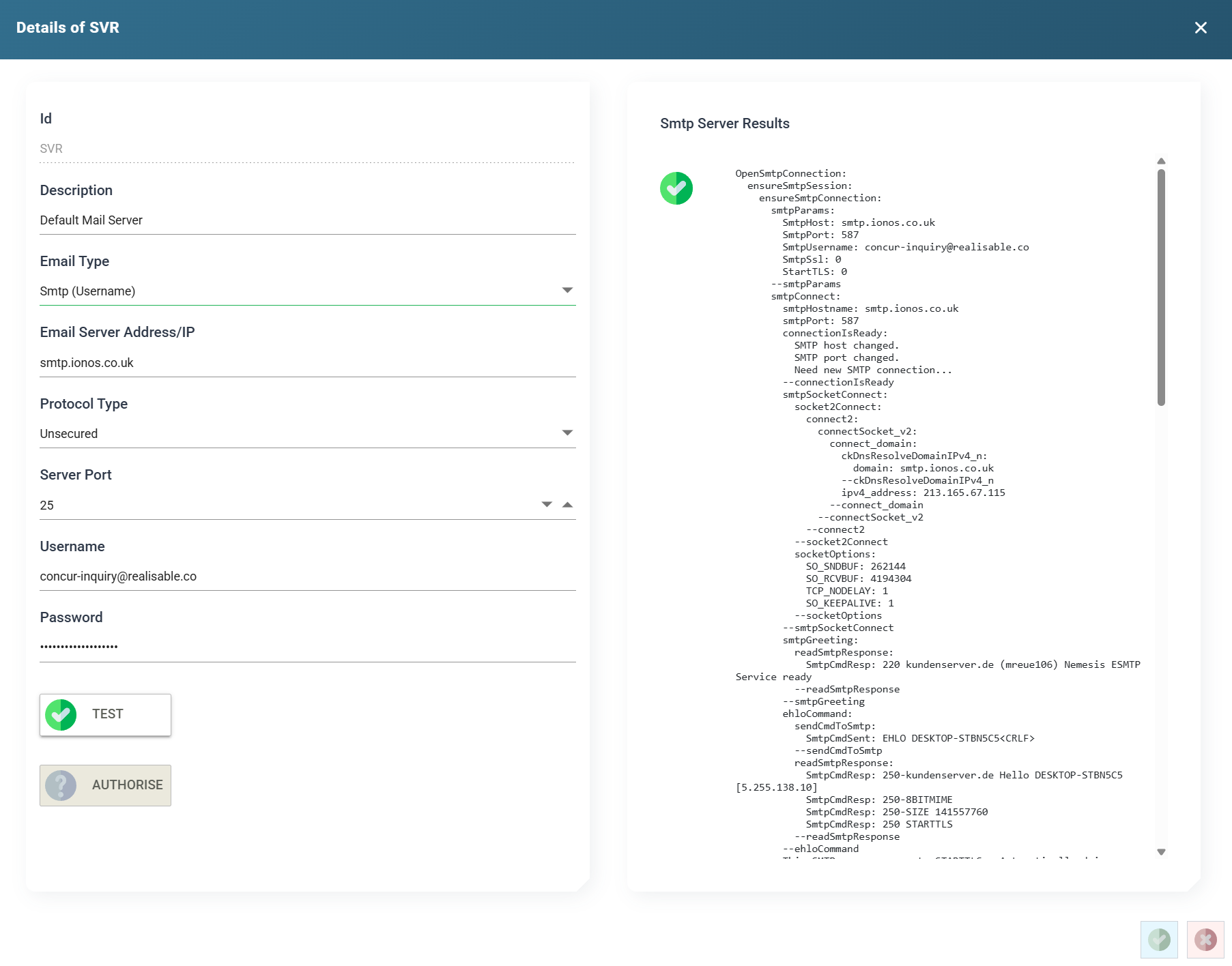
ID
The unique Id of the SMTP Server.
Description
A useful description of the SMTP Server.
Email Type
The Email Type decides which service IMan sends email through. The grid's Server Type column shows this choice. IMan supports three types:
- SMTP Server Types
- Sends email to a designated SMTP server.
- Realisable SMTP Service
- Sends email through the Realisable email service.
- All emails sent through this service use one of Realisable's email domains. The service is not suitable when the sender must be an address in your organisation's domain.
- The service is limited to 10 emails per day. If you need to send more, use a regular SMTP service, or Office 365 where applicable.
- Office 365 SMTP Server
- Sends email through Office 365. You must first configure an app in Office 365. See Azure App Configuration for details.