POP3/IMAP Server with a username and password
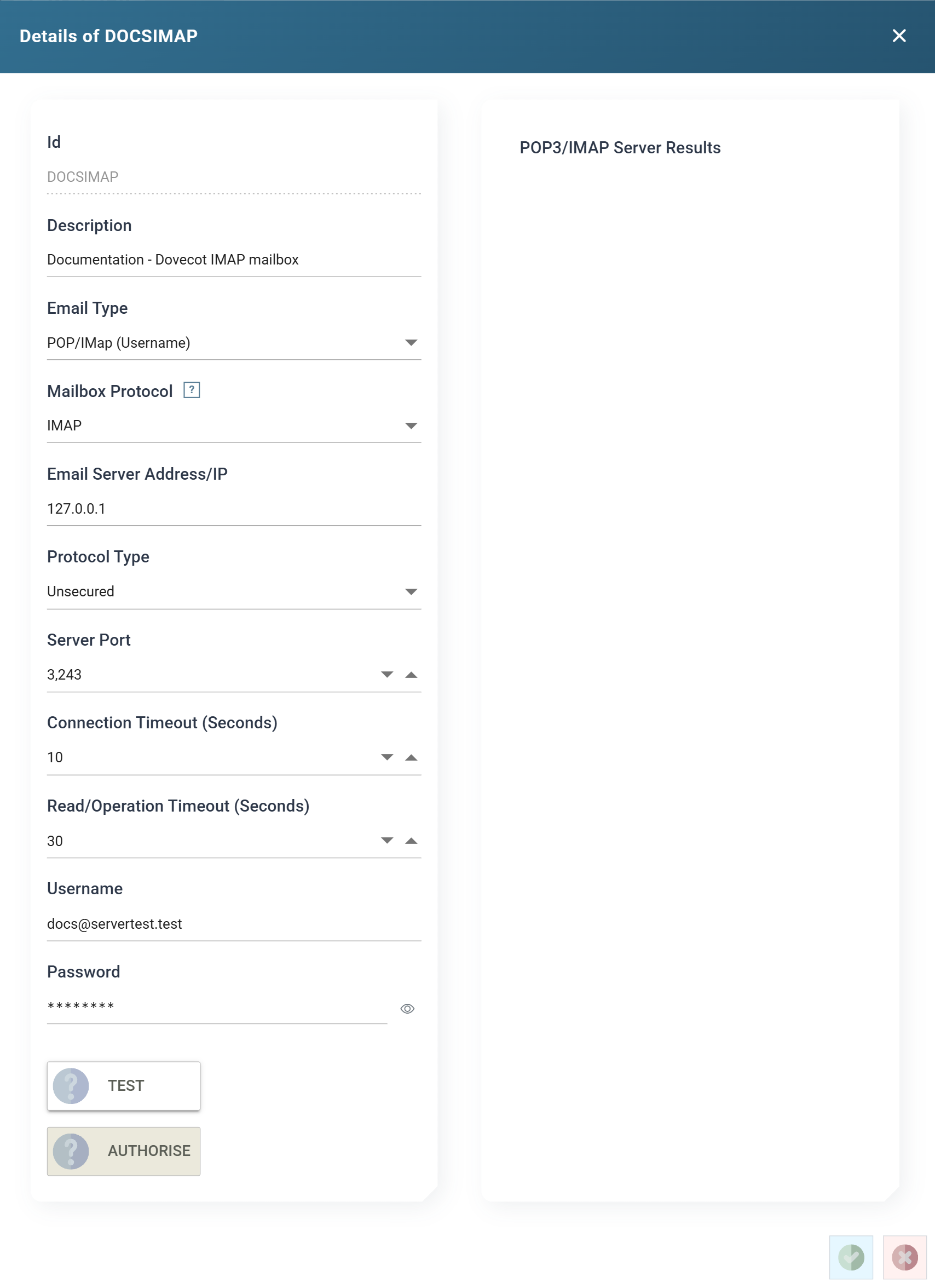
The form for a mailbox IMan logs in to directly, with an Email Type of POP/IMap (Username). An Office 365 mailbox reached through an app registration uses the Office 365 mailbox form instead. The POP3/IMAP Servers page explains what the two protocols mean for an integration.
Setup > POP3/IMAP Servers
Id
The unique Id for the record, up to twelve characters. You cannot change it after you save the record.
Description
Up to sixty characters, shown by the Email Server and Email System drop-downs throughout the Designer.
Email Type
POP/IMap (Username) for this form. Choosing Office 365 (OAuth) replaces the host, port and credential controls with the Office 365 ones.
Mailbox Protocol
POP3 or IMAP. See Mailbox Protocol for what the choice means to an integration. Changing it sets Server Port back to the protocol's default, so choose the protocol before the port.
Email Server Address/IP
The host name or IP address of the mail server.
Protocol Type
- Unsecured — a plain connection.
- TLS — an encrypted connection.
Changing it also resets Server Port to the default for the protocol and the transport together.
Server Port
The port the server listens on. The form fills in the standard port whenever
Mailbox Protocol or Protocol Type changes, and you can override it
afterwards. The record in the screenshot reads a test server on 3243.
| Unsecured | TLS | |
|---|---|---|
| POP3 | 110 | 995 |
| IMAP | 143 | 993 |
Connection Timeout (Seconds)
How long IMan waits for the server to accept the connection before the attempt fails, from 1 to 120 seconds.
Read/Operation Timeout (Seconds)
How long IMan waits for the server to answer a command before the attempt fails, from 1 to 1200 seconds. Raise it when IMan reads a large folder over a slow link.
Username
The account to log in as. For most servers, this is the full email address.
Password
The account's password.
IMan masks the saved password. The box shows ********, followed by the
last three characters when the password is eight or more characters long.
Press the eye button beside the box to show the stored password, and press
it again to hide it. Showing a stored password needs the Can reveal a
stored secret in full permission. To change the password, click in the box
and type the new one. Leave the box empty to keep the stored password.
TEST
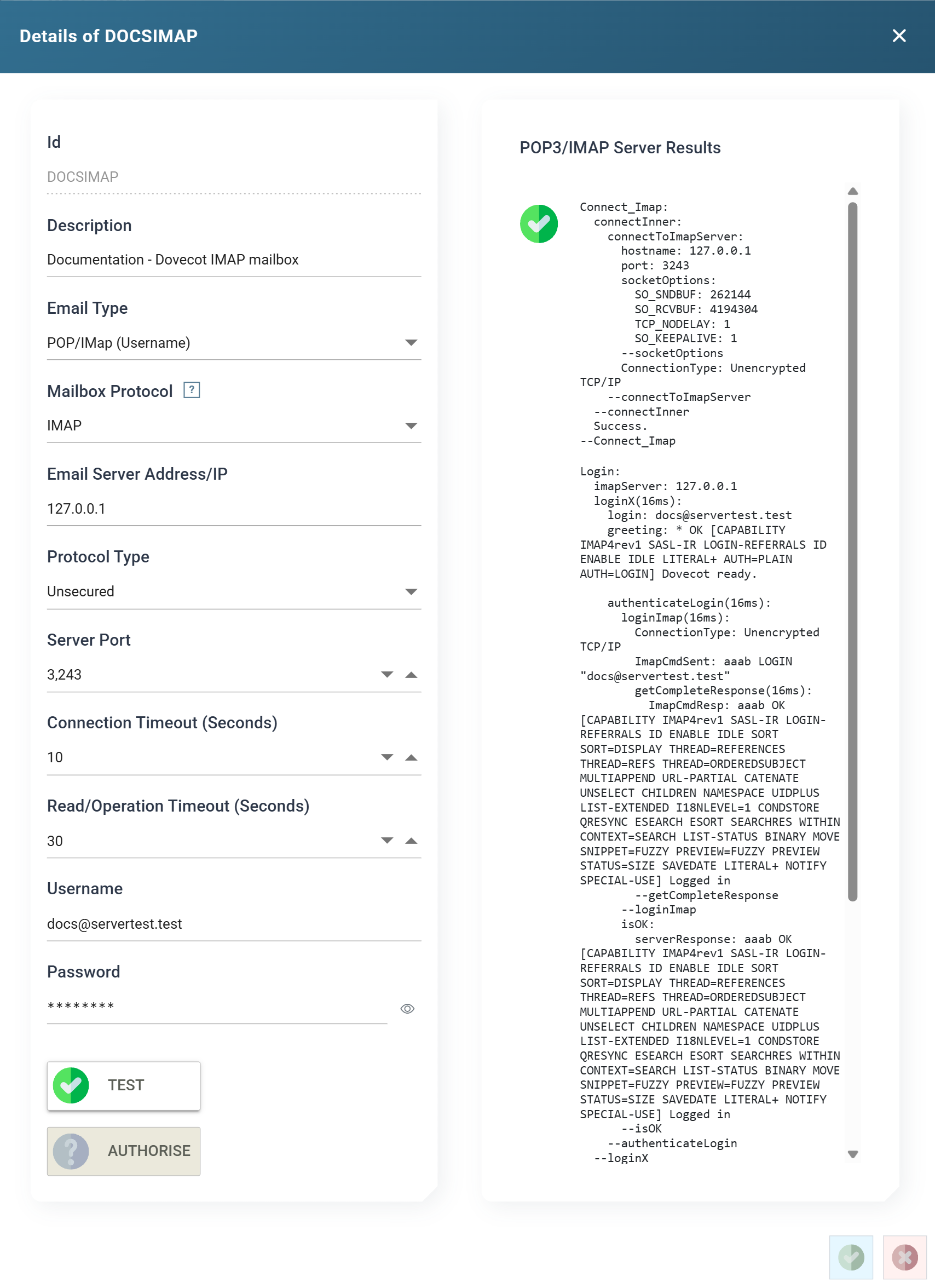
Connects and logs in with the settings on the form, without saving them, and reports the exchange in the POP3/IMAP Server Results pane: the connection, the server's greeting, the login and its response. If a step fails, the trace ends there. This is usually enough to tell a wrong host from a wrong password.
AUTHORISE
Not used by this Email Type. The button is present but disabled, and belongs to the Office 365 form.