Filter
The Filter transform evaluates a VBScript expression against every record of a transaction. IMan deletes the records where the expression evaluates to False and keeps the records where it evaluates to True.
The VBScript expression can be a single boolean comparison, can use functions such as Count, Sum, Less Than and Greater Than, or can run to several lines.
You configure the transform on its Field Mapping tab. The Setup tab holds only the controls every transform has. See Transform > Setup.
Field Mapping
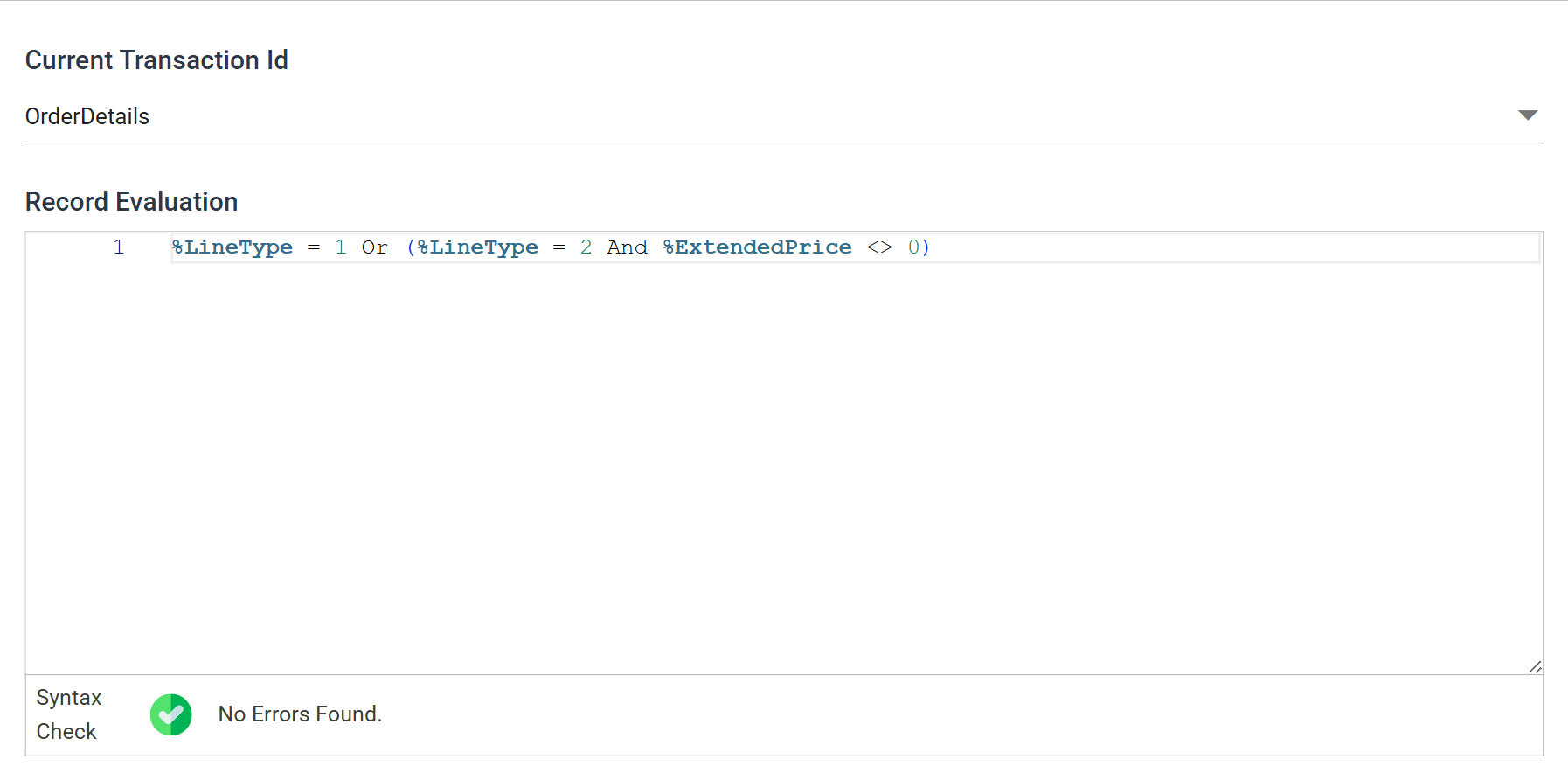
Current Transaction Id
The transaction the expression is evaluated against.
Each transaction carries its own expression, so one transform can filter a dataset at more than one level. The drop-down appears only where the dataset has more than one transaction.
Record Evaluation
The expression. Field references use the Expando Field syntax, so it can read any field of the record being evaluated.
The last line must be the result
The last line must be the result: an expression returning True or False. That can be the whole of a single-line filter, or the final line of a multi-line one. If the last line assigns a variable or does nothing, the filter removes no records.
The editor checks the expression as you type. Syntax Check reports the result beneath it, and a syntax error puts a marker against the offending line. A passing check does not prove the expression returns a boolean. That is known only when it runs.
Order of execution
IMan processes records from child to parent, so a child's filter expression runs before its parent's. See the Data Processing Pattern.
If a parent's expression counts its children, it counts only those that passed their own filter.
Audit
Supported counters
- PROCESSED — incremented for each record processed.
- DELETED — incremented for each record filtered out of the transaction.
- ERRORS — incremented for each unhandled error in an expression.
Action on Transform Error
Set this to Abort. Reject Record and Continue both let the integration carry on past an expression that failed. A record that could not be evaluated stays in the dataset and reaches whatever the integration writes to.
The setting and the rest of the tab are described on Transform > Audit.
Worked example
Step 6.3 of the Sage 300 and Sage 200 training manuals uses a Filter to drop the shipment charge lines whose value came out at zero.