Setup Tab
The Setup tab is the first tab of every transform setup pane.
Every transform has three controls on it: Transform Id, Description and Priority. Everything below them belongs to the transform itself and is described on that transform's own page. A reader or writer shows a Source or Target accordion followed by an Options accordion. Some transforms, such as Map and Filter, add nothing, so their Setup tab holds only these three controls.
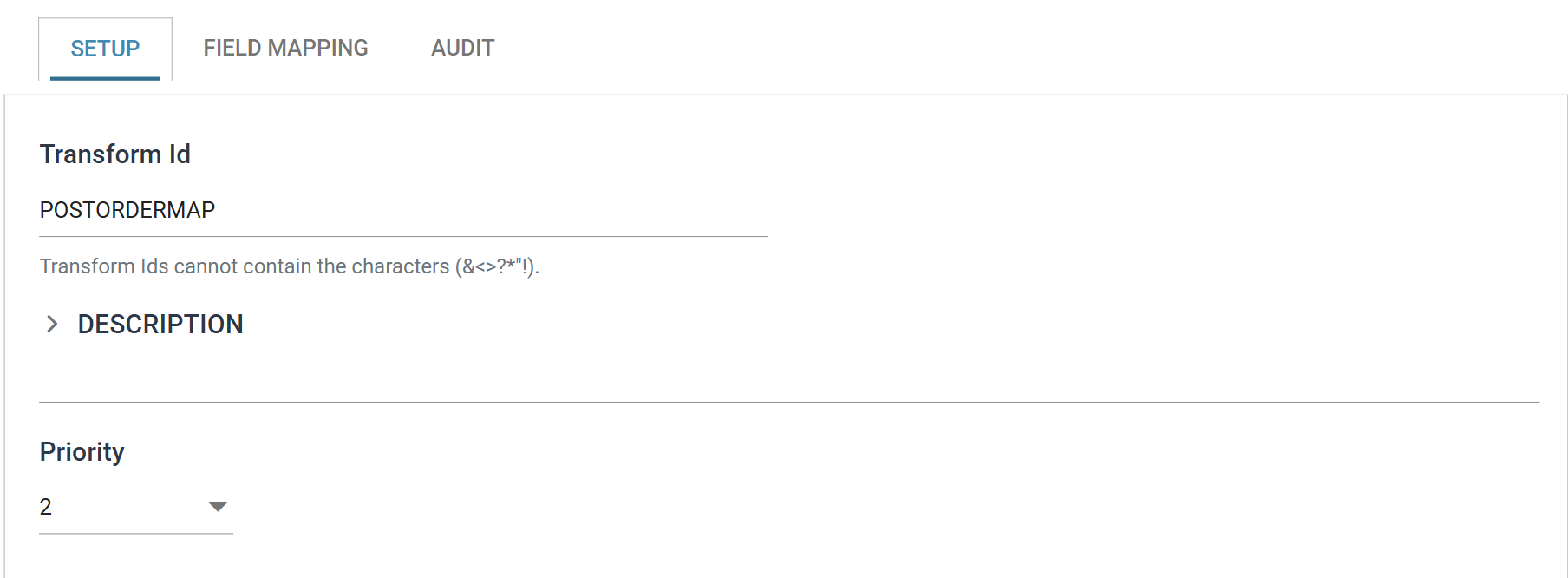
Transform Id
The name of the transform, unique within the integration.
It appears on the Audit Report and in the detail log, so set it to something the report's recipients will recognise. The designer draws no label beneath a transform's icon. Hover over the icon to see the Transform Id.
It can be up to 20 characters long and cannot contain any of &, <, >,
?, *, " or !. If you leave it empty, use one of those characters or
reuse a Transform Id that already exists in this integration, IMan shows a
message beneath the box.
Description
Free text that records what the transform is for, or any detail of the processing worth writing down.
The accordion is collapsed to a single line to save room. The chevron beside the heading opens it into a multi-line box.
When you hover over the transform's icon in the designer, IMan shows the description beneath the transform's type and its Transform Id. That is the main reason to fill it in. IMan does not use it in processing, and it does not appear on the Audit Report.
Priority
The order this transform runs in, relative to the others fed by the same upstream transform.
The control appears only when there is an order to set, that is, when more than one transform occupies this position in the flow. Either the same upstream transform feeds them all or, for the readers an integration starts with, they are all entry points. A transform with nothing to be ordered against has no Priority drop-down. See Data Flow for how a branch is put together.
The drop-down offers 1 to the number of transforms sharing that parent, and 1 runs first. Setting a priority moves the transform to that position and shifts the others along to make room. The numbers always run 1, 2, 3 with no gaps, and no two transforms share a number. IMan gives a newly added transform the last position.
Branches run one after another, not at the same time. Set the order wherever a branch has an effect outside the dataset, such as writing a file, sending mail or posting a document into an application.
Priority does not decide what a branch sees
Priority does not decide what a branch sees. Where a transform feeds more than one branch, each branch gets its own copy of that transform's dataset, so no branch can see what another did to the data. If a branch has to work on the output of another, put it downstream of that branch, not beside it with a later priority.