Body Paging
Use body paging when the service expects the page parameter in the body of the request instead of in the URL. It comes in two forms, JSON Body and XML Body, to match the body being sent. The request must carry a body, as a POST does.
IMan sets the page node in the body on each request and increments it, until the service returns a page with no records. If the body already contains the node, IMan replaces its value. If not, IMan adds the node at the path given.
Body paging has four fields. Between them they cover the different ways services implement it.
- Paging Start At: the value the node takes on the first request. Typically
1, for the first page or record;0for a service whose offset counts from zero. - Paging Path/Parameter Name: the JPath or XPath of the page node in the body.
- Paging Increment By: how much the node's value increases by on each request.
- Paging Increment/Parameter Name: optional. When set, IMan sets a second node at this path to the Paging Increment By value. This tells the service the page size or the number of records to return.
For XML Body paging the paths are absolute from the root of the body, and their first element must be the body's root element.
Page only, with the service's default page size
Setting a page node tells the service which page of data to return. Some services have a fixed or default page size: with a default of 50, page one returns the first 50 records and page two records 51 to 100.
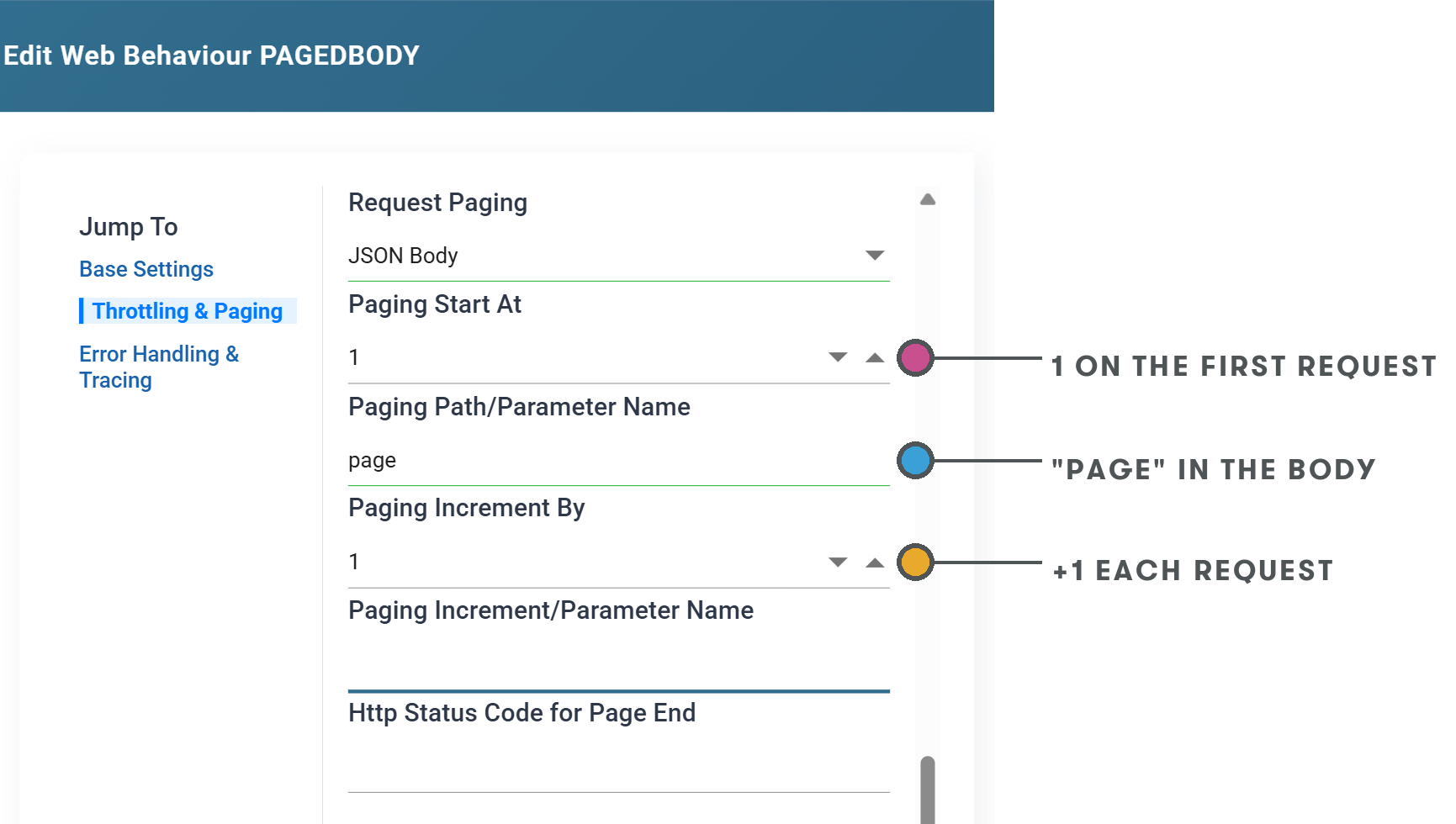
The first request, as JSON and as XML:
The second request:
Offset and size
Where the service wants a record offset and a count instead of a page number, the start node is the offset, Paging Increment By is the number of records per request, and Paging Increment/Parameter Name is the path of the node that carries it. With an increment of 100, the first request returns records 1 to 100 and the second 101 to 200.
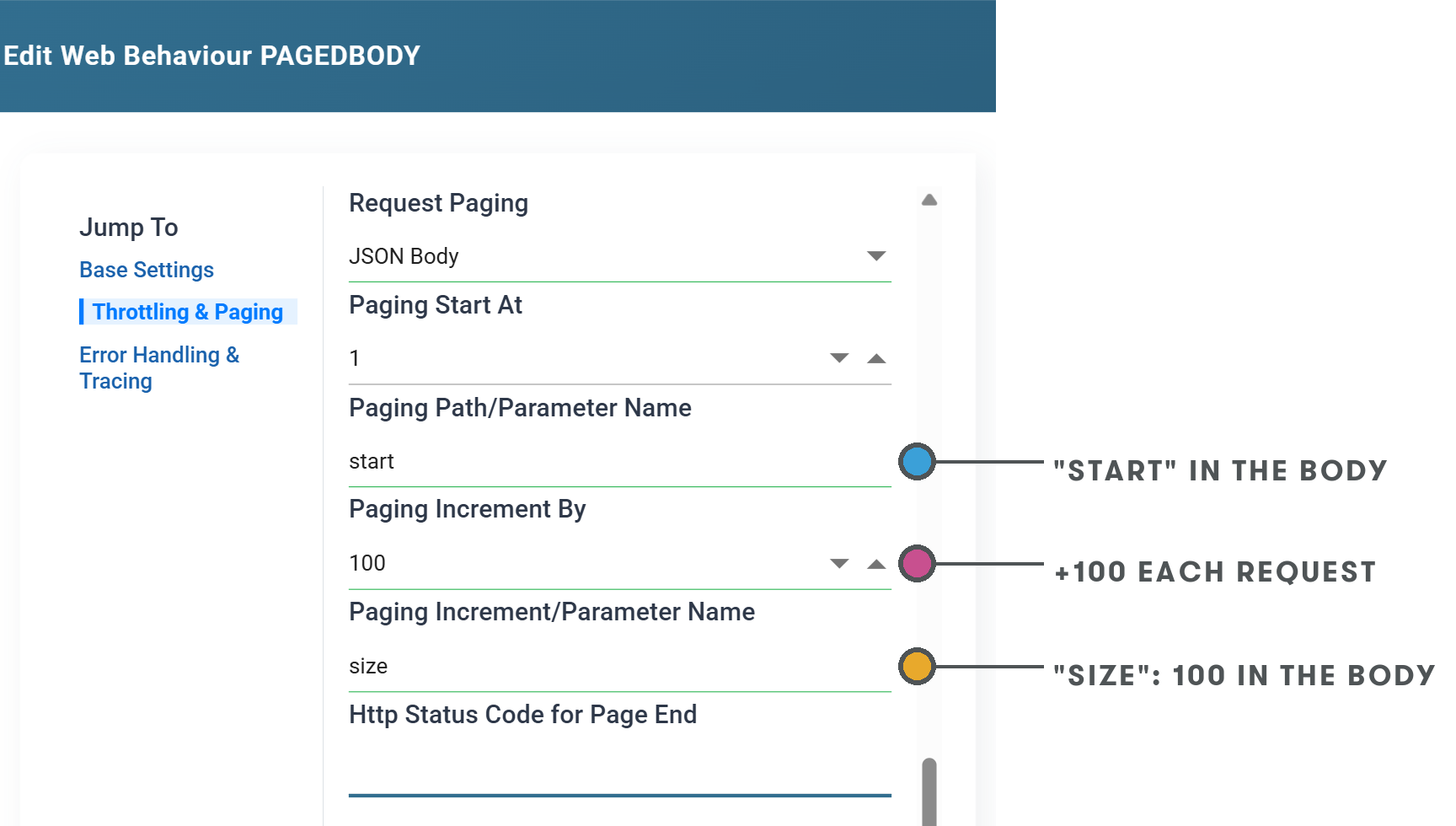
The first request:
The second request:
For a zero-based offset, set Paging Start At to 0.