Lookup Table Maintenance
Introduction & Uses
A Lookup Table has two halves. You define the table itself (its id, its field names and their types) under Setup > Lookup Tables. You maintain the records in it here, under Setup > Lookup Table Maint.
Different people usually do the two jobs at different times. Whoever builds the integration designs the table once, while building it. Whoever owns the data edits its records for as long as the integration runs. So the table definition sits with the other administrator screens, and this screen is open to every user who can sign in to the Designer.
To read a record back from a transform, see the Lookup Function, and the cookbook's Using Lookups for Settings & Defaults for a worked example.
Setup > Lookup Table Maint
You maintain the records stored in Lookup Tables on this screen.
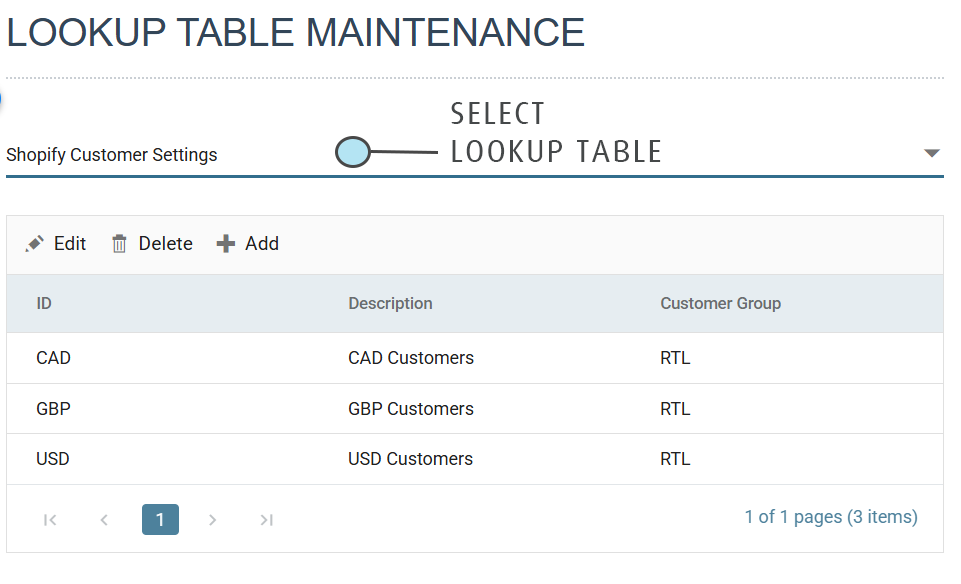
Select Lookup Table
Choose the table from the drop-down. The drop-down lists tables by their description. The grid then shows the table's records: the ID, the Description and the result value, headed with the table's Lookup Result Label (Customer Group in the example). The grid is paged, and the pager beneath it shows how many records there are.
Add, Edit and Delete
The three buttons above the grid maintain the records. Add opens an empty record form. Edit opens the form for the selected row. Delete removes the selected record. Add is available only after you choose a table.
Press the tick button to save the record form, or the cross to abandon it.
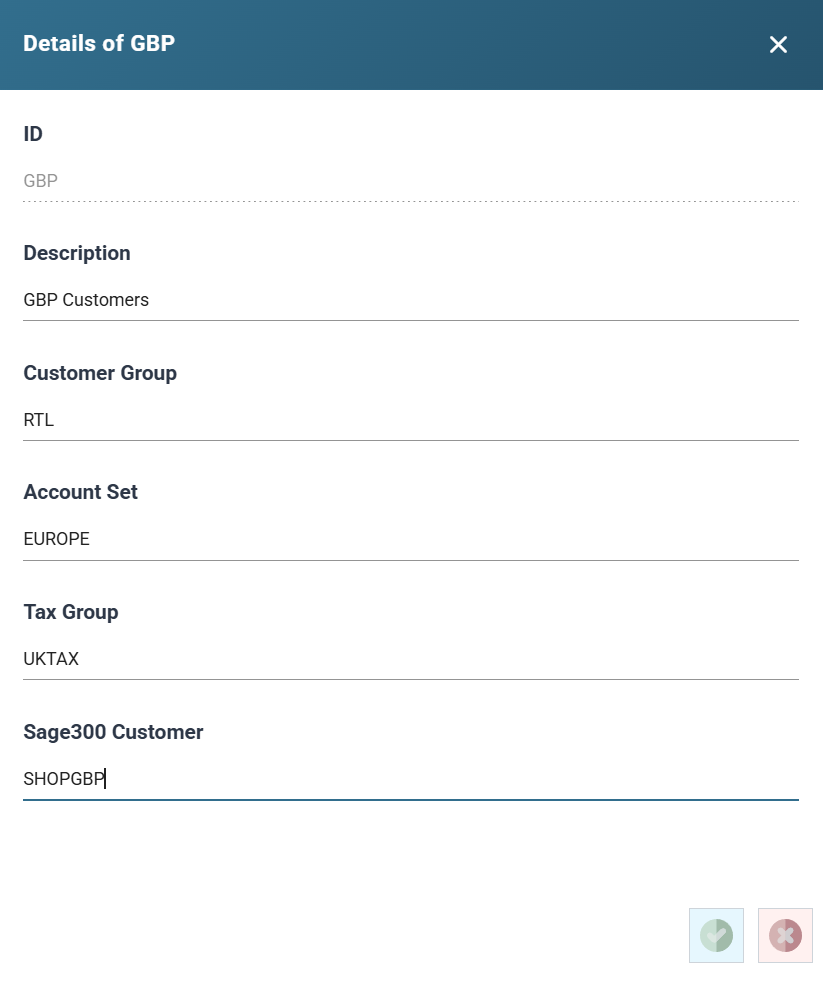
ID
The unique value for the record, up to 100 characters. The Lookup Function uses this value to find the record. You cannot change the ID after you save the record. The box is disabled on an existing record.
Description
A description or comment for the record, up to 100 characters. You can leave it blank. A lookup can return the description instead of the value.
Lookup Result and the additional fields
After the Description come between 1 and 21 boxes. The first is the result value, labelled with the table's Lookup Result Label. The rest are the table's enabled additional fields, in order. Each is labelled with its Field Name and takes a value according to its type: text of the set length, a number within the set range or a check box.
In the form above, Customer Group is the result value and Account Set, Tax Group and Sage300 Customer are additional fields 1 to 3.