Counter Setup
Counters create persistent, incremental unique ids for transactions generated in IMan.
You can use counters for purposes such as uniquely numbering transactions or generating account identifiers.
The GetCounterSequence function generates the next number in the sequence.
The result has the format:
Setup > Counters
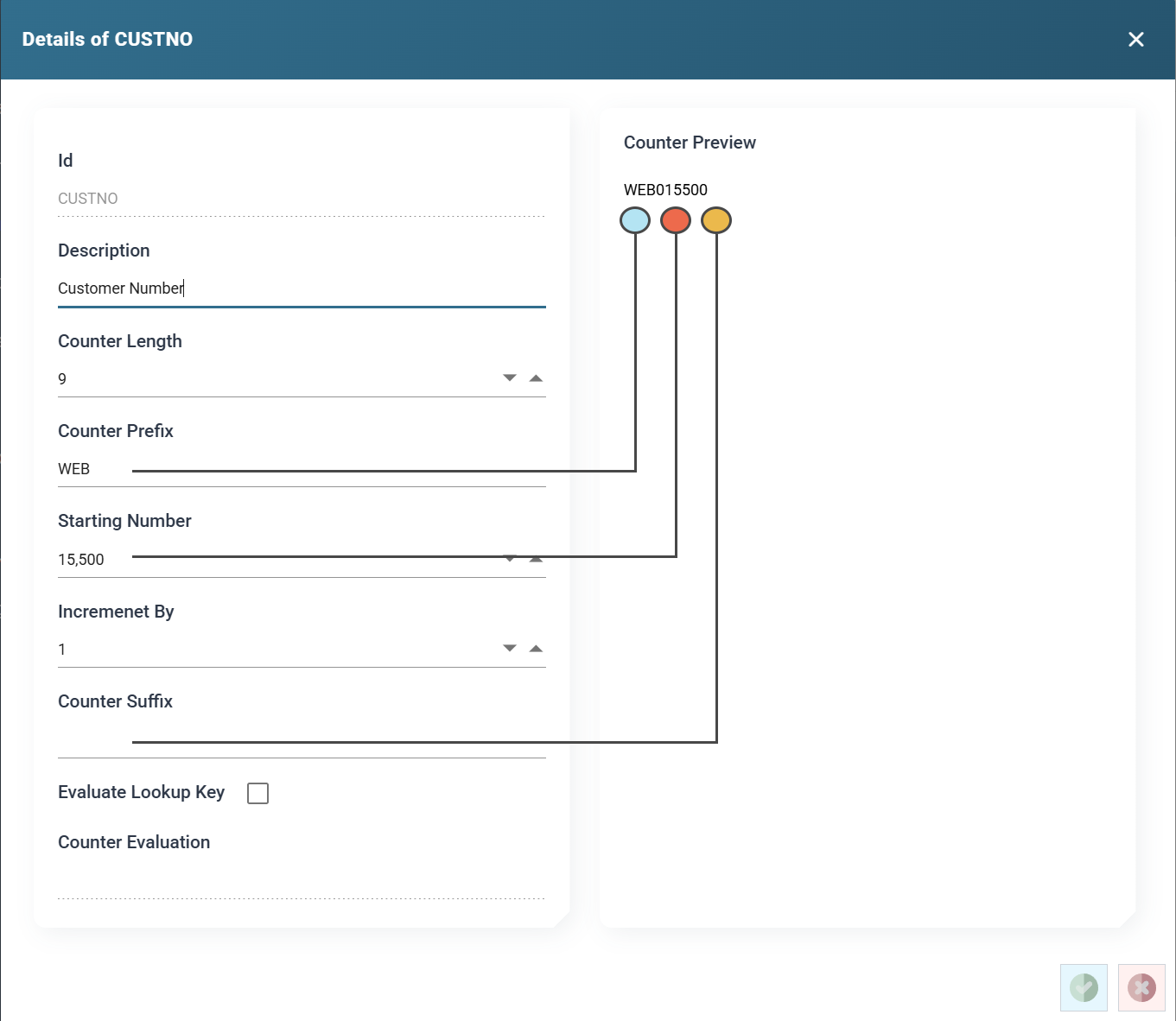
Counter Id
The unique Id of the counter.
You use this value to reference the counter in the GetCounterSequence formula (see Lookup & Data Cleanse Functions).
Description
A useful description for the specified counter.
Counter Prefix
The value prefixed to the start of the counter.
Counter Suffix
The value appended to the end of the counter.
Evaluate Lookup Key / Counter Evaluation
A single counter can maintain one or more sequences.
When you tick Evaluate Lookup Key, IMan evaluates the Counter Evaluation formula and uses the result to find a counter detail record. The result of the formula identifies which sequence to use.
If IMan finds a record, the counter formula obtains the next number.
If IMan does not find a record, it creates a new detail record and returns the counter's starting value.
The Counter Evaluation formula is an inline function that returns a value. It can contain expanding field references. For example, a Date parameter formula could reference a field in a transaction type:
Use this type of counter when the value needs to reset. For example, a counter that resets every month based on the invoice date.
Increment By
The value added to the counter on each call. It can be a positive or negative number.
Starting Number
The value the counter starts from, for example 9000.
For counters that use an evaluated key, each new counter detail starts at this value.
Counter Length
The total length of the resulting number.
The counter function pads the counter value with leading zeros to fill the length. If the counter value is longer than the length, IMan raises an error during the transform.
In the example the Counter Length is 12, giving results such as WEB000009010, WEB000009011 and WEB000009012.
Counter Preview
Shows the next value in the sequence, based on the counter's setup.