Tiered Lookup Setup
Use Tiered Lookup Setup to create, edit and delete tiered lookup definitions. This screen manages the top-level lookup entries. You then add their keys and values on the Tiered Lookups page.
Editing / Adding a Tiered Lookup
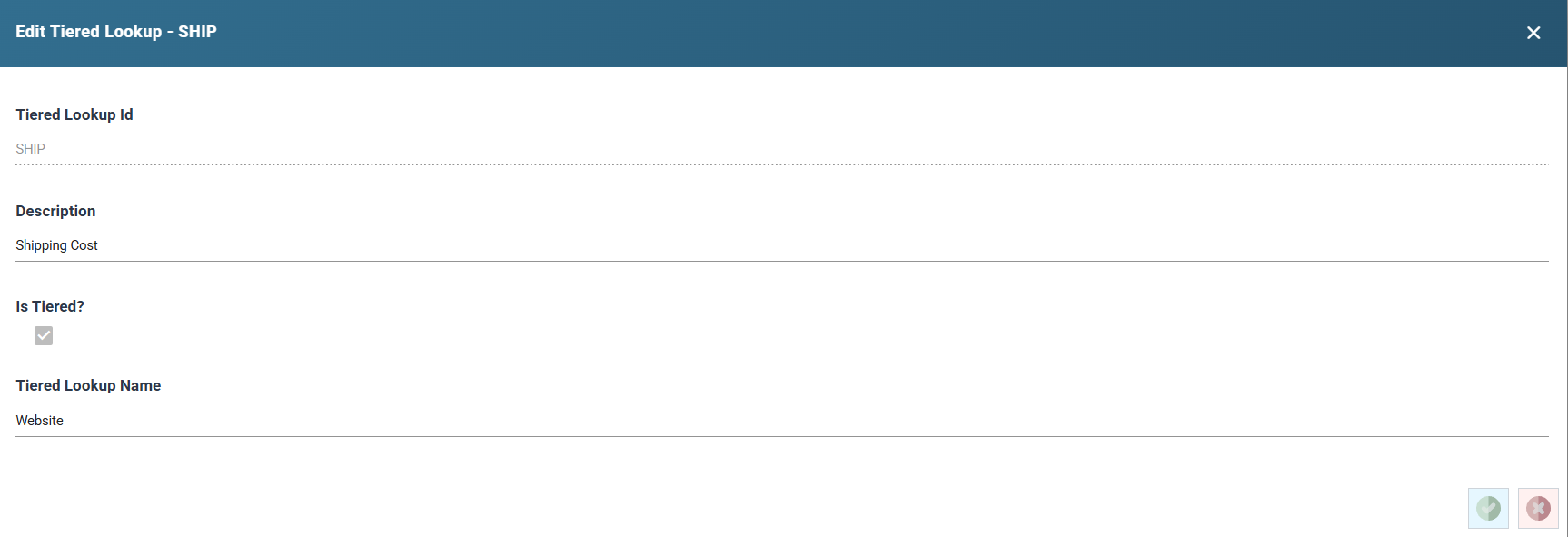
- Press Add in the toolbar, or double-click an existing entry.
- Fill in the dialog's fields:
- Tiered Lookup Id: the lookup's unique id, up to 12 characters. You cannot change it once the lookup is saved.
- Description: up to 60 characters.
- Is Tiered?: tick it to make the lookup's first level a tiered list of named values. Leave it unticked for a lookup with a single level of rules. You can set it only when you add the lookup.
- Tiered Lookup Name: the name of the first tier, such as Website, up to 60 characters. It is available only when Is Tiered? is ticked.
- Press Save.
Deleting a Tiered Lookup
Deleting a tiered lookup removes it along with all its child definitions and lookup keys. You cannot undo a delete.
- Select a row in the grid and press Delete in the toolbar.
- A confirmation dialog explains the impact.
- Type
DELETEin the text box to confirm. - Press OK to proceed, or Cancel to abort.
Quick Start
- Open Setup > Tiered Lookup Setup.
- Press Add to create a new tiered lookup definition.
- Enter a Tiered Lookup Id and Description, and choose whether the lookup is tiered.
- Press Save.
- Navigate to Tiered Lookups to add rules and values to the new lookup.