2. Purchase Order
Inter-company Processing: SAMLTD P/O to SAMINC O/E (SAMACCINTCOEXP)
The first of the two intercompany integrations reads purchase orders out of SAMLTD, creates the matching O/E Order in SAMINC, and then flags the purchase order so it is not exported again.
Both companies must exist in Sage 300 first
Set up both companies in Sage 300 before you run this integration. See Company setup if you have not done so.

This integration has:
- Read
- Hierarchy
- Map
- Connector
- Filter
- Second Map
- Database Write
Steps 1 to 4 are the export. The last three steps write the flag back.
Read
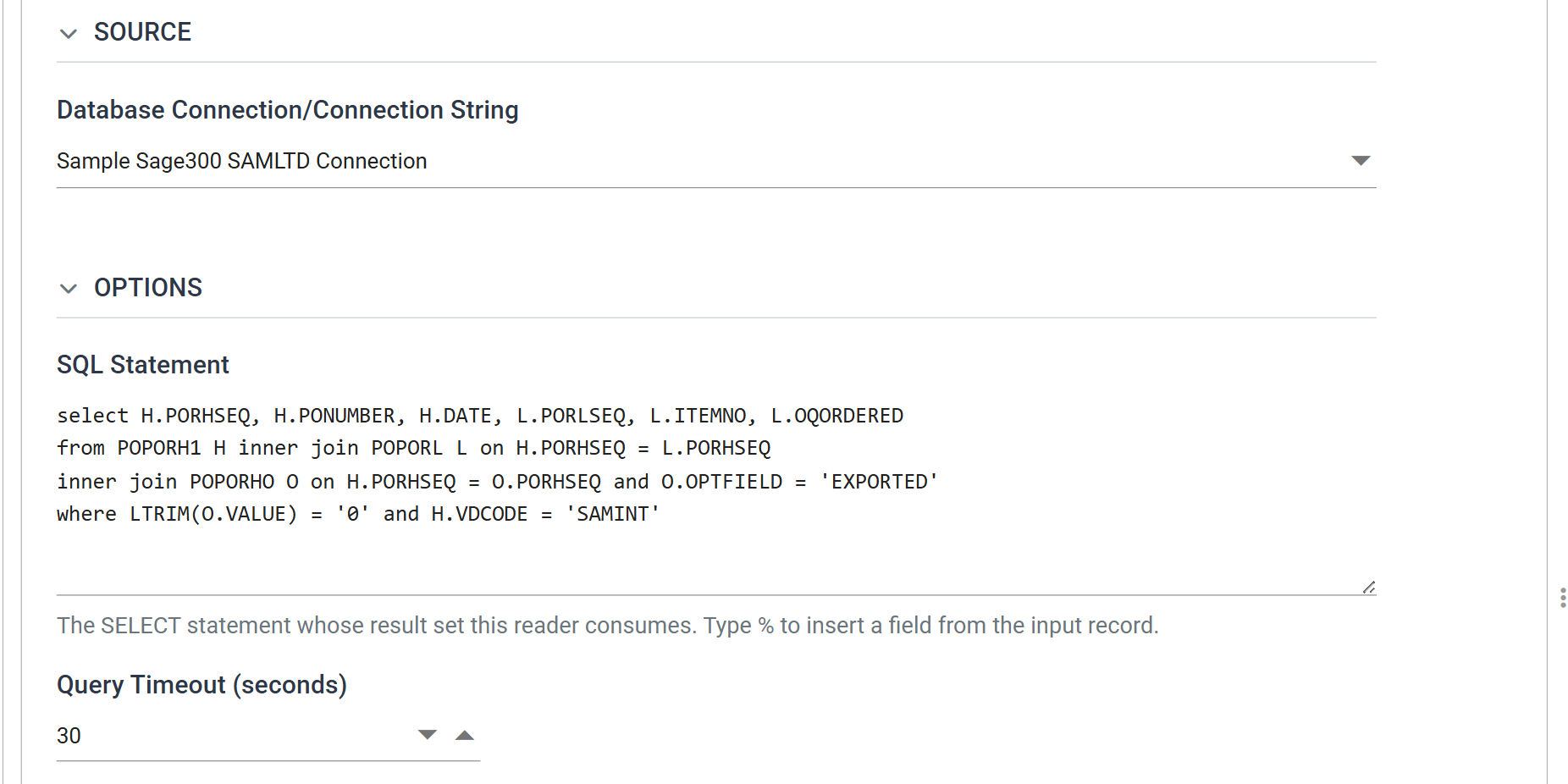
A SQL query reads the purchase orders straight from the SAMLTD database, because no Sage 300 view answers "which intercompany purchase orders have not been exported yet".
The SQL statement
select H.PORHSEQ, H.PONUMBER, H.DATE, L.PORLSEQ, L.ITEMNO, L.OQORDERED
from POPORH1 H inner join POPORL L on H.PORHSEQ = L.PORHSEQ
inner join POPORHO O on H.PORHSEQ = O.PORHSEQ and O.OPTFIELD = 'EXPORTED'
where LTRIM(O.VALUE) = '0' and H.VDCODE = 'SAMINT'
Two conditions in the where clause select an intercompany order that is still
outstanding:
H.VDCODE = 'SAMINT'— intercompany purchases are raised against a particular vendor, which distinguishes them from ordinary ones.LTRIM(O.VALUE) = '0'— the EXPORTED optional field is still No. The join ontoPOPORHObrings that optional field into the query.
The six columns are the minimum the integration needs:
PORHSEQ |
purchase order sequence number — the key the flag is written back against |
PONUMBER |
purchase order number |
DATE |
purchase order date |
PORLSEQ |
purchase order line sequence |
ITEMNO |
item number |
OQORDERED |
quantity ordered |
Press Refresh to run the query and see the results:
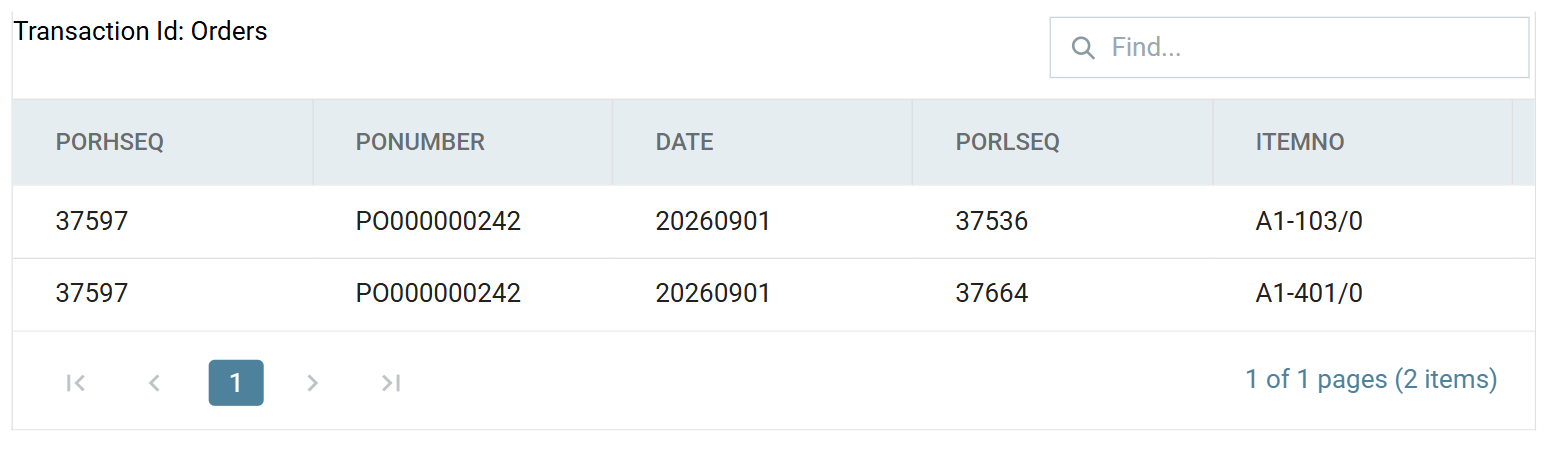
The result is one purchase order with two lines. PORLSEQ differs per line, and
it makes the return journey possible. The connector writes it onto the O/E Order
line as the POLINE optional field, and it travels with the shipment.
Step 3
reads it back to put the right quantity on the right line of the receipt.
Every item on the order must also exist in SAMINC
Every item on the purchase order must also exist in SAMINC, or the order
fails to import with "Item number … does not exist". Sage 300 strips the
segment separators when it matches, so SAMLTD's A1-103/0 finds SAMINC's
A11030. The two companies must still stock the same items.
Hierarchy
The query returns one row per order line. The Hierarchy transform turns those flat rows into the header-and-lines shape the O/E Order import expects.
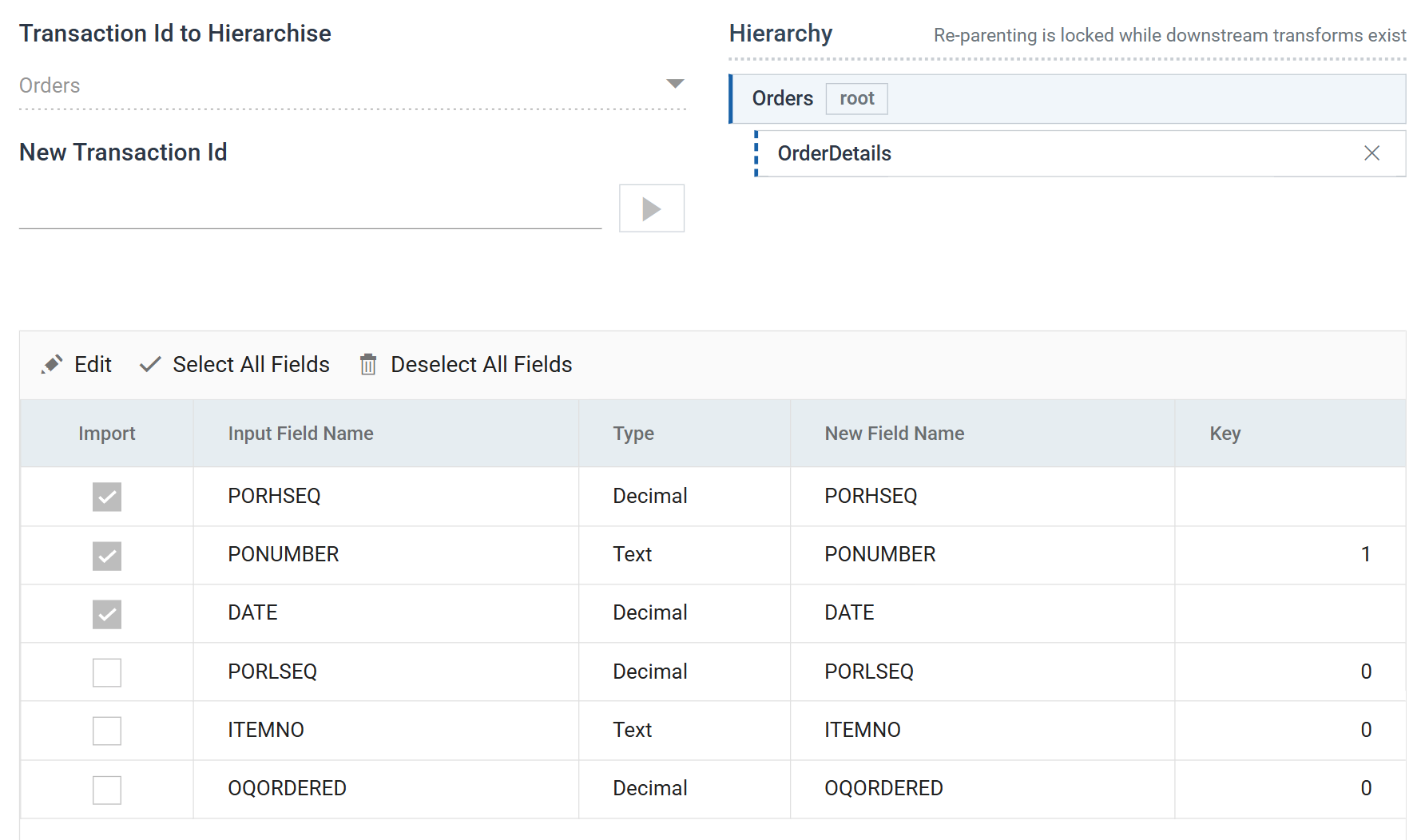
PONUMBER is Key 1, so the transform builds one Orders record per purchase
order. The three header fields are ticked for import. The three line-level
fields are unticked and stay on the OrderDetails child.
Map
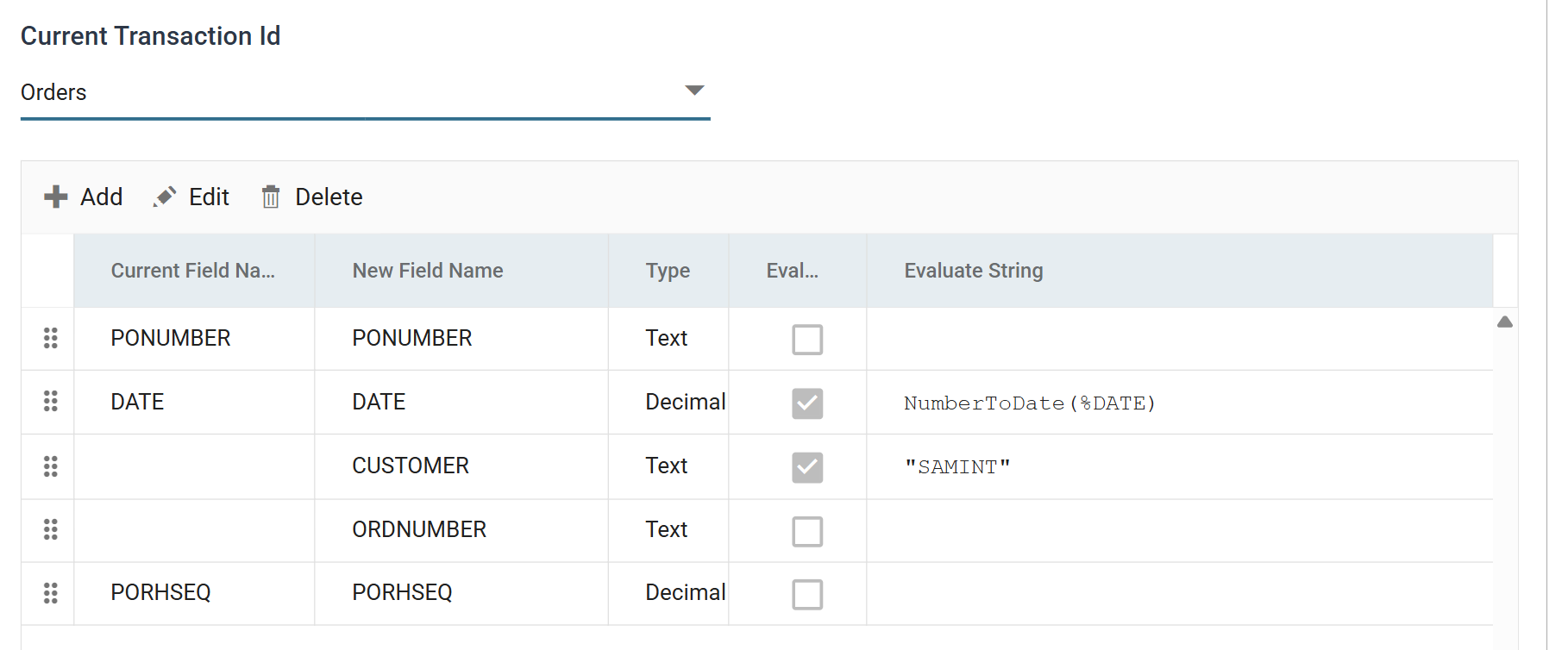
The Map transform adds two fields and changes the type of a third, so that the connector can import the order into SAMINC.
-
DATE — Sage 300 stores a date as a number in
yyyymmddform, and the query returns it that way. NumberToDate converts it to a real date: -
CUSTOMER — the static value
"SAMINT", the A/R customer in SAMINC that intercompany sales are raised against. It is the counterpart of the vendor the query filters on. - ORDNUMBER — added empty. It gives the connector a field to write back the order number SAMINC generates. The filter below tests it, and after a run it tells you which order each purchase order produced.
Sage 300 connector
The connector defines how the dataset maps to the SAMINC O/E Order.
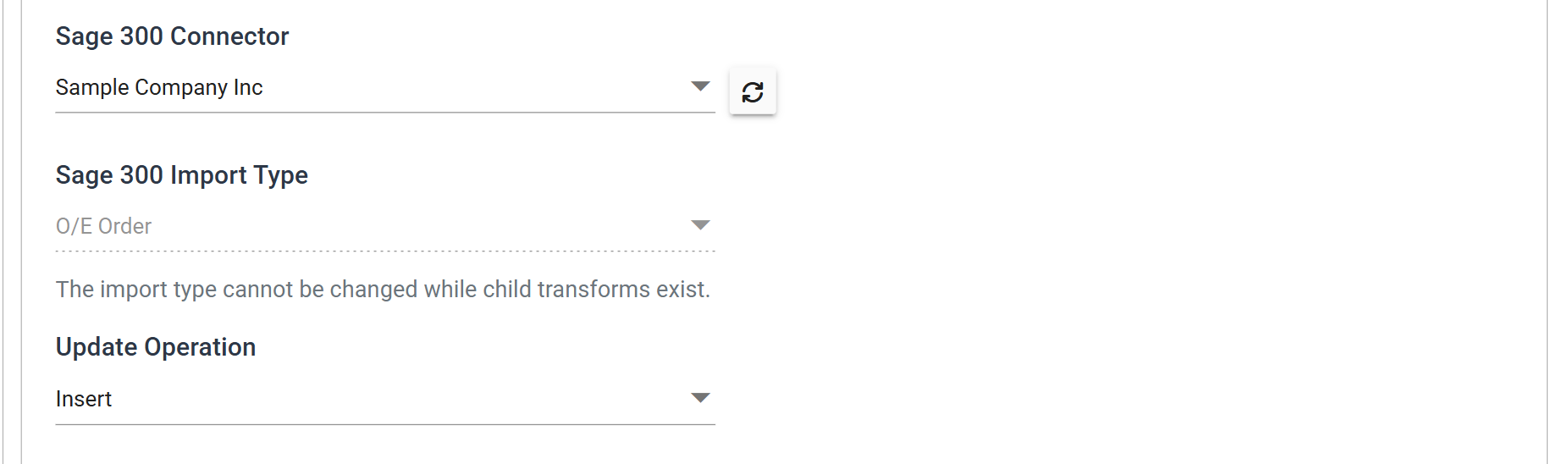
The connector named here is the SAMINC System Connector. This step writes into the other company. Everything before it read from SAMLTD, and the database writer at the end goes back to SAMLTD.
Field Mapping
Transaction Level Mapping pairs the two transactions the hierarchy built
with the two Sage 300 views the import type expects, OE0520 for the header and
OE0500 for the details.
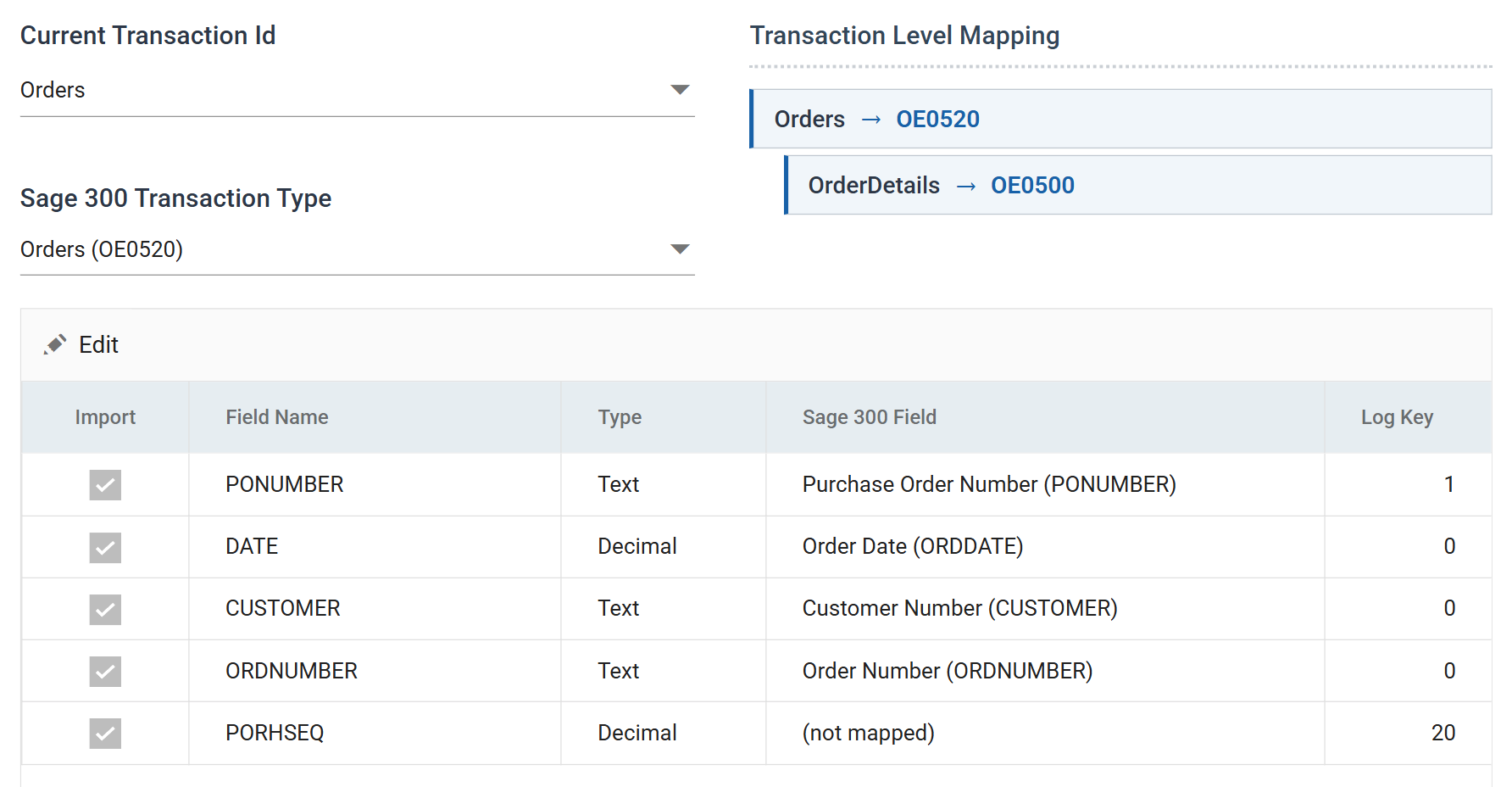
PORHSEQ is (not mapped), because SAMINC does not need SAMLTD's internal
sequence number. The database writer at the end of the integration does need it,
and only mapped fields flow through a connector. Its Log Key of 20
carries it through. A non-zero Log Key makes an unmapped field available to
downstream transforms, and a non-sequential one keeps it out of the audit
report's Source column. See
Making unmapped fields flow.
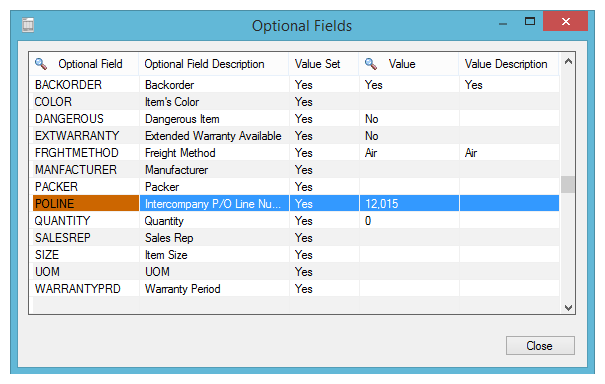
On the OrderDetails transaction, PORLSEQ is mapped to the POLINE
optional field:
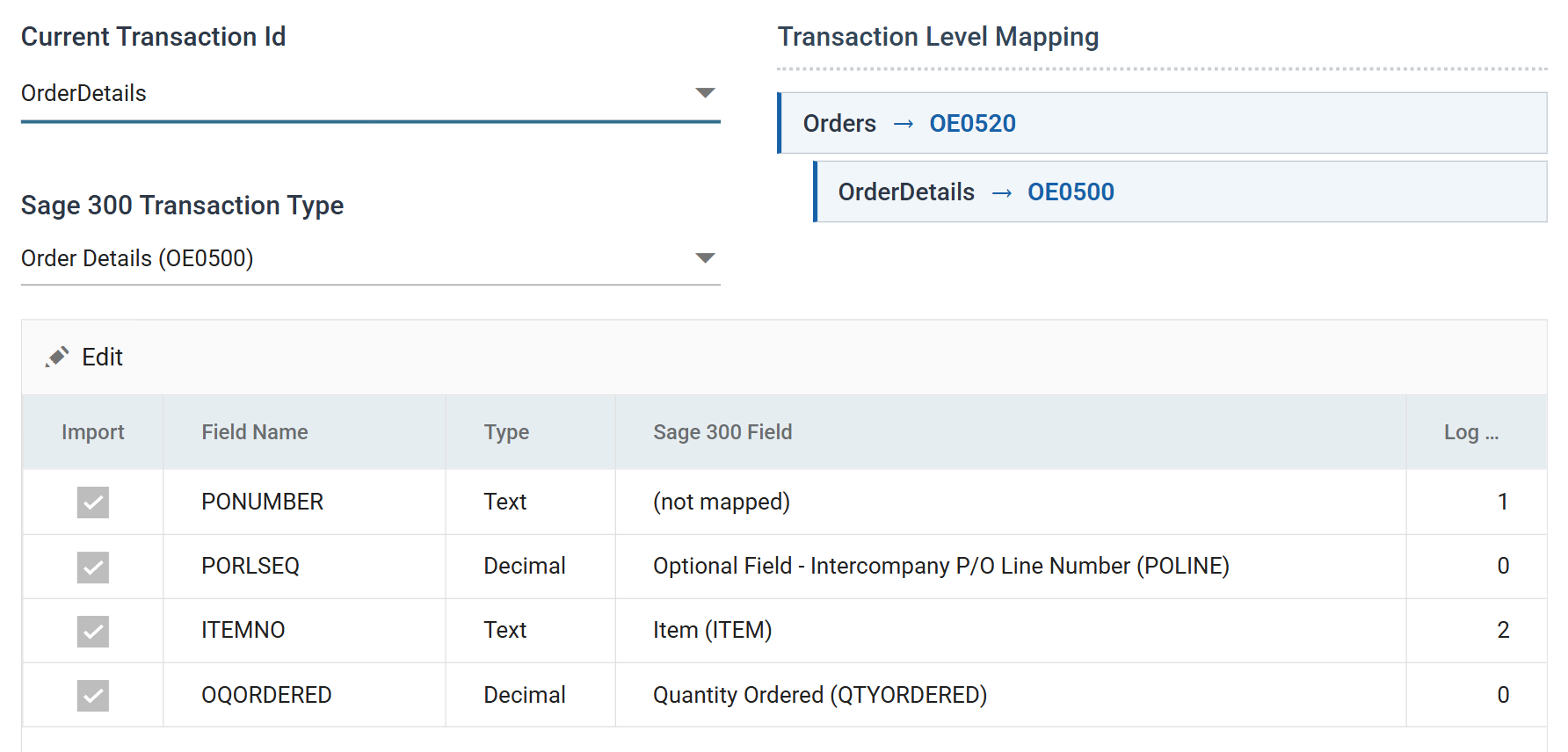
You map an optional field like any other Sage 300 field. It appears in the list under its own name. This mapping makes step 3 possible.
Running it
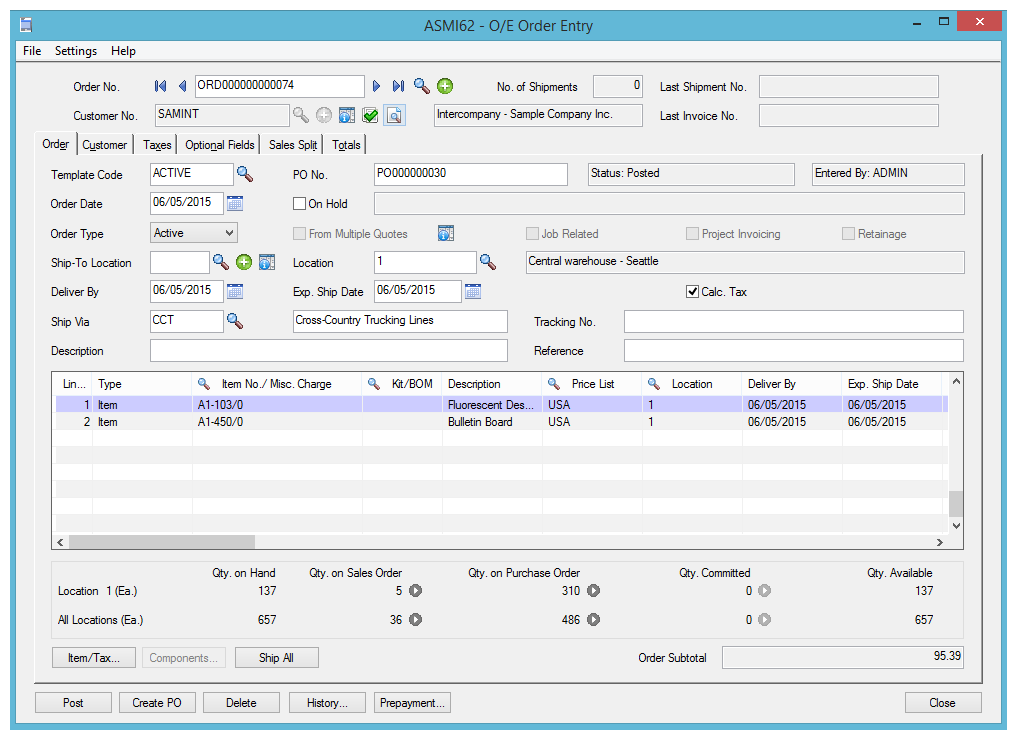
Refresh does not simulate the import. It runs it. When it
finishes, ORDNUMBER holds the order number SAMINC generated, and the order is
in the other company:
The order line carries the POLINE optional field, holding the purchase order line sequence the reader supplied:
Filter
The next three steps flag the SAMLTD purchase order as exported. They begin with a Filter, so that only orders that reached SAMINC are flagged.
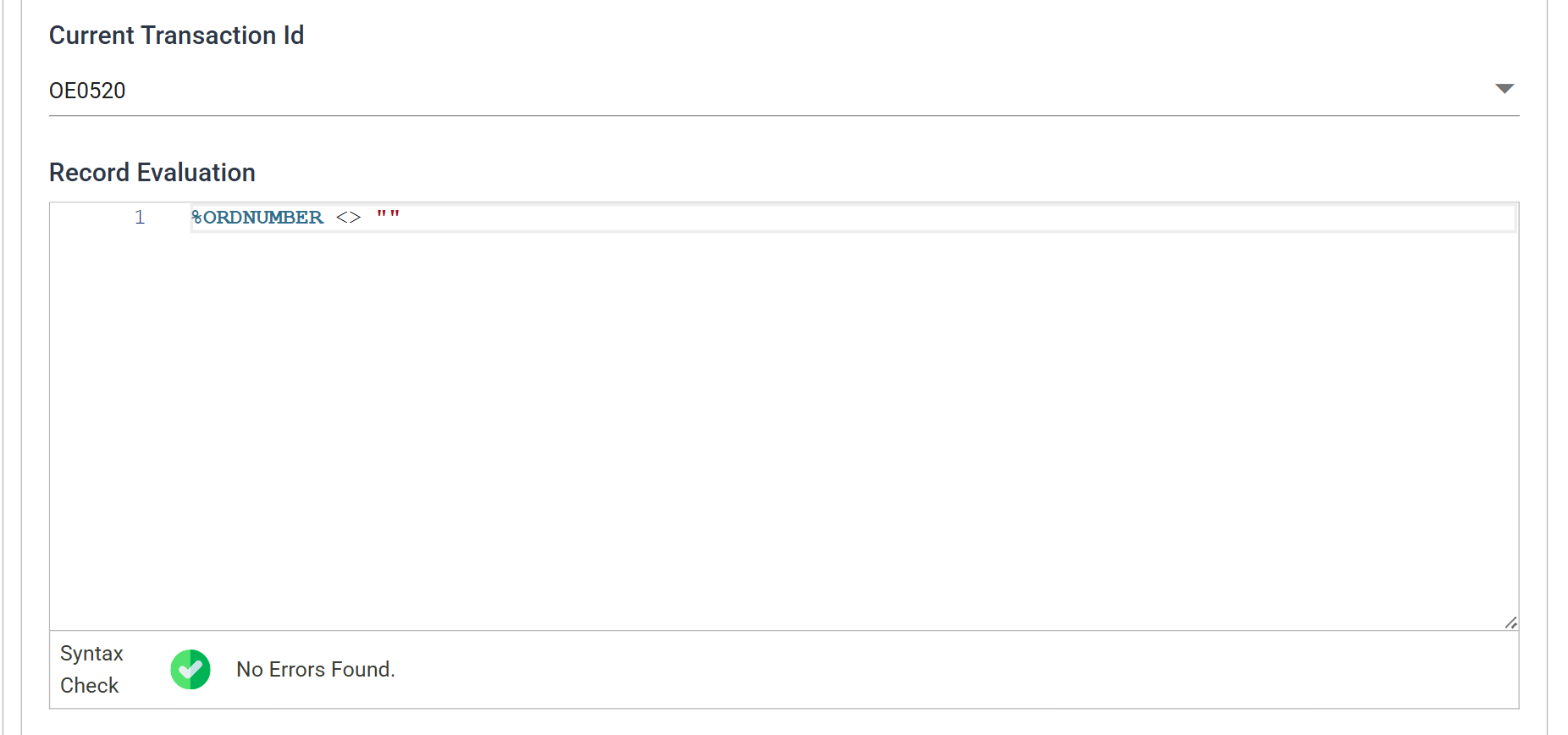
The test is %ORDNUMBER <> "": keep the record only if SAMINC gave it an order
number.
This step is optional. Whether to keep it depends on the process you want. As written, an order that fails to import keeps its EXPORTED flag at No, and the next run tries it again. This repeats until the order imports or someone sets the optional field on the purchase order by hand.
Second Map
This map adds one field, holding the value to set the optional field to.
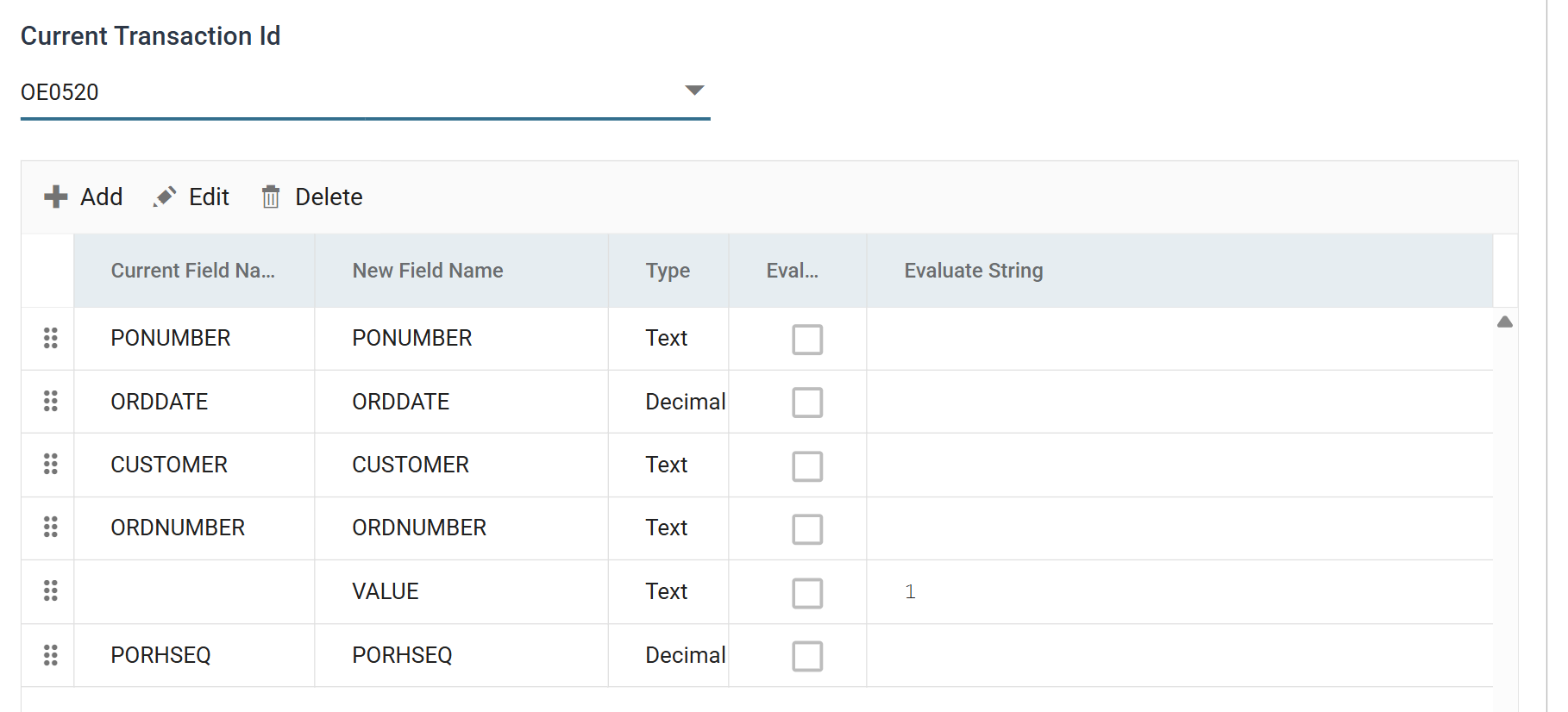
VALUE is 1, the Yes of a Sage 300 Yes/No optional field. The transactions
are now called OE0520 and OE0500. The connector renamed them to the Sage 300
views it mapped them to, and every transform downstream of a connector uses the
new names.
Database Writer
The last step runs the update.
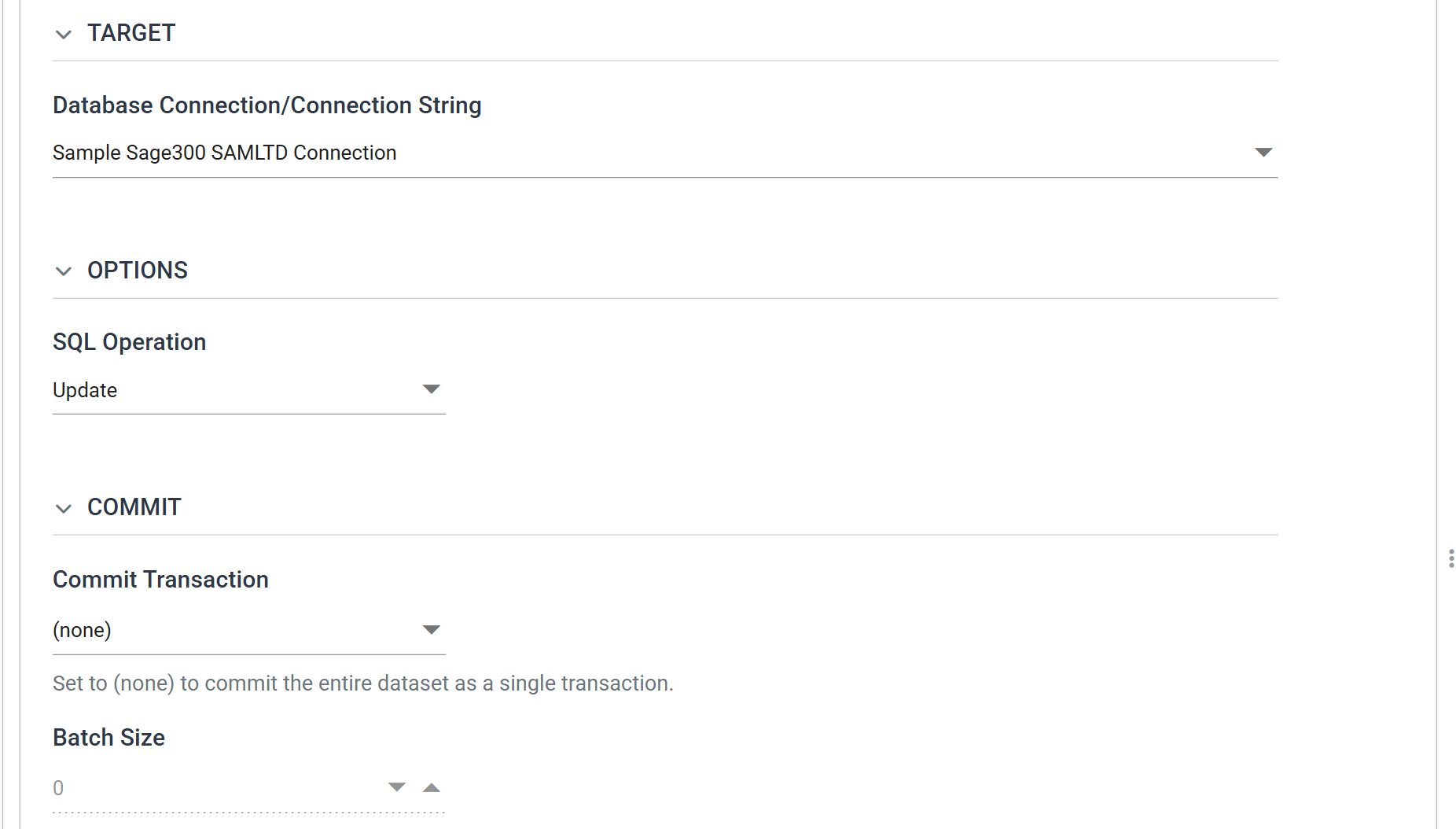
The connection is back to SAMLTD, because this is the return leg. The operation is Update, not Insert, because the EXPORTED optional field already exists on the order and the writer changes its value from No to Yes.
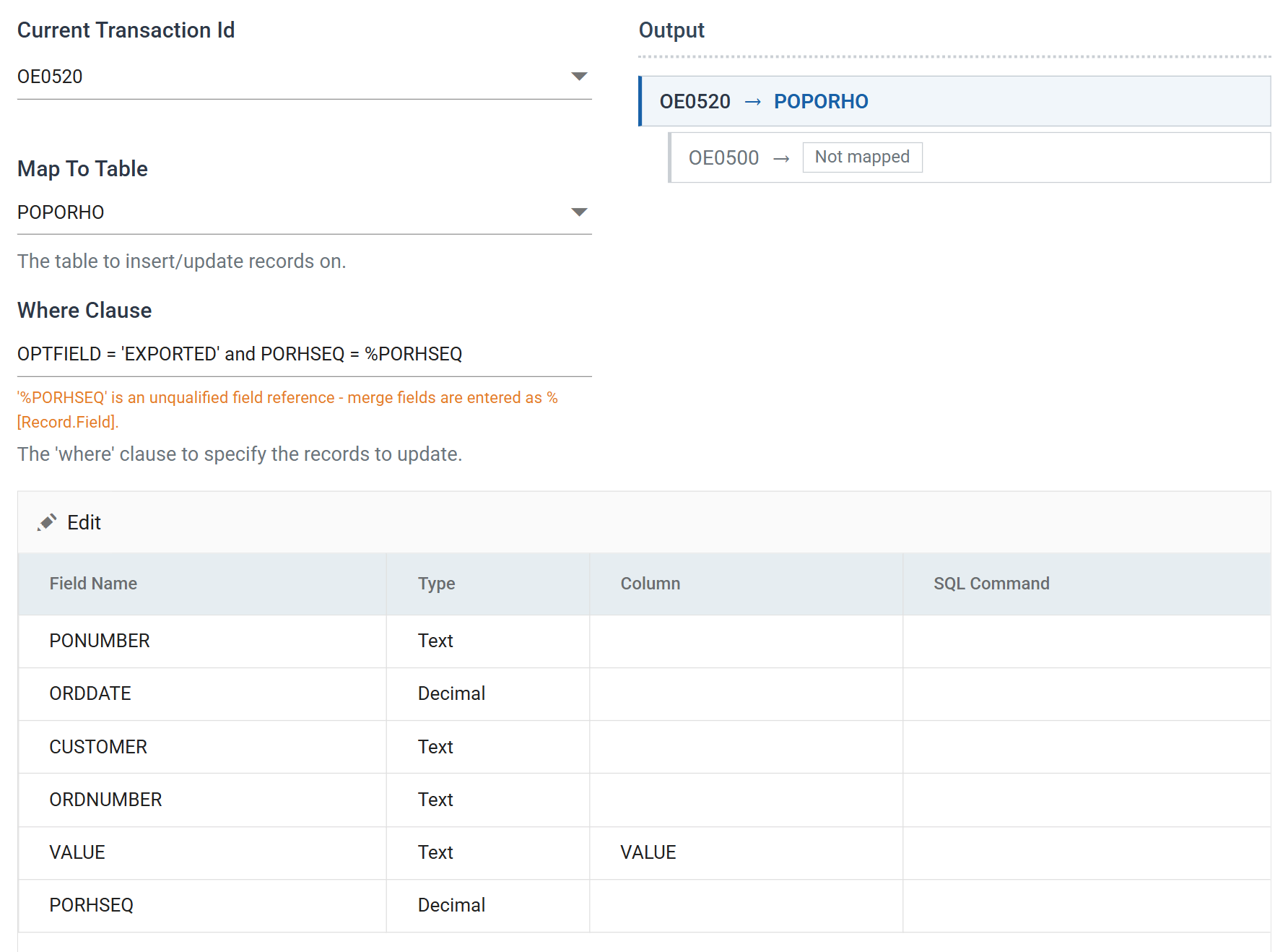
Three properties make up the update:
- Map To Table —
POPORHO, the purchase order header optional fields table. - Where Clause —
OPTFIELD = 'EXPORTED' and PORHSEQ = %PORHSEQ. Together those two columns are the primary key ofPOPORHO, so the writer updates exactly one row.%PORHSEQis a merge field that takes its value from the record being written. The connector carriedPORHSEQalong unmapped for this reason. - Column — only
VALUEis given one, soVALUEis the only column the update sets.
The advisory under the Where Clause, and why the update still runs
Version 6.1 shows an advisory beneath the Where Clause. It says that
%PORHSEQ is an unqualified field reference and that merge fields are written
%[Record.Field]. The clause still resolves and the update still runs. Use
the qualified form in anything you write now.
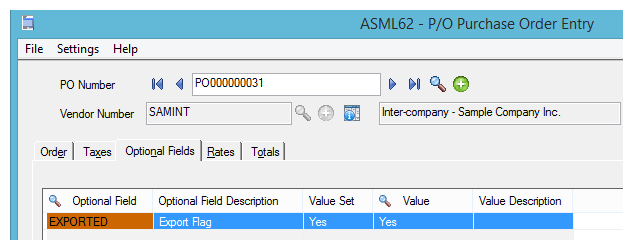
After the update, the EXPORTED optional field on the purchase order reads Yes, and the next run of the integration will not pick it up: