Canadian Payroll Import
Sage 300 Canadian Payroll Import (SAMACCCPTIME)
This imports a simple weekly timesheet from Excel into Canadian Payroll.
A column per day in, a record per day out
The spreadsheet has a column for each day of the week: Monday, Tuesday and so on. Canadian Payroll needs a record per day. This sample shows how the Hierarchy, Map and Aggregate transforms together turn one shape into the other.
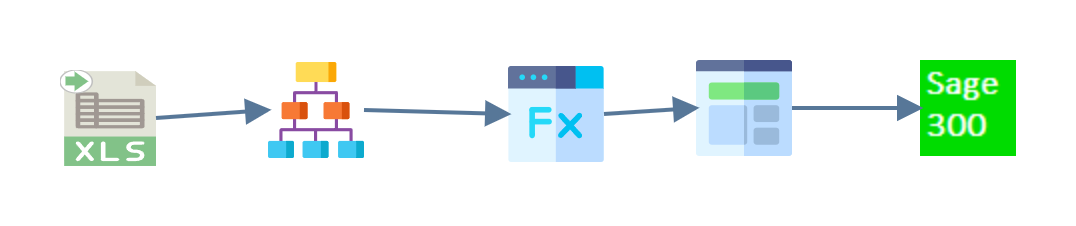
- Read
- Hierarchy
- Map
- Aggregate
- Connector
Read
An Excel reader pulls the data from
CPTimeCard.xlsx in G:\IMan\InputData.
Hierarchy
The Hierarchy transform gives the flat rows two levels: the timecard header and the detail beneath it. At this point the detail still has a column per day.

Map
On the Timecard transaction the Map adds one field, Timecard, whose value is a counter:
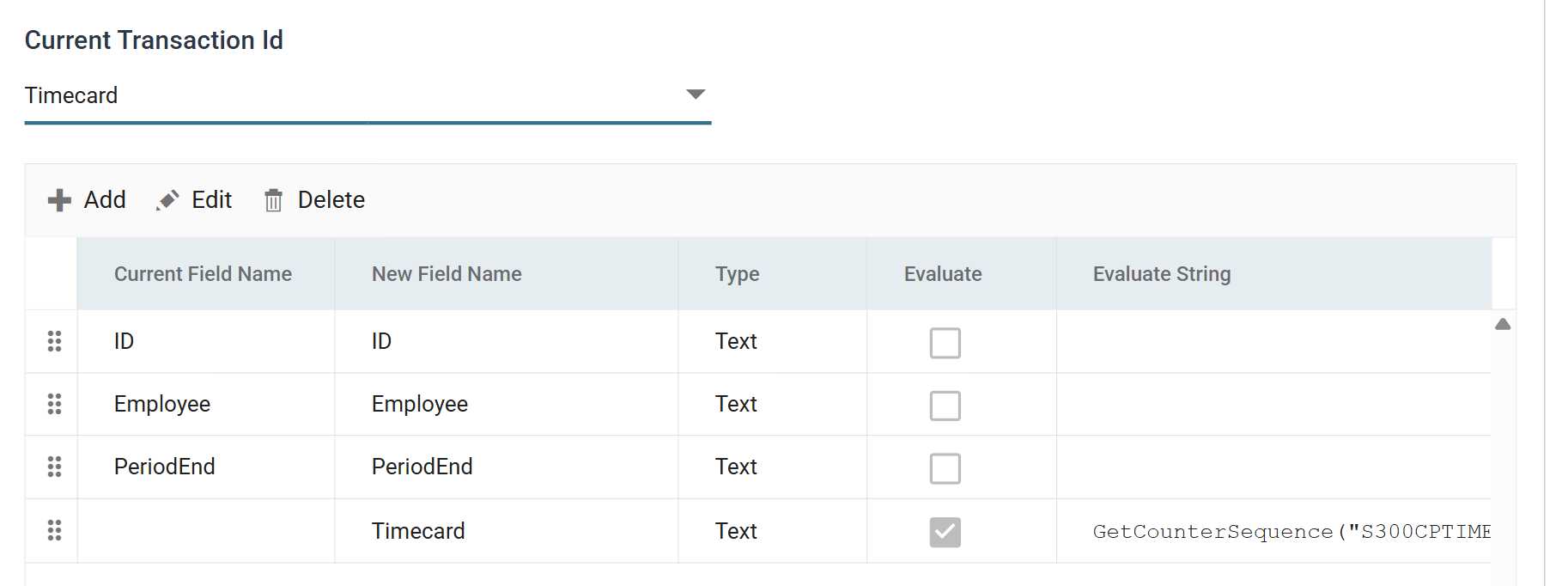
GetCounterSequence("S300CPTIME")
GetCounterSequence calls the S300CPTIME counter. The counter is defined
under Setup > Counters, and the samples setup creates it. Each call returns
the next number in the sequence, so every timecard gets its own id.
Without the counter, the spreadsheet would need its own unique timecard number on every row. Counters are not only for timecards. The same function supplies document numbers, customer numbers and any other id that must be unique and sequential.
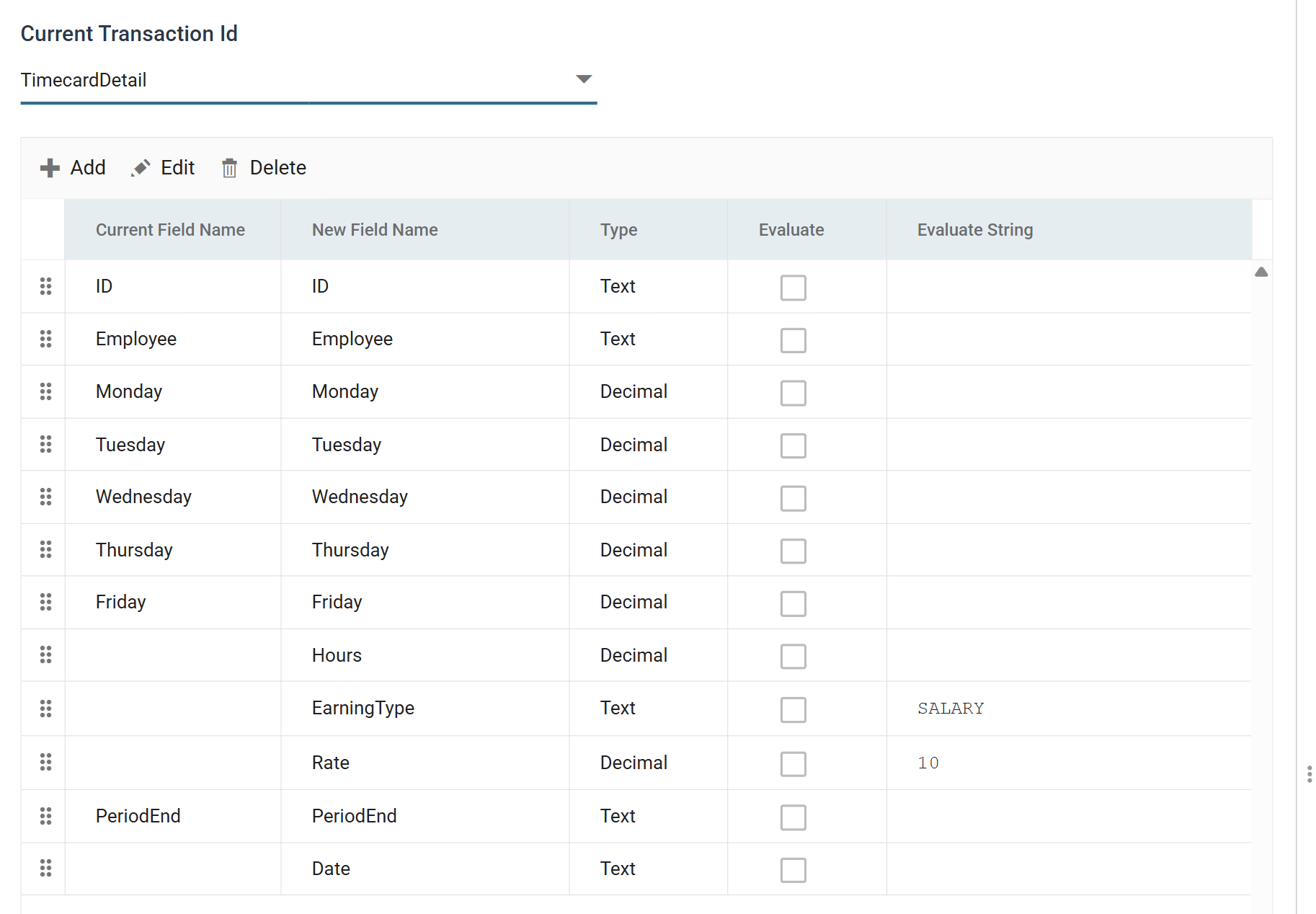
On the TimecardDetail transaction the Map adds the four fields the Aggregate
needs to turn a column per day into a record per day. EarningType and Rate are
static values, SALARY and 10. Hours and Date are empty here, and the
Aggregate fills them in.
Aggregate
The Aggregate transform turns the columns into records. Its Field Mapping tab holds a list of Calc Records for the selected transaction. Each calc record emits a record. There are five here, one per weekday.
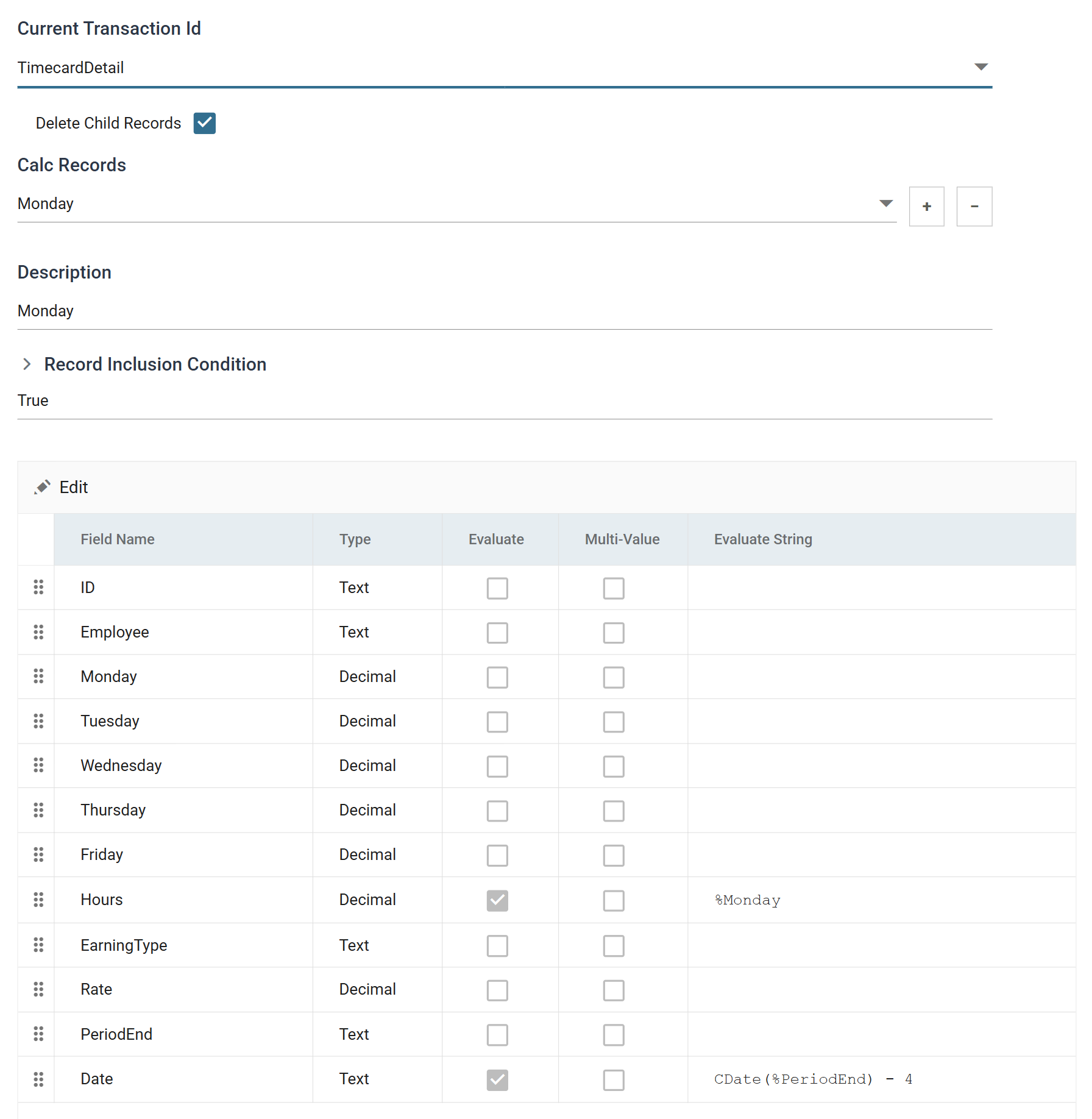
One screen holds everything about a calc record: its description, the condition under which it is emitted and the value of every field it produces. For Monday:
- Hours is
%Monday, so the record takes that day's column. - Date is
CDate(%PeriodEnd) - 4. The period ends on the Friday, and Monday is four days before it.
Tuesday is the same record with %Tuesday and - 3, and so on to Friday, which
subtracts nothing. Select a different day from the Calc Records drop-down to
show that record on the screen.
Delete Child Records is ticked, so the incoming rows are consumed
Delete Child Records is ticked. The transform consumes the incoming TimecardDetail rows, which still hold five columns, and passes only the five records it emits on to the connector.
Connector
The Sage 300 connector creates the timecards with the C/P Payroll Timecard import type.