SOP Invoice & Consolidated Billing
Sage 200 SOP Invoice & Consolidated Billing (SAMS200CONSPRNT)
This is the longest sample in the guide, and it shows the widest range of what an integration can do. It raises SOP orders in Sage 200, despatches them and then prints and posts the invoices. Along the way it decides which customers get one invoice per order and which get their orders consolidated onto a single invoice.
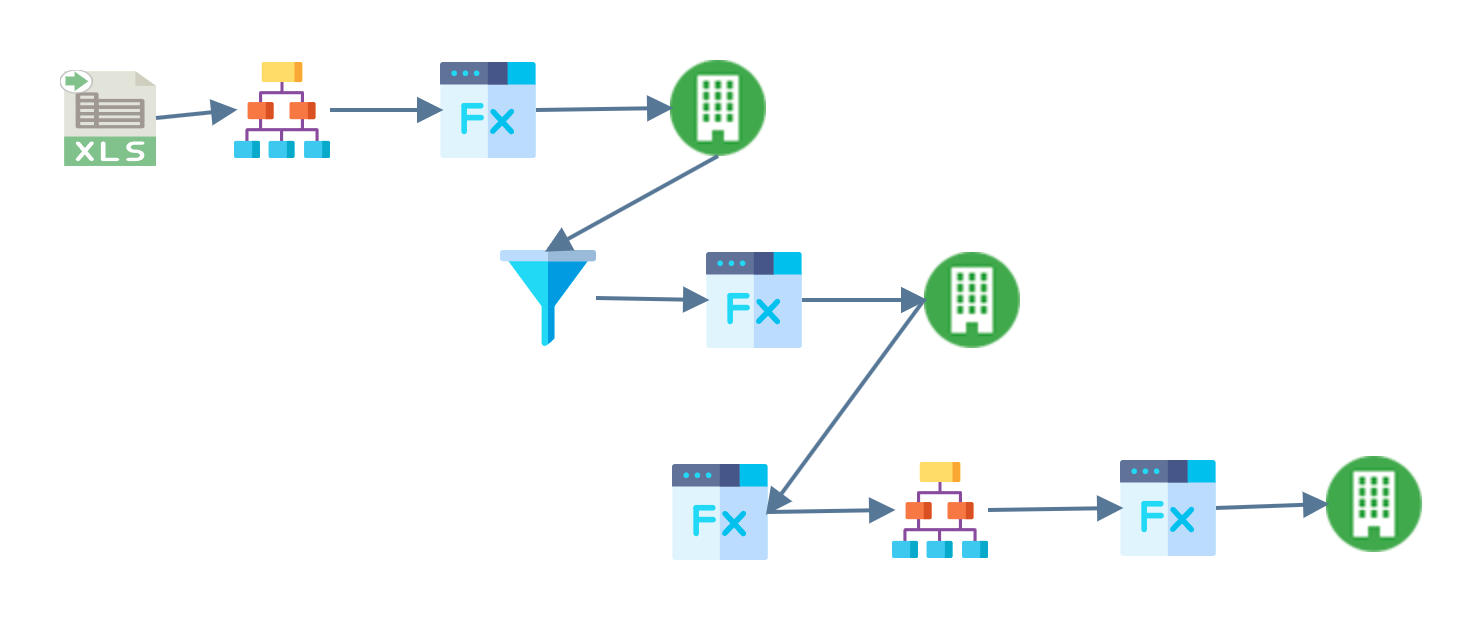
The flow of the integration:
- Read
- Hierarchy
- Map
- SOP Order connector
- Filter
- Pre-Despatch Map
- SOP Despatch connector
- Pre-Invoice Map
- Hierarchy — consolidate invoice
- Consolidate Inv Map
- SOP Invoice Print & Post
Steps 4, 7 and 11 each write to Sage 200, and each map between them prepares the dataset for the next write. A connector does not have to end an integration. It can be a step in the middle, and what it returns, such as an order number, a despatch or an invoice number, becomes the input to the next step.
Read
An Excel reader extracts the data from
S200SOPConsolidatedPrinting.xlsx in G:\IMan\InputData.
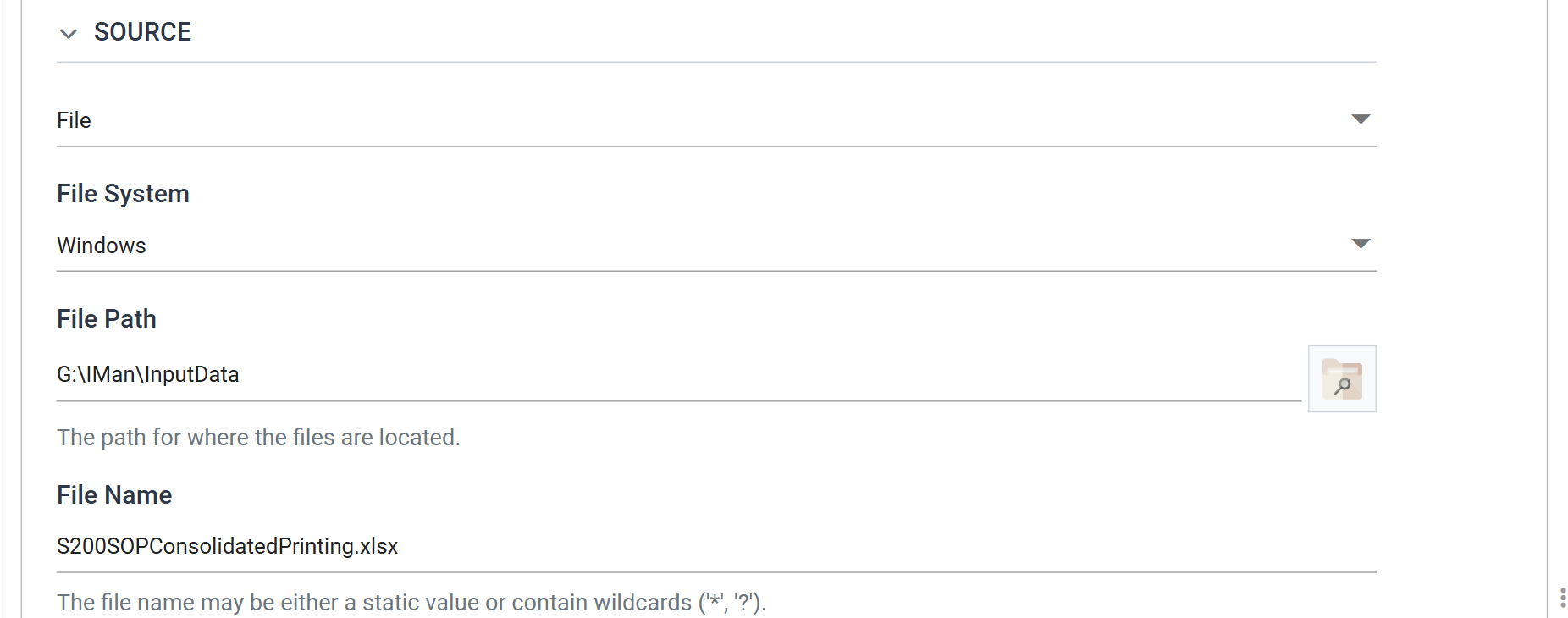
The data is as simple as possible: four columns, ID, CUSTOMER, DESC and
AMT, and one row per order. The transforms add everything else the sample
needs.
Hierarchy
Sage 200 expects an order as a header with lines beneath it, so the Hierarchy transform splits each flat row in two.
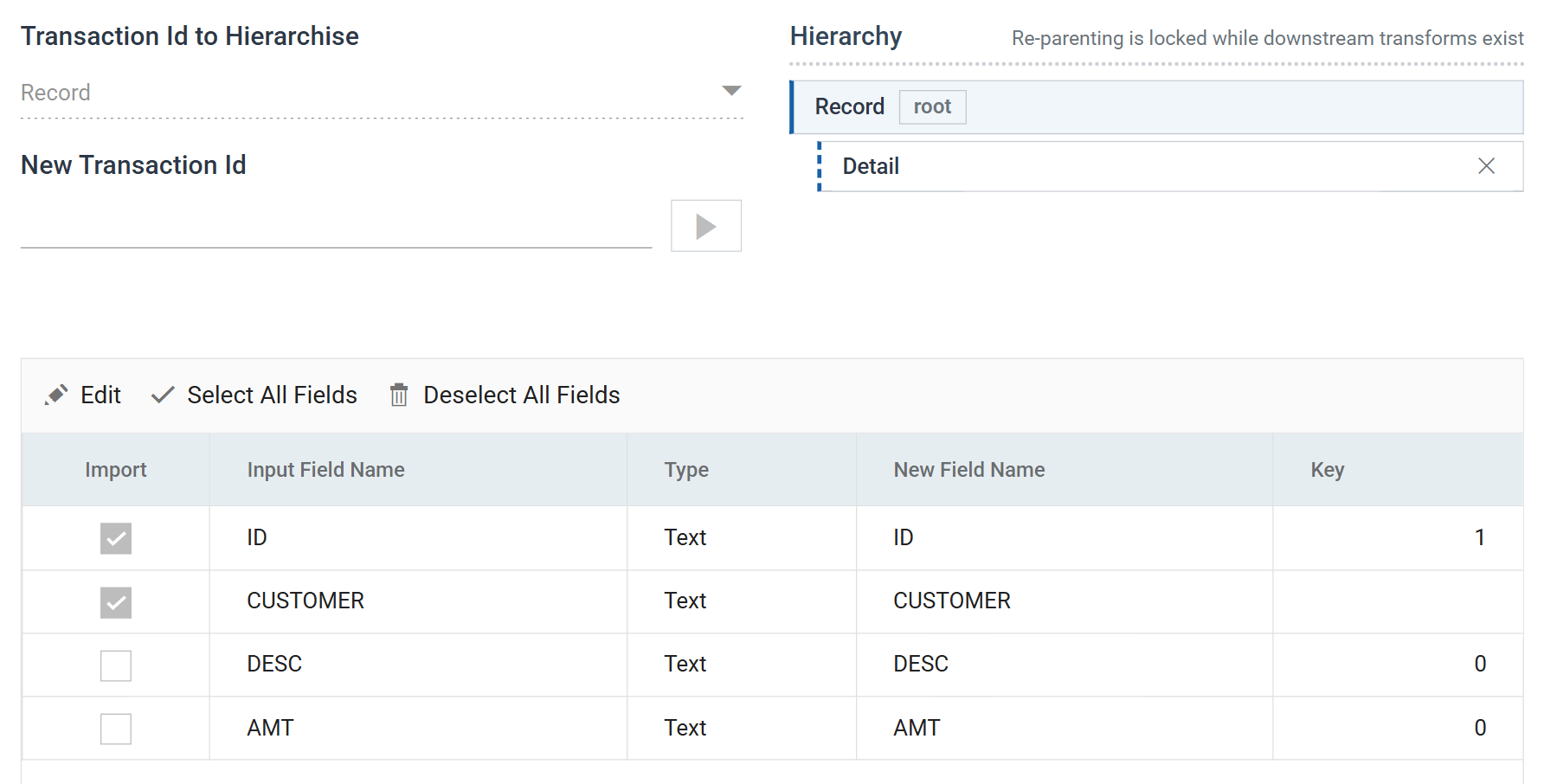
ID is Key 1, so the transform builds one record per order. ID and CUSTOMER
are ticked for import, so they belong to the header. DESC and AMT are
unticked and stay on the Detail child.
Map
The Map transform adds the fields Sage 200 needs and the file does not carry.
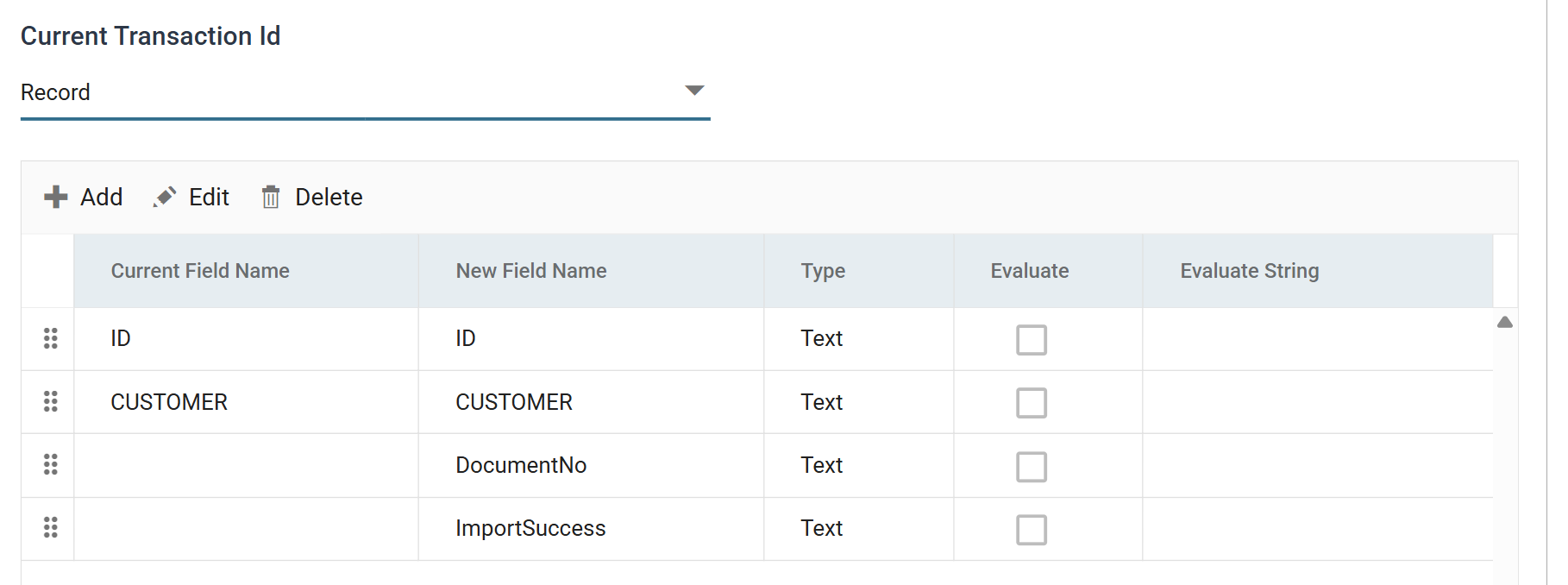
- DocumentNo is added empty. It gives the connector a field to write back the order number Sage 200 generates.
- ImportSuccess is added empty. It holds Sage 200's report of whether each record imported.
Two more fields are on the Detail transaction:
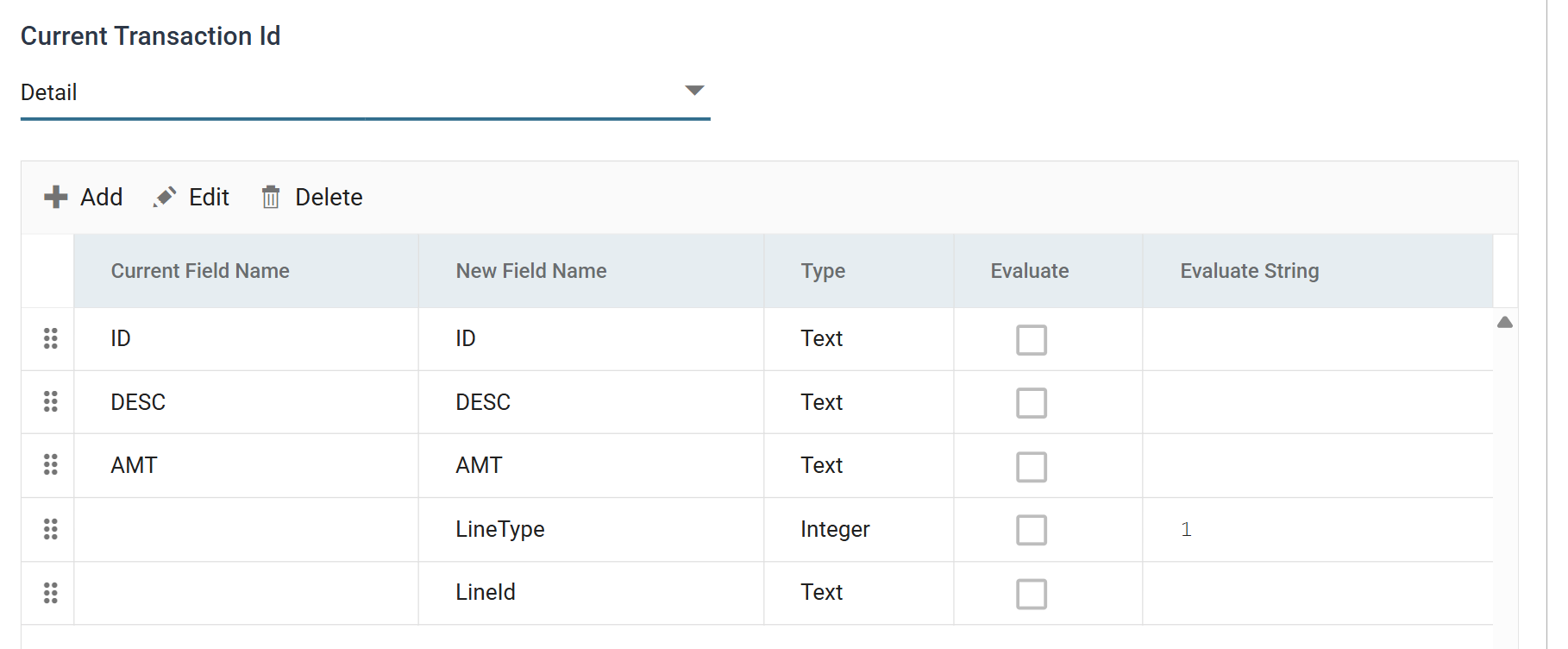
- LineType is
1, which tells Sage 200 to create free-text lines, not stock lines. The sample can then run against any Sage 200 company, whatever product codes it has. - LineId is added empty, to capture the line id Sage 200 generates. The despatch step needs it.
Sage 200 SOP Order connector
The connector maps the dataset to the SOP Sales Order import type.
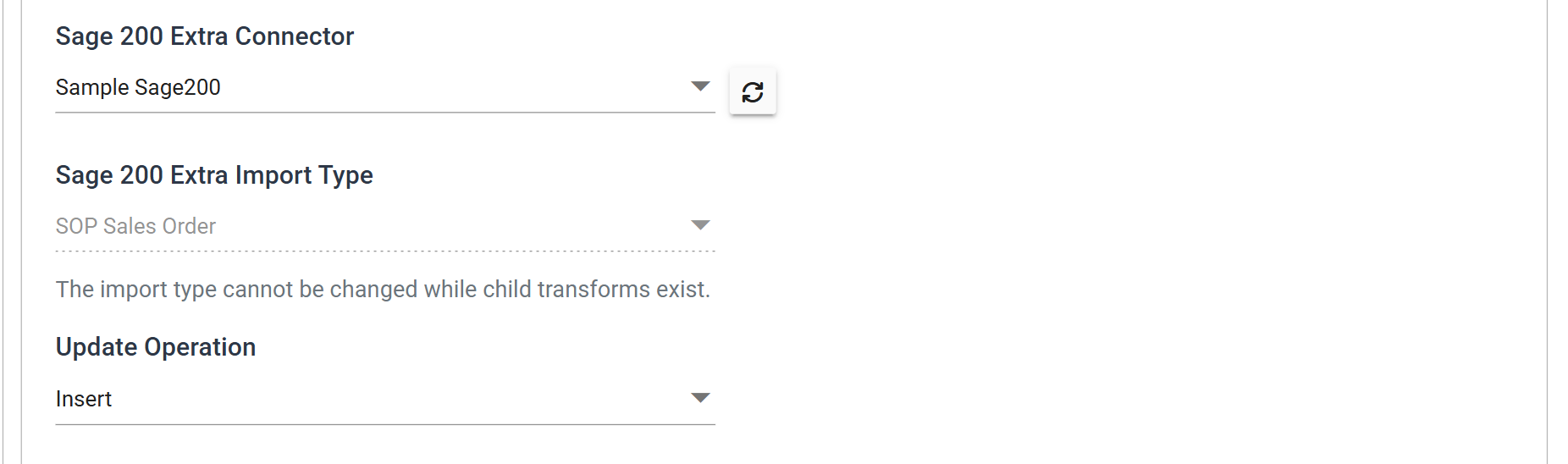
The update operation is Insert, not Insert/Update, because every run raises
new orders. When it succeeds, DocumentNo and LineId come back populated.
The connector also renames things. Its Field Mapping renames the transactions to
the ones the import type expects: Record becomes SOPOrder and Detail
becomes SOPOrderLine. It renames the fields too, so CUSTOMER is Customer
from here on. Every transform downstream uses the new names.
Filter
Some orders may fail to import. The Filter transform deletes them, so the despatch step never tries to despatch an order that does not exist.
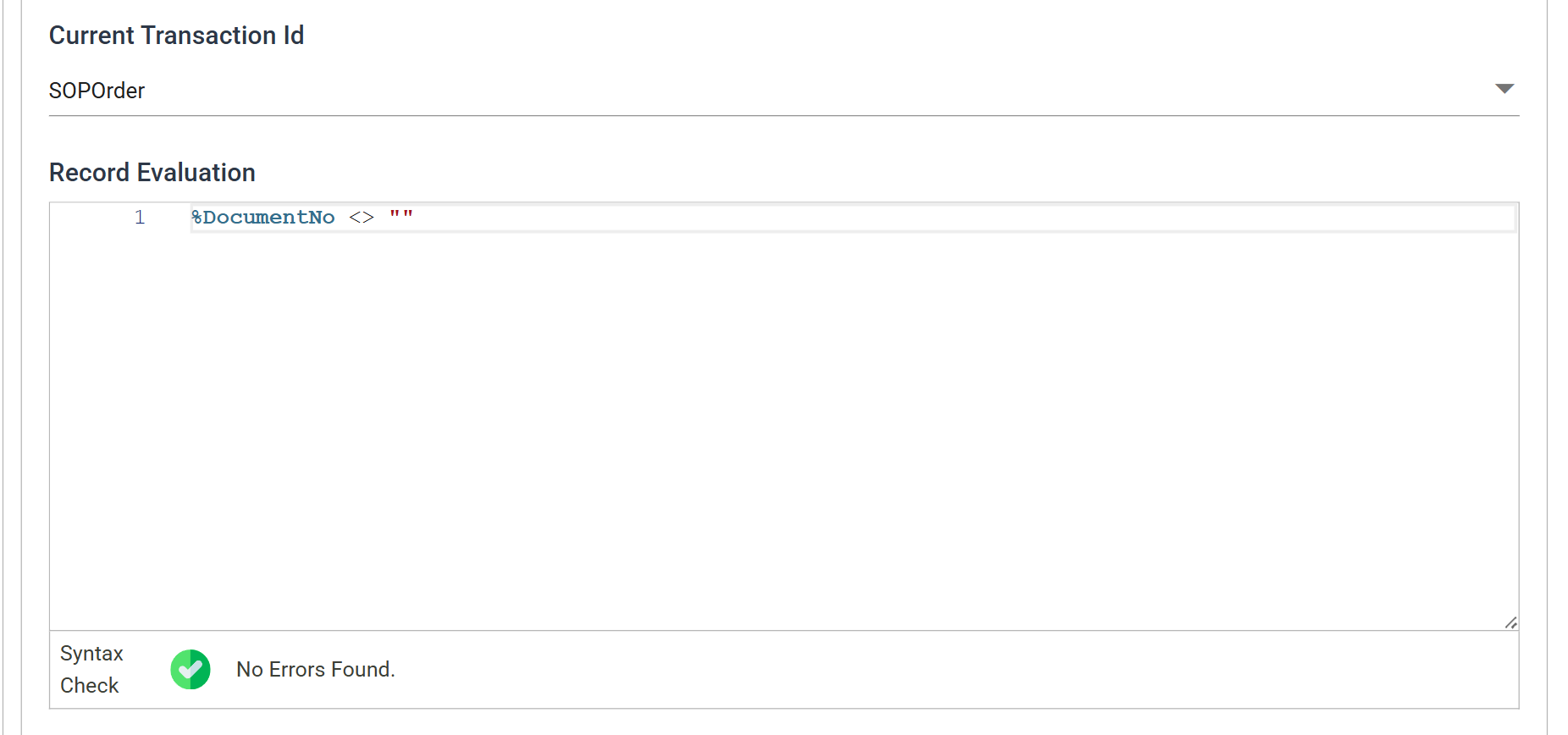
The test is %DocumentNo <> "": keep the record if Sage 200 gave it an order
number. A record that failed to import has an empty DocumentNo, and the filter
drops it. The connector above has already put the reason on the audit report.
Pre-Despatch Map
This map adds one field before the despatch.
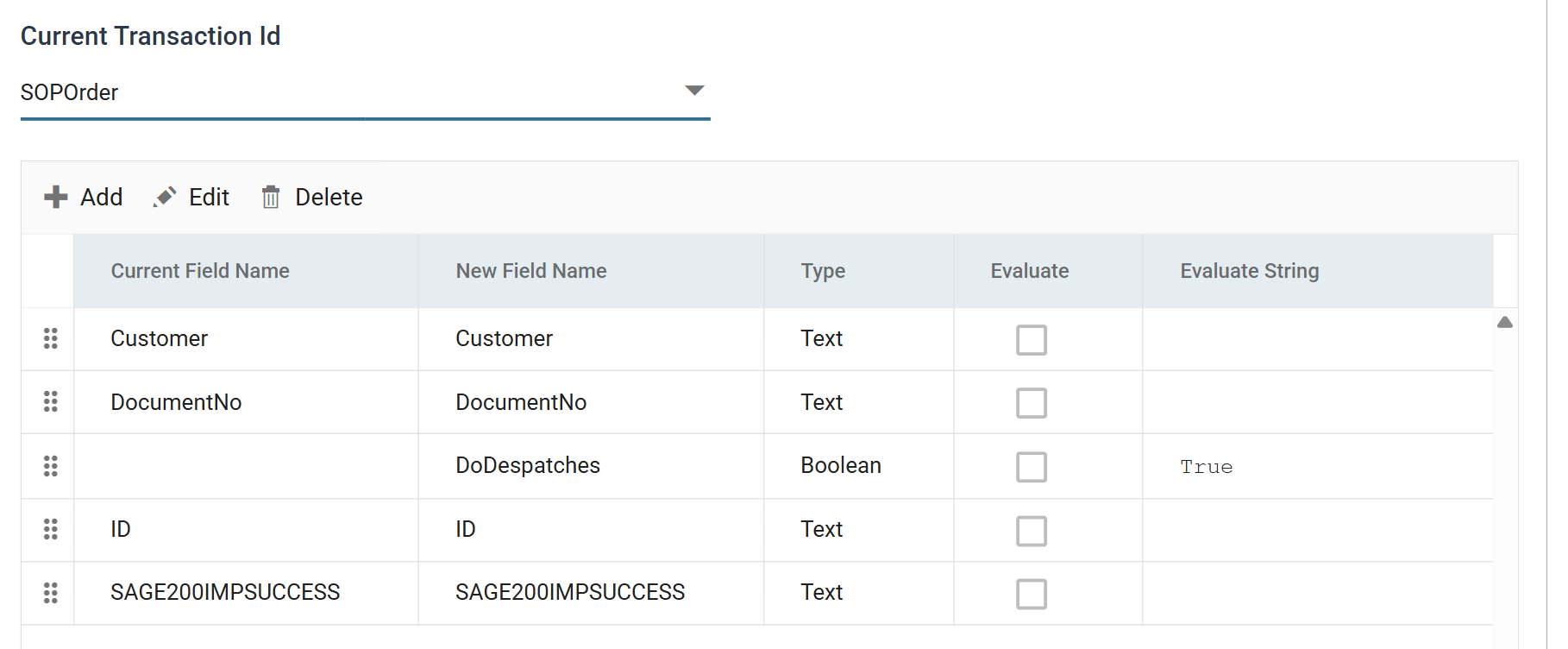
DoDespatches is True. It maps to the connector's Do Despatches field in
the next step, and makes the document a despatch, not a return.
Sage 200 SOP Despatch connector
This connector creates a despatch document against the order just raised. It uses the SOP Despatch import type, still on the Sample Sage200 connector and still Insert.
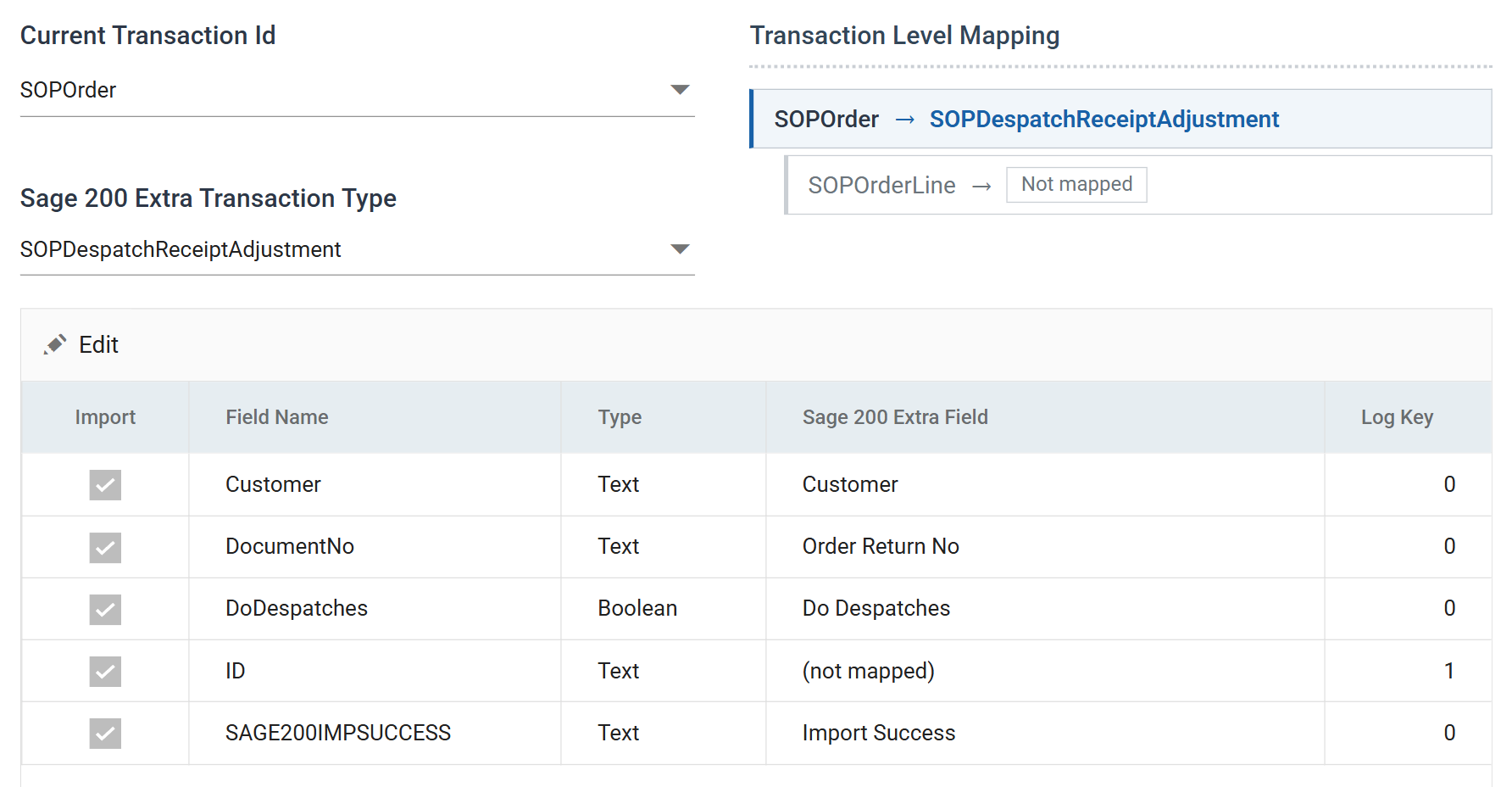
DocumentNo is mapped to Order Return No. The order number Sage 200 returned to the previous connector identifies the order to despatch against.
ID is set to (not mapped) but carries Log Key 1. IMan does not send it
to Sage 200, but shows it against each line of the audit report, so you can
trace a failure here back to a row of the spreadsheet.
Press Refresh to run the despatch:
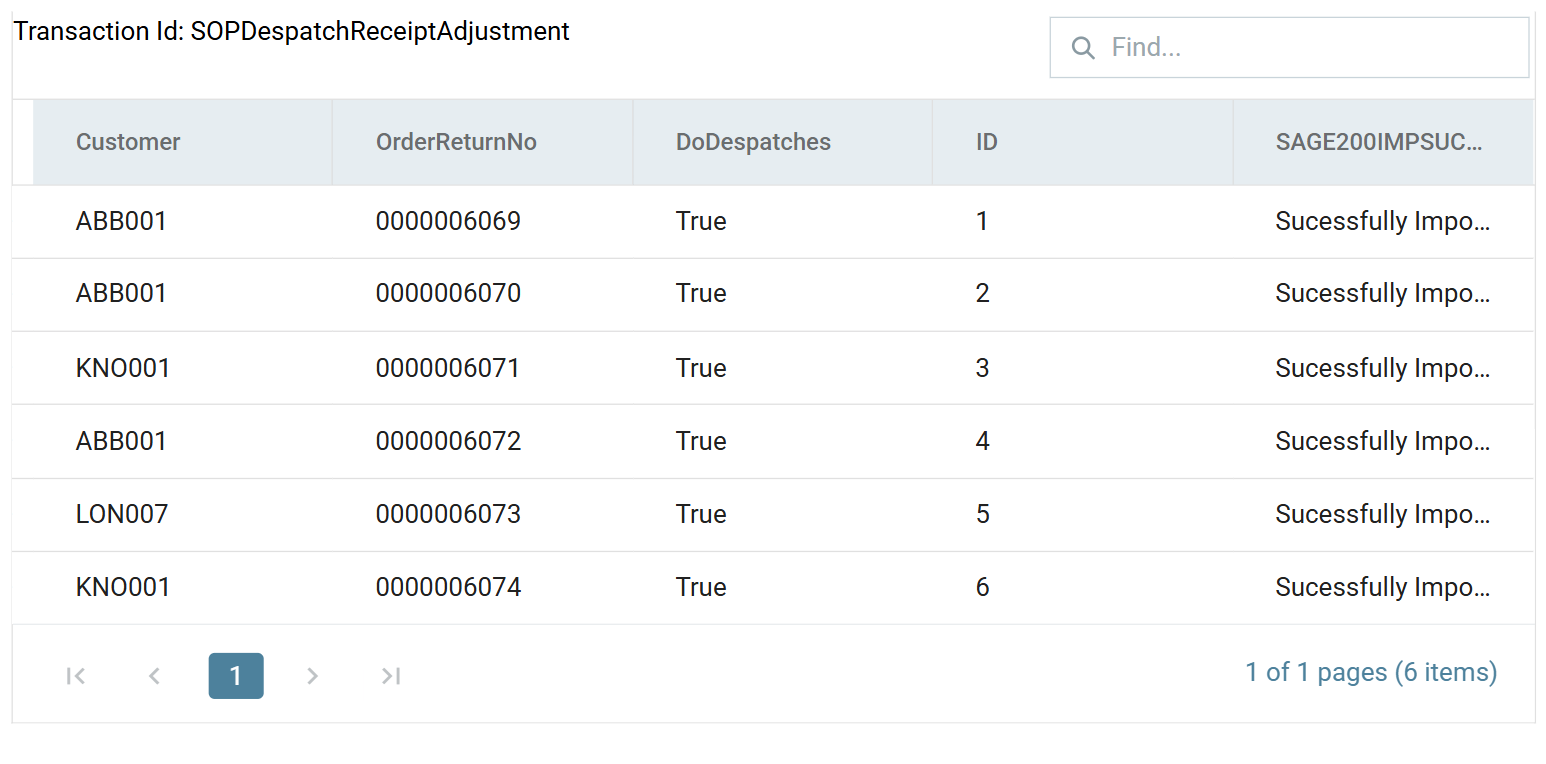
An order can only be despatched once
An order can only be despatched once. If you press Refresh a second time on this connector, against orders already despatched, Sage 200 returns an error.
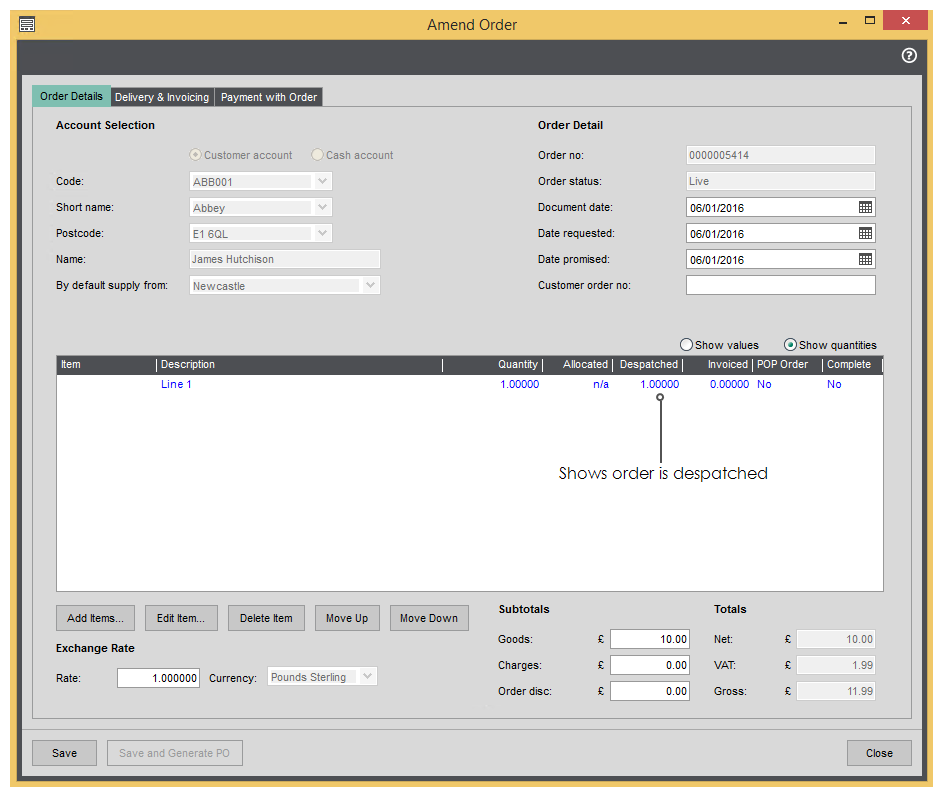
Sage 200's Amend Order window shows the order as despatched:
Pre-Invoice Map
This map decides which orders are invoiced together.
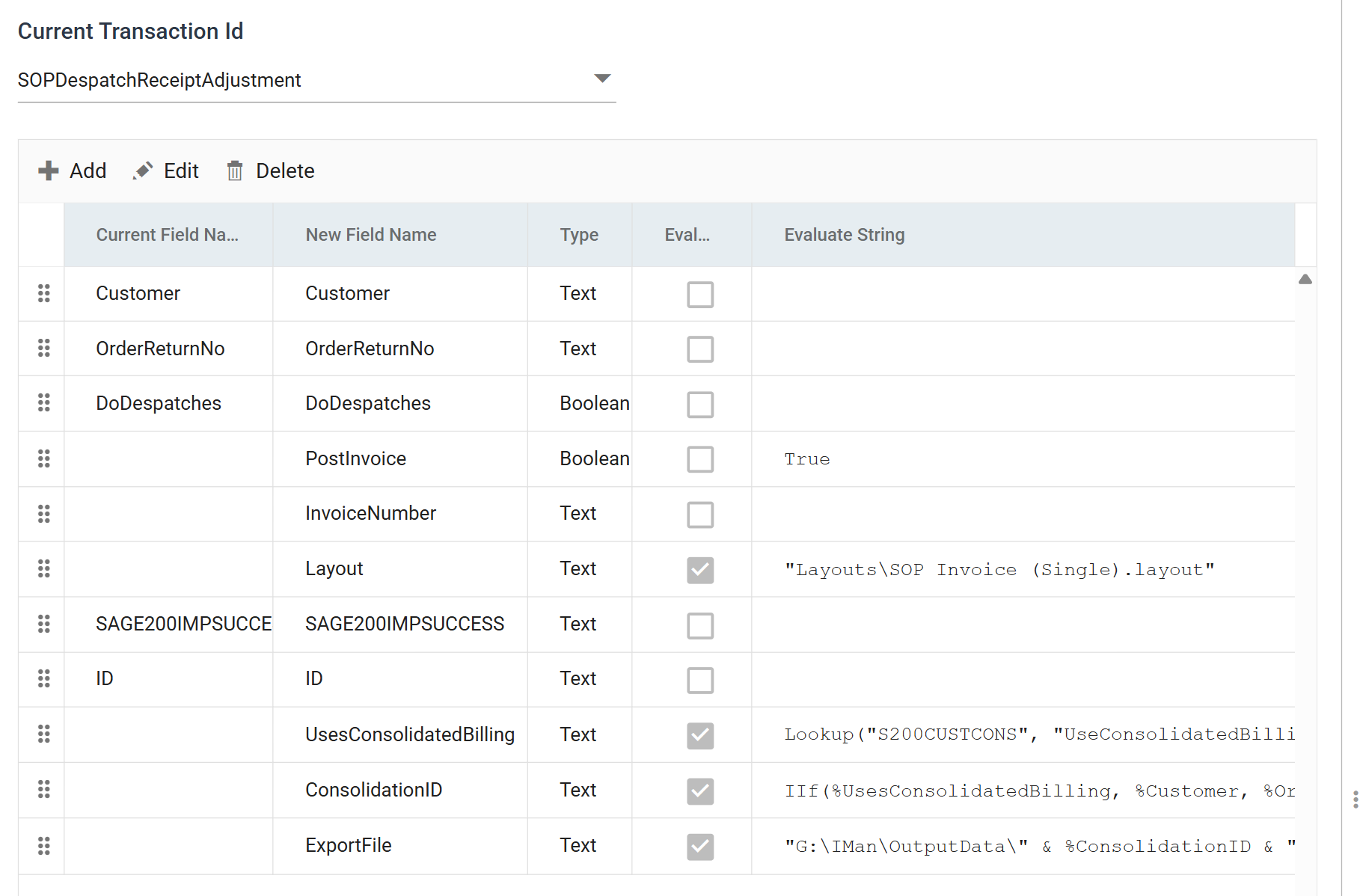
- PostInvoice is
True, so the invoice is posted to the sales ledger as well as printed. - InvoiceNumber is added empty. It captures the invoice number Sage 200 generates, for the report.
- Layout is the report Sage 200 prints with:
"Layouts\SOP Invoice (Single).layout". -
UsesConsolidatedBilling asks the customer record whether it is set up for consolidated billing:
S200CUSTCONSis a lookup defined under Setup → Lookups. It queries the Sage 200 database directly. The last argument,True, makes a customer the lookup cannot find an error, not an empty value. See Lookups Setup and Lookup. -
ConsolidationID is the field the rest of the integration depends on:
A consolidating customer gets its account code. Every other customer gets the order number, which is unique. Grouping on this one field therefore gives one group per invoice, for both kinds of customer.
-
ExportFile builds the path the printed invoice is written to:
The file name comes from
ConsolidationID, so the three orders of a consolidating customer all name the same file: the single invoice the integration produces for them.
Press Refresh to see all three formulas at work on the sample's data:
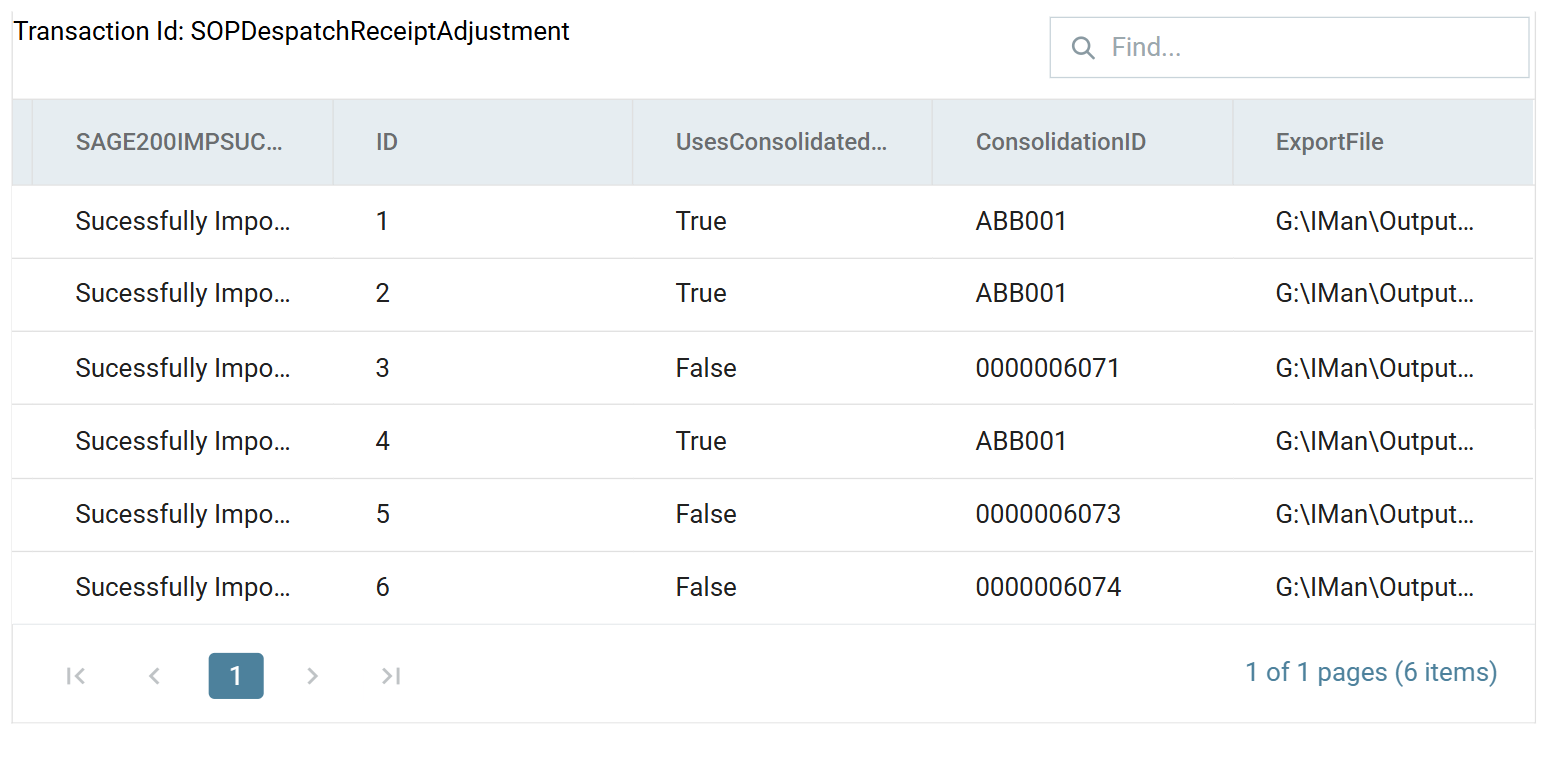
ABB001 is set up for consolidated billing and its three orders all carry a
ConsolidationID of ABB001. The other three orders carry their own order
numbers. Six orders will become four invoices.
Hierarchy — consolidate invoice
To turn those groups into records, a second
Hierarchy transform pivots the
dataset on ConsolidationID.
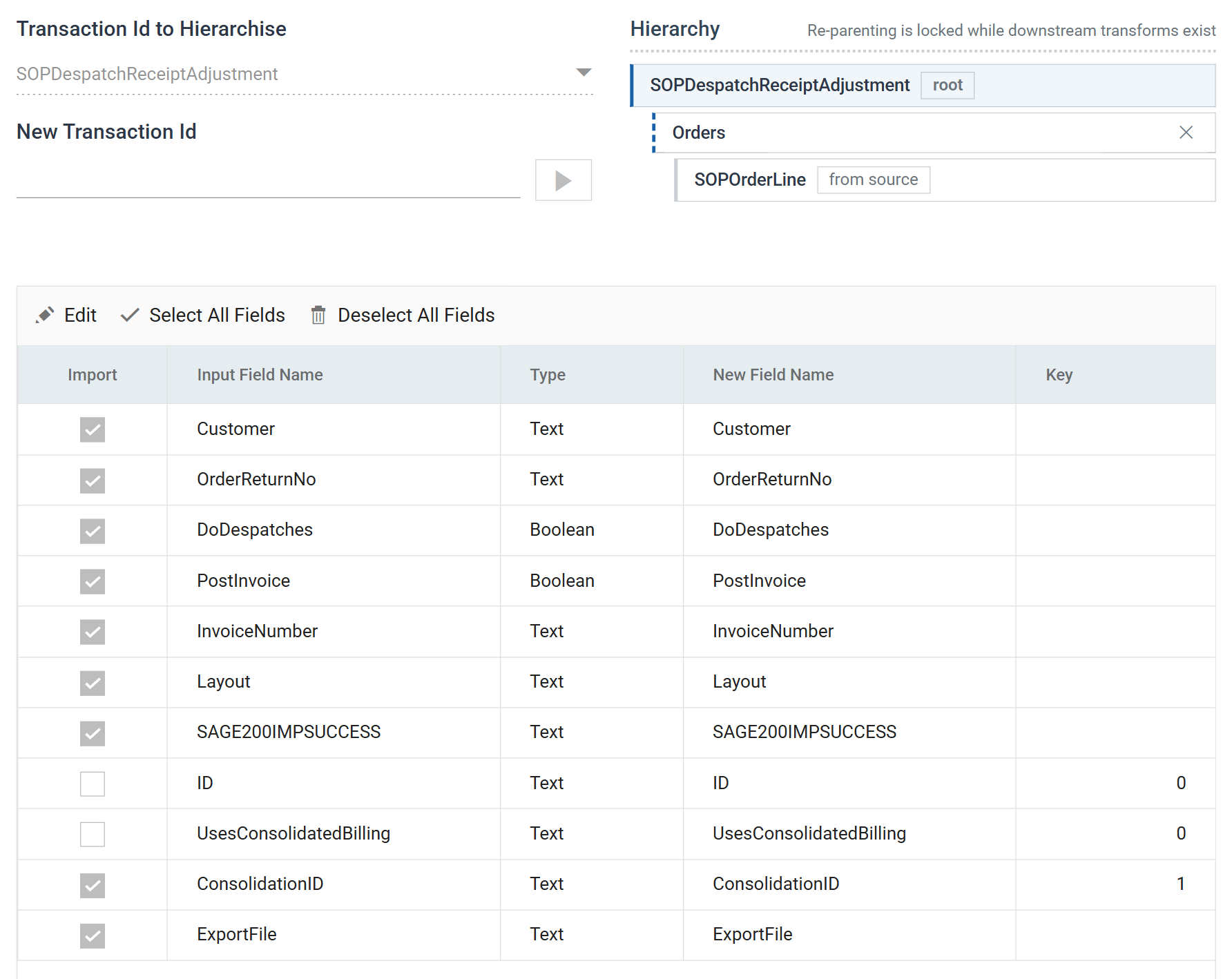
ConsolidationID is the only key, and the orders it groups go into a new child
transaction called Orders. At the start of the integration, the Hierarchy
transform split a flat row into a header and its lines. Here it gathers several
headers under one new header.
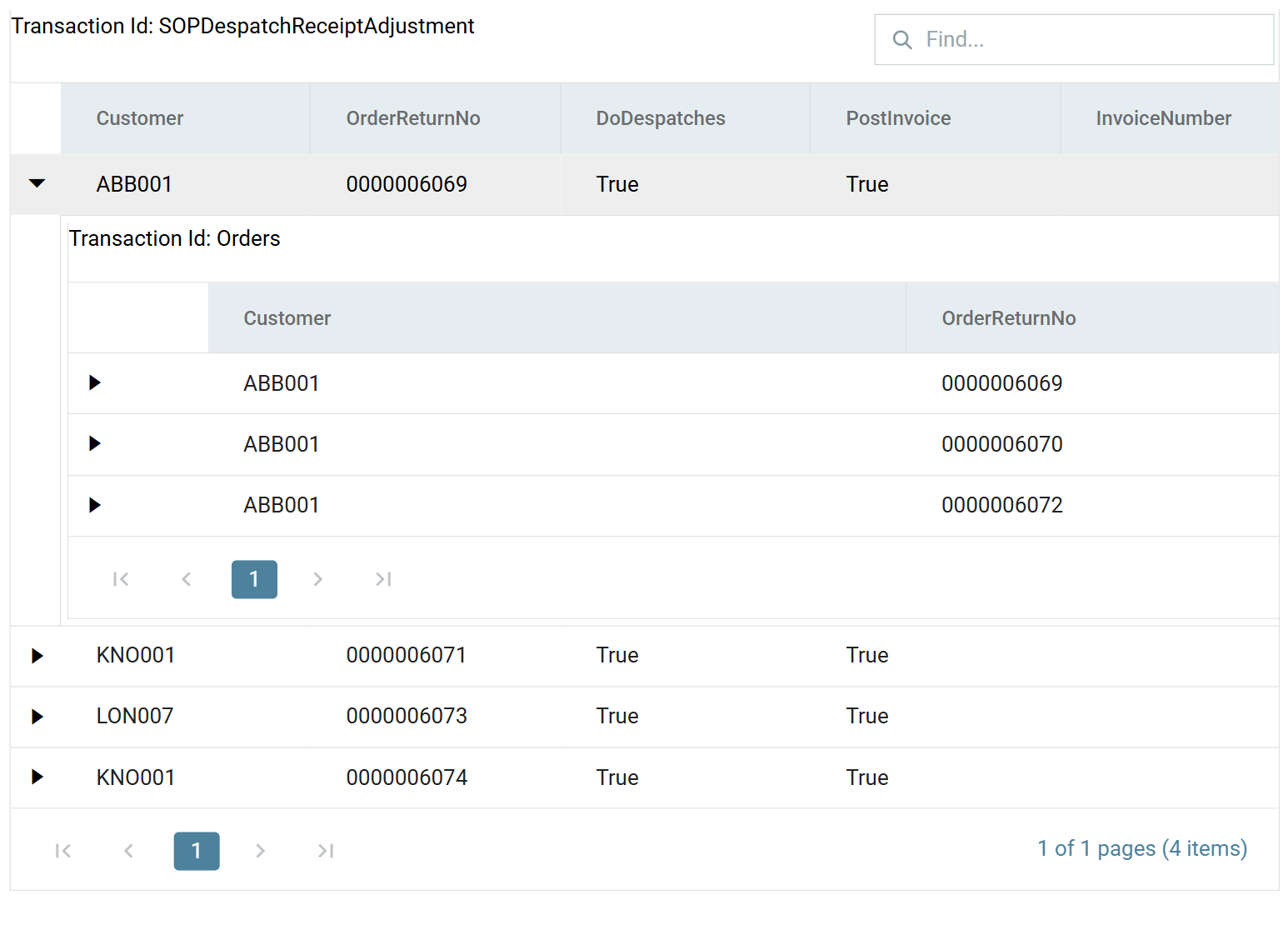
There are now four records instead of six, and ABB001's three orders are beneath one of them.
Consolidate Inv Map
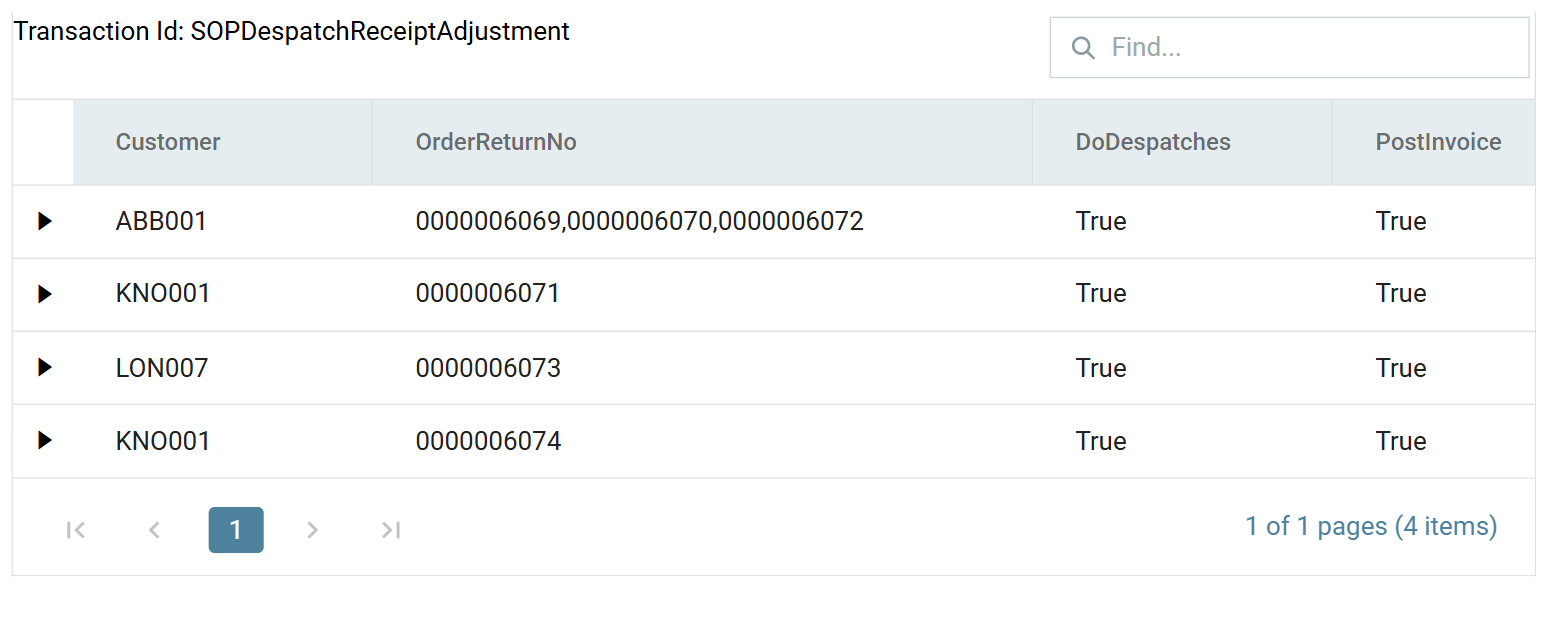
Sage 200 takes the orders to invoice as one comma-delimited field, so this map flattens the child transaction back into a string.
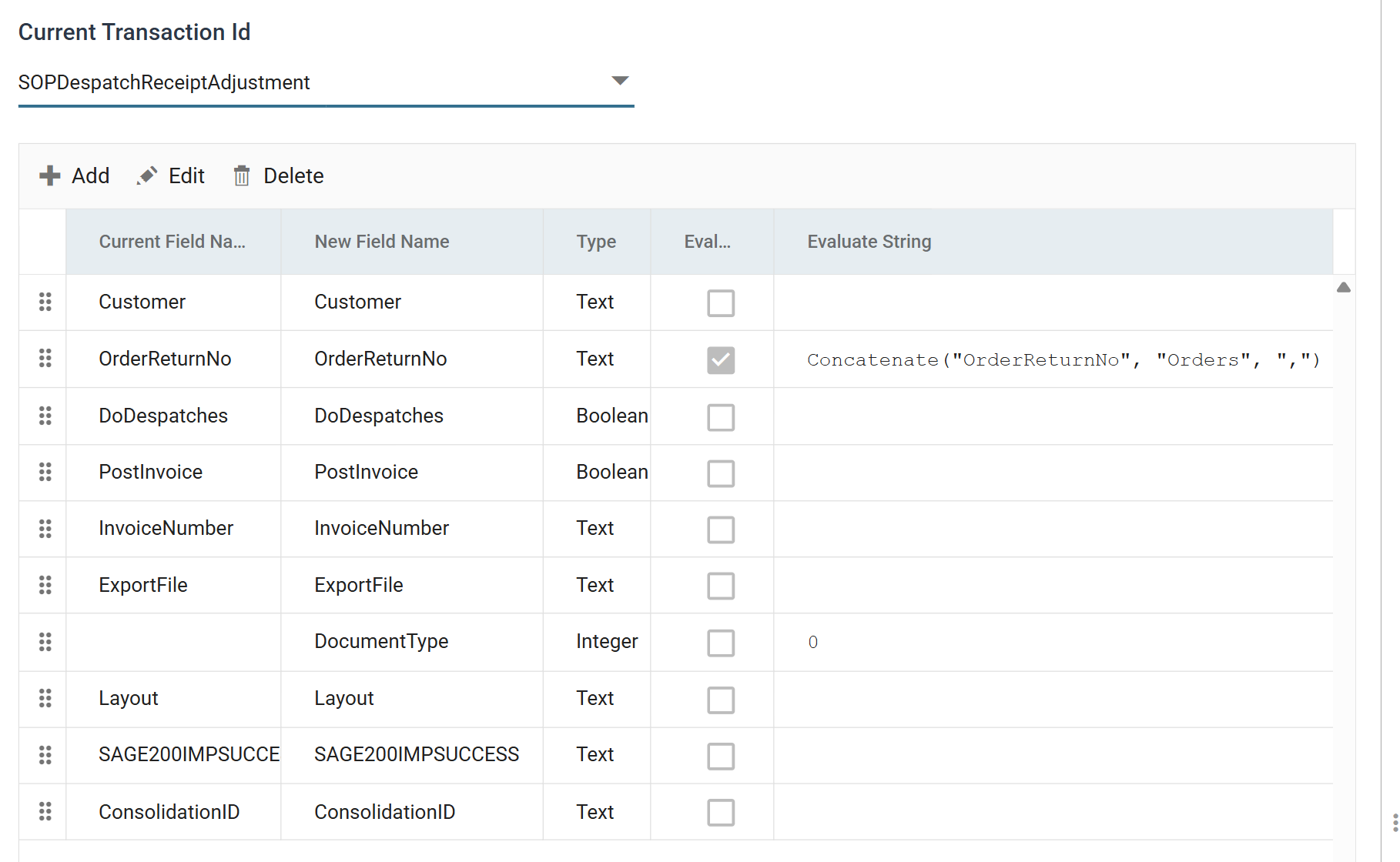
Concatenate
reads a child transaction and joins one of its fields with a separator. Here it
joins every OrderReturnNo in Orders, separated by commas. DocumentType
is added as 0, which means an invoice.
Sage 200 SOP Invoice Print & Post
The last connector prints and posts the invoices. It uses the SOP Invoice Print Post import type.
IMan has to be set up to print before this runs
Set up IMan to print before you run this step. See IMan Print in the Sage 200 User Guide.
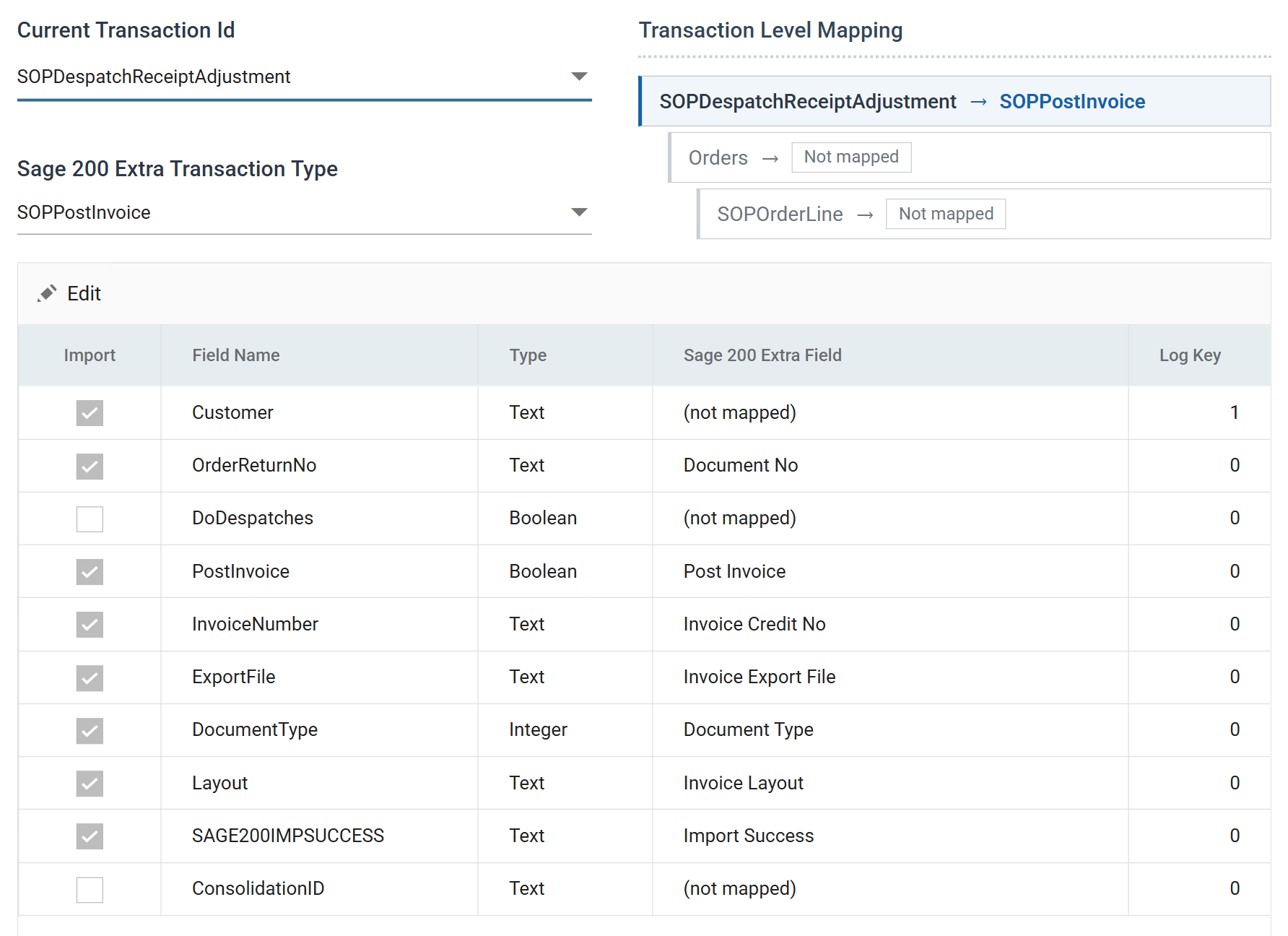
Three fields are (not mapped). Customer, DoDespatches and ConsolidationID did their work
earlier in the integration, and Sage 200 does not need them. Customer keeps a
Log Key, so it still names each row on the audit report.
Press Refresh to print and post the invoices. InvoiceCreditNo comes back
populated:
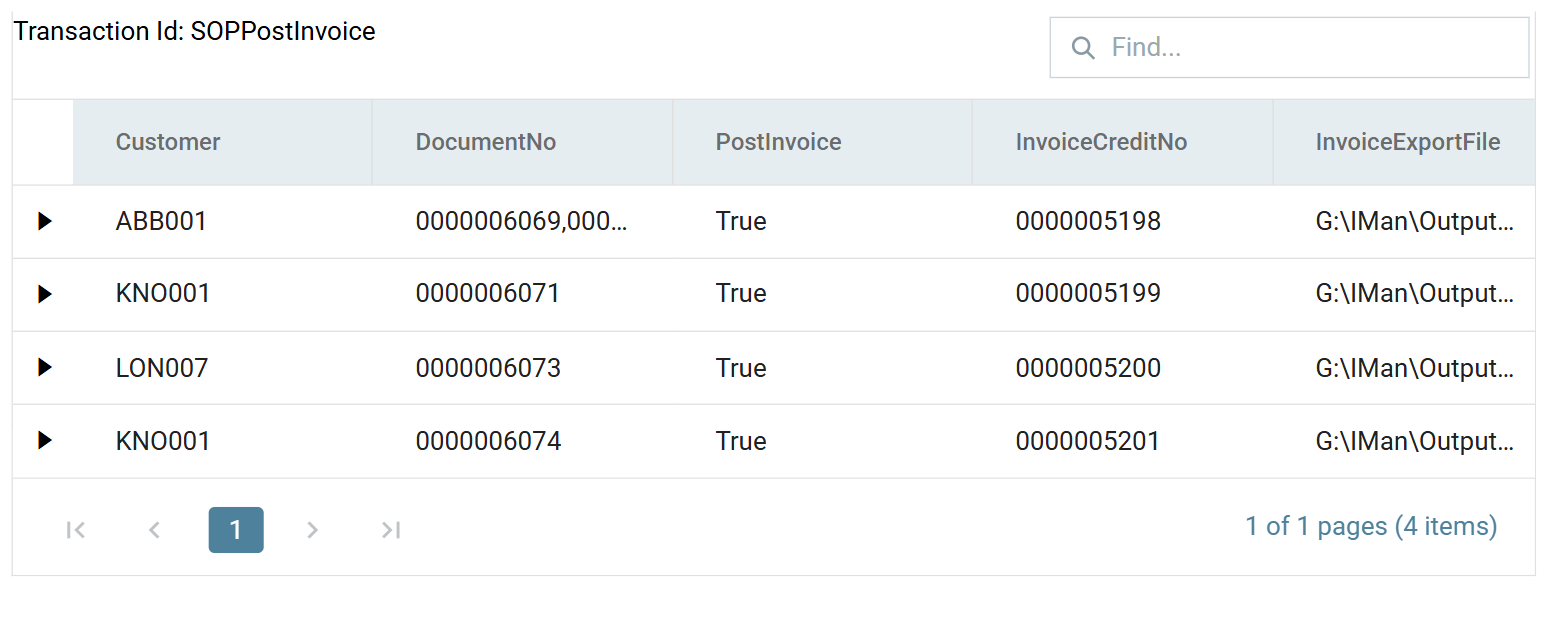
Six orders have become four invoices. KNO001 appears twice and gets two invoices, because that customer is not set up for consolidated billing. ABB001's three orders are on one invoice.
The connector writes the printed invoices to the paths ExportFile built: