Invoice Import
Sage 300 A/R Invoice Import (SAMACCARINV)
This imports A/R Invoices from an Excel file into Sage 300 as an A/R Invoice batch. The invoices are a mixture of item and summary invoices. The data in the file decides which type each one becomes.
The integration follows a flow that most imports share:
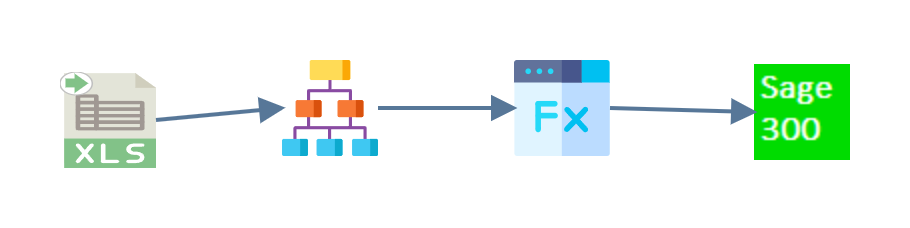
- Read
- Hierarchy
- Map
- Connector
Read
An Excel reader pulls the data from
ARInvoice.xlsx in G:\IMan\InputData, taking the first worksheet and treating
the first row as headings.
Hierarchy
Sage 300 expects an invoice batch as a three-level structure, and the spreadsheet is flat. The Hierarchy transform supplies the missing levels:
- Invoice batch (Invoices)
- Invoice header (Header)
- Invoice details (Detail)
You set up the whole transform on its Field Mapping tab. The left side names the transaction to hierarchise. The right side shows the structure the transform produces, one row per level.

Re-parenting is locked once downstream transforms exist
The tree is read-only here, and shows the message Re-parenting is locked while downstream transforms exist. The Map and the connector below both use these three transactions, and moving a level would break them without any warning. Add and rearrange levels before you build the rest of the integration.
Map
The Map transform adds the fields Sage 300 needs but the spreadsheet does not carry. Four of them go onto the Invoices transaction, which is the batch itself: Description, Batch Total, Batch Count and Batch Number.
Example
On the Header transaction, the InvoiceType field decides whether each
invoice is an item invoice or a summary invoice. It holds a formula,
IIf(%Item <> "", 1, 2): an item invoice where the row names an item, and a
summary invoice where it does not.
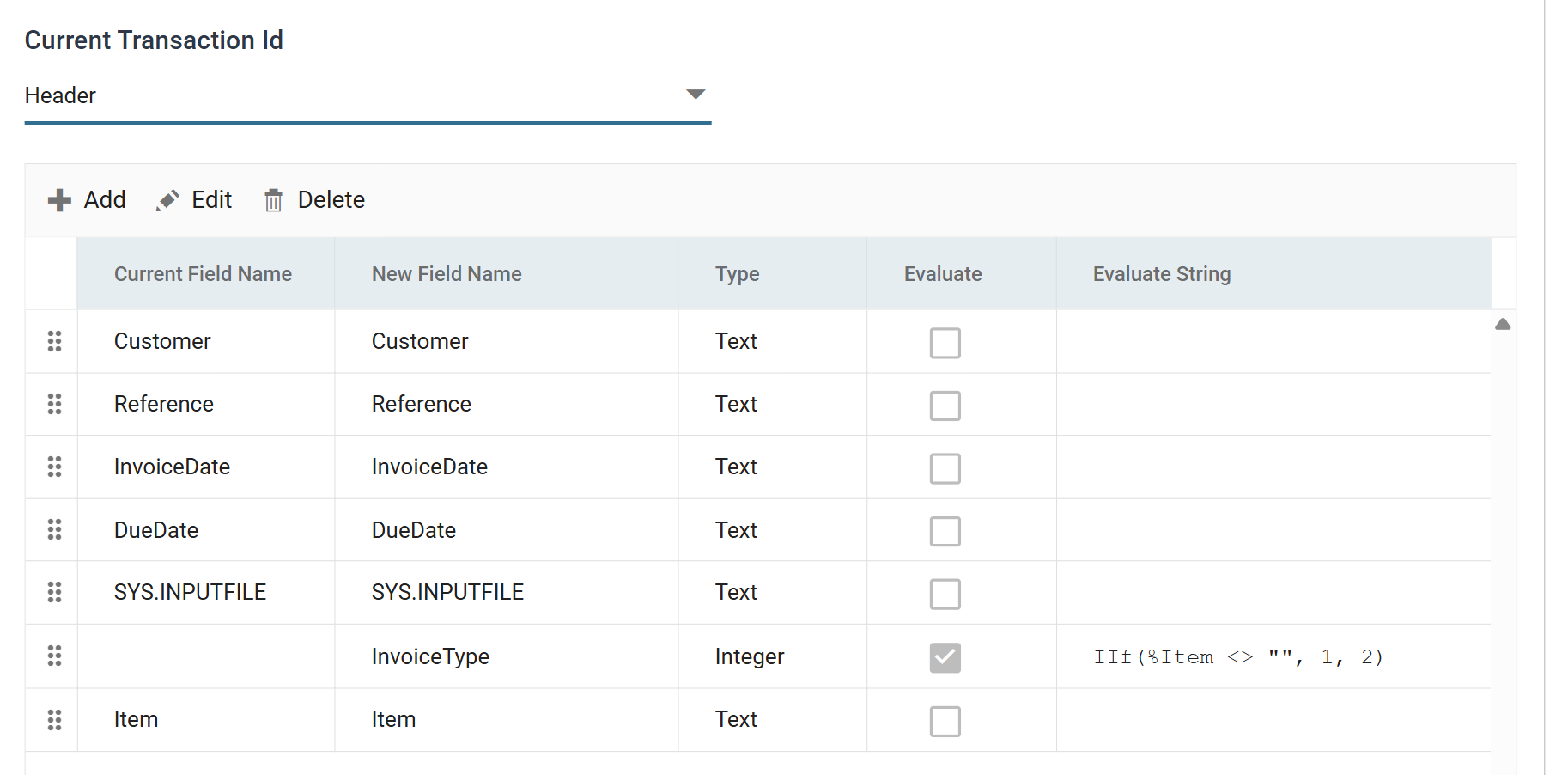
IMan evaluates a field with Evaluate ticked as a formula. To refer to
another field in the same transaction, a formula uses that field's name
prefixed with %.
Connector
The Sage 300 connector writes the result to Sage 300. Its Setup tab sets three things: the Sage 300 company, the Sage 300 import type and whether rows are inserted or updated.
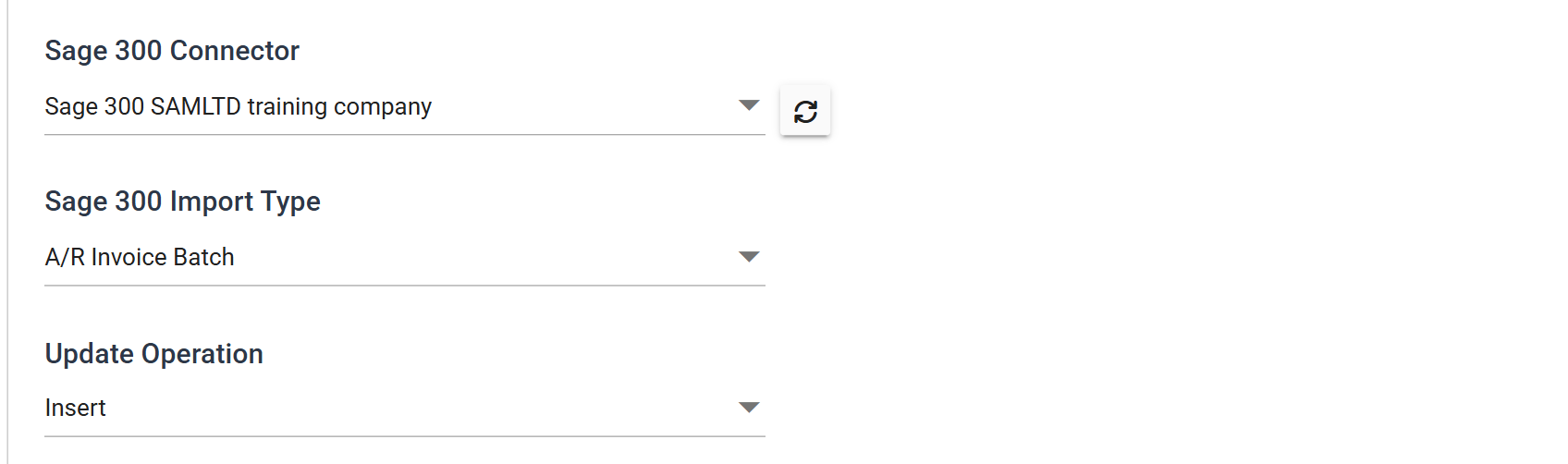
Its Field Mapping tab then matches the three transactions the hierarchy built (Invoices, Header and Detail) against the three levels of the A/R Invoice Batch import type, and the fields within each.