Sales Invoice Import
Sage 200 Sales Invoice Import (SAMS200INVIMP)
This imports sales invoices from a CSV file into Sage 200. The file is a mixture of invoices and credit notes. The data decides which type each one becomes.
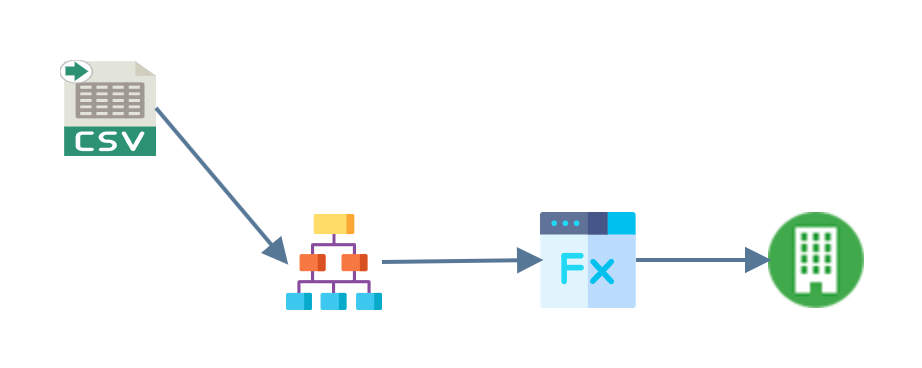
- Read
- Hierarchy
- Map
- Connector
CSV Read
A CSV reader pulls the comma-separated
data from SalesInvoices.csv in G:\IMan\InputData, treating the first row as
headings. One row is one invoice line.
Hierarchy
The Hierarchy transform turns those flat rows into the header-and-lines shape Sage 200 accepts.

Two fields carry a key here: Customer is Key 1 and DocumentNo is Key 2. It
takes both to identify an invoice, because a document number is unique only
within a customer.
Map
The Map transform prepares the dataset for Sage 200.
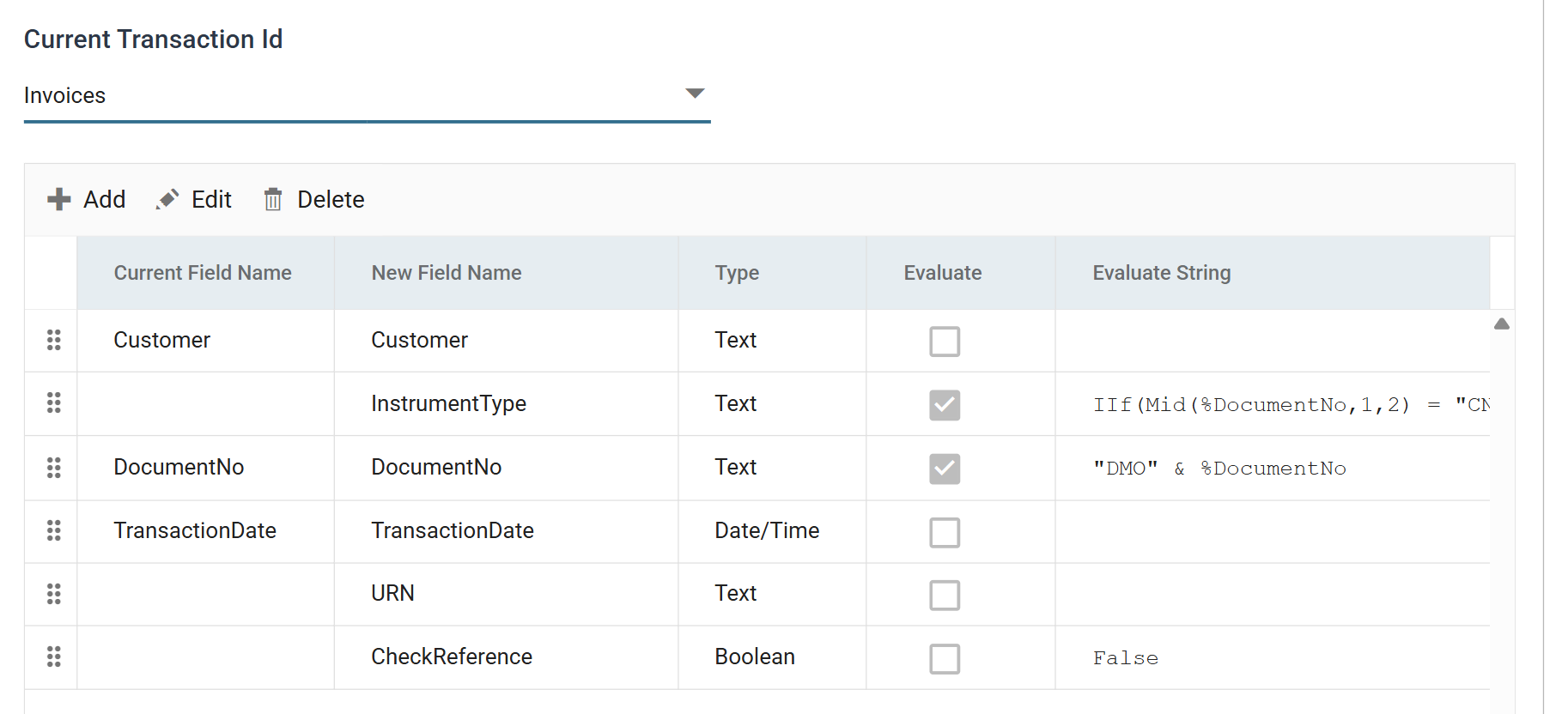
- InstrumentType decides whether Sage 200 raises an invoice or a credit
note, from the first two characters of the document number:
IIf(Mid(%DocumentNo,1,2) = "CN", "CREDITNOTE", "INVOICE"). - DocumentNo gets a prefix,
"DMO" & %DocumentNo, so that you can tell in Sage 200 which documents this integration imported. - URN is added empty. It captures the Unique Reference Number that Sage 200 generates, so the audit report can show it.
- CheckReference is
False, which switches off Sage 200's duplicate reference check for this import.
One more field is on the InvoiceDetails transaction: NominalSpec, the static
value 31100-SCO-ADM. It is the nominal account that every line posts to.
Sage 200 Connector
The connector maps the dataset into Sage 200.
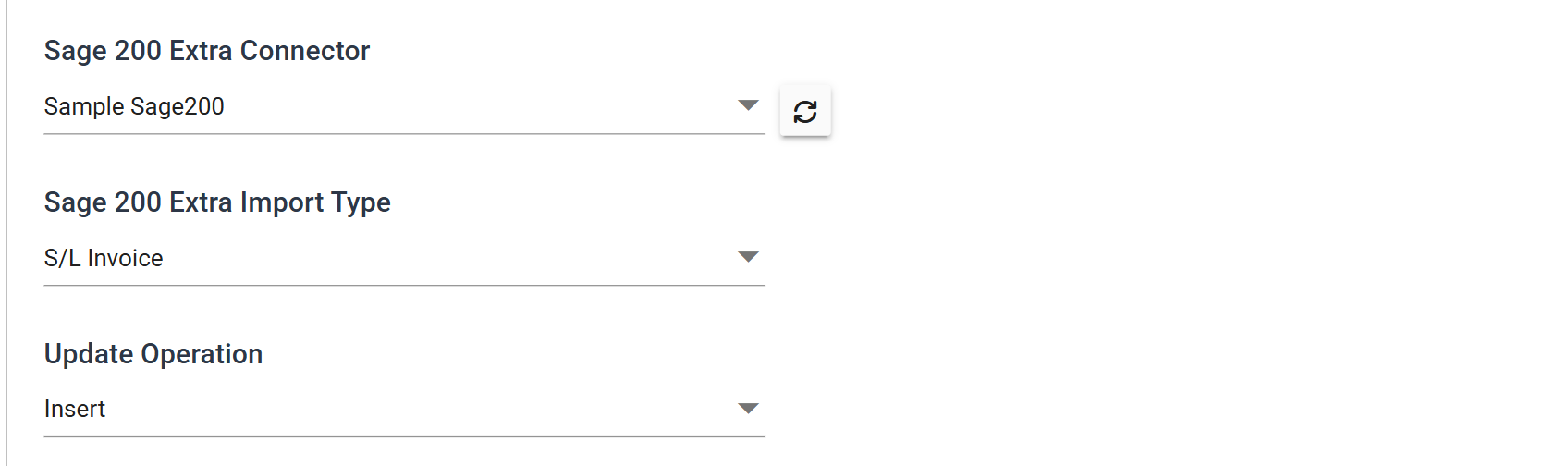
Its Field Mapping tab pairs the two transactions with the two levels of the S/L Invoice import type, and the fields within each: the header's InstrumentType, Instrument No and Instrument Date, and on the lines Narrative, Amount, Tax Code, Tax Amount and Nominal Account.
Press Refresh to run the import. If it succeeds, URN comes back
populated:
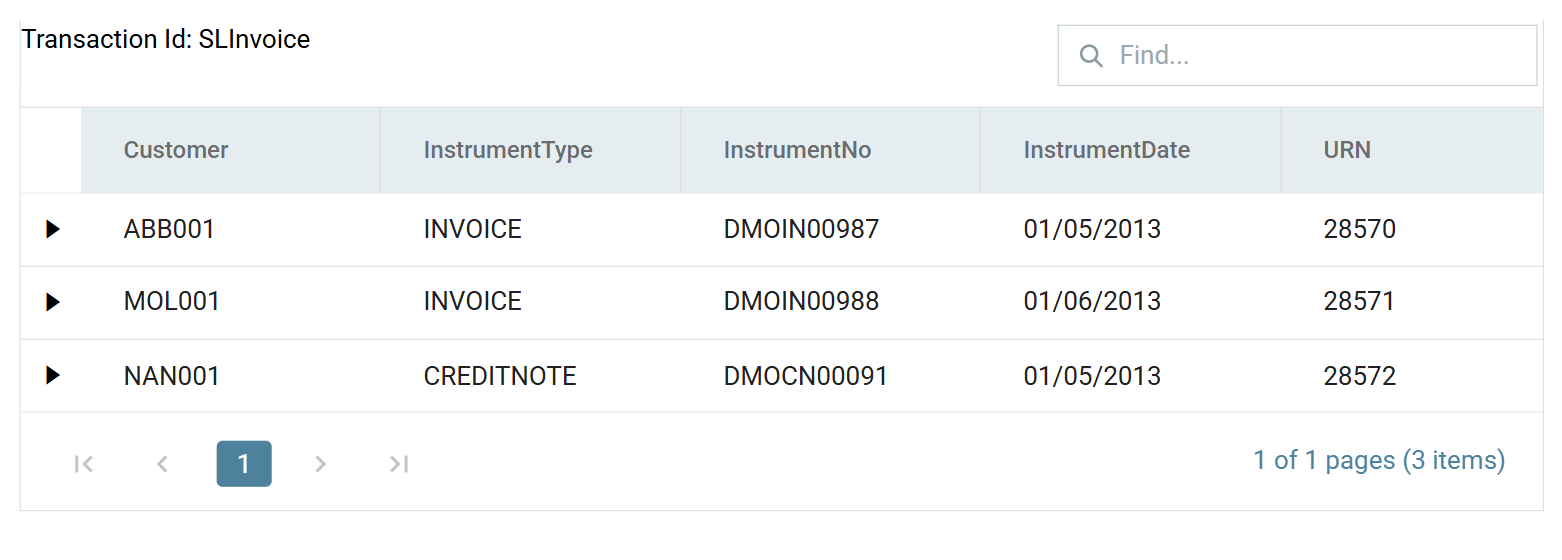
The preview shows both formulas at work: the DMO prefix on every document
number, and the third row raised as a CREDITNOTE because its number begins CN.