Receipt Import
Sage 300 A/R Receipt Import (SAMACCARRCP)
This imports A/R Receipts from a CSV file into Sage 300 as an A/R Receipt batch.
The data decides which receipts are prepayments
The receipts are a mixture of applied receipts and prepayments. The data in the file decides which type each one becomes.
The integration has the same four-step flow as the invoice import:
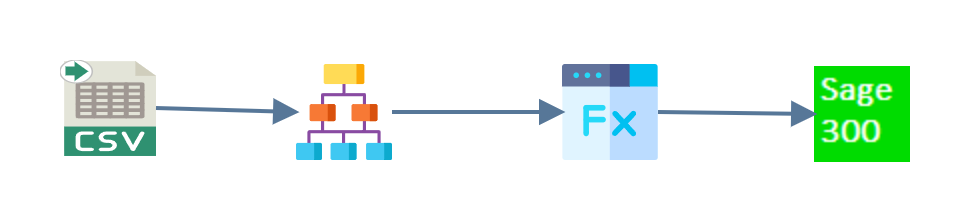
- Read
- Hierarchy
- Map
- Connector
Read
A CSV reader pulls the comma-separated
data from ARAccountRcpt.csv in G:\IMan\InputData, treating the first row as
headings.
Hierarchy
The Hierarchy transform turns the flat file into the three levels a receipt batch needs:
- Receipt batch (Receipts)
- Receipt header (Receipt)
- Receipt details (Allocation)

Map
On the Receipts transaction, which is the batch itself, the
Map transform adds the fields
Sage 300 needs but the file does not carry: Bank, Batch Description, Batch
Total, Batch Count and Batch Number. Bank is the fixed value CCB. Batch
Description is a formula, "Realisable IMan A/R Batch - " & %Date.
Two more fields are on the Receipt transaction, and both are formulas:
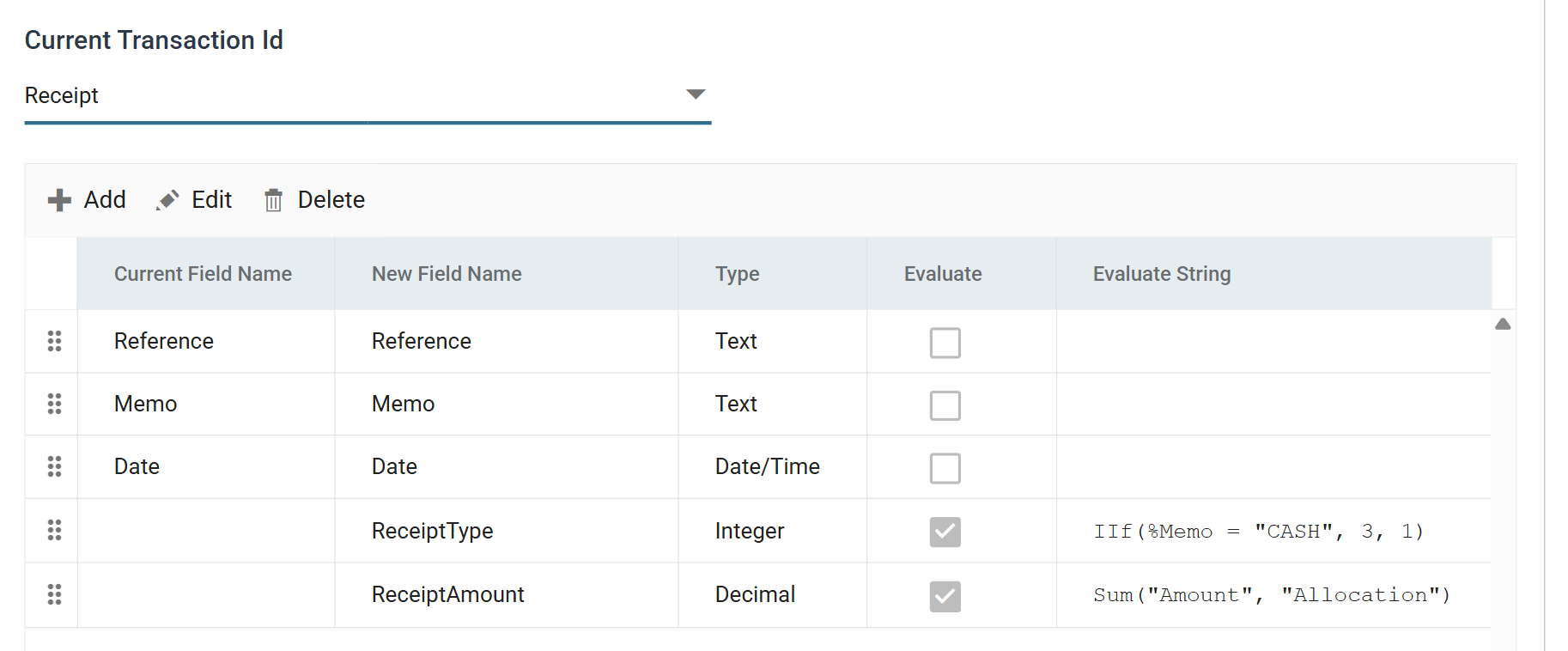
- ReceiptType decides whether the receipt is a prepayment or an applied
receipt, from the Memo field:
IIf(%Memo = "CASH", 3, 1). - ReceiptAmount totals the receipt from its own detail lines:
Sum("Amount", "Allocation"). That total then sets the Receipt Total field in Sage 300.
Sum reaches down into a child transaction
Sum reads a child transaction, here the Allocation lines, so that a
parent field can be calculated from the rows beneath it. The
aggregate functions
reference covers Sum and the related functions.
Connector
The Sage 300 connector writes the batch to Sage 300.
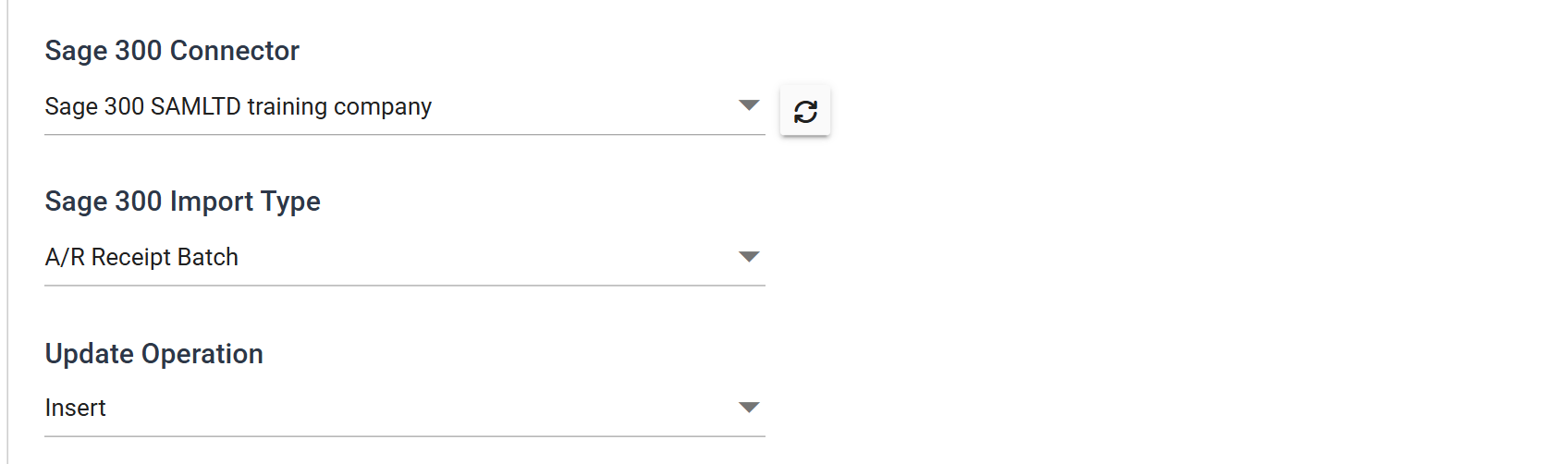
Its Field Mapping tab then matches Receipts, Receipt and Allocation against the three levels of the A/R Receipt Batch import type.