Transform Setup Tab
The Transform Setup tab holds the graphical design interface, where you lay out the integration. The layout and sequence of the transforms define the Execution & Data Flow.
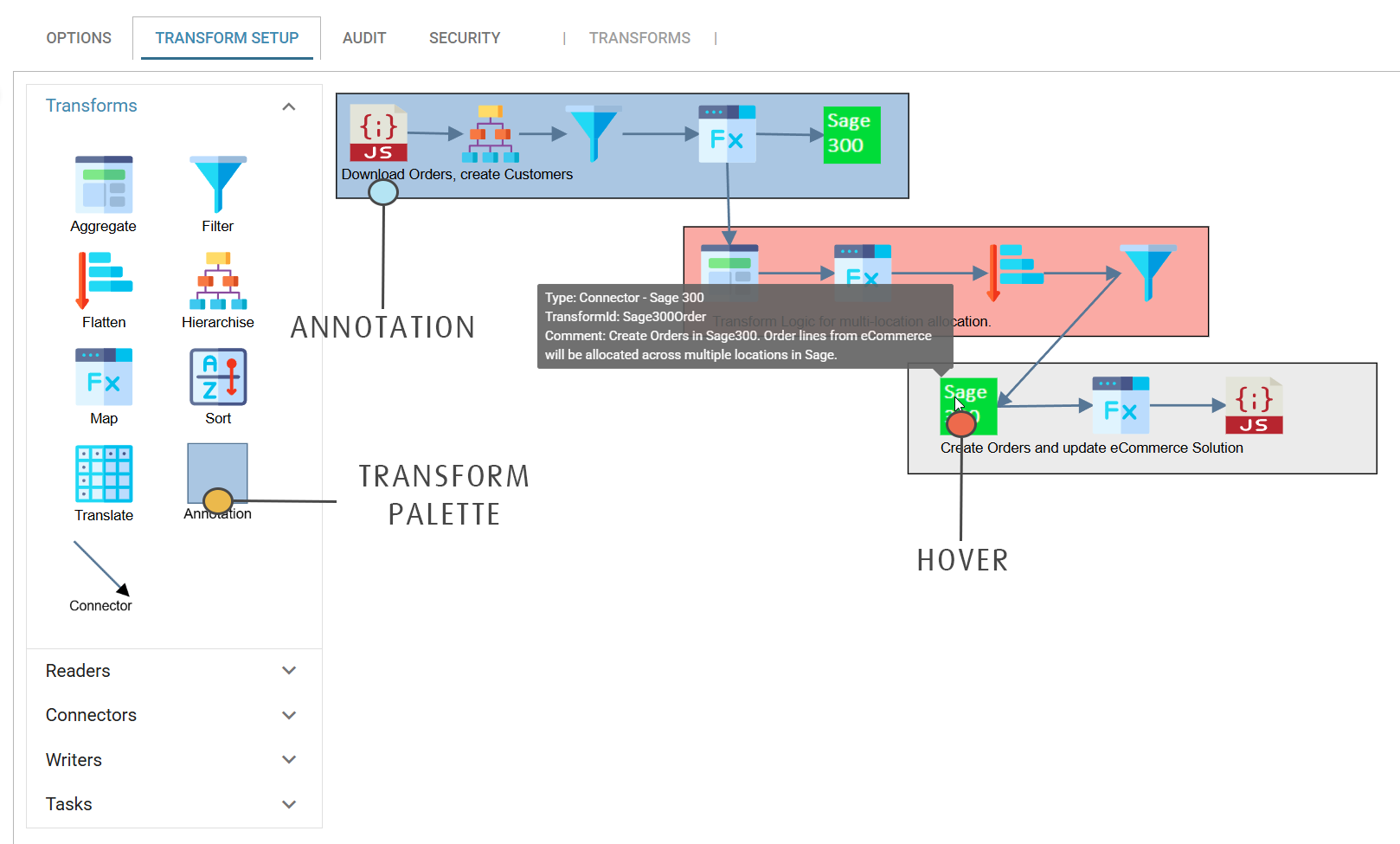
The screen is divided into two sections: the palette and the design surface.
Design > Transform Setup
Transform Palette
The transform palette is on the left of the design tab. To add a node to an integration, drag its icon onto the design surface. The palette is divided into five transform types:
- Data Transforms
- These transforms modify and shape the data. This group also holds the transform Connector and the Annotation.
- Readers
- Transforms that supply the input data for an integration. They read different data formats and databases, and include Connectors that query an application or service.
- Connectors
- The application connector transforms. Connectors 'push' data into an application or service.
- Writers
- The writer transforms generate data files, write raw data formats and write to webservices.
- Tasks
- Non data-related or workflow transforms, such as Email, FTP/SSH or File activities.
Design Surface
You create and maintain the integration on the design surface, where you define the data flow sequence by adding, modifying and deleting transforms.
- Adding, Connecting, Deleting & moving Transforms
- Describes how to add, delete and connect transforms.
- Adding Annotations
- Add shaded regions with notes to document the integration.
- Modifying Existing Integrations
- See how to add transforms in between existing transforms.
- Working With Large Integrations
- Zooming, and tips for working with integrations that contain many transforms.
- Transform Node Hover
- When you hover over a transform, IMan shows its Transform Id, Transform Type and Description/Comment.