Skip to content

Annotations

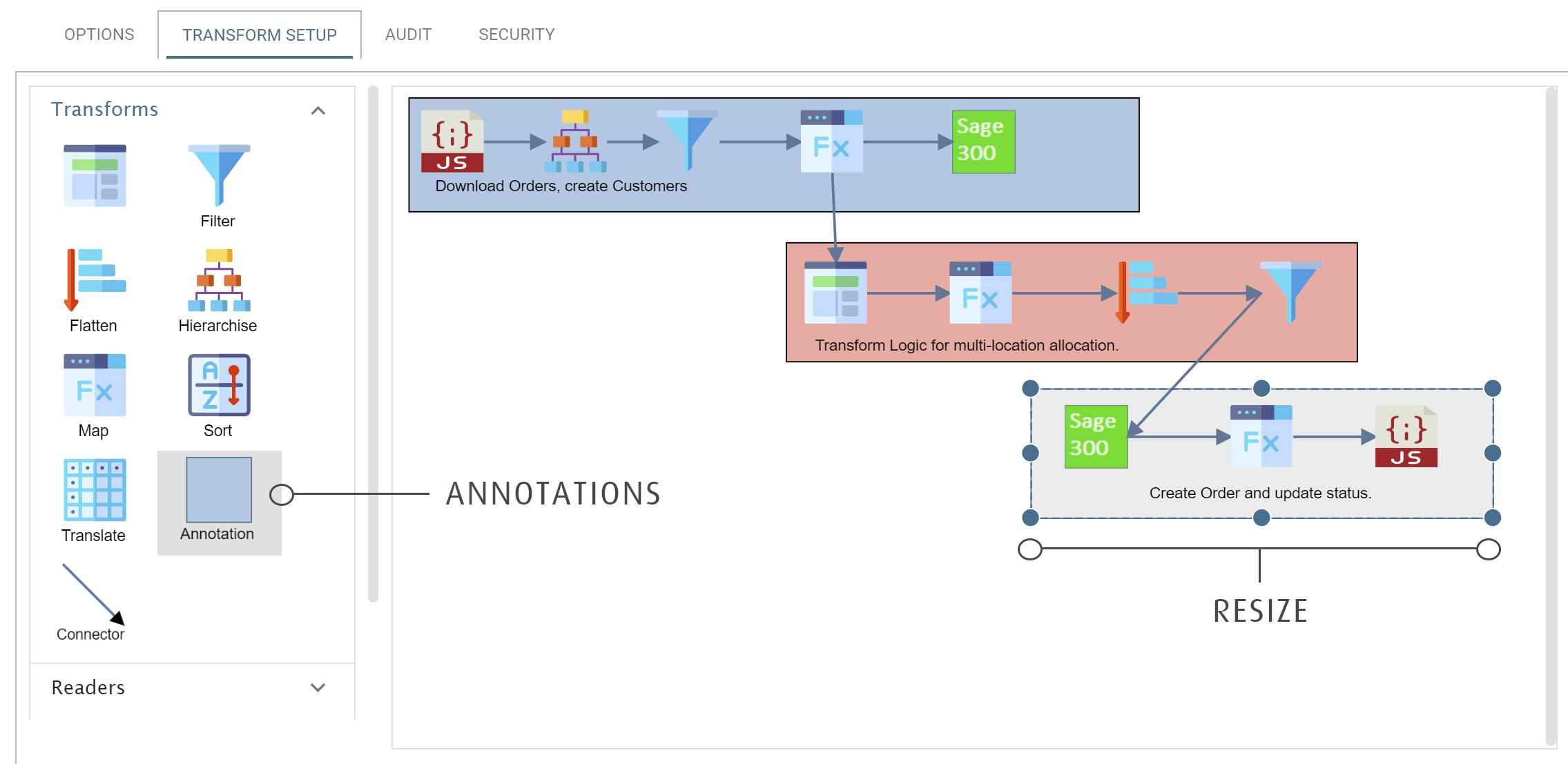
Annotations let you document an integration on the design surface, with coloured regions that contain text.

Adding Annotations

The Transform Setup tab. A callout marks the Annotation tile in the Transforms palette. On the design surface three annotations group the transforms into coloured blocks, each with its own caption — "Download Orders, create Customers", "Transform Logic for multi-location allocation." and "Create Order and update status." The third is selected, and a second callout marks the handles round it as the way to resize

Annotation Text

Double-click the text to change it. You can also move and resize the text.

Sizing, Moving Annotations

You can move and resize annotations. To resize an annotation, drag the round ports at its edge.

Colouring

To change an annotation's colour, right-click it and choose a colour.
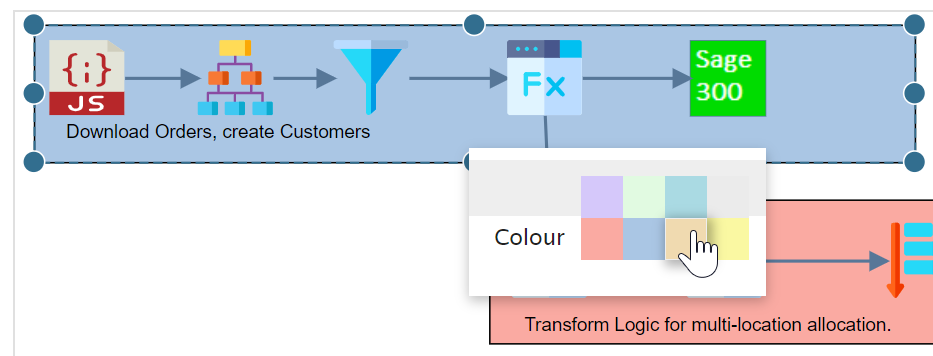
An annotation selected on the design surface with its colour picker open, offering a grid of eight pastel shades. The annotation behind it is blue and another below is red