Zoom & Large Integration Tips
How to zoom in and out of an integration, and tips for working with integrations that have many nodes.
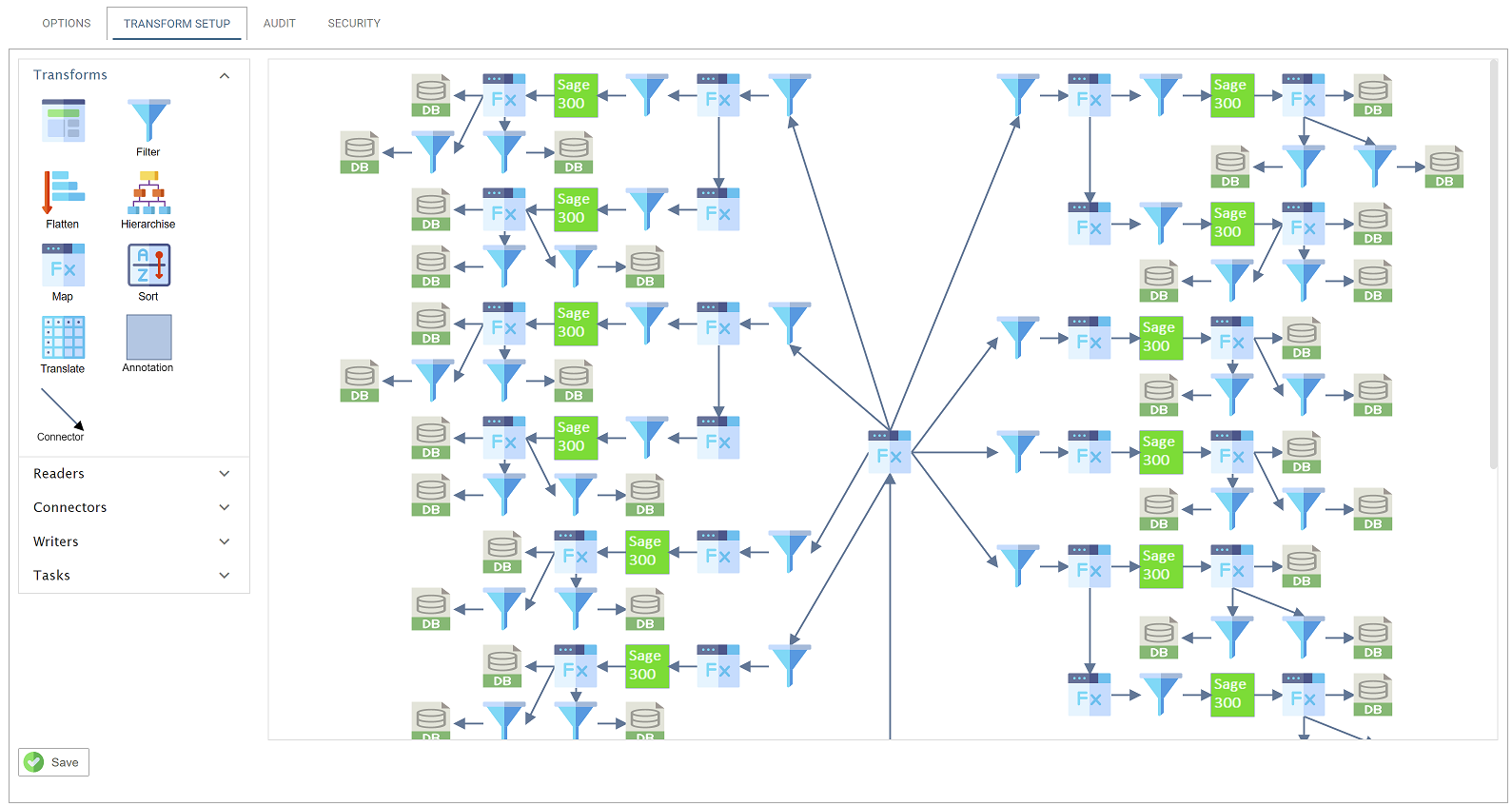
Scroll Bars
When an integration is larger than the design surface, IMan shows vertical and horizontal scroll bars.
Zoom In
To zoom in or out of an integration, place the mouse cursor anywhere on the design area, hold the Ctrl key and move the scroll wheel on your mouse.
Tips for working with Large Integrations
- Is it necessary?
- The larger the integration, the harder it is to maintain and debug when things go wrong. Several strategies reduce the number of transforms:
- If the integration works with several companies or systems of the same connector type, use the System Connector Id field. This removes or reduces the separate branches for each company or system. The screenshot above has many repeating sets of transforms that could be condensed into fewer branches, or one.
- Break a long integration sequence into separate integrations. This reduces the error handling logic you need and the chance of unforeseen errors. Each integration is responsible for its own set of steps, so failures are isolated and recovery is easier.
- The larger the integration, the harder it is to maintain and debug when things go wrong. Several strategies reduce the number of transforms:
- Keep Connectors Distances Short, Tidy, Group Logically and Do Not Overlap
- Grouping nodes together makes sets of transforms easier to annotate, move and manage.