Modifying Existing Transform Logic
Follow these steps and recommendations to add new transforms to an existing chain of transforms.
Adding Transforms In Between Existing Transforms
You can add a transform between two existing transforms.
-
Drag a new transform onto the design surface.
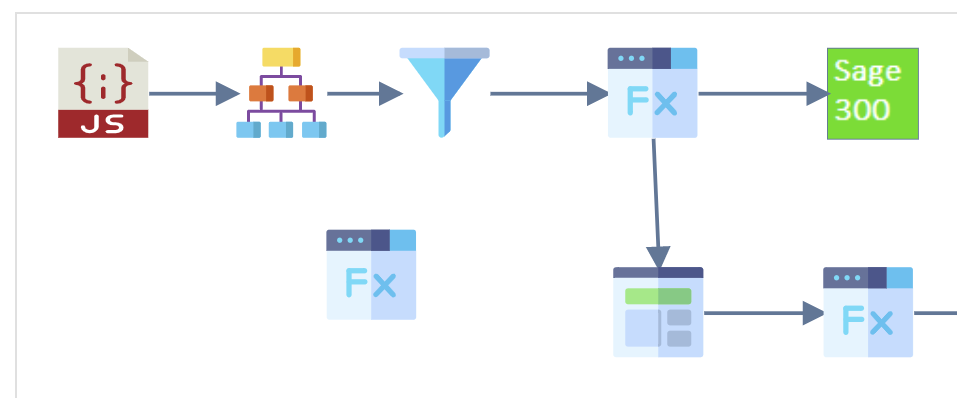
-
Either delete the connector that links the two existing transforms, OR drag its head onto the new transform.
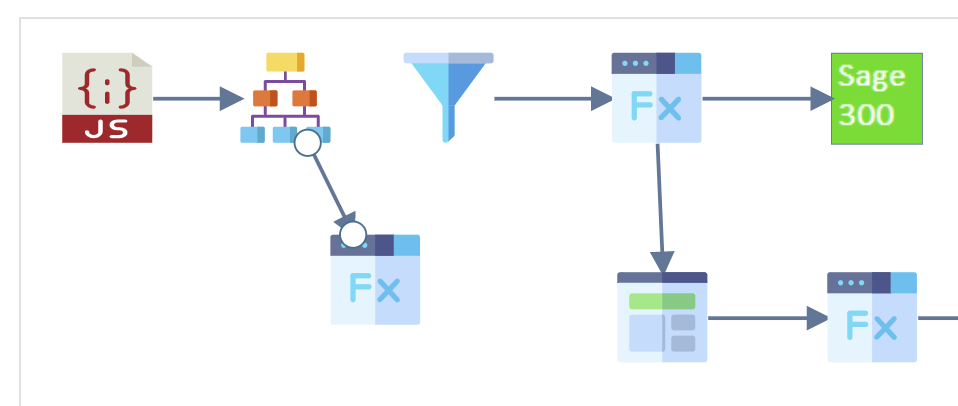
- Add a new connector, connecting the tail to the new transform and the head to the existing transform.
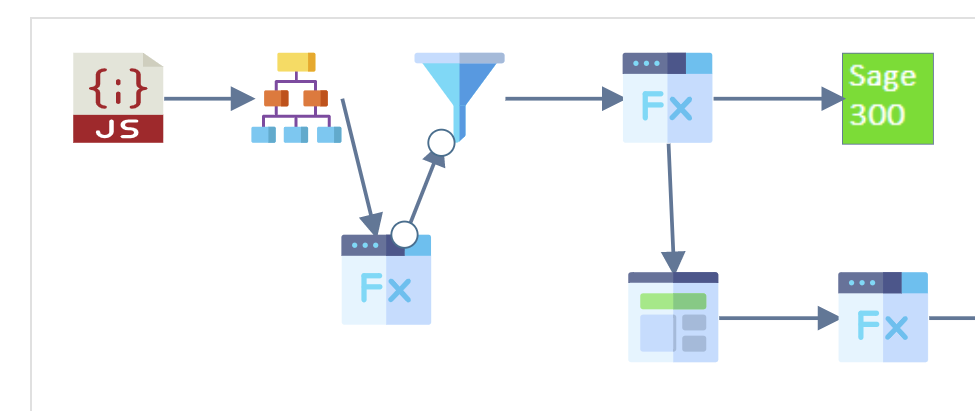
Schema Consistency check
When you reconnect transforms that are already configured, IMan checks that they are consistent:
Transaction Type / Record Differences
If the two nodes have different transaction types, IMan shows an error and the reconnection fails. The transaction types differ if their levels do not match (hierarchical or flat) OR their ids are different.
Connect a new transform before changing the ones around it
Add and connect any new transform before you change the existing transforms. Otherwise the consistency check will fail.
![A Cannot Connect Node dialog: "Cannot join transforms due to field mismatch." followed by a numbered reason, "1 No matching input record could be found for record [SubChild]."](../../../assets/Documentation/Resources/Images/UG/4.Integration%20Creation/NodeReconnection-Connect-Failed.png)
Field Differences
If the transaction types and records match but the fields differ, IMan asks you to confirm that it should add or delete fields to make them match.
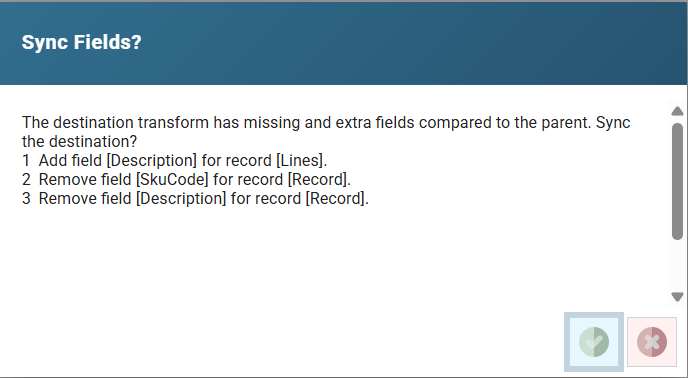
In the example above:
- The Description field on the Lines record exists on the parent transform. IMan will add it to the child transform and any transforms below it.
- The SkuCode and Description fields on the 'Record' record exist on the child transform but not on the parent. If you reconnect, IMan deletes these fields from the child and all subsequent transforms.
Task Transforms
You can move a task transform that is unconnected, or connected at the start of an integration, to make it a child of a transform that has transaction types.
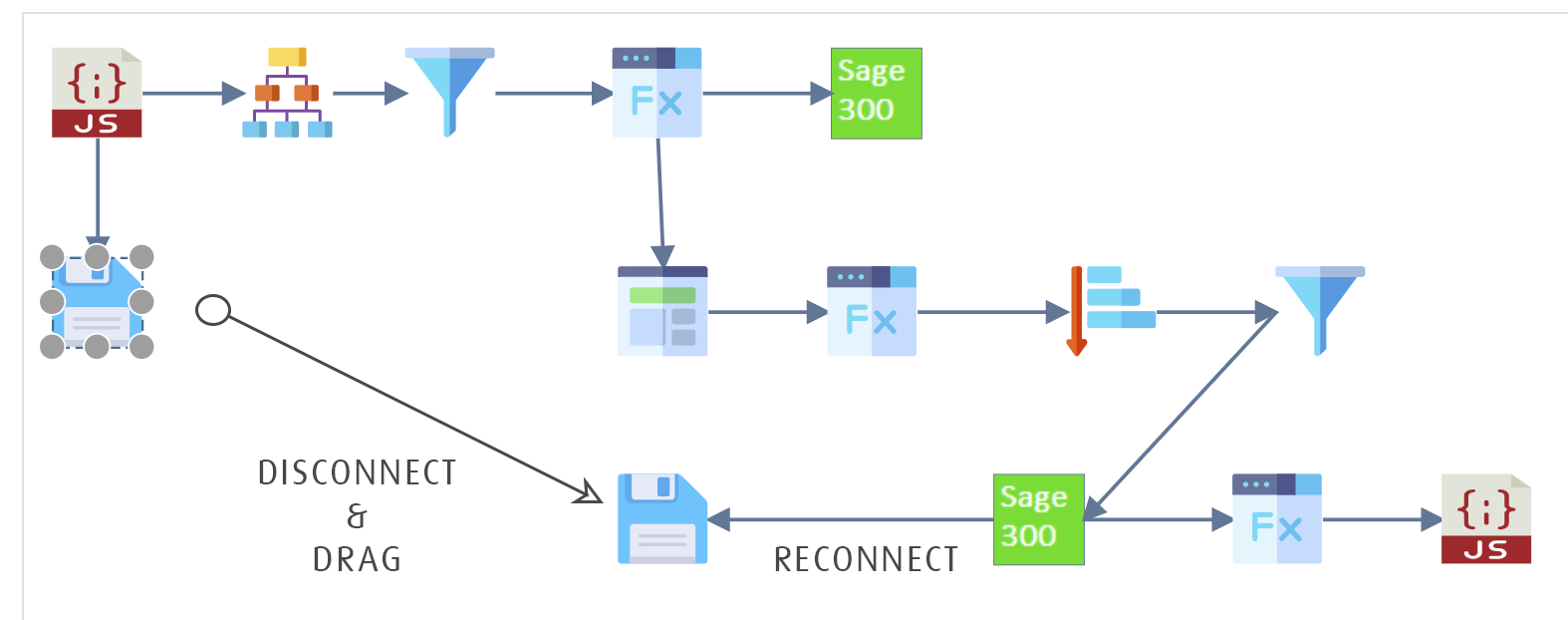
Making Changes to an Integration
You can insert, remove and re-order transforms at any time. The requirements for re-ordering differ for configured and non-configured transforms:
Non-configured Transforms
You can move transforms that are not yet configured anywhere, because they inherit the transaction types and fields from their parent transform.