Web Users
A web user is a caller of the WebAPI. It has a token that identifies it, an authentication type that says what else a request must carry, an optional rate limit and a value for each property of the property sets on the endpoints it is assigned to. Setup > Web User lists the web users.
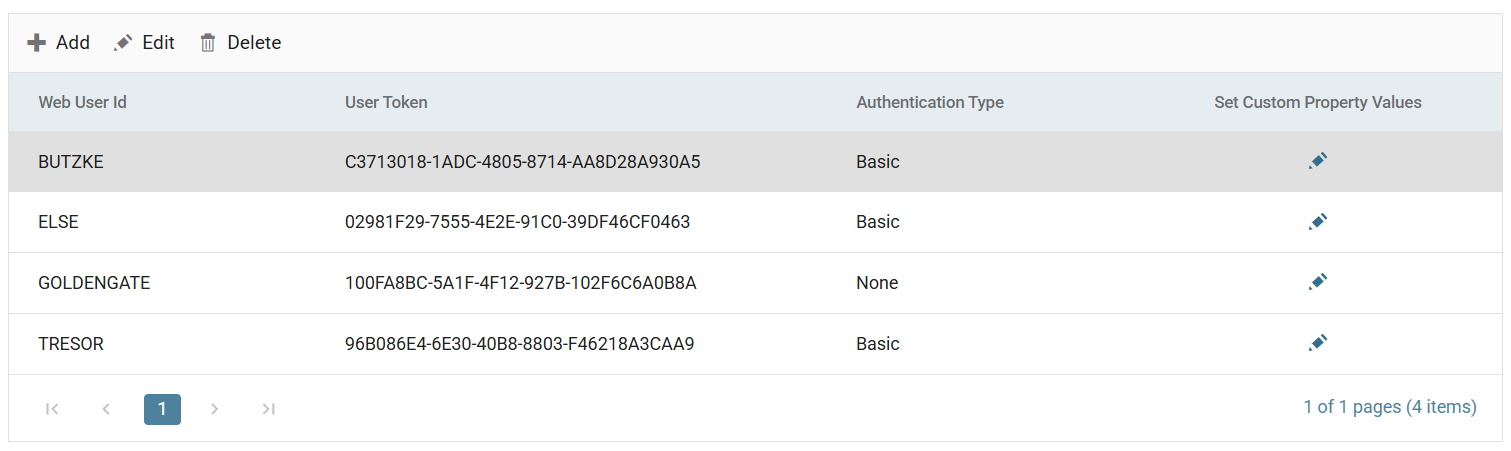
A user matches a request when all three of these are true:
- The request's
X-User-Tokenheader (or, for OAuth, the client id inside the bearer token) is the user's token. - The user is enabled.
- The user is assigned to the endpoint the request called.
A request that fails any of the three has no user. On an endpoint that allows
anonymous requests, the request runs anonymously with every Http.User field
empty. On any other endpoint, the WebAPI refuses it with 401.
The web user
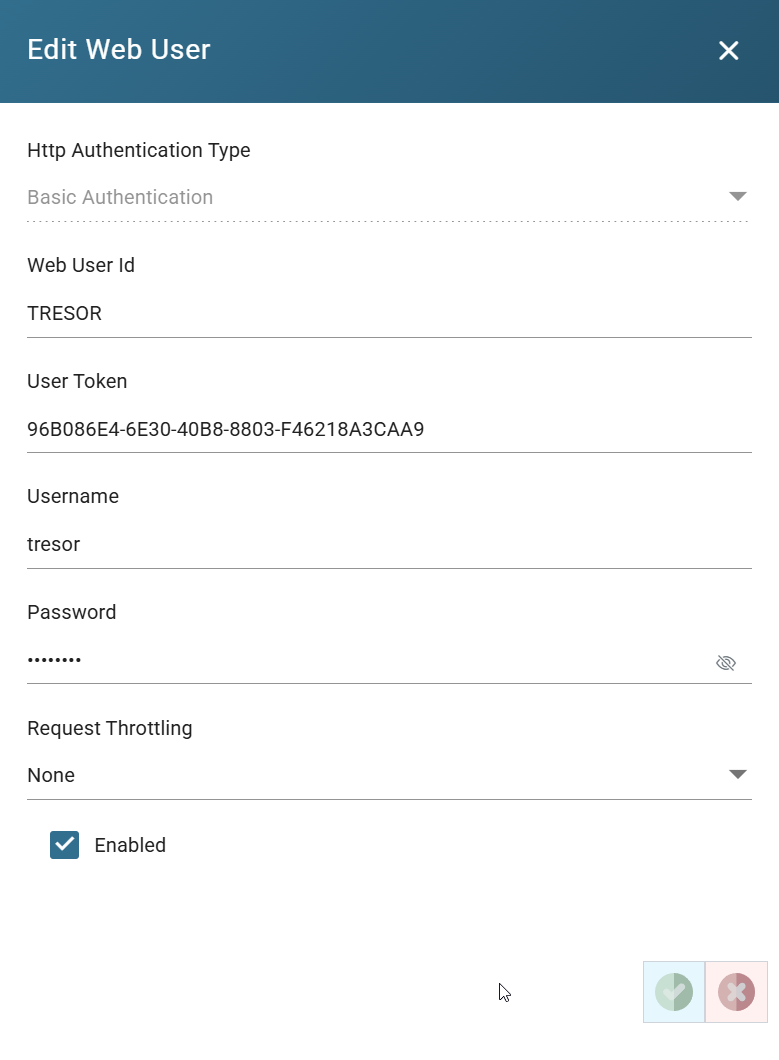
Http Authentication Type
What a request must carry to be this user. You choose it when you create the user and cannot change it afterwards. To change it, create a new user.
- None. The request identifies itself with the
X-User-Tokenheader and nothing authenticates it. A user of this type can only call endpoints that allow anonymous requests. On those endpoints, its token brings its property values into the request. On an endpoint that requires authentication, the WebAPI refuses the token alone. - Basic Authentication. The request carries both the
X-User-Tokenheader and anAuthorization: Basicheader holding the user's Username and Password, base64-encoded asusername:password. The two must belong to the same user. - oAuth 2.0. The request carries an
Authorization: Bearerheader with an access token that the IMan Authorisation Service issued to this user's client id and secret. See OAuth Authentication.
Web User Id
The user's identifier. You cannot change it after you save the user. It is
also the value of Http.User.UserId in the integration. Under oAuth 2.0
the box is labelled Display Name, and holds the name the Authorisation
Service records for the client.
User Token
A GUID that IMan generates when you create the user. Until the first save, the
refresh button beside it generates another. After that the token is fixed. The
caller sends it as the X-User-Token header. Under oAuth 2.0 the box is
labelled Client Id, and the same value is the client_id of the token
request.
Client Secret
Under oAuth 2.0 only, and only on an existing user. Regenerate issues a new secret after you confirm. IMan shows the secret once when you create the user, and once again after each regeneration. See OAuth Authentication.
Username and Password
Under Basic Authentication only: the credentials the caller sends in its
Authorization header. The eye beside the password shows it.
Request Throttling and Throttling Request Per Second
Set to Leaky Bucket to limit this user to a number of requests per second,
10 by default, on every endpoint it calls. The WebAPI refuses a request over
the limit with 429 Too Many Requests, a Retry-After: 1 header, and
RateLimit-Limit, RateLimit-Remaining and RateLimit-Reset headers saying
how much of the second is left. An endpoint
can have its own limit. Where both apply, IMan uses the user's limit.
Enabled
When unticked, the user matches no request. A request with the user's token runs anonymously on an open endpoint, and the WebAPI refuses it on a secured one.
Custom property values
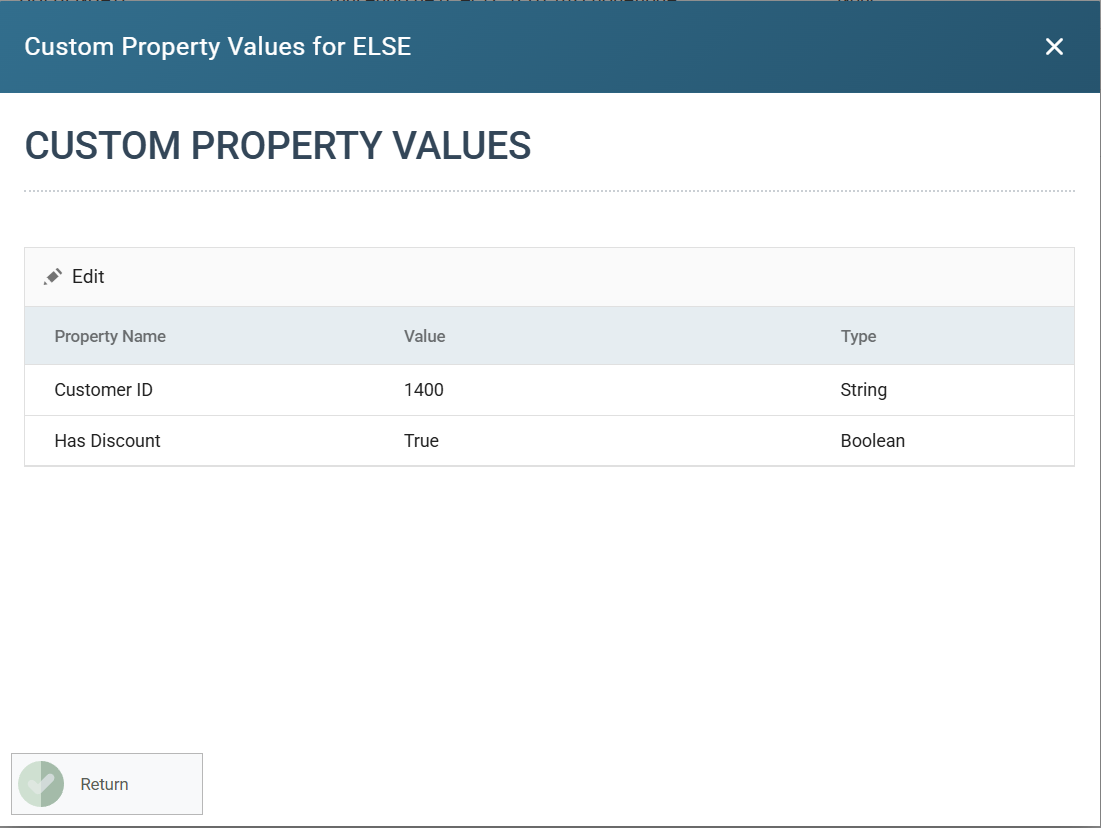
The pencil under Set Custom Property Values opens the user's values, one row for each property of the property sets on the endpoints the user is assigned to. Those assignments decide the list. You can edit rows here, but you cannot add or remove them.
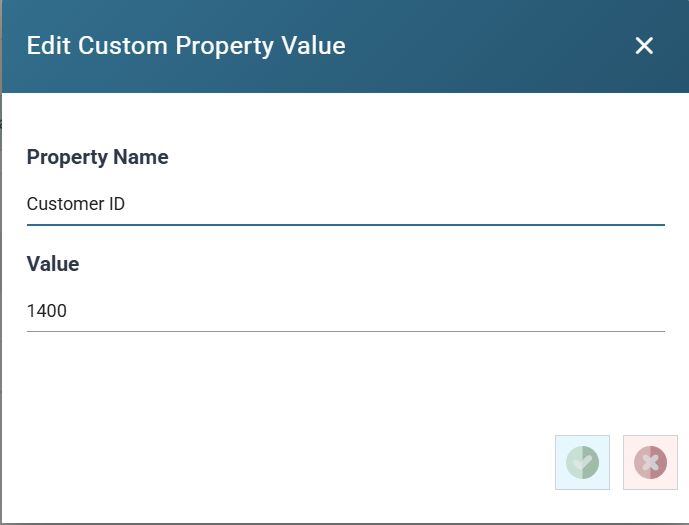
Edit opens the value: a text box for a String or a check box for a Boolean.
User Property & Request Relationship shows where the values go.