Web Users: OAuth Authentication
A web user whose authentication type is oAuth 2.0 is an OAuth client. It uses its client id and secret to obtain an access token from the IMan Authorisation Service (the client credentials grant). It then presents that token as a bearer token on every request to the WebAPI. Nothing about the endpoint changes: the user still has to be assigned to it.
User Setup
You create the user like any other, with these differences.
Display Name
In place of Web User Id: the name the Authorisation Service shows for the
client. It is still the value of Http.User.UserId in the integration.
Client Id
In place of User Token: the client_id of the token request. IMan generates
it when you create the user.
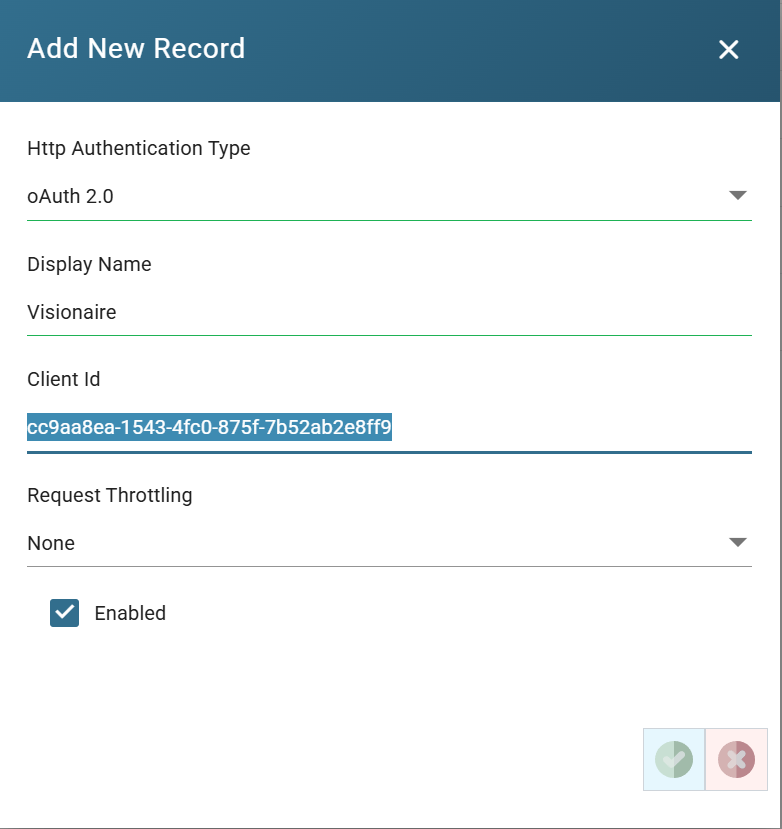
Client Secret
When you save a new user, IMan registers the client with the Authorisation Service and shows its secret once. Copy the secret and pass it to the caller over a secure channel. IMan cannot show it again.
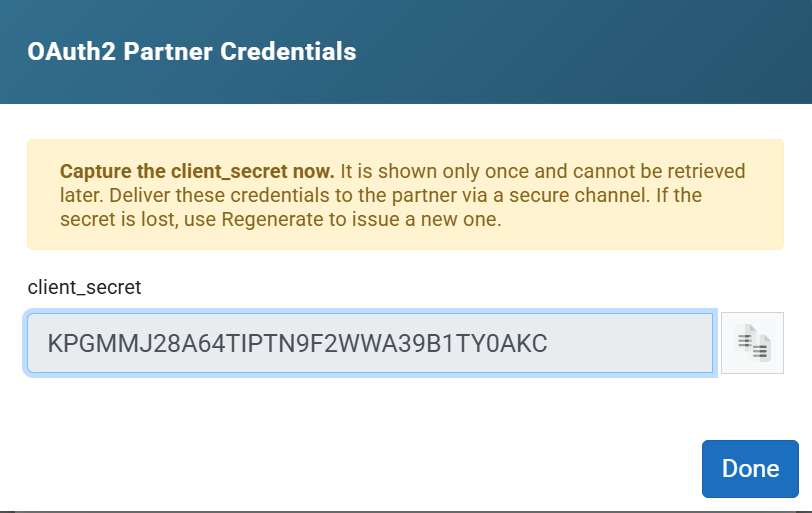
Rotating the secret
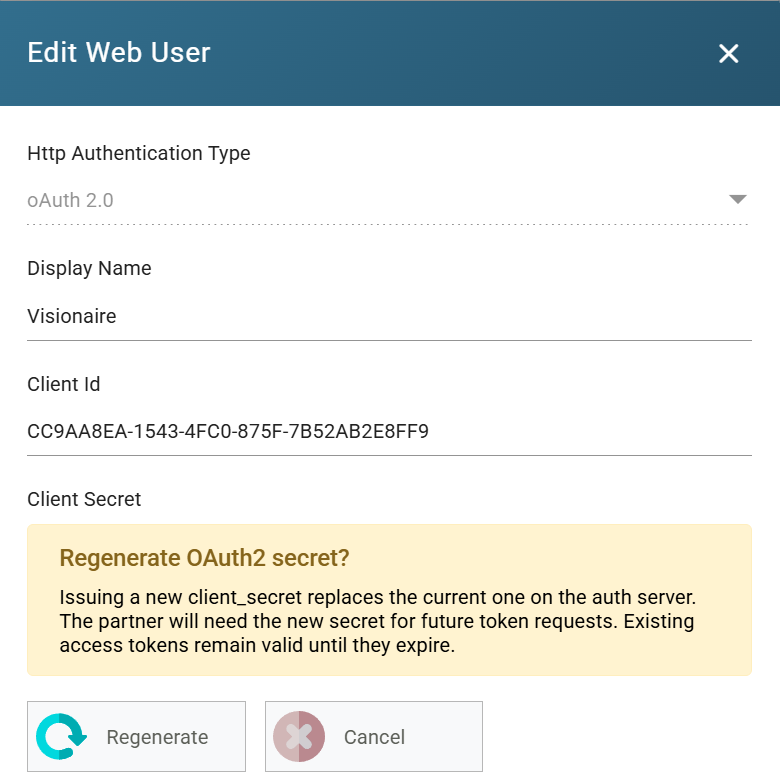
Edit the user, press Regenerate under Client Secret and confirm. IMan shows the new secret once, as before. Tokens already issued stay valid until they expire, so the caller has up to fifteen minutes to switch.
SSL Certificate Requirements
Tokens travel in request headers, so the WebAPI must be served over HTTPS.
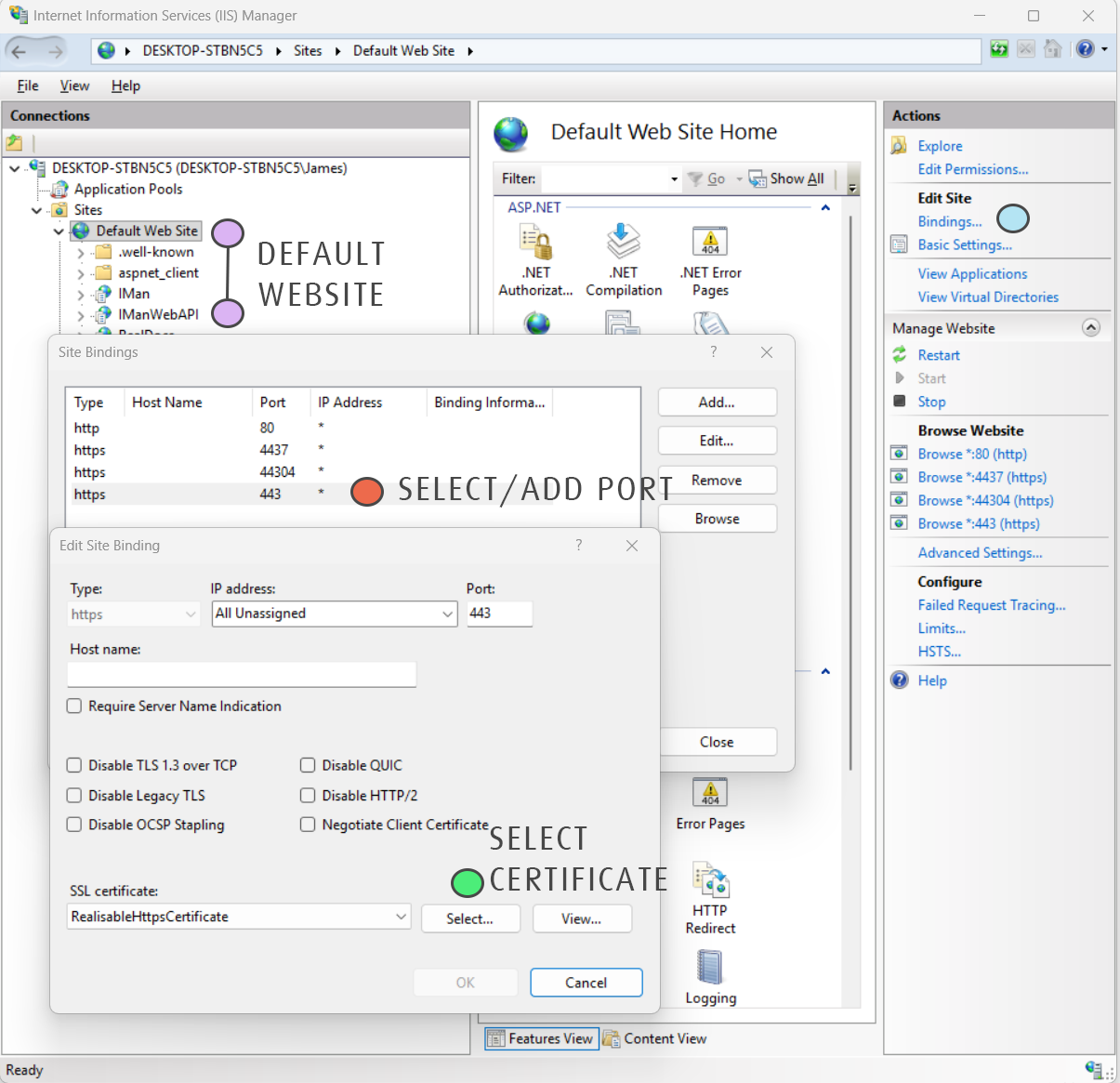
Bind the IIS site that hosts IManWebAPI (typically Default Web Site) to a
valid SSL certificate on the port callers use (typically 443). Setup does not
do this for you.
- Add the certificate to the server through Manage Computer Certificates.
- In IIS Manager select the site (purple) and open Bindings (blue).
- Select the https binding on 443 and Edit it, or Add one (orange).
- Choose the certificate under SSL certificate (green).
Obtaining and Using a Token
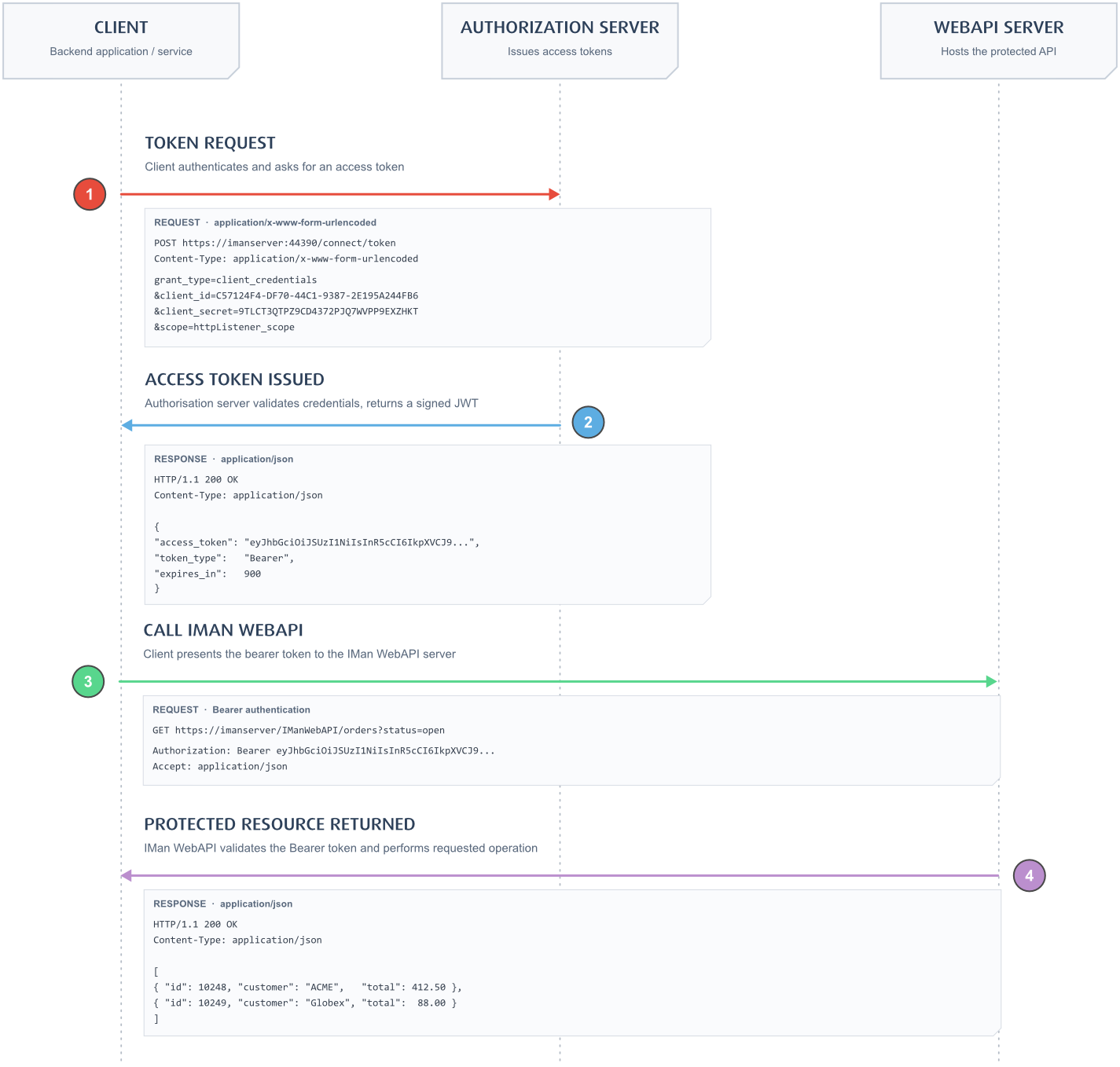
-
Request a token from the Authorisation Service. Its token endpoint is
/connect/tokenon the service's own port (44390 on a default install). The body is form-encoded. -
A successful response is JSON holding the token and its lifetime in seconds.
A token lasts fifteen minutes. Request a new token when the old one expires, not one per call. The token endpoint accepts ten requests a minute from one address.
-
Call the WebAPI with the token in the
Authorizationheader. You do not need anX-User-Tokenheader, because the token carries the client id.
A 401 with WWW-Authenticate: Bearer means the WebAPI did not accept the
token. Either the token has expired, it was issued to a client that is not
assigned to the endpoint or the user is disabled.