User Setup
The administrator enters user details here and maintains them later.
Setup Tab
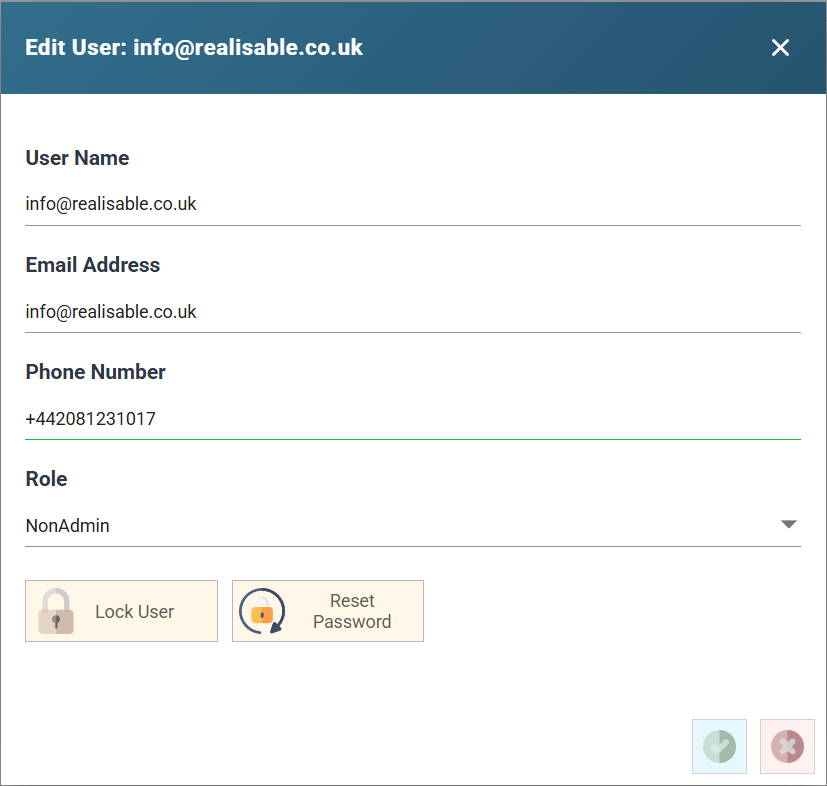
User Name
The user id. This should also be the user's email address.
Email Address
This must be the user’s email address. When you create the user, IMan sends them a registration email.
Locked Out
Shows whether the user is locked.
IMan locks a user who enters the wrong password 5 times in a 10-minute period.
Role
Either Admin or NonAdmin.
- Admin
- Has access to all functions within IMan.
- NonAdmin
- Can only schedule designated integrations and maintain designated Lookup Tables.
- You give them access on the Security Tab of each designated integration.
- Cannot maintain any other setup items or access the designer.
Lock User (Button)
Locks or unlocks the user. The button toggles between the two.
Reset Password (Button)
Press the button to send a password reset to the user's email address.