Push Connector > Setup Tab
The first tab of a push connector sets which system to connect to, what you are importing and how the connector applies each record.
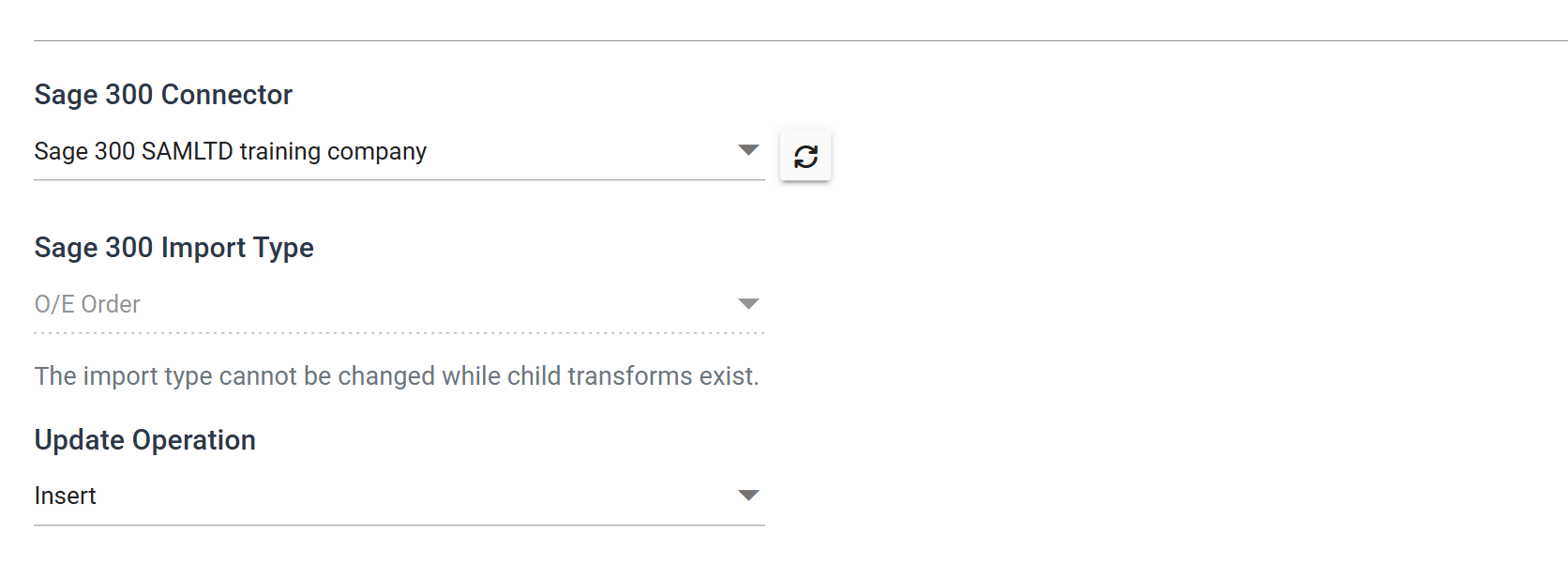
The first two labels are named after the application
They are not fixed captions. A Sage 300 connector reads Sage 300 Connector and Sage 300 Import Type; a Shopify one reads Shopify Connector and Shopify Import Type. Older documentation calls them ERP System and Import Type.
ERP System
The system to import the transactions into. Choose from the systems defined in the Setup area.
Where a connector supports the SYS.SYSCONNECTID field to target the system
dynamically, this drop-down still decides which system the connector queries for
its metadata.
Refresh MetaData
The button beside the drop-down re-reads the selected system's import types, views and fields.
The connector caches that metadata. It does not see a change made in the application, such as a new user-defined field or a new view, until you press this button. When IMan knows the system's setup has changed, it says so beneath the drop-down:
"The settings for this connector were changed. Refresh MetaData to reload its import types, views and fields."
While the metadata is loading the tab shows "Loading connector metadata…" and the two drop-downs below are unavailable.
Import Type
The transaction or master data type being imported. In the example above the transform imports O/E Orders.
Depending on the connector, the list is either a fixed set of supported imports or built from the application's own metadata.
Changing it discards the mapping
Changing the import type changes the whole shape of the field mapping. IMan asks you to confirm first: "Changing the import type will invalidate the Transform Setup. Do you wish to continue?"
Once the connector has transforms downstream of it, IMan locks the drop-down and the tab says why: "The import type cannot be changed while child transforms exist." Delete or disconnect those transforms first.
Update Operation
How the connector inserts or updates data in the application. The operations on offer depend on the import type. Many import types support only insert.
Natural Key
On imports that support more than one operation, the connector decides for each record whether to insert, update or delete it. It looks for an existing record using the natural key of the imported data.
The natural key is the identifier the application itself uses to retrieve the record: the customer number for a sales ledger or A/R customer, the document number for a transaction.
See the relevant connector guide for the natural key of a given import type.
Insert Only
The connector inserts only new data. On imports that support more than insert:
- If the natural key is not mapped or is empty, the connector inserts a new record.
- If the natural key is mapped and a matching record exists in the application, the connector skips the record from IMan and creates nothing.
- If the natural key is mapped and its value does not exist in the application, the connector creates the record.
An insert-only import type always inserts
For import types that support only insert, such as some transactions and print actions, the connector always inserts a record.
Update Only
The connector updates only existing data:
- If the natural key is not mapped or is empty, the connector updates nothing.
- If the natural key is mapped and a matching record exists, the connector updates it.
- If the natural key is mapped and its value does not exist in the application, the connector updates nothing.
Insert/Update
The connector updates an existing record if it finds one, and otherwise creates a new one:
- If the natural key is not mapped or is empty, the connector inserts a new record.
- If the natural key is mapped and a matching record exists, the connector updates it.
- If the natural key is mapped and its value does not exist in the application, the connector creates the record.
Delete Only
You control deletes explicitly by setting the Delete Record field to True:
- If the natural key is not mapped or is empty, the connector deletes nothing, even with Delete Record set to True.
- If the natural key is mapped, a matching transaction exists and Delete Record is True, the connector deletes the record from the application.
- If the natural key is mapped and its value does not exist in the application, the connector deletes nothing.
Insert/Update/Delete
Combines the Insert, Update and Delete operations described above.
Synchronise
Where a connector supports Synchronise, it compares each atomic transaction in the IMan dataset with the data already in the application:
- Add — the connector inserts records that are in the IMan dataset but not in the application.
- Edit — the connector updates records that exist in both.
- Delete — the connector deletes from the application any records that are not in the IMan dataset.
See the connector's own guide for details of how it handles updates.