Push Connector > Audit
Auditing & Error Handling
Logging and auditing matter more on a connector than on any other transform, for two reasons:
- Applications and webservices validate data before committing it, so most of an integration's errors occur in a connector transform.
- Connectors are where IMan touches the application being integrated. They produce the integration's visible result.
Set up auditing and logging on every connector
Set up the auditing and logging controls on connectors properly. They give the audit report's recipients something they can act on.
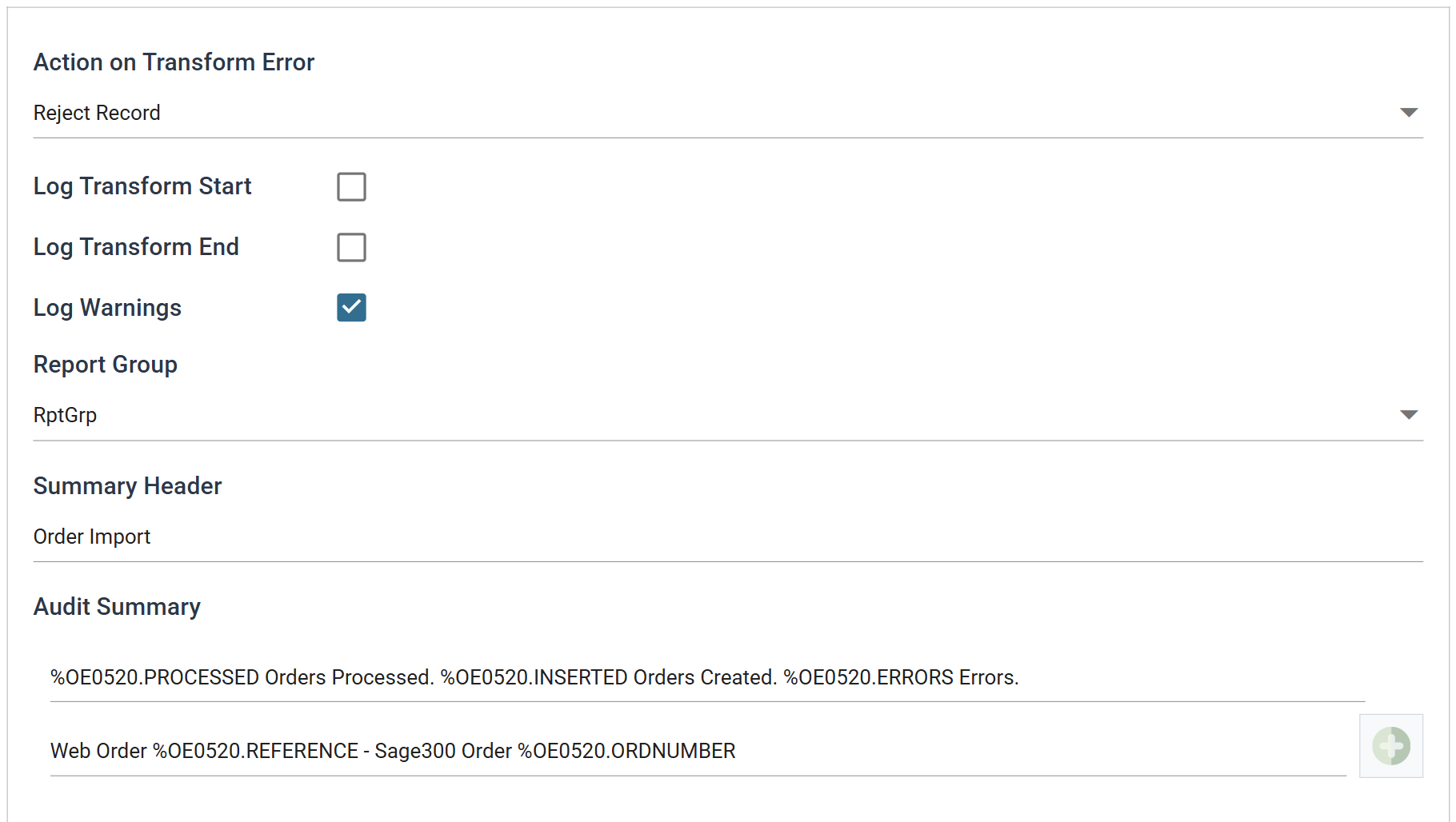
The controls are common to every transform and are described under Transform > Audit. The sections below cover what to do differently on a connector.
Audit Summary
An audit summary reconciles the data the connector processed with the source application.
At minimum, set one up with the number of records processed, the number processed successfully and the number in error.
Example
%Record.PROCESSED Records Processed. %Record.INSERTED Created. %Record.UPDATED Updated. %Record.ERRORS Errors.
For transactional imports you may also want a line per transaction, listing the id from the source application beside the id the destination generated:
Write the summary in the application's names, not IMan's
A connector renames the dataset's transactions and fields to the application's ids. See Effect of mapping on the dataset. IMan evaluates the audit summary after the renaming, so the summary must reference the renamed transaction:
Type % in the box to open a picker grouped by transaction. It is the
quickest way to get the names right.
Log Keys
Log keys are the other half of the setup. Most errors originate at the connector, and the audit report lists errors in its detail section. Log keys tie each message to the data that caused it.
Choose log keys the report's recipients will recognise
Log Keys Recommended Setup
- Never use "writeback" fields as log keys.
- If a transaction fails, the application does not generate the field's value. The field is empty and nothing prints on the audit report.
- Use natural foreign ids
- Use id fields generated by the source application. These are always populated, and they let the report's recipients identify the erroneous transaction by something they recognise.
- Avoid use of 'database' keys
- Users often never see database keys, so they are of little value on a report.
- Repeat parent log keys on child levels
- Where a field is a log key on the parent, repeat the same field on the child. Errors then print consistently for header and detail alike, and the offending record is identifiable.
- Each transaction level should have one field more than its parent
- This lets the report's recipients narrow an error down to the record that caused it.
Supported counters
- PROCESSED — incremented for each record processed.
- INSERTED, UPDATED, DELETED — the number of records inserted, updated and deleted.
- ERRORS — incremented for each unhandled error.
- WARNINGS — incremented for each warning raised.
Action on Transform Error
Choose this setting carefully on push connectors. It decides what one bad record does to everything that follows.
Abort
The transform stops at the first error. Records processed before it are typically not undone.
Reject Record
The connector processes the valid transactions and rejects the erroneous ones. Each connector treats a transaction, such as an order, a despatch, a customer or an item, as one unit and does not leave half-written records. If an order has one invalid item code, the connector rejects the whole order, not just the line that failed.
Continue
Will be removed in future versions. DO NOT USE.
Example
In one integration, the Customer import is set to Abort and the Order import to Reject Record.
- If an error occurs during the Customer import, the whole integration stops. The Customer import only inserts new records and updates existing ones, so it can be re-run without risk of duplication.
- If the Order import were set to Abort, processing would stop part way through and leave in Sage the orders that had already succeeded. You would probably need to delete them before a re-run, or the re-run would duplicate them.
A rejected record still needs remedial action
With Reject Record, the connector rejects erroneous orders but processing continues to completion. The rejected orders still need remedial action. The audit report lists them.