Version 6 Release
We’re almost there!
IMan Version 6 marks a big new chapter in Realisable’s life. Built on extensive user feedback and inspired by the tools developers rely on every day, this release delivers a more intuitive, responsive, and powerful experience.
V6 sits on a revitalised architecture, sitting on the latest release of .net core, a modernised interface with smarter feedback mechanisms, backend significant performance gains, and an array of new functionality V6 not only streamlines the way integrations are built but also lays the foundation for our upcoming cloud-native solution. Whether you’re configuring connections, scheduling jobs, or just configuring lookups, IMan V6 empowers you to integrate faster, and with more confidence.
🚀 Introduction & Major Highlights
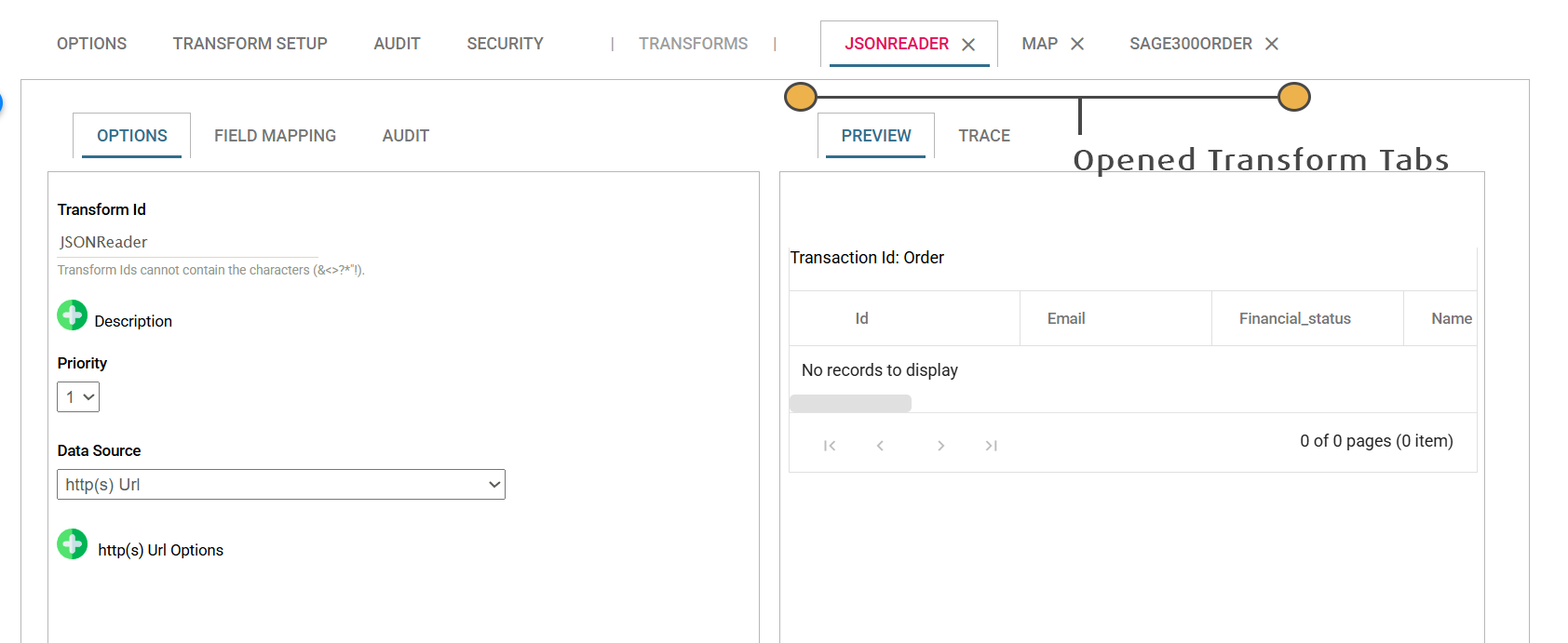
- Modernised User Interface – New user interfaces across the entire product, based on Microsoft’s Blazor UI platform. The Designer will load transforms now in tabs vs. popups. The Setup and Schedule screens have all been re-implemented. Each Setup UI now gone through radical improvement with better validation, ability to view connection traces and visualisations of the various setups.
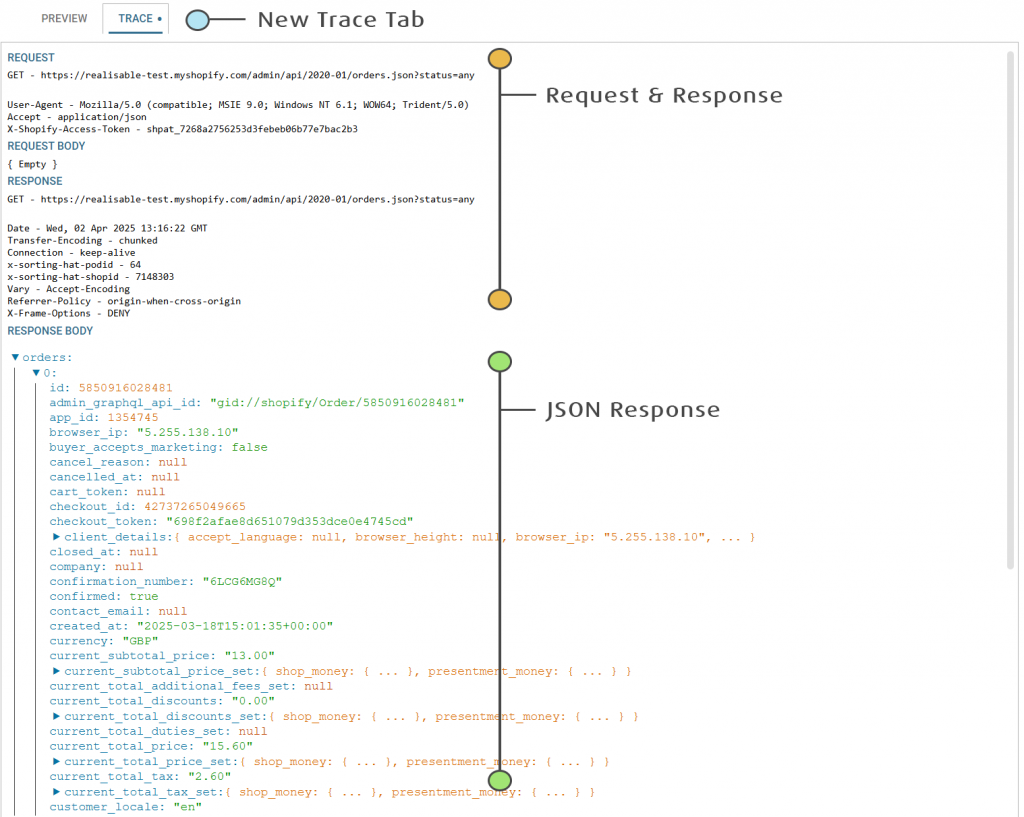
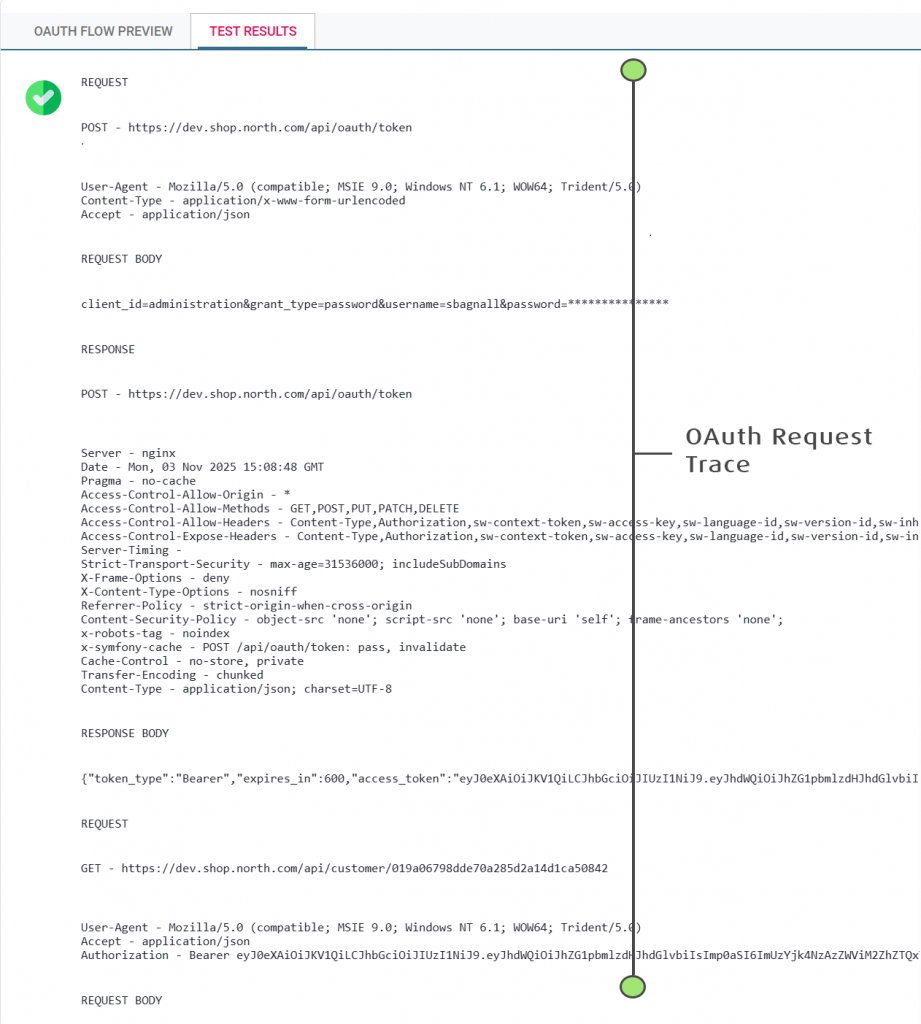
- Preview Screen – A trace tab has been added to the Preview, enabling users to see the detailed requests and the corresponding responses.
- New Tiered Lookup – Tiered lookups allow you to define cascading lists of data which can be queried through an accompanying TieredLookup function. Tiered Lookups can have differing rules attached to any one lookup. For example shipping rules can be maintained where rules are based on differing combinations of criteria i.e. weight, supplier, quantity, product type.
- Authentication – New OpenIDDict compliant authentication and authorisation.
⚡ Why It Matters
Version 6 isn’t just a facelift—it’s a foundation for Realisable’s cloud-native future. Faster runtimes, smarter design configuration and debugging, and modern security mean integration designers can build, test, and deploy with confidence and speed.
Designer Changes
- IMan is now a single page application! Transforms now open in separate tabs on the primary screen vs. as pop-ups.

- Preview Trace – A new trace tab displays debug and trace data from the resource being consumed, the data being written or the transform being executed.
For example, web requests will display the request and responses being made to the webservice. Where possible, the trace will format responses into an easily navigable form i.e. JSON and Xml type data adds ability to expand collapse each of their nodes.
Preview area is much more performant with results and traces being streamed, as soon as they are generated.
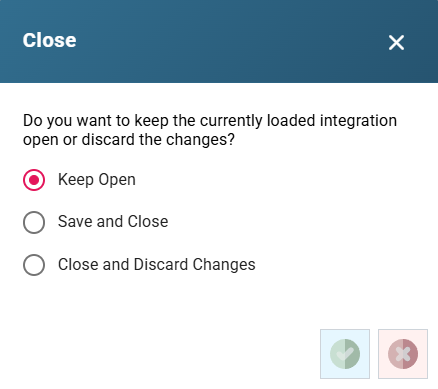
- Better Navigation and Easier Workflow – The designer adds the ability to both retain autosaved changes without having to either commit or discard them, in conjunction with keeping the integration open when moving to the setup screens.
Setup Screen New Features
Each of the setup screens have been modernised, with emphasis usability and better feedback and test capability.
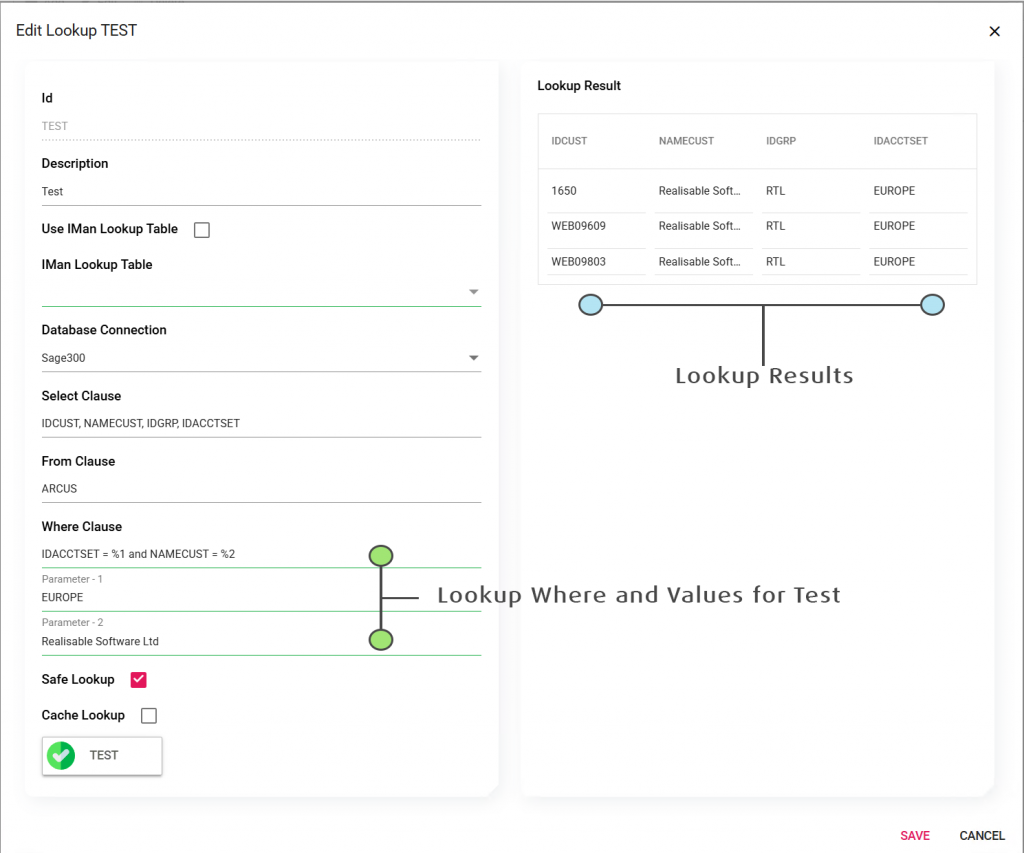
- (Database) Lookups – Ability to test lookups and see the results in a grid next to request.
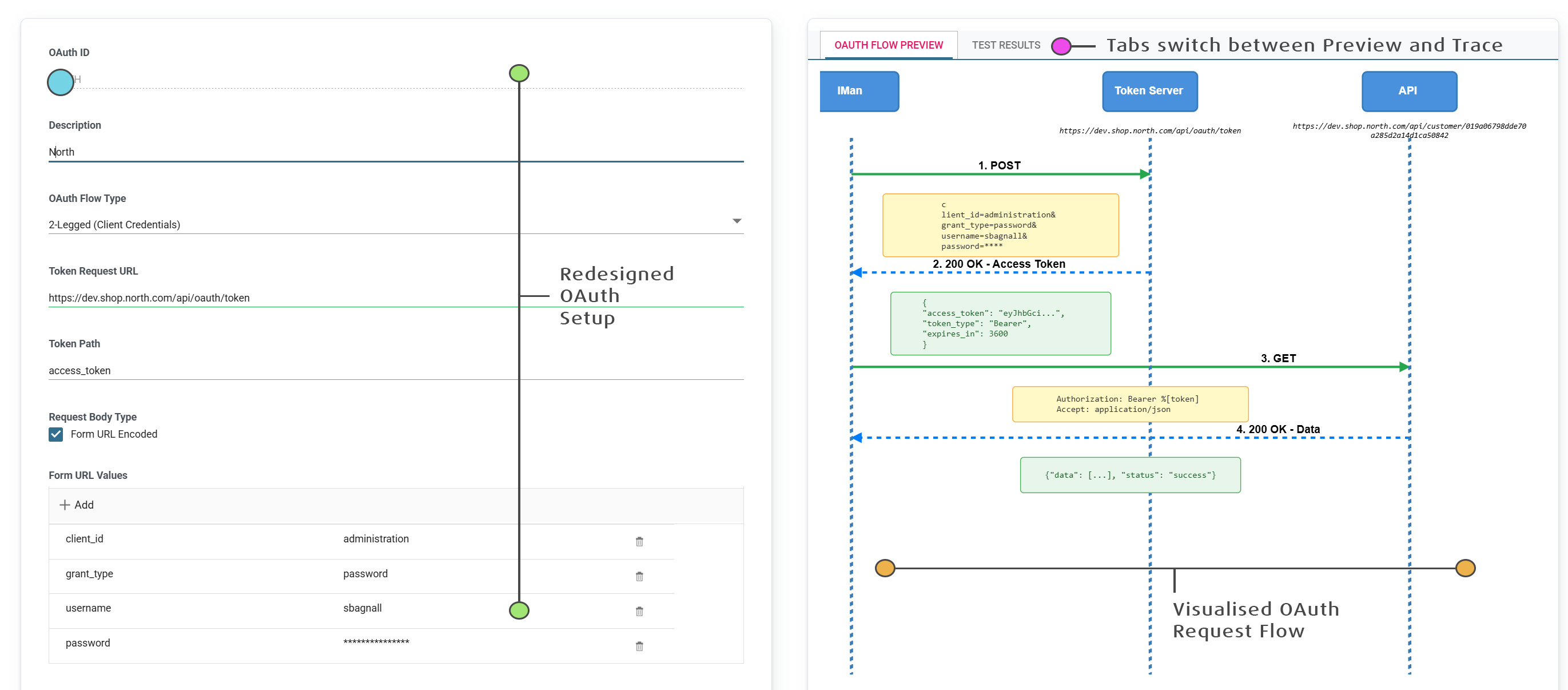
- OAuth – The OAuth screen has undergone a major re-design. The resulting screen is to make OAuth setup as easy as possible, with setup transferable from any API documentation and better feedback when testing setup.
The OAuth setup now has two panes – the left hand is the entry/setup and the right a visualisation of how that request will be made.
The setup supports both 2-Legged (Client Credentials/Resource Owner) and 3-Legged (Authorisation Code Flow) with/without Refresh Token flow support.
The test function now traces the entire set of OAuth requests; the initial token request, it’s headers and body, the token response and the request to a resource.
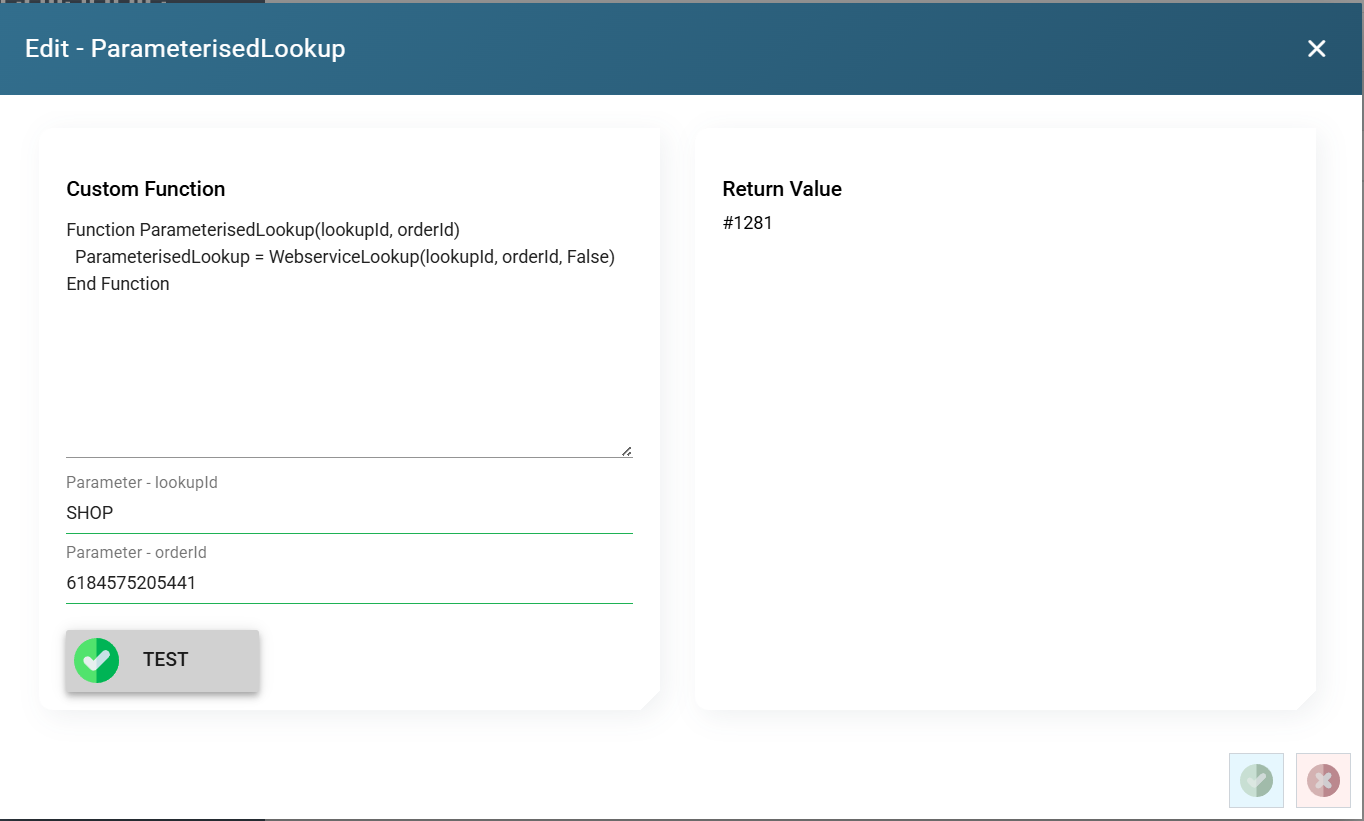
- Custom Functions – Custom functions can now be tested.
- Webservices Basic Authentication – Each setup now has a live preview to show the exact request that will be made.
- Webservices (General) – Improved request header setup, with defaults and better ‘Authorization’ header handling.
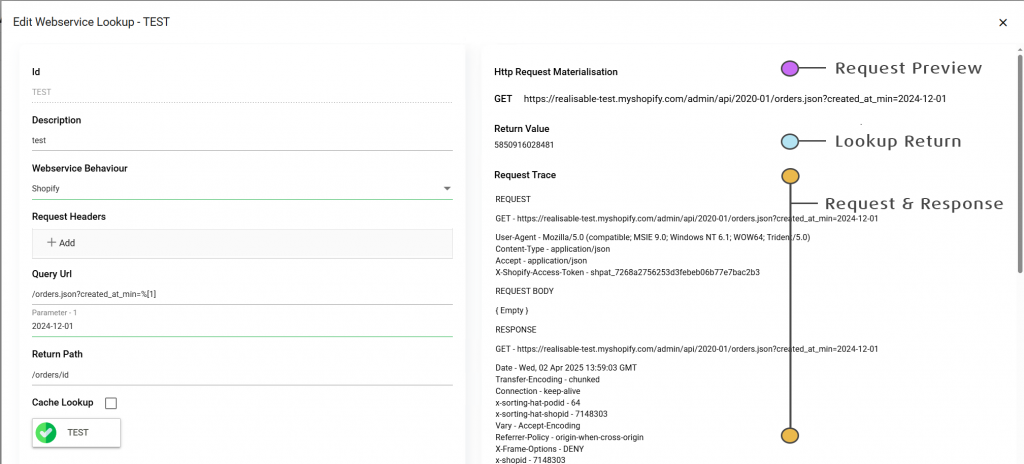
- Webservice Lookup – Webservice lookups can now be tested with a trace of the request and response shown to the right of the setup.
- Webservice Behaviour – Improved setup screen with ability to jump to specific section; ability to test the setup.
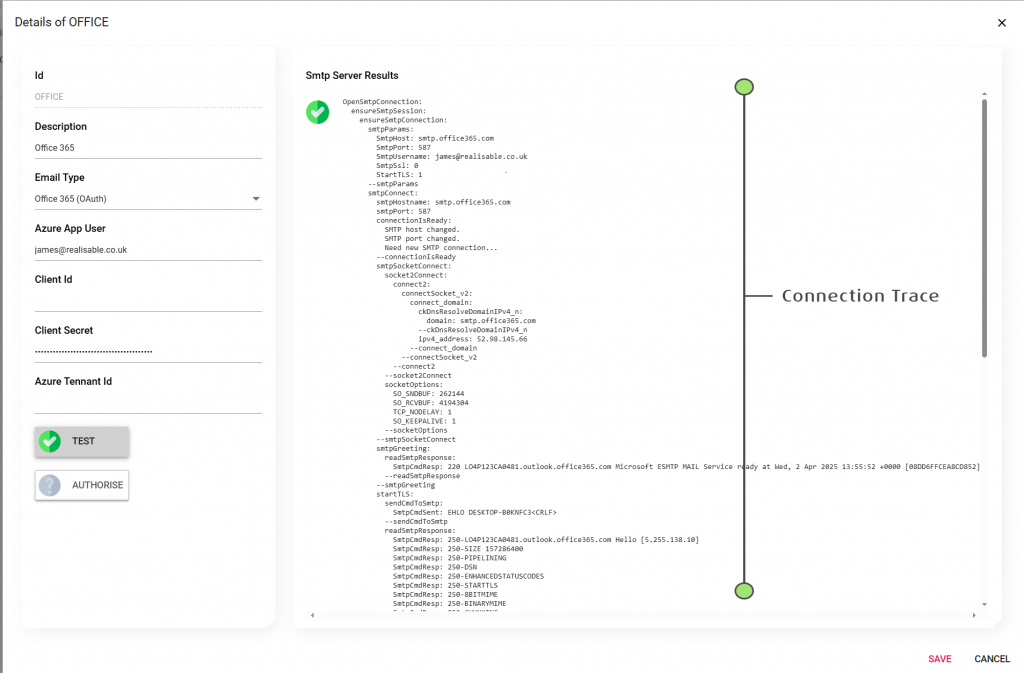
- FTP/SSH, Smtp and Pop – Each form now has a connection trace to the right of the setup.
- System Connectors – Ability to test (finally) system connectors.
- Database Connections – Can now test parameterised connection strings.
- Counters – Provide a preview of sequence.
- Better validation across most of the setup screens.
Scheduler Setup and View
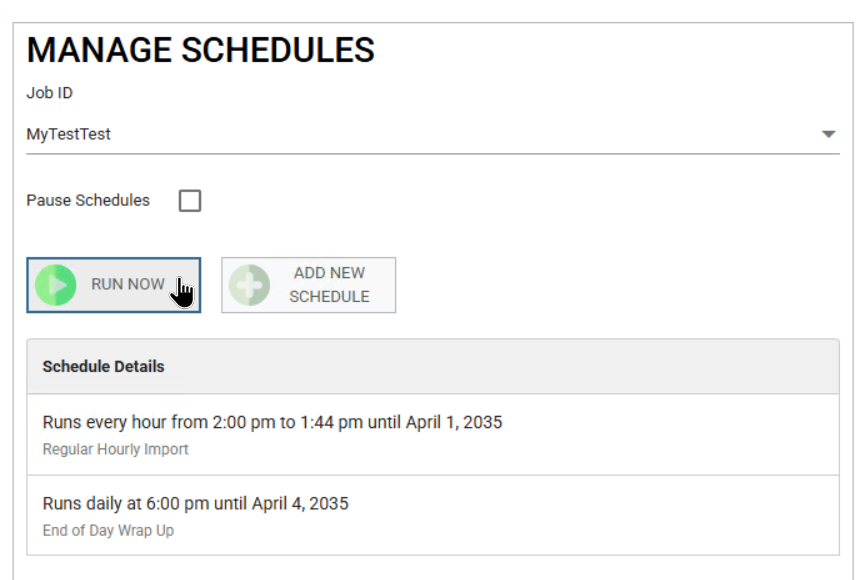
The scheduler setup and viewer page has also been upgraded to the new UI.
- Improved responsiveness – schedule setup is improved and audit logs are streamed directly to the job viewer page.
- Run now button eliminates the need
- Improved schedule setup, removing the need to specify a description (it’s the schedule frequency and start time which does).
- Ability to jump from the summary directly to any errors or warning in the detail section.
- File Events – Will automatically recognise changes to file event setup without having to restart the Scheduler service.
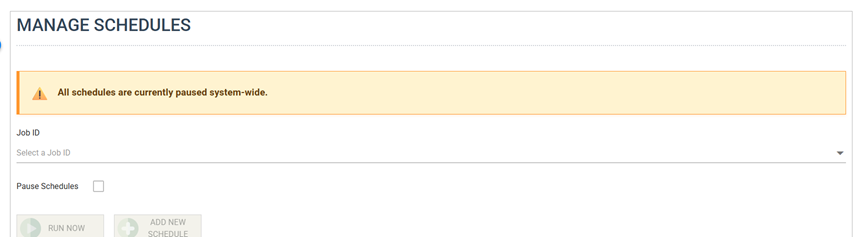
- Notification for when the scheduler has been globally paused.
Tiered Lookup
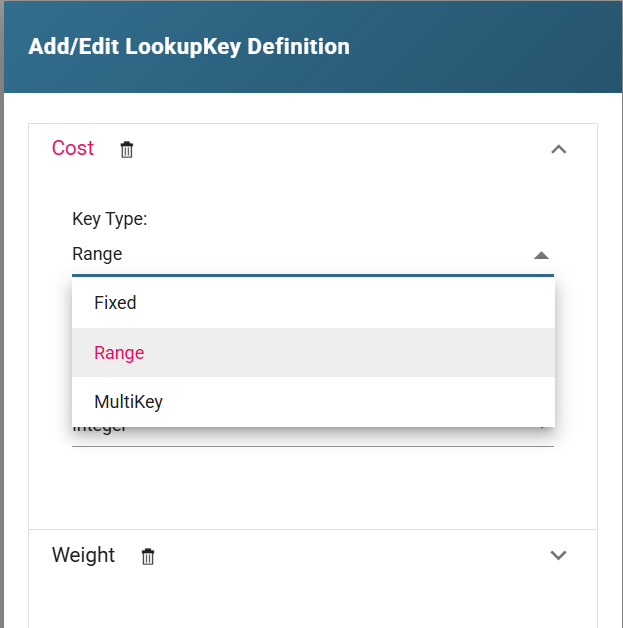
Tiered lookups allow you to define cascading lists where the choices change based on the value selected on the previously selected values.
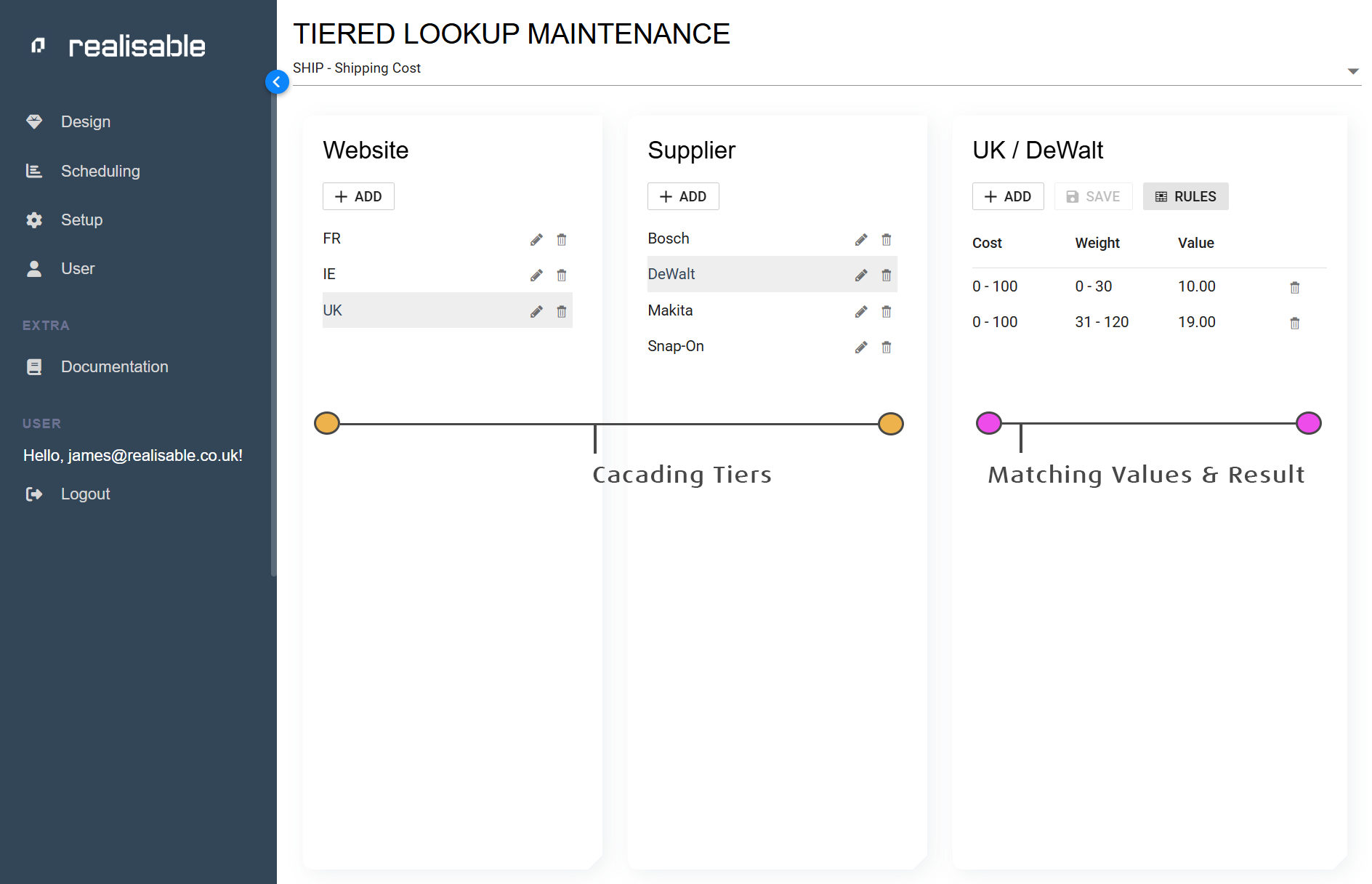
Tiered lookups can be used to capture and maintain sets of data exhibiting these characteristics. For example, an eCommerce integration may require shipping costs to be calculated based on differing factors.
For example, an eCommerce integration for drop-ship orders may require shipping costs to be calculated based on differing sets of criteria. One set of products may use weight and quantity, whereas another uses a combination of destination postcode and product type.
Tiered lookups allow you to define the differing sets of rules (and values) whilst keeping them under the same lookup ‘entity’.
- Values can be either a value, a range of values, a set list of values, or a value which has a different set of rules.
- Each value defined as it’s own rule can define its own child sets of values (a value, a range, a list of values).
Backend Changes & Performance Improvements
The improvements have been facilitated by a major upgrade of our backend services, made through a migration from .net framework to.net core.
…
- The new backend services (meta-data, preview, logging, etc) have each added a raft of new features and performance improvements.
- A performance improvement of between 20-40% of the main IMan processing runtime (IntManEng.exe).
- Setup, DataService and Schedule screens now streamed results and traces immediately back.
Authentication and Authorisation
- New OpenIDConnect compliant authentication mechanism, bringing IMan inline with current security standards.
- Ability to easily reset passwords.
- New user setup screens.
- (Near Future) Support for Entra and MFA will be added.
VBScript Enhancements and Functions
- Enhancements to the Sum, Mininum, Maximum, Count and Distinct fields allow each function to include a criteria for evaluating the value. For example Minimum(“field”, “record”, “criteriaField”, %criteriaValue).
- A new IsIn function allows you to check for the existence of a value either in a list/array of child set of transactions.
- First and Last functions allows you to get the first or last values from either a list/array of child set of transactions.
- IsFirst and IsLast provide quick ways of testing whether you are on the first or last records.
- valueFromJPath – Allow you to get a value from some arbitrary JSON document or snippet.