Version 6.1 Release
6.1 Is Nearly Here

Where V6 rebuilt IMan’s foundations, 6.1 finishes the job.
With vast improvements to usability and visibility, the UI modernisation is now complete across every transform screen, and the release adds a genuine development experience for scripting, first-class cloud file system support, real-time integration monitoring and a great deal more.
It’s never been quicker to build an integration, and far easier to see what it’s actually doing.
🚀 Major Highlights
- UI Modernisation Complete – Every transform setup screen has now been migrated to the new UI platform, alongside quicker screen loads, resizable screens and drag-and-drop configuration.
- New Script Editor – Intellisense, syntax highlighting and collapsible regions bring a proper development experience to VBScript.
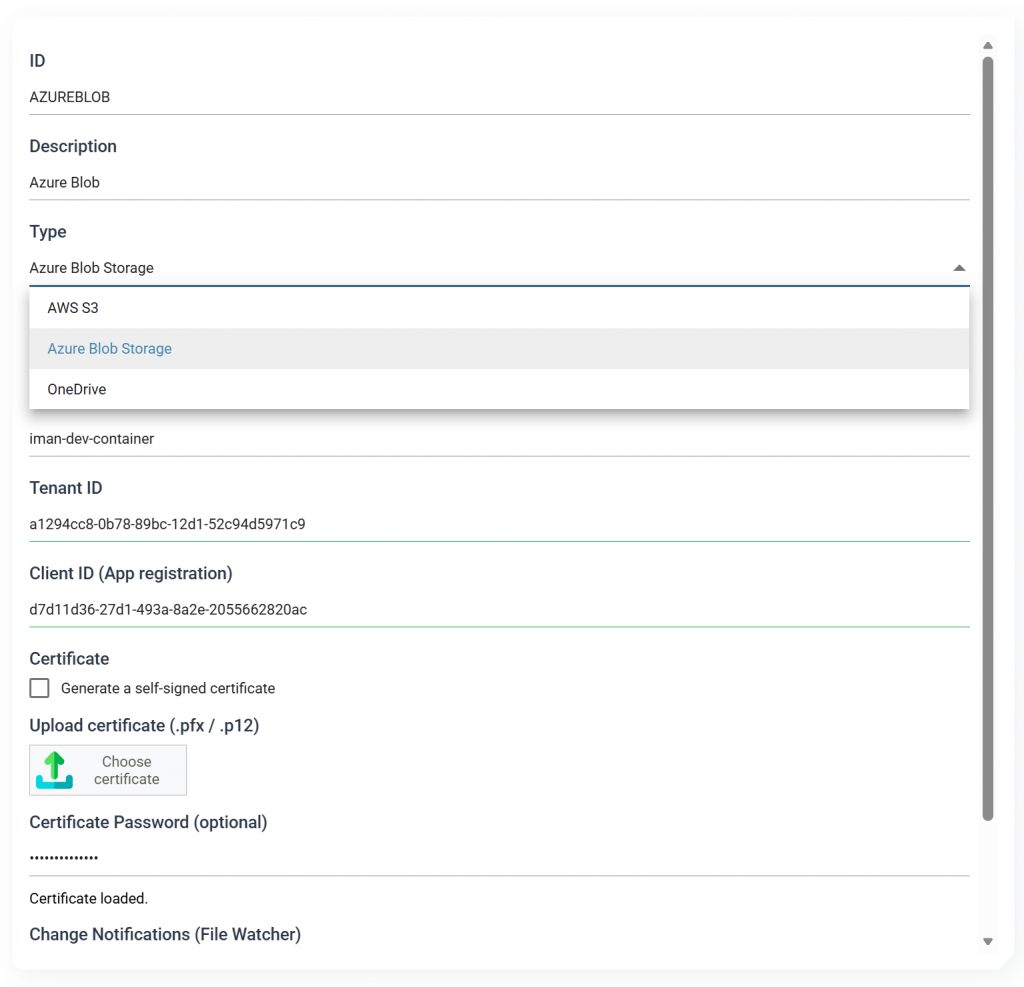
- Cloud File Systems – Native support for OneDrive/SharePoint, Amazon S3 and Azure Blob Storage, with browsing, a File Explorer and event-driven file watching.
- Realtime Monitoring – See what’s running, what’s failed and where it failed, with drill-down to the underlying audit report.
- Richer Email Authoring – A dedicated editor with visual and HTML composition modes, merge-field pickers and detail-record tables.
- Schema Detection – JSON and XML now support schema detection, including flattening nested structures into their parent record.
⚡ Why It Matters
6.1 is about removing friction. Less guesswork when writing scripts, fewer trips to the scheduler to check a result, no bespoke workarounds for cloud storage, and a live view of your integrations rather than a post-mortem in the logs.
Designer Screens
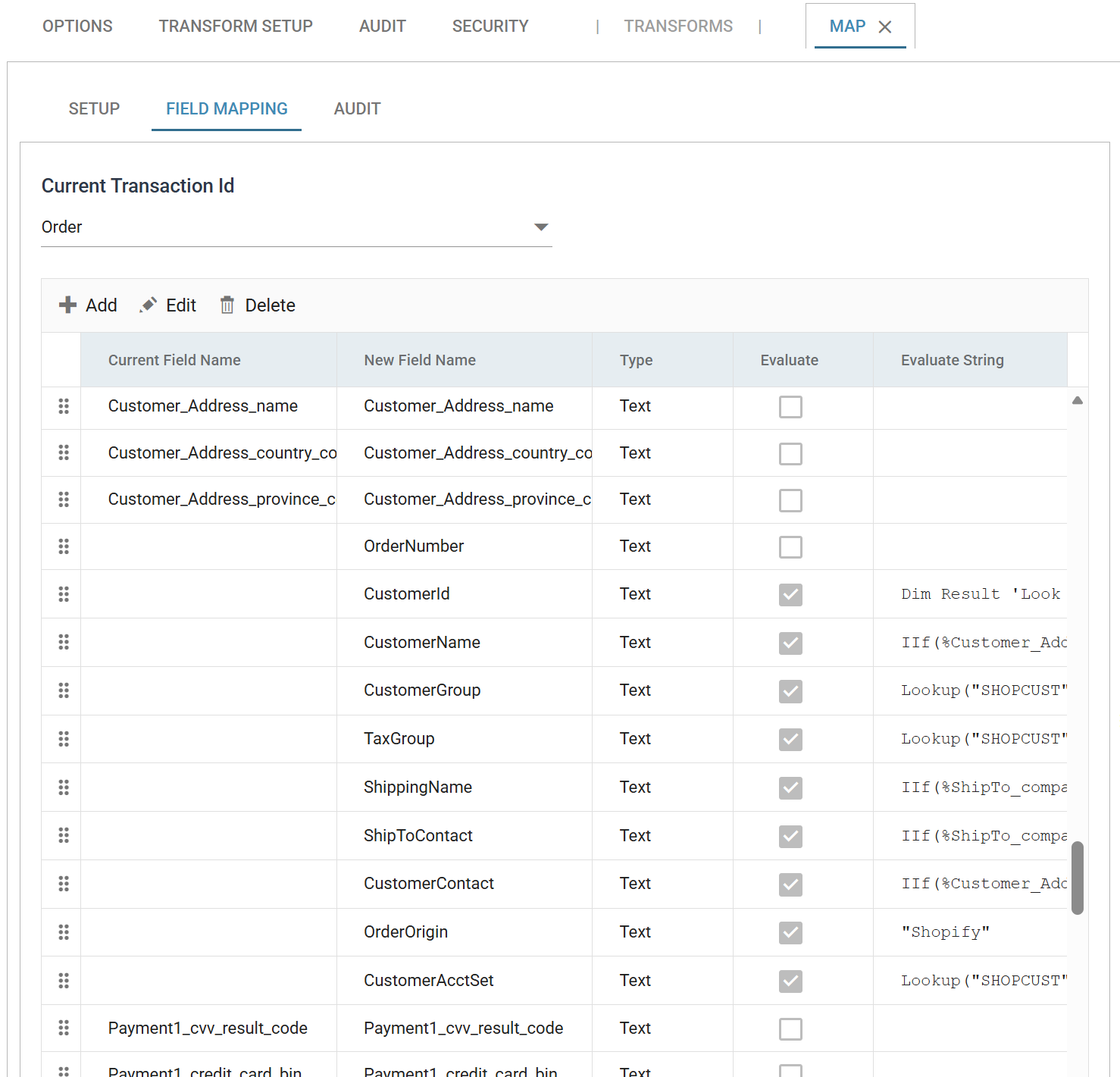
The UI modernisation started in Version 6 is now complete – every transform setup screen has been migrated to the new UI platform.
Script Editor
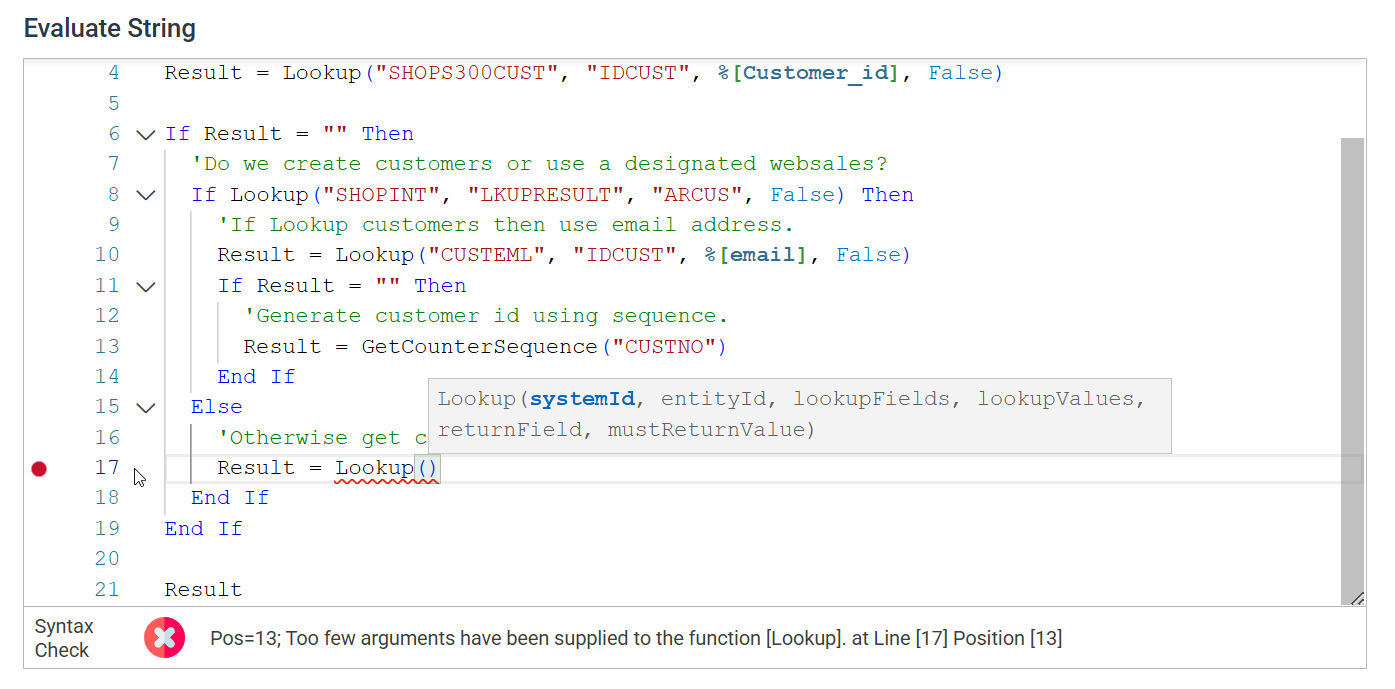
The Map, Filter and Aggregate controls gain a new scripting control that brings a proper development experience to VBScript.
- Intellisense – Field references, available functions and function arguments are surfaced as you type.
- Syntax highlighting.
- Collapsible regions.
Improved and Expanded Schema Detection
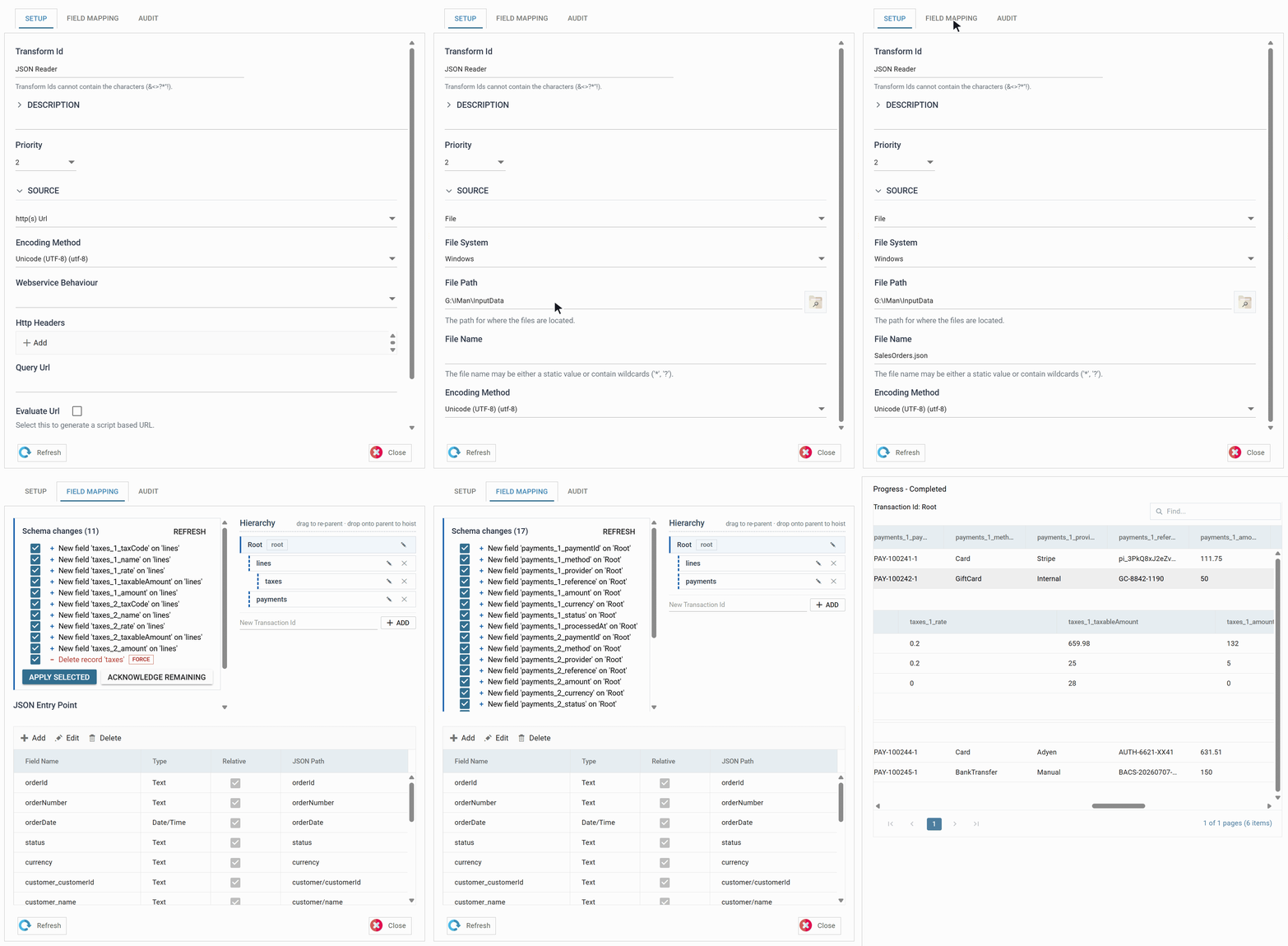
- JSON and XML now support schema detection, including the ability to flatten nested data structures into their parent record.

- Reader schemas (CSV, Excel, Database) and any changes to them are now remembered – no more false warnings about deleted fields or records.
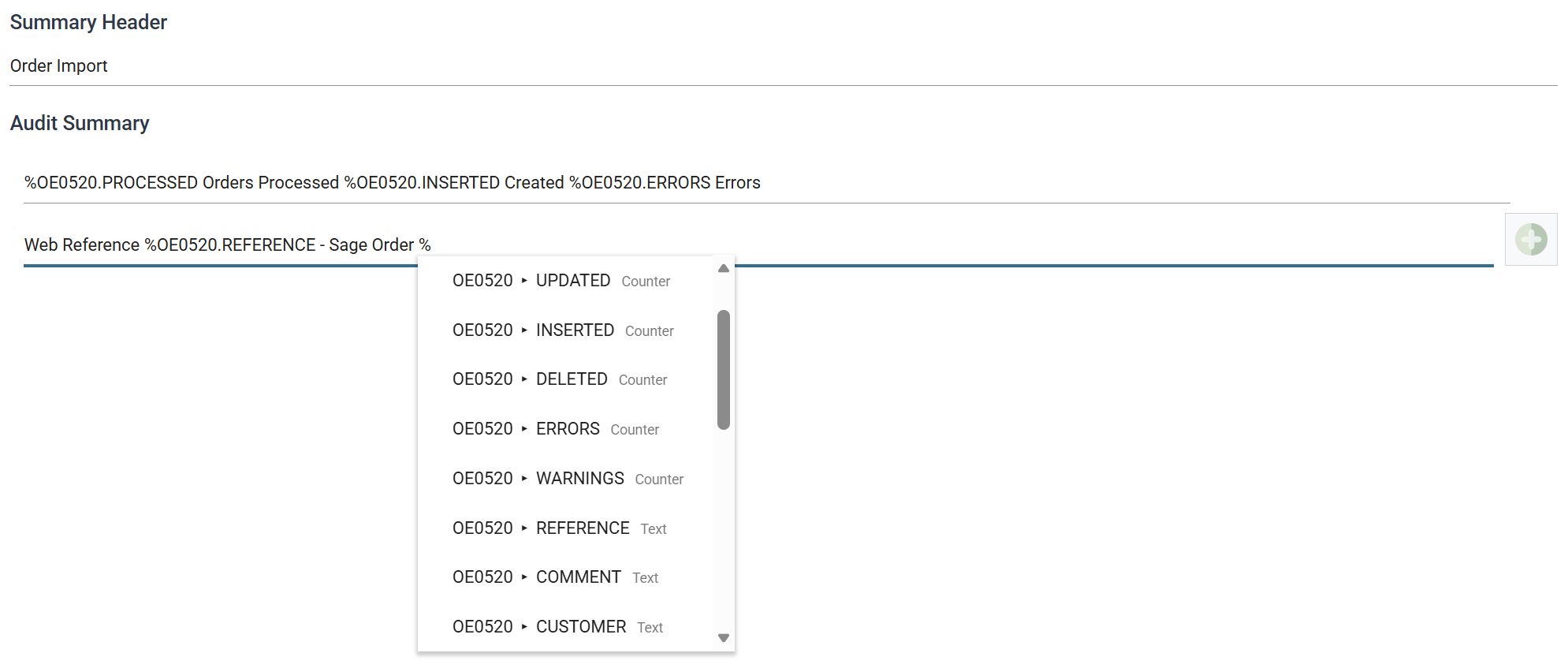
Expando Field Hints & Validation
- Fields supporting Expando values – Audit Summary, email address fields, file locations, the DB Writer where clause and others – now offer a hint control listing every available Expando value.
- Expando fields are now validated, so incorrect values are caught at design time rather than at runtime.
Preview & Refresh
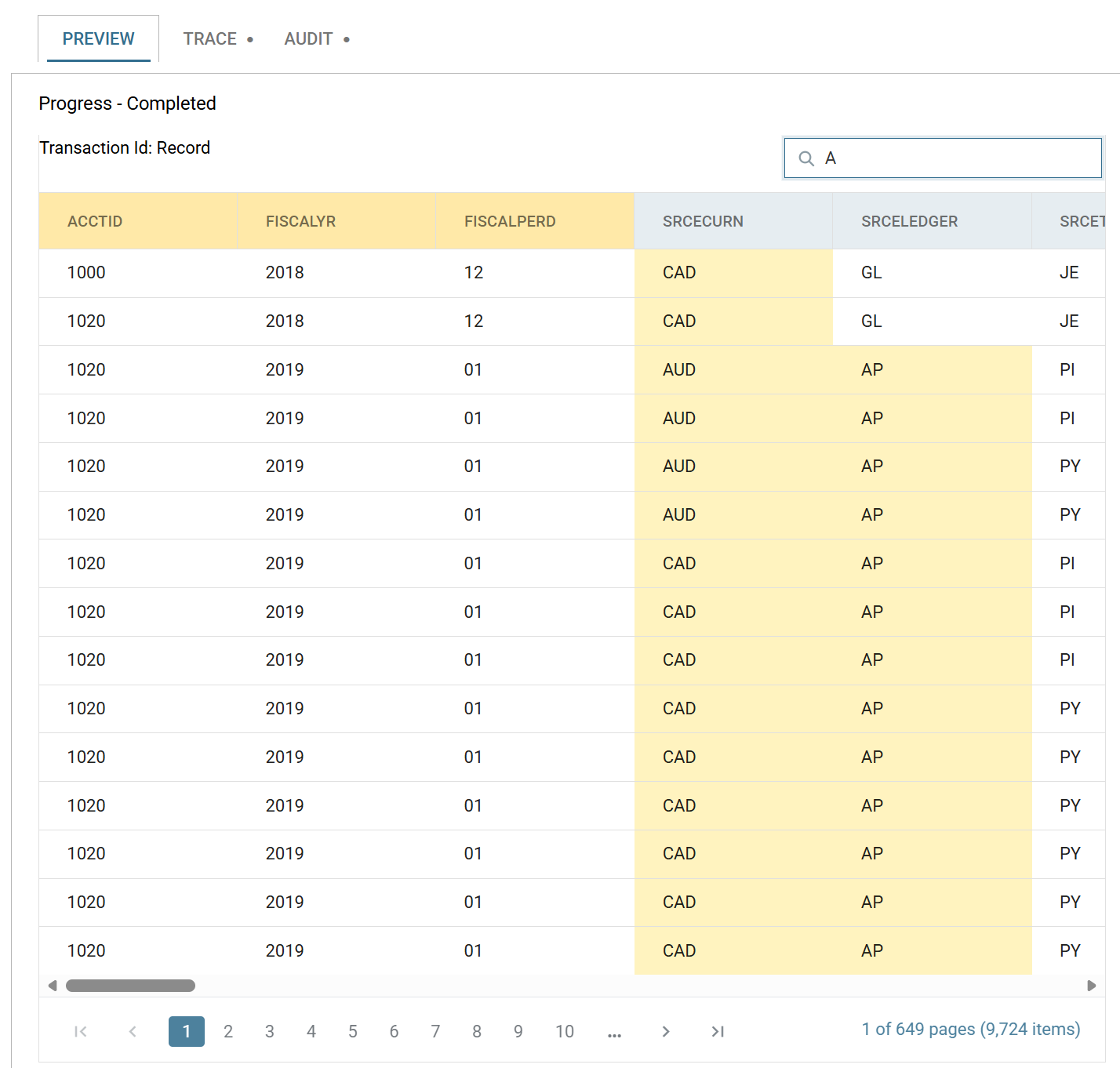
- Preview results now update in place without flicker, and expanded detail rows refresh in place when their parent changes mid-run.
- Find within the preview searches both field names and data.
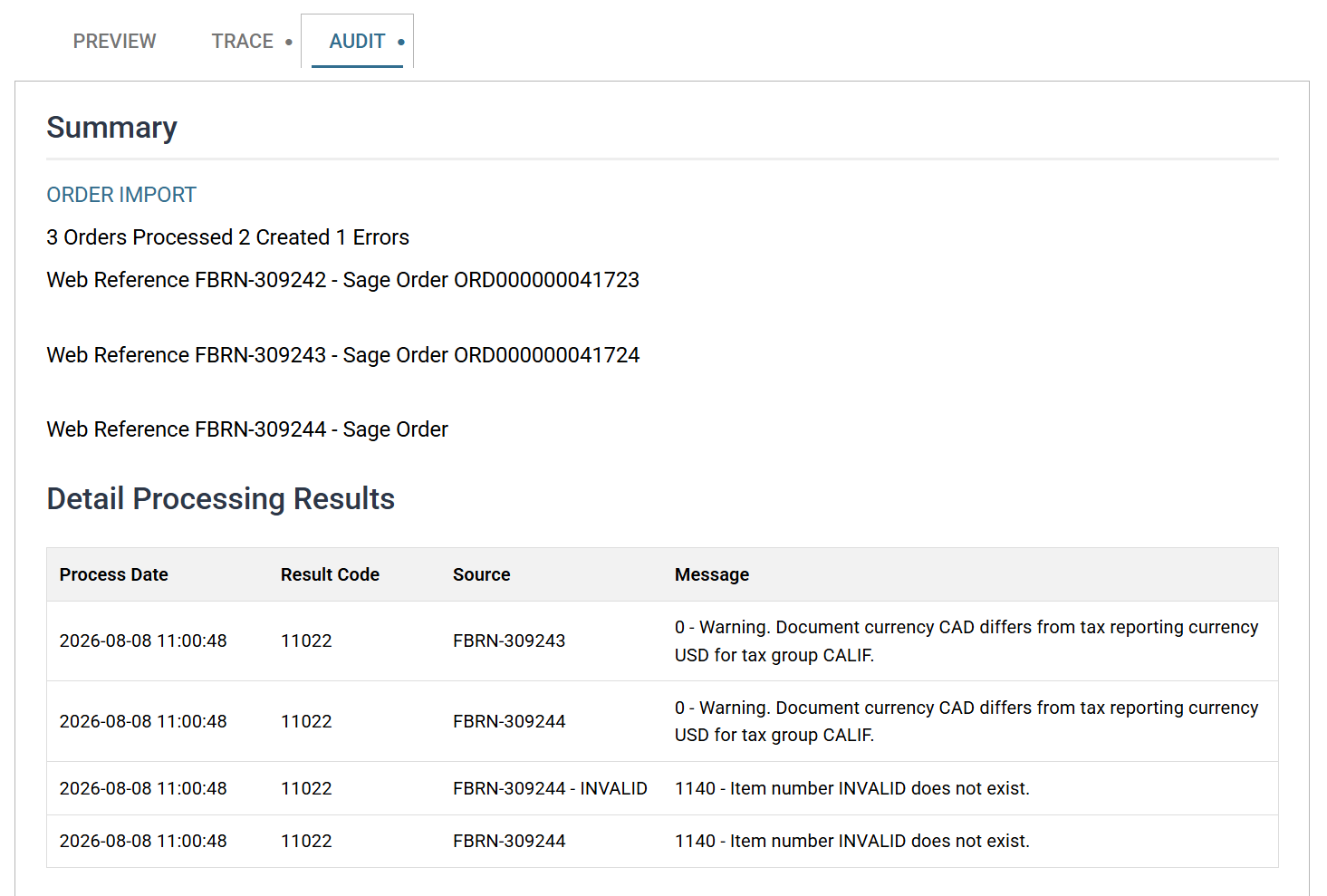
- A new Audit tab displays Audit Summaries directly in the Designer, so there’s no need to run the integration from the Scheduler just to see the result.
🌙 Dark Mode
That is all.
Other UI Improvements
- Select/Deselect All for selectable transforms (Hierarchy, Flatten, Writers).
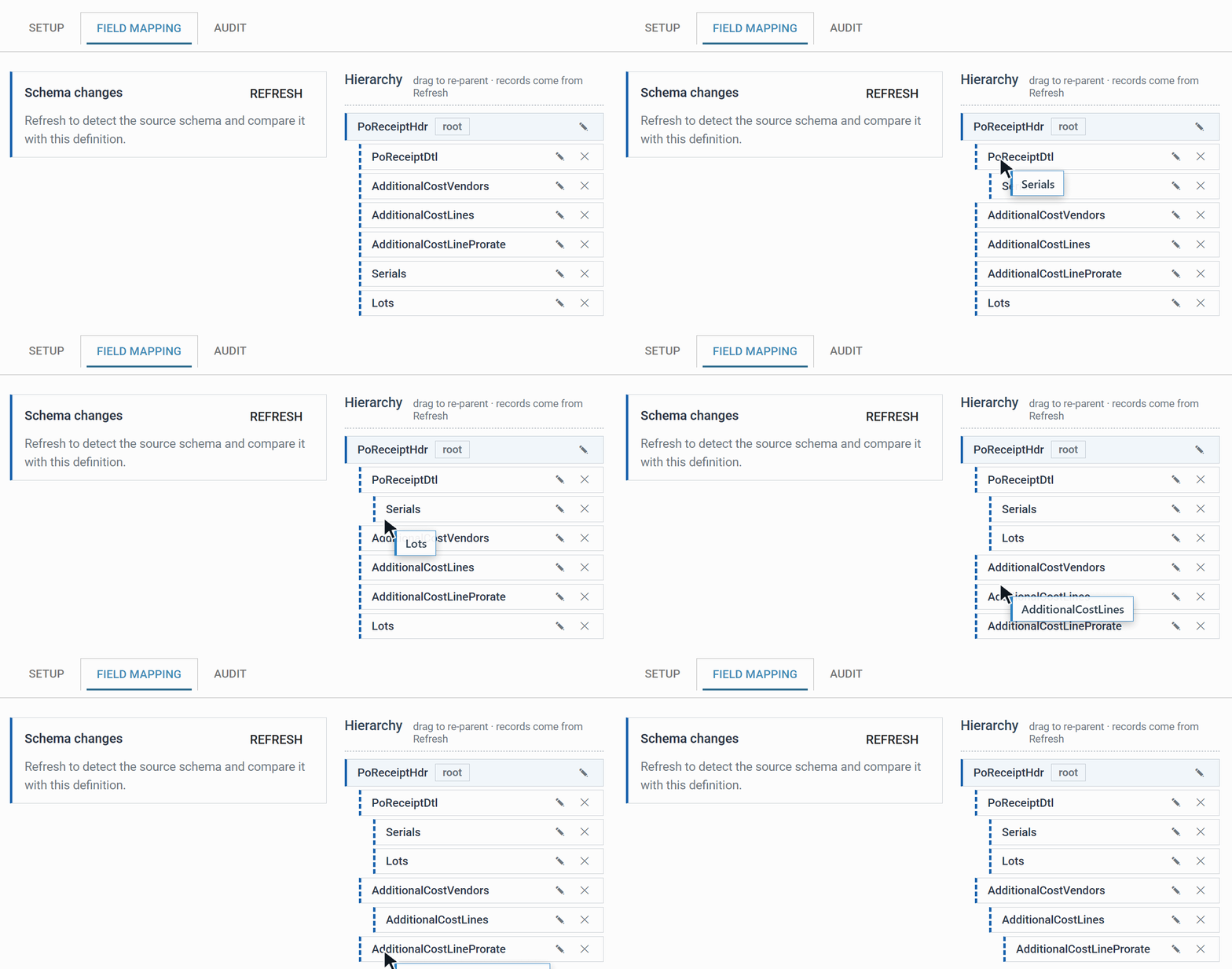
- Drag-and-drop hierarchy configuration.
- Writers now carry a mapping visualisation showing exactly what has been mapped.
- Consistency – all UIs now list fields on the second tab, removing the awkward ‘second screen’ on the Aggregate, Hierarchy and JSON Writer transforms.
- Truly resizable screens, draggable field reordering and a continuous list of fields – no more paging.
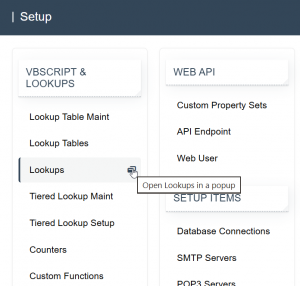
- Ability to open and maintain setup items without navigating away from the designer.
- Quicker screen loading.
DB Writer
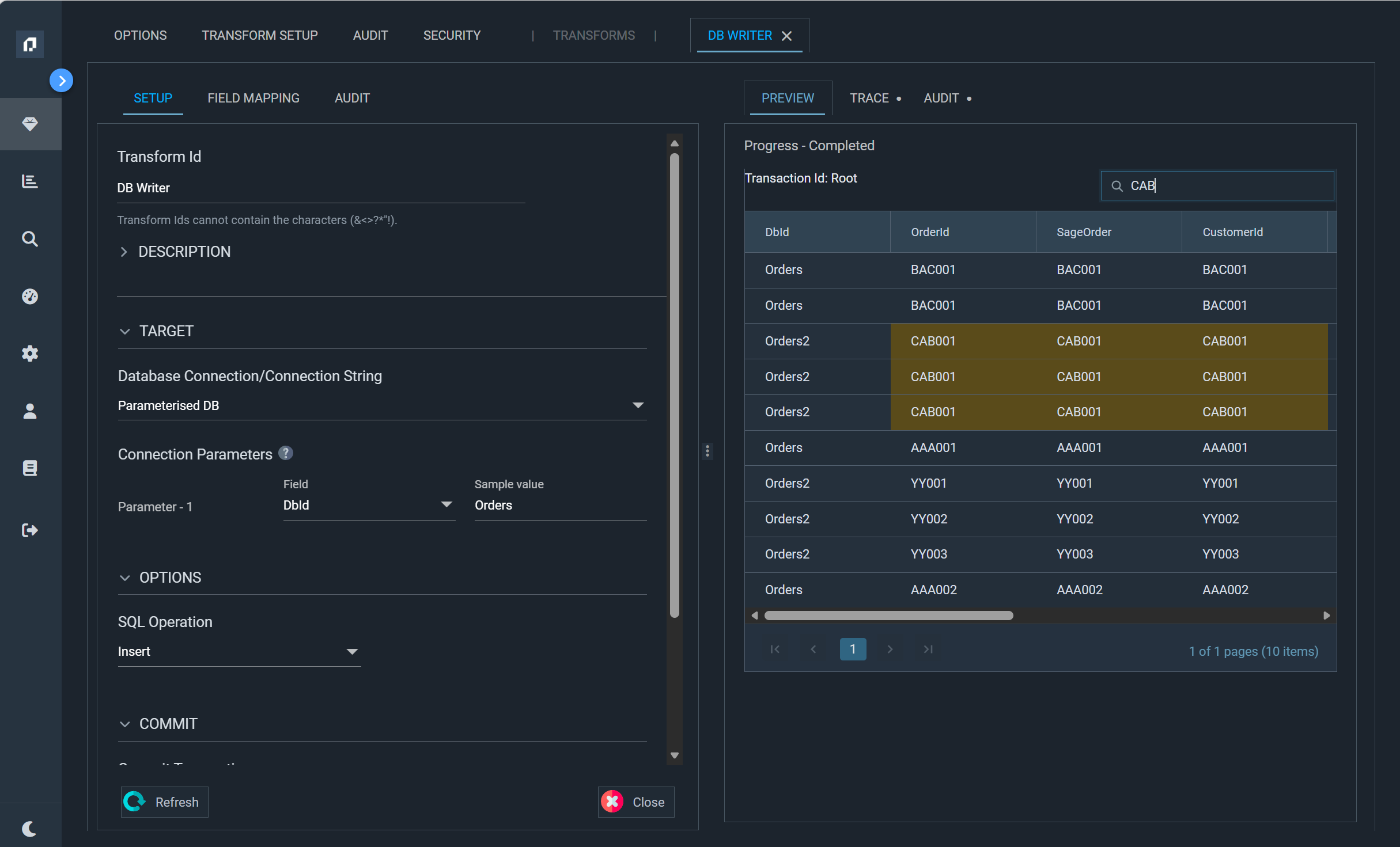
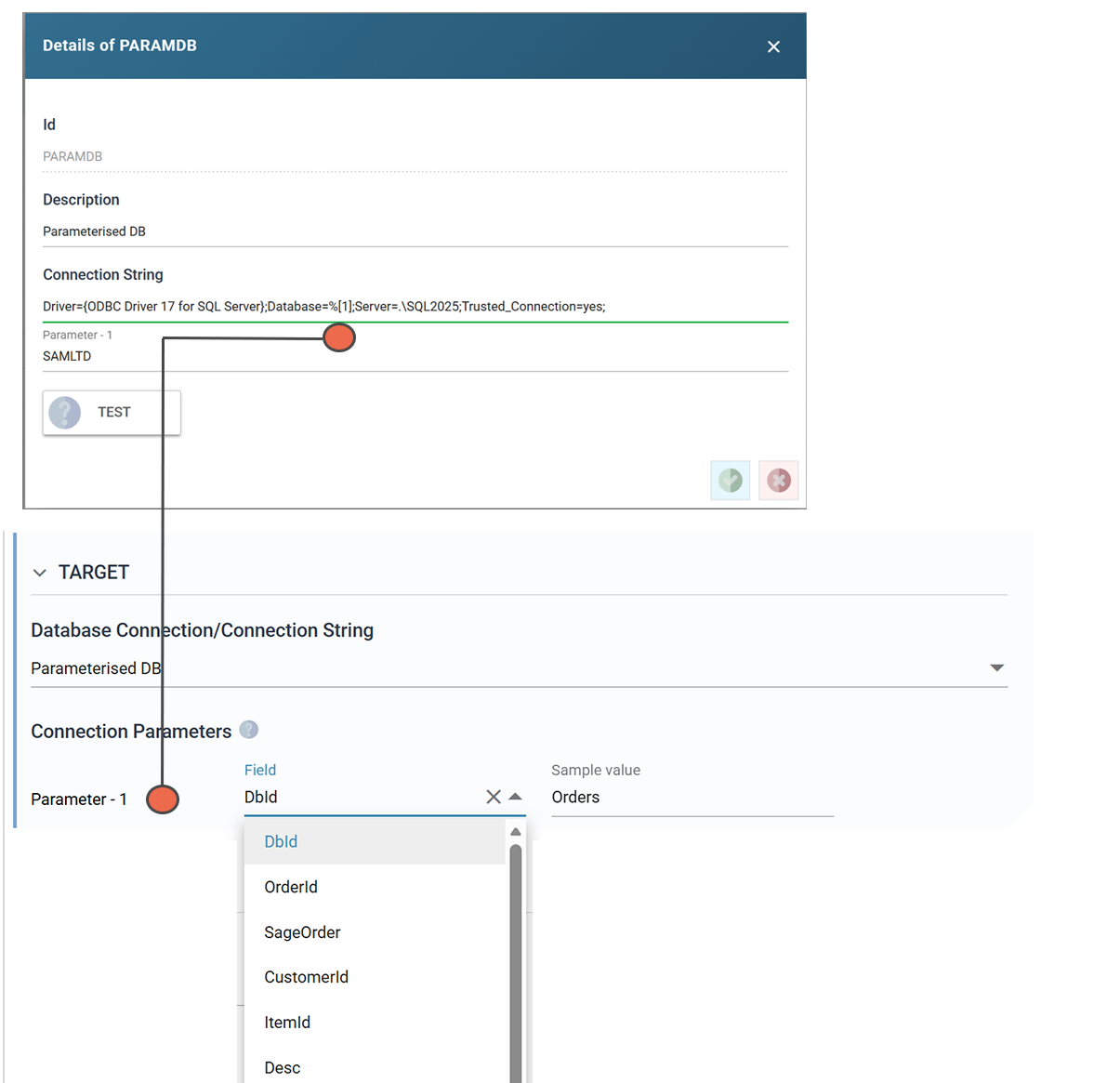
A long-requested feature – the DB Writer can now parameterise its connection string.
A single DB Writer can therefore target any database dynamically, removing the fan-out that previous versions required.
Richer Email Authoring
The Send Email task now has its own editor and a new way to compose message bodies.
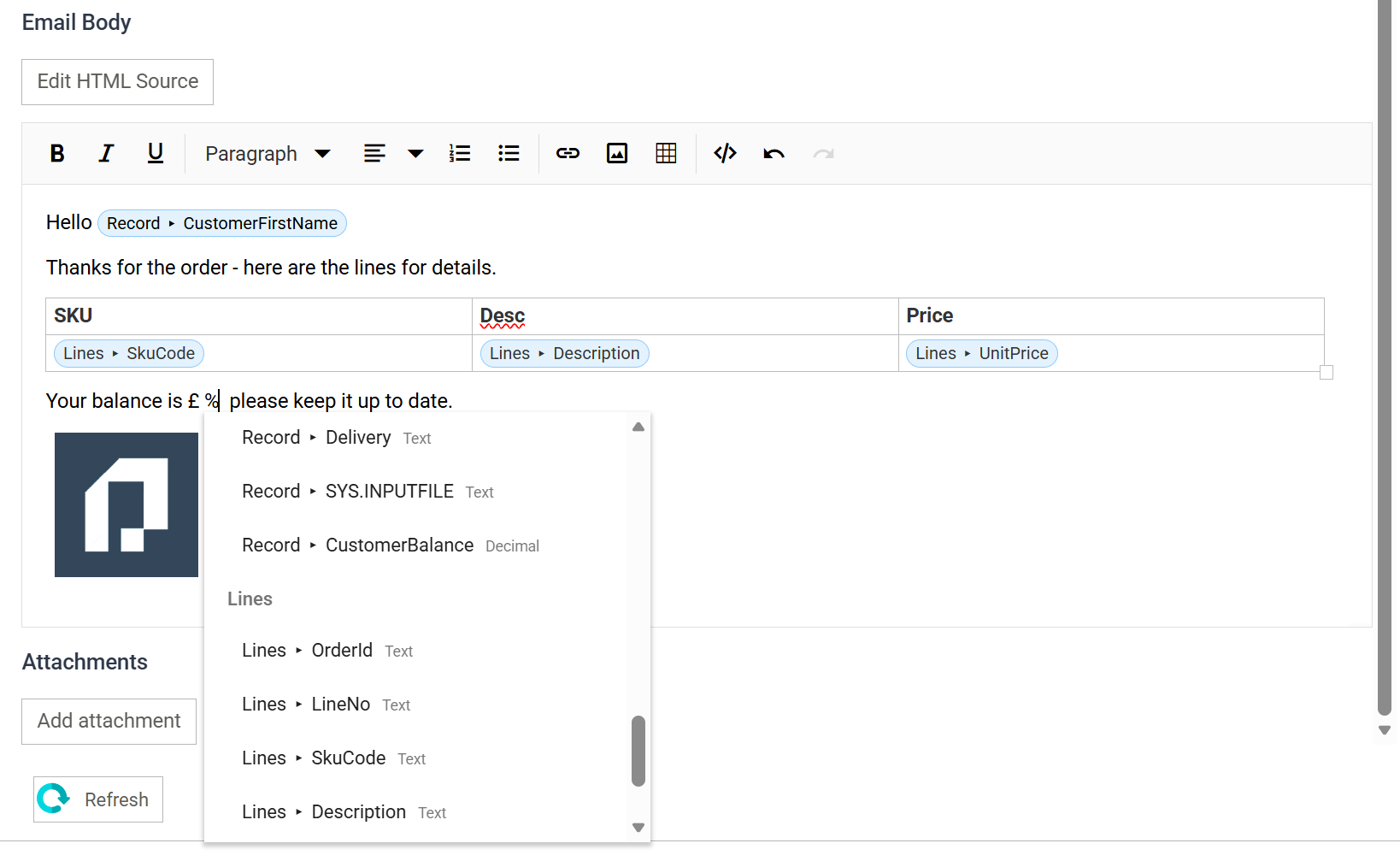
- Compose visually or in HTML – the body has two modes: a visual rich-text mode where merge fields are inserted as chips via a ‘%’ picker, and an HTML source mode for hand-crafted markup.
- Tables for detail records – insert a table and any row containing detail-record merge fields repeats automatically per record.
- All fields available for merging – the merge-field pickers cover the address, subject, attachment and body fields.
☁️ File System Support – Azure Blob Storage, AWS S3 and OneDrive
Version 6.1 massively extends IMan’s file handling, treating cloud storage as a first-class file system rather than an add-on.
- New support for Office OneDrive/SharePoint, Amazon S3 buckets and Azure Blob Storage.
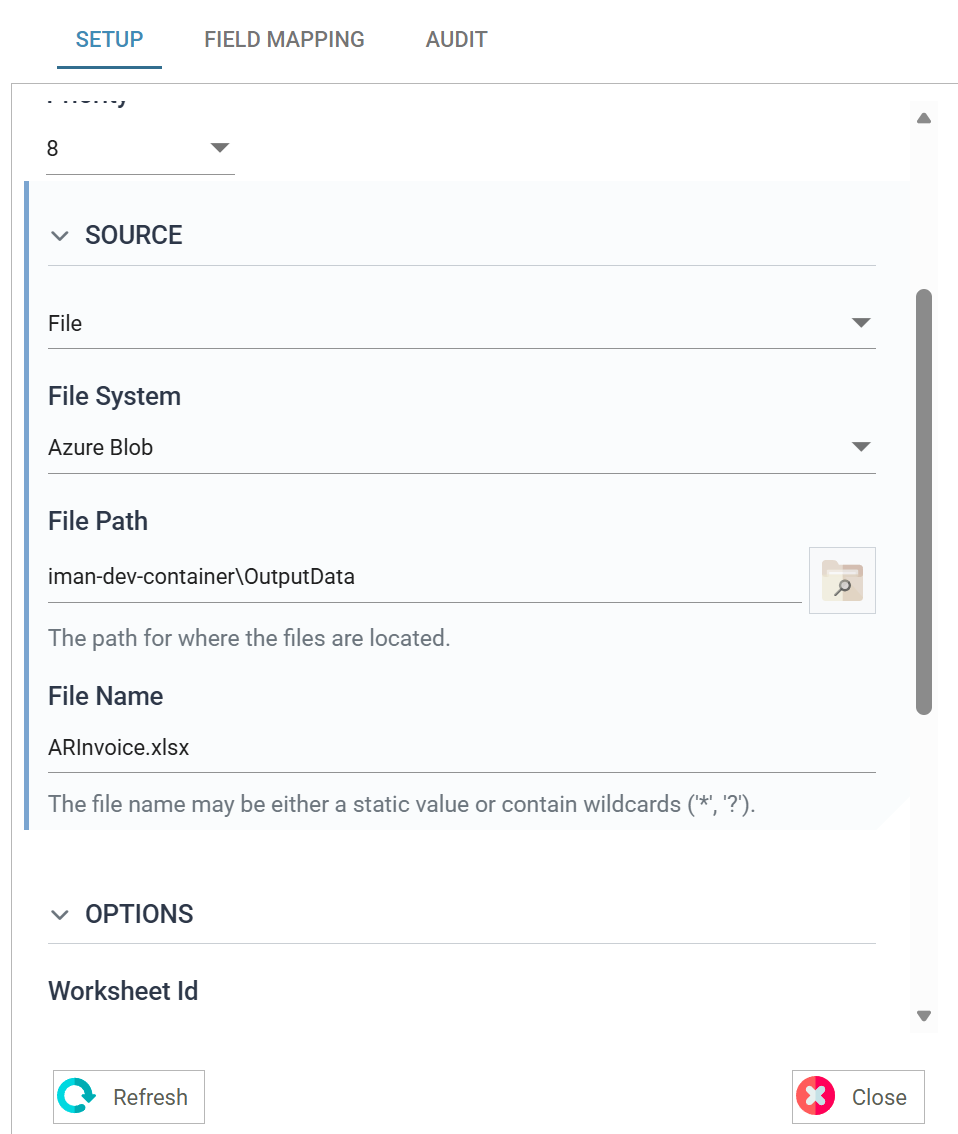
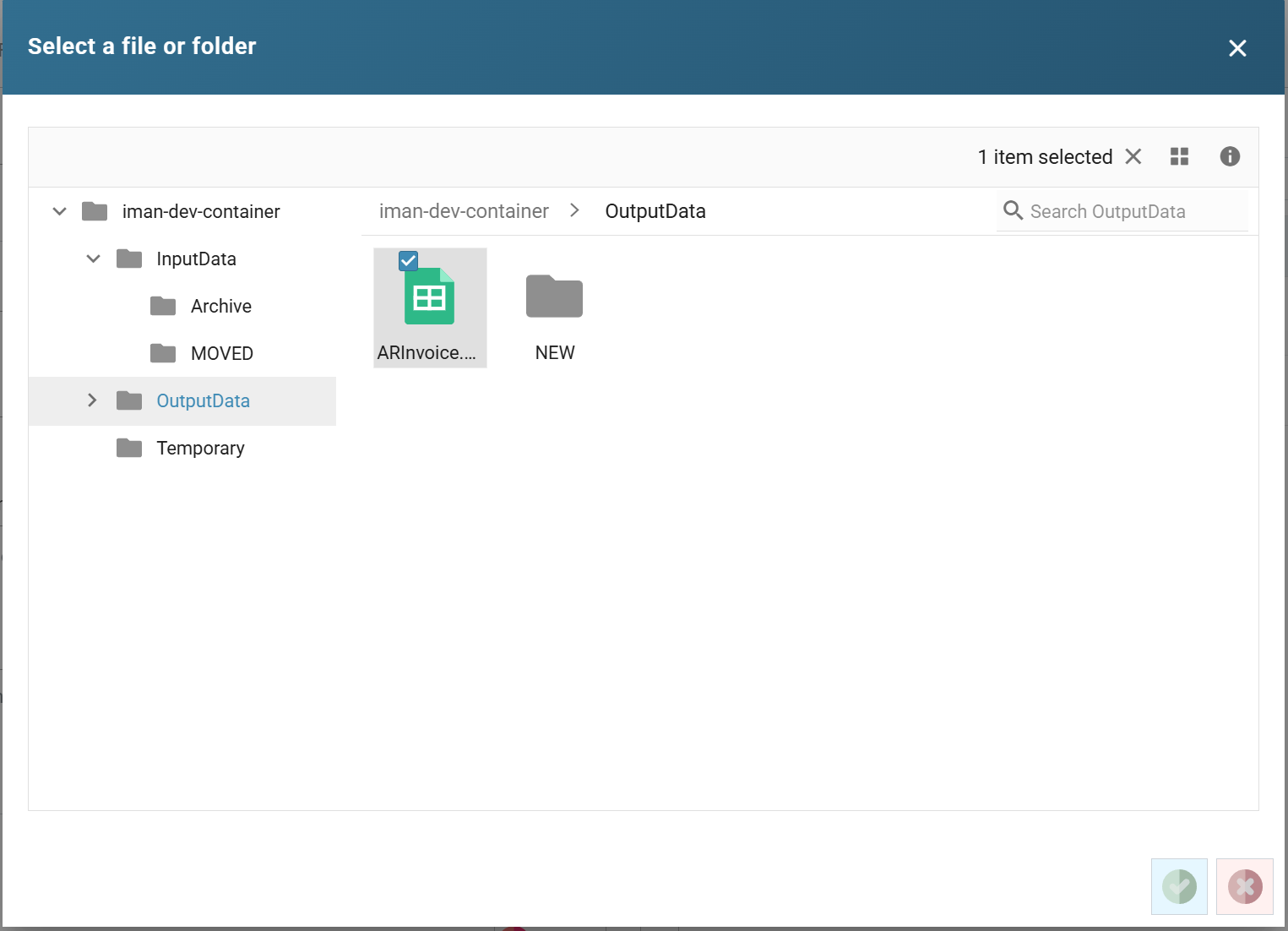
- A new browse button lets you navigate the target file system to select a folder or file, rather than typing paths by hand.
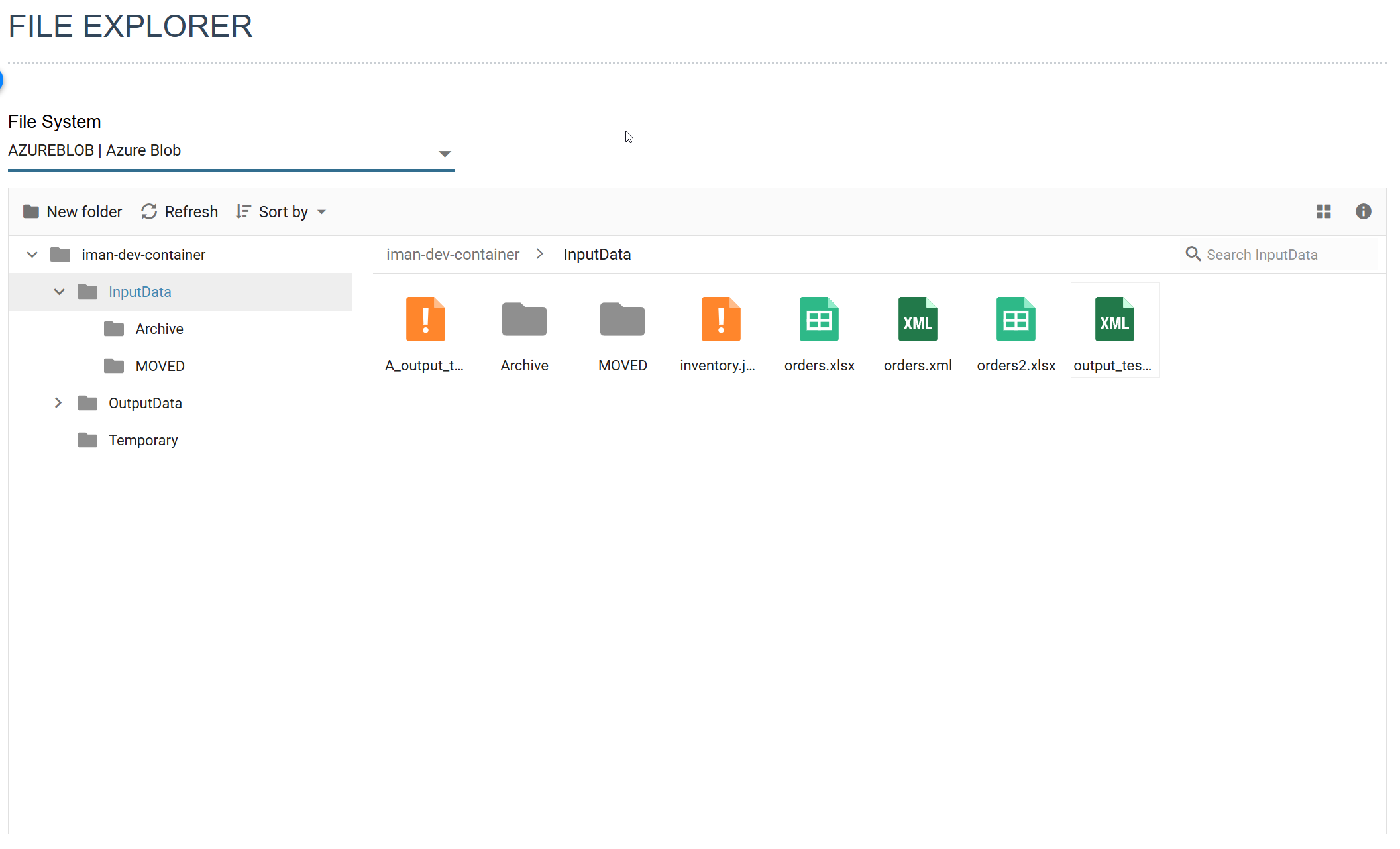
- A new File Explorer gives end users a management screen to move, delete and generally manage files across every supported file system, including Windows.
- Every file-related action is covered – reading, writing, email attachments, the file system functions and the file watcher.
- Browse and File Explorer capabilities have also been extended to FTP/SSH.
- Event-driven cloud file watching – file-event triggers can watch cloud storage directly. Azure Blob Storage uses Event Grid notifications and Amazon S3 uses native event notifications, so new and changed files are detected as they happen rather than by polling. File-event watches can also be targeted at a specific file system.
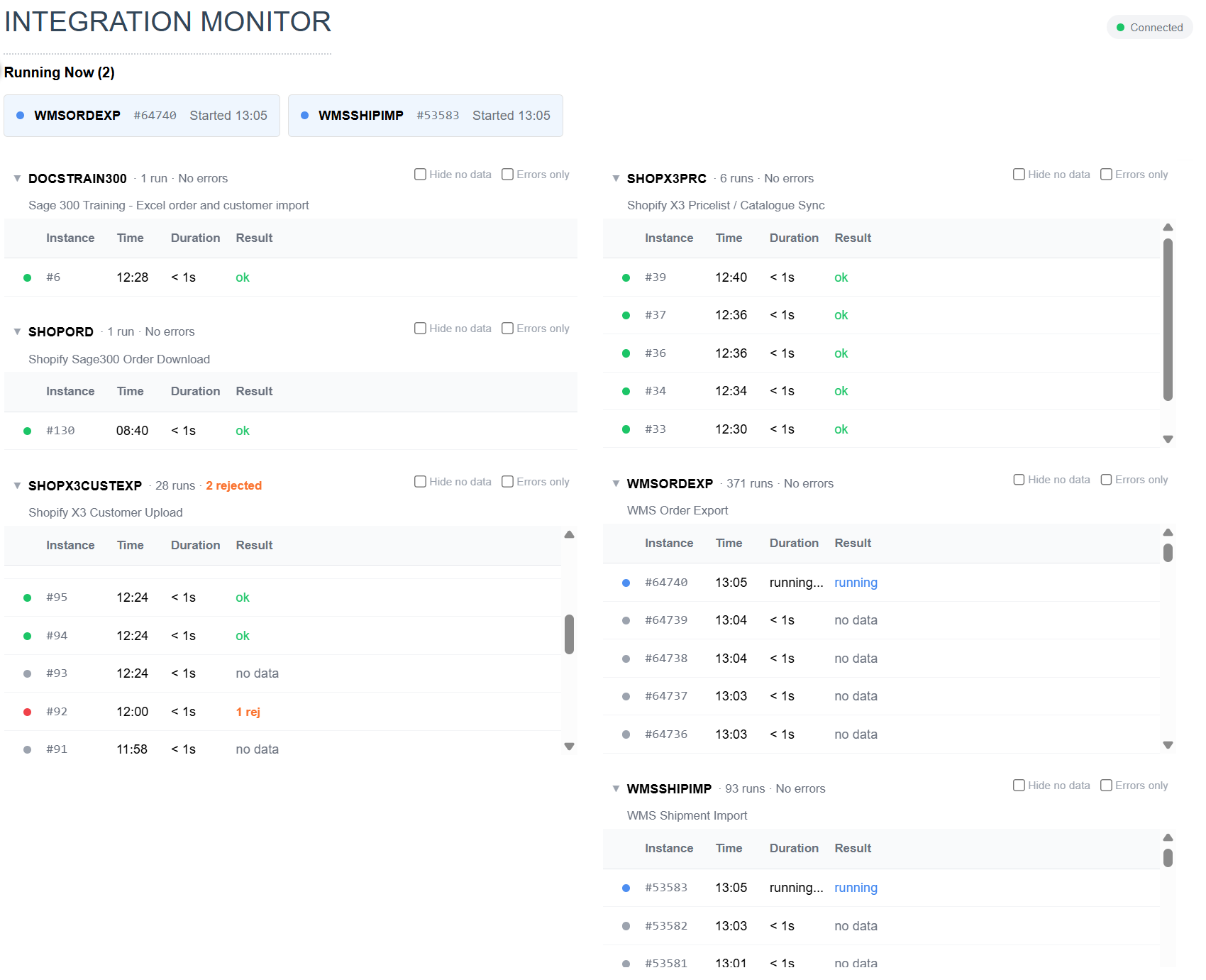
Realtime Monitoring
6.1 introduces a new capability to monitor your integrations as they run.
See what’s currently running, what’s failed and exactly where it failed, with drill-down straight through to the underlying audit report.
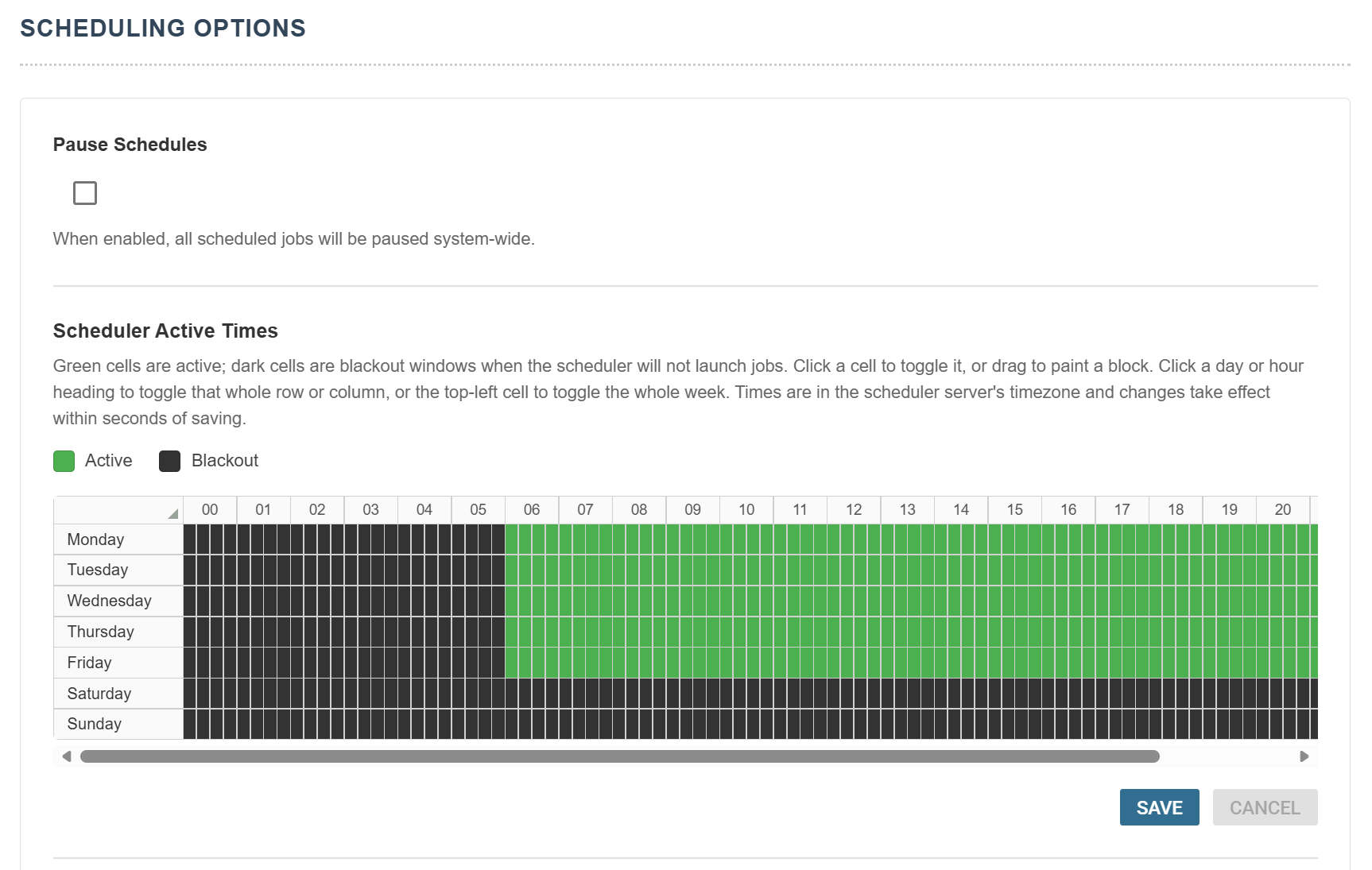
Scheduler Active/Blackout Times
A new Active Times feature gives administrators precise control over when scheduled jobs are allowed to run – useful for protecting backup windows, ERP maintenance periods and peak trading hours.