Skip to content

User Profile

On the user profile page you manage your user details and authentication.
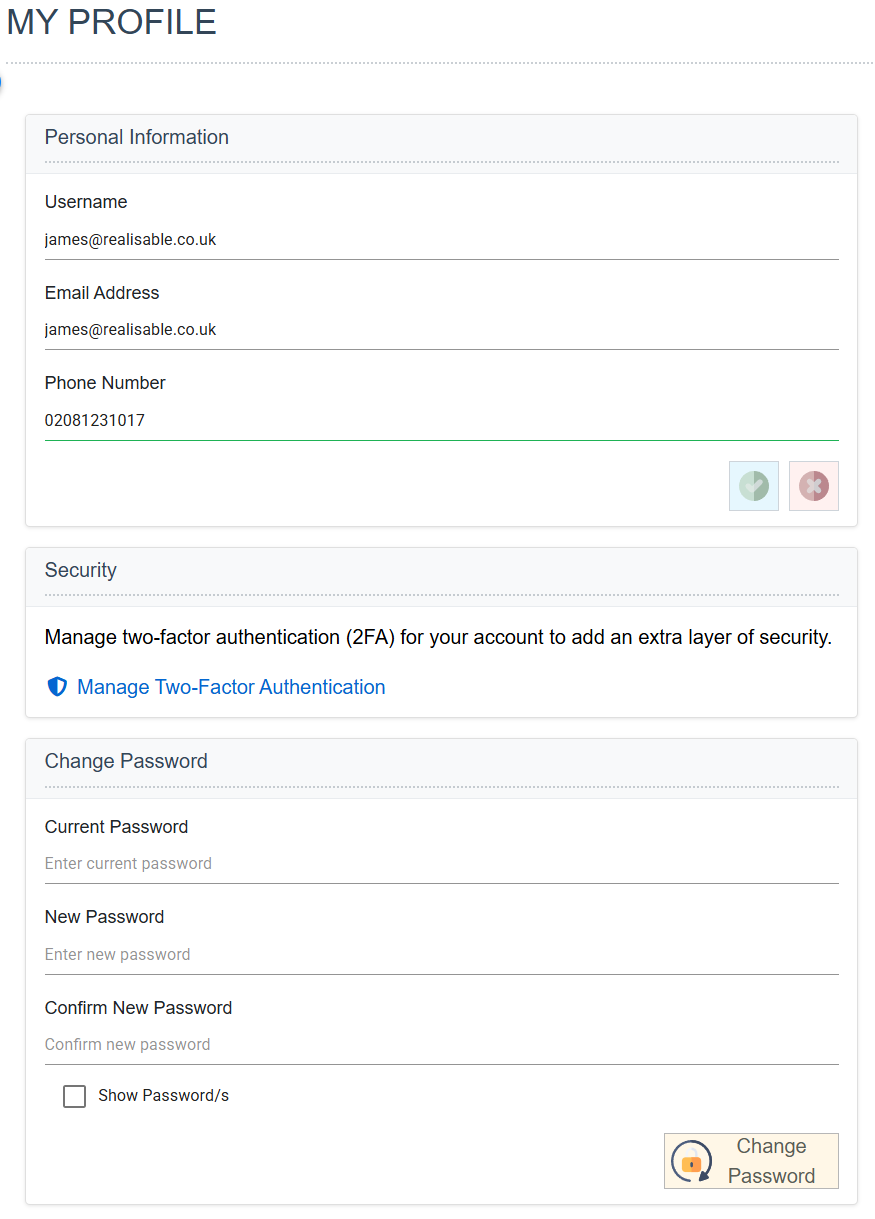
The My Profile screen, in three panels. Personal Information holds Username, Email Address and Phone Number; Security carries a Manage Two-Factor Authentication link; Change Password takes the current and new passwords with a Show Password/s check box and a Change Password button

Email Address

Your email address.

Phone Number

Your phone number.

Manage Two Factor Authentication

Opens the Manage Two-Factor Authentication screen.

Changing your password — Current Password, New Password and Confirm New Password

To change your password, enter your current password and a new password, and press the Change Password button.

Manage Two-Factor Authentication

On this screen you manage 2FA for your user.

Enabling 2FA

If your user does not use 2FA, you can enable it.

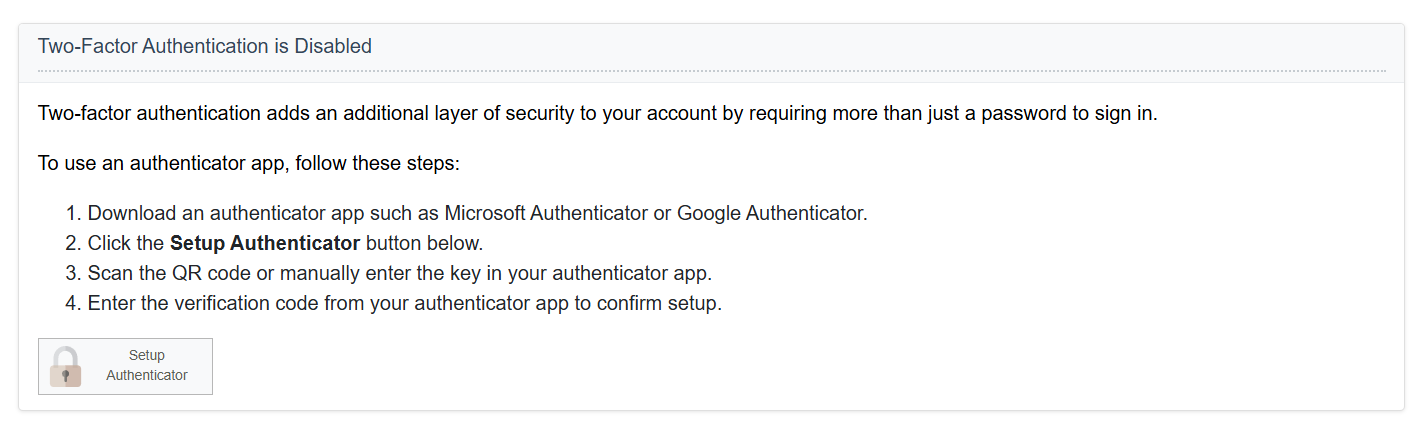
  • Press Setup Authenticator.
    The Two-Factor Authentication panel while 2FA is disabled. It explains the four steps — install an authenticator app, press Setup Authenticator, scan the QR code or enter the key by hand, then enter the verification code — above a Setup Authenticator button
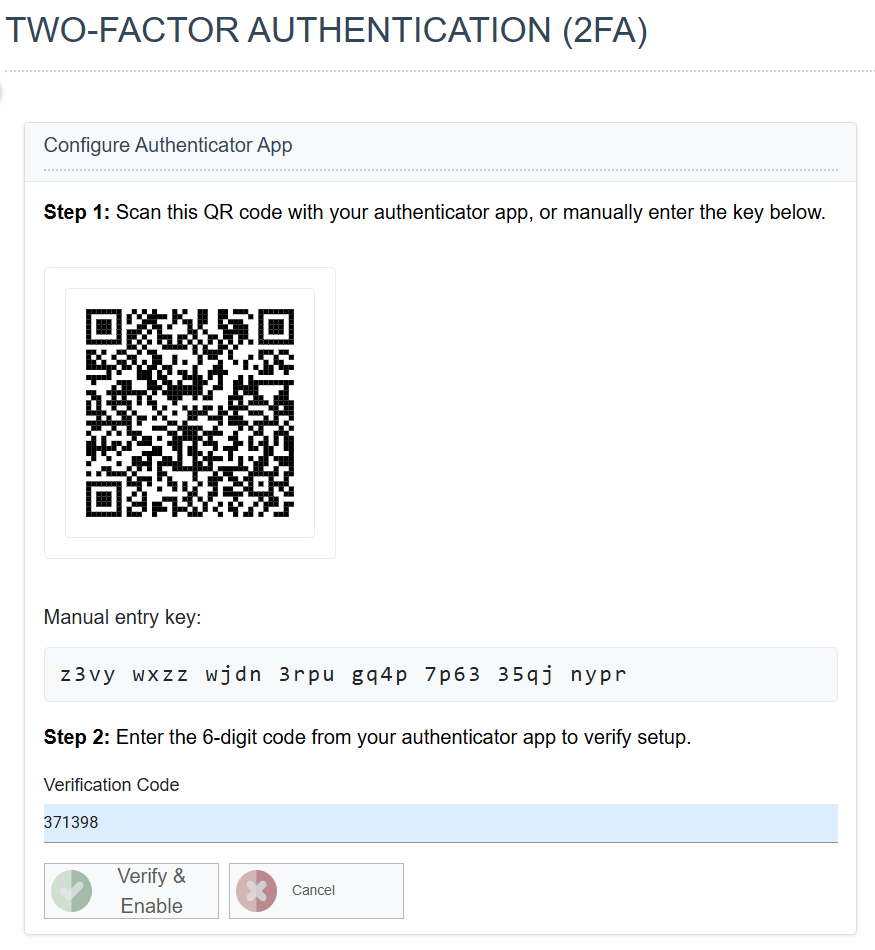
  • Configure your Authenticator.
    The Configure Authenticator App screen. Step 1 shows a QR code to scan with the manual entry key printed beneath it, and Step 2 takes the six-digit verification code, above Verify & Enable and Cancel buttons
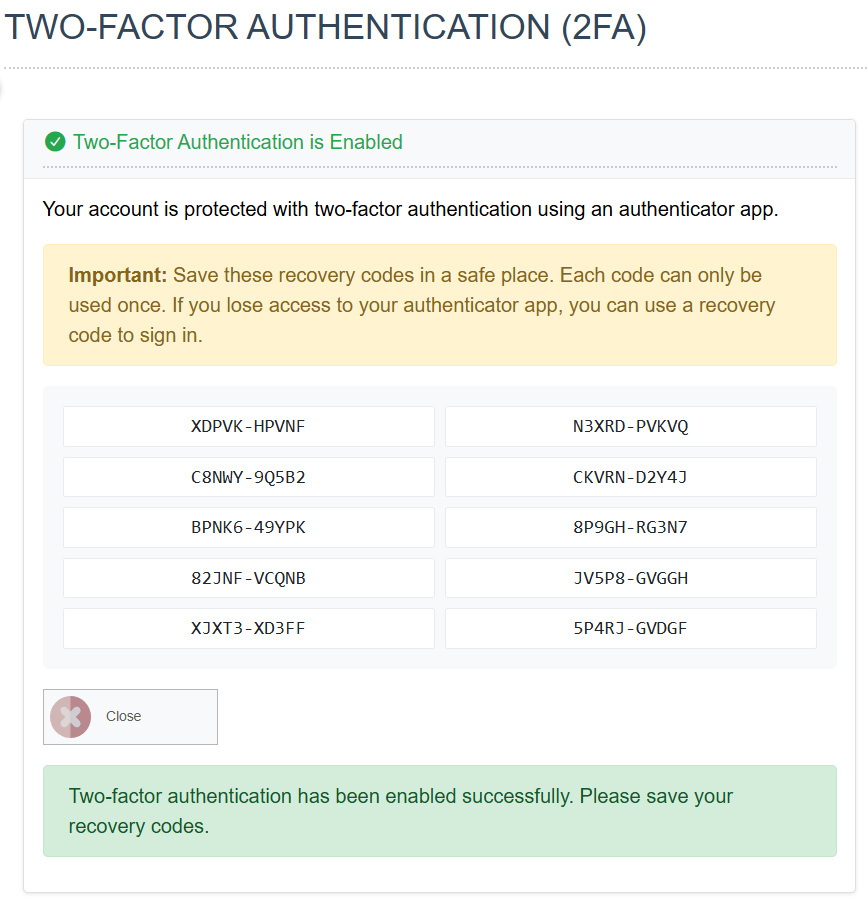
  • Record your Recovery Codes.
    The recovery codes shown once 2FA is enabled: a highlighted warning to save them somewhere safe, noting each can be used only once and that they sign you in if the authenticator app is lost, above a grid of ten codes and a Close button

Managing your 2FA

Once 2FA is enabled, you can manage it here.
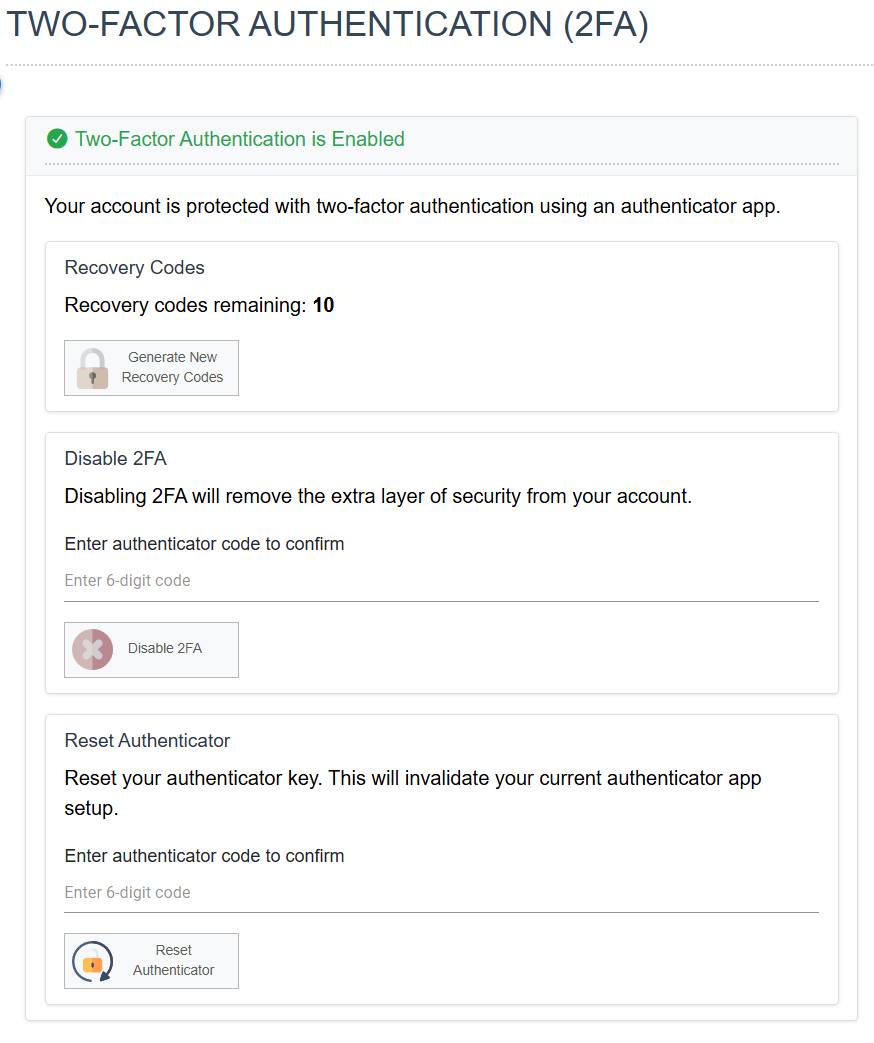
The Two-Factor Authentication screen once 2FA is enabled, in three panels: Recovery Codes with the number remaining and a Generate New Recovery Codes button; Disable 2FA; and Reset Authenticator. The last two each take an authenticator code to confirm

Recovery Codes

Generate New Recovery Codes shows a new set of recovery codes.

Disabling 2FA

Disables 2FA, if the global permissions allow it.

Reset Authenticator

To reset your authenticator, enter a valid, current OTP.