Redirect Response Sample
This sample answers a GET with a redirect. A caller asks where an order's
parcel is, and instead of a body the response carries a Location header
that sends the caller to the carrier's tracking page.
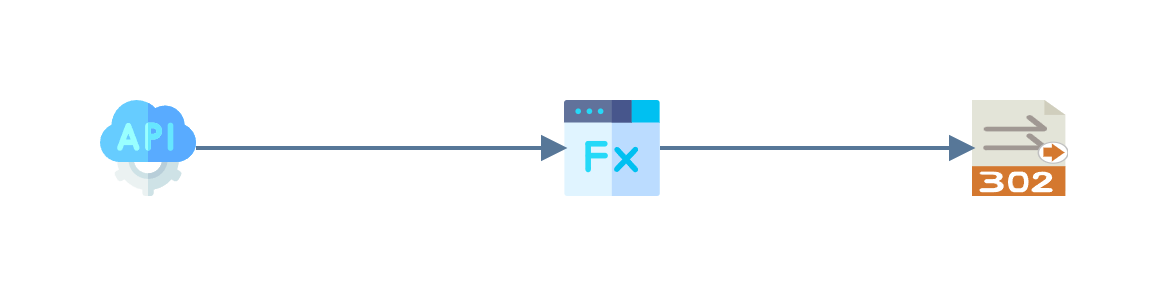
The sample ships with IMan
as WEBAPITRACK, on the endpoint TRACKGET, and needs no ERP.
Making the Request
Url
| Method | Url | |
|---|---|---|
| Tracking | GET | http://localhost/IManWebAPI/orders/SO-2026-1042/tracking |
The endpoint allows anonymous requests, so no authorisation or headers are needed.
By default Postman follows a redirect and shows the page it lands on. To see the redirect itself, turn off Automatically follow redirects in the request's Settings tab.
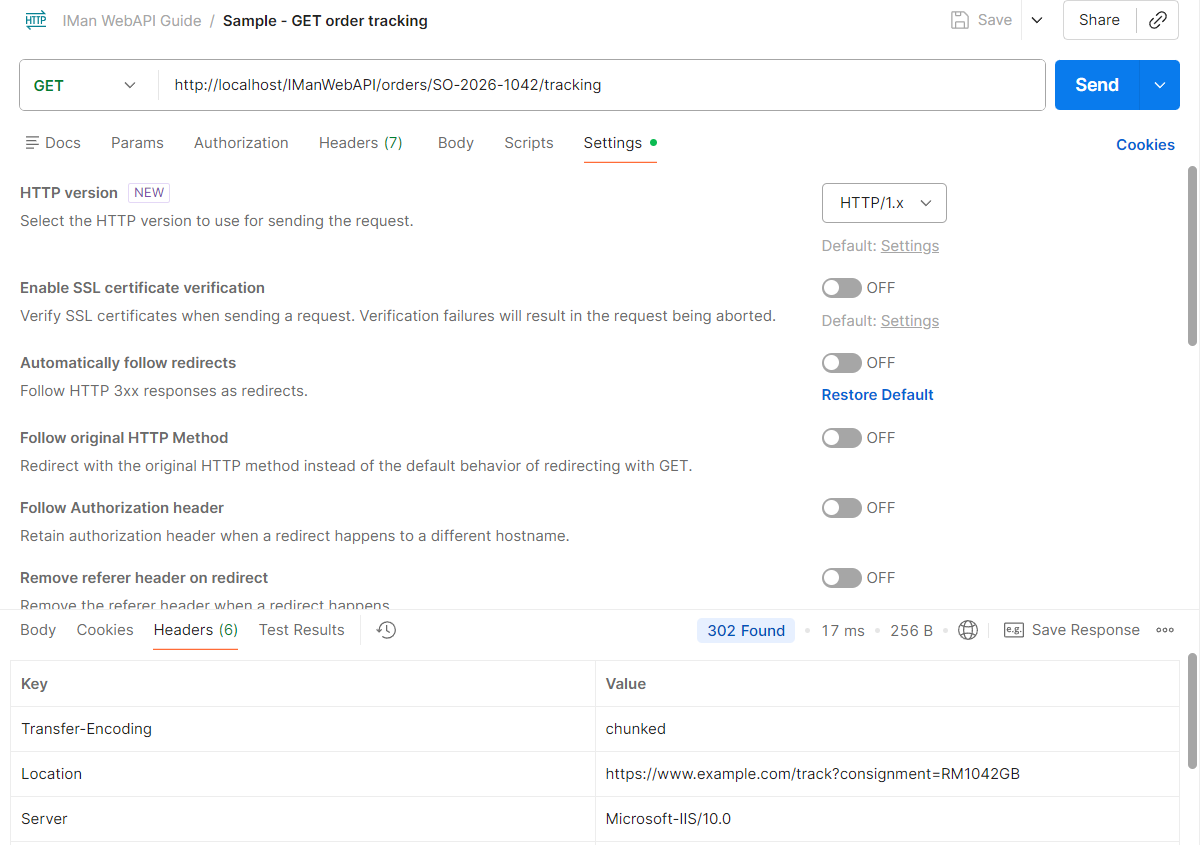
Endpoint
| Setting | Value |
|---|---|
| Endpoint ID | TRACKGET |
| Description | Order Tracking Redirect |
| HTTP Method | Get |
| Route | orders/{orderNo}/tracking |
| Allow Anonymous Requests | ticked |
| Result Status Code | 200 |
The Result Status Code is not what the caller receives: the writer sets the status of a redirect. The rest of the endpoint is left at its defaults.
Integration Design
WebAPI Reader
The WebAPI Reader is set to the TRACKGET endpoint, as in
Adding the WebAPI Reader.
The route parameter arrives as Http.Param.orderNo.
Map Transform
The Map adds four fields to the record: the validated order number, the consignment number the carrier knows the parcel by, the URL to send the caller to, and the status code to send them with.
| Field | Type | Evaluate String |
|---|---|---|
OrderNo |
Text | see below |
ConsignmentNo |
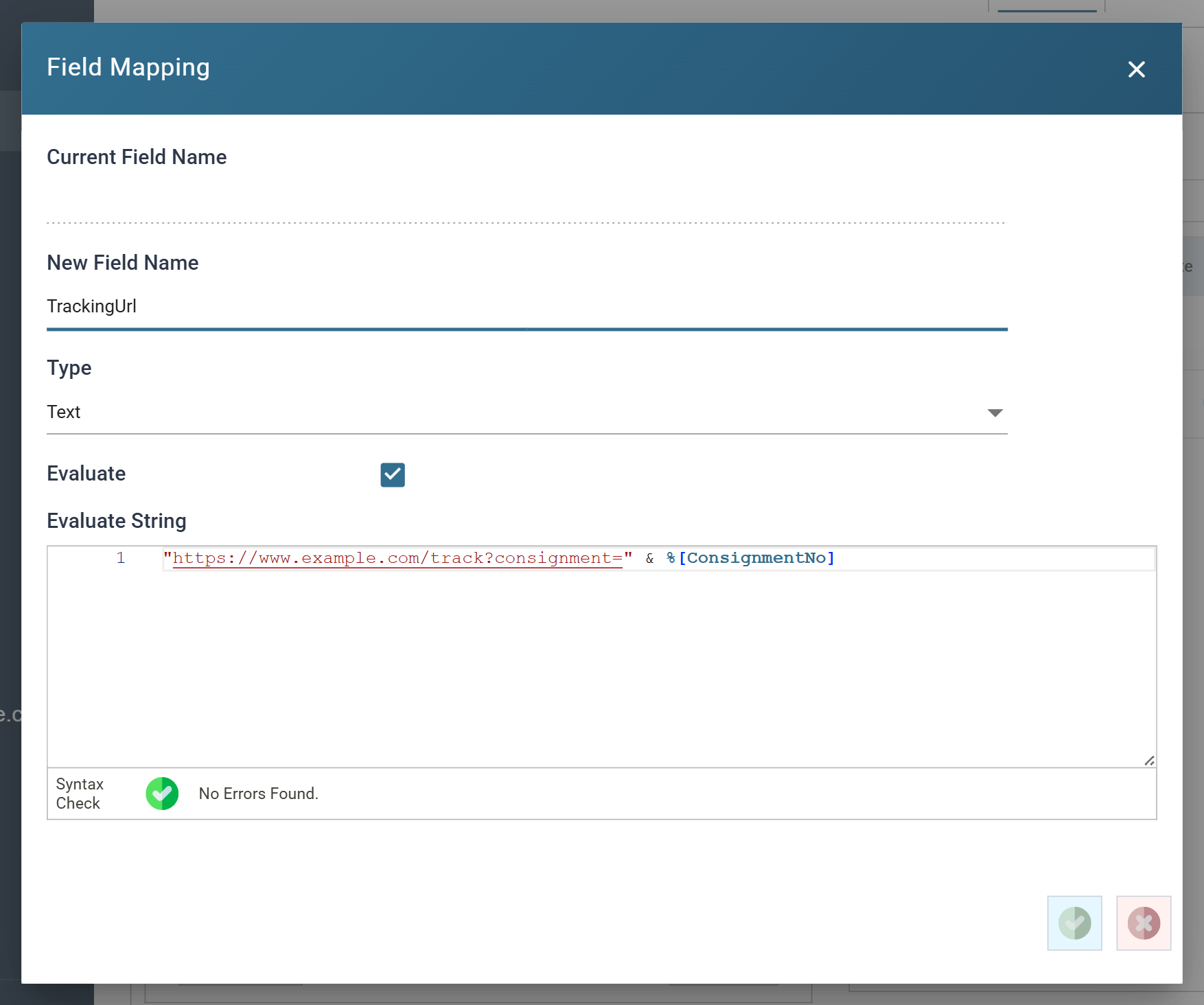
Text | "RM" & Right(%[OrderNo], 4) & "GB" |
TrackingUrl |
Text | "https://www.example.com/track?consignment=" & %[ConsignmentNo] |
StatusCode |
Integer | 302 |
OrderNo checks the parameter before anything is built from it:
Dim Valid
Valid = Check(Left(%[Http.Param.orderNo], 3) = "SO-", 404, "There is no order " & %[Http.Param.orderNo])
%[Http.Param.orderNo]
Check stops the integration with the status code and message when the test fails, and the WebAPI returns them as the response.
ConsignmentNo derives the number from the order number, which keeps the
sample free of any lookup. A real integration would read it from the order
in the ERP, or from a
lookup table
loaded from the carrier's manifest, and the carrier's real URL would take
its place in TrackingUrl.
Http Redirect Writer
The Http Redirect Writer has only the WebAPI target, and two options.
| Setting | Value |
|---|---|
| Redirect URL Field | TrackingUrl |
| Status Code Field | StatusCode |
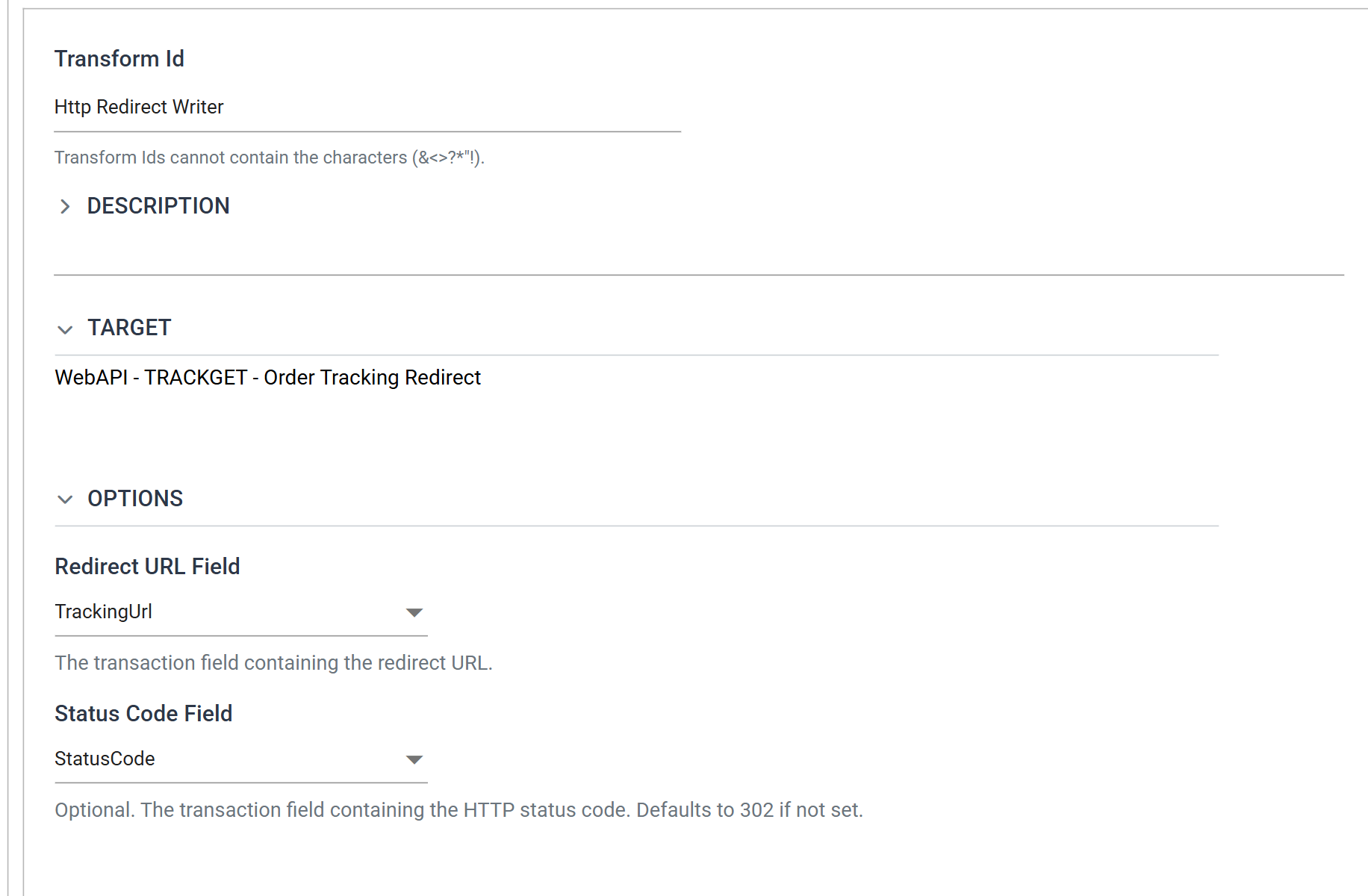
The Status Code Field can be left blank, in which case the writer sends 302.
Naming it lets the integration choose: 301 for a redirect the caller may
cache, 307 or 308 to keep the request's method. A value that is blank or
not a whole number falls back to 302.
Output
The response has no body. Its status is the StatusCode field and its
Location is the TrackingUrl field.
HTTP/1.1 302 Found
Location: https://www.example.com/track?consignment=RM1042GB
X-Correlation-Id: 8153770d-fb88-49ac-b868-fd9a56504661
An order number that fails the check answers with the Map's guard: