POST/Create Resource Samples
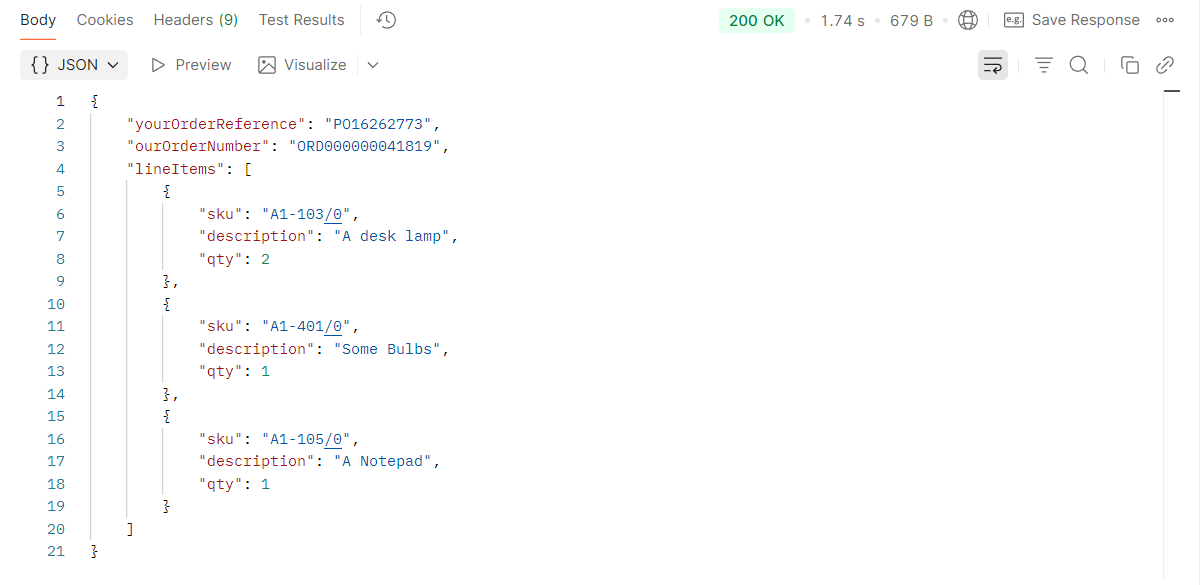
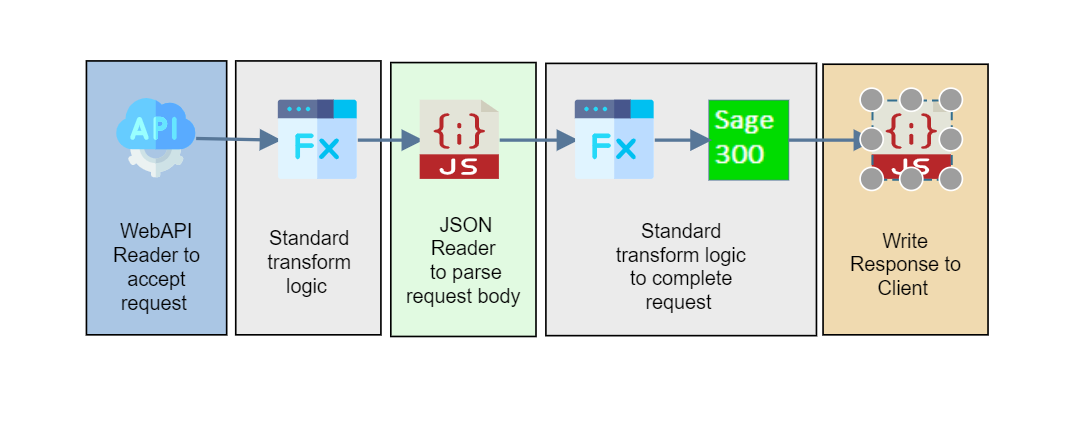
The three POST samples accept an order as JSON, create it in Sage through the connector, and return the created order to the client.
Making the Request
Url
| Method | Url | |
|---|---|---|
| Sage 200 | POST | http://localhost/IManWebAPI/sage200order |
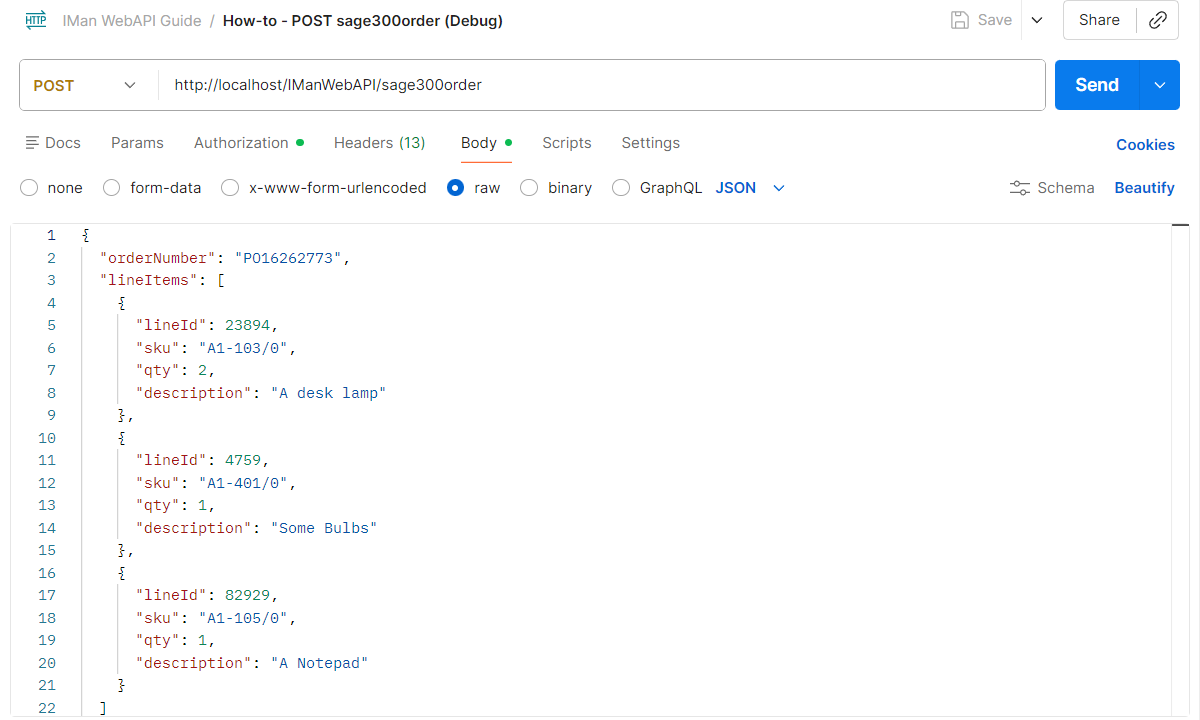
| Sage 300 | POST | http://localhost/IManWebAPI/sage300order |
| Sage X3 | POST | http://localhost/IManWebAPI/sagex3order |
Authorisation
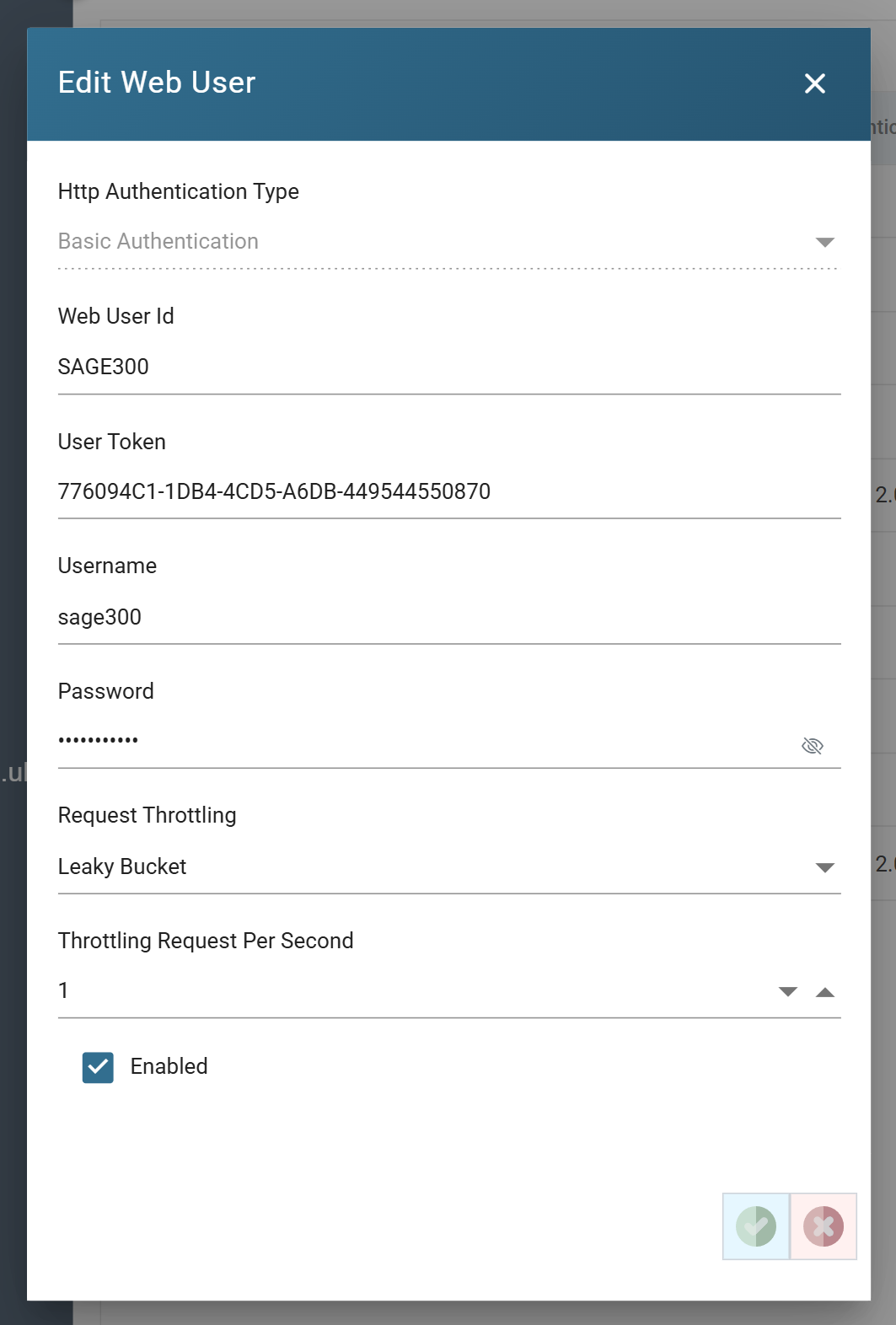
Every sample endpoint requires authentication. Set the request's authorisation to Basic Auth, with the username and password of the sample web user for the endpoint.

Web User Setup
Headers
Two request headers complete the request.
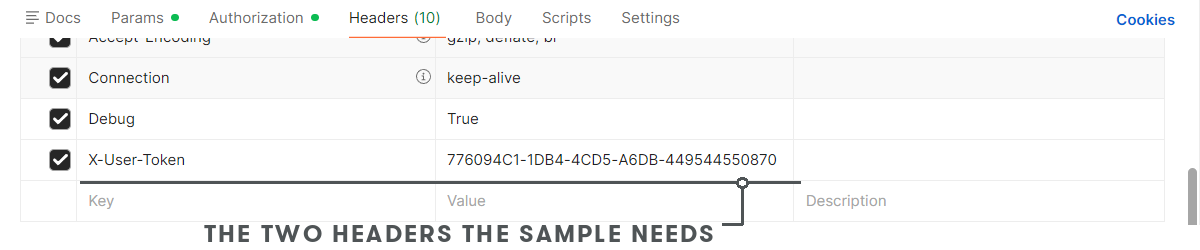
X-User-Token
The web user's User Token, from its setup. The username in the Authorization header and this token must belong to the same user; the token finds the user, and the username and password authenticate it.
Debug
True routes the request to the Designer, where the reader's Refresh Schema picks
it up. False, or no Debug header at all, runs the integration.
Body
The body is the order to create. Each sample's items are from its demo company.
Sage 200
{
  "orderNumber": "PO16262773",
  "lineItems": [
    {
      "lineId": 23894,
      "sku": "ACS/BLENDER",
      "qty": 2,
      "description": "Two Blenders for the Kitchen"
    },
    {
      "lineId": 4759,
      "sku": "ACS/ESPRESSO",
      "qty": 1,
      "description": "Woohoo! Coffee!"
    }
  ]
}
Sage 300
{
  "orderNumber": "PO16262773",
  "lineItems": [
    {
      "lineId": 23894,
      "sku": "A1-103/0",
      "qty": 2,
      "description": "A desk lamp"
    },
    {
      "lineId": 4759,
      "sku": "A1-401/0",
      "qty": 1,
      "description": "Some Bulbs"
    },
    {
      "lineId": 82929,
      "sku": "A1-105/0",
      "qty": 1,
      "description": "A Notepad"
    }
  ]
}
Sage X3
{
  "orderNumber": "PO16262773",
  "lineItems": [
    {
      "lineId": 23894,
      "sku": "DIS007",
      "qty": 2,
      "description": "A desk lamp"
    },
    {
      "lineId": 4759,
      "sku": "DIS008",
      "qty": 1,
      "description": "Some Bulbs"
    }
  ]
}
Integration Design
WebAPI Reader
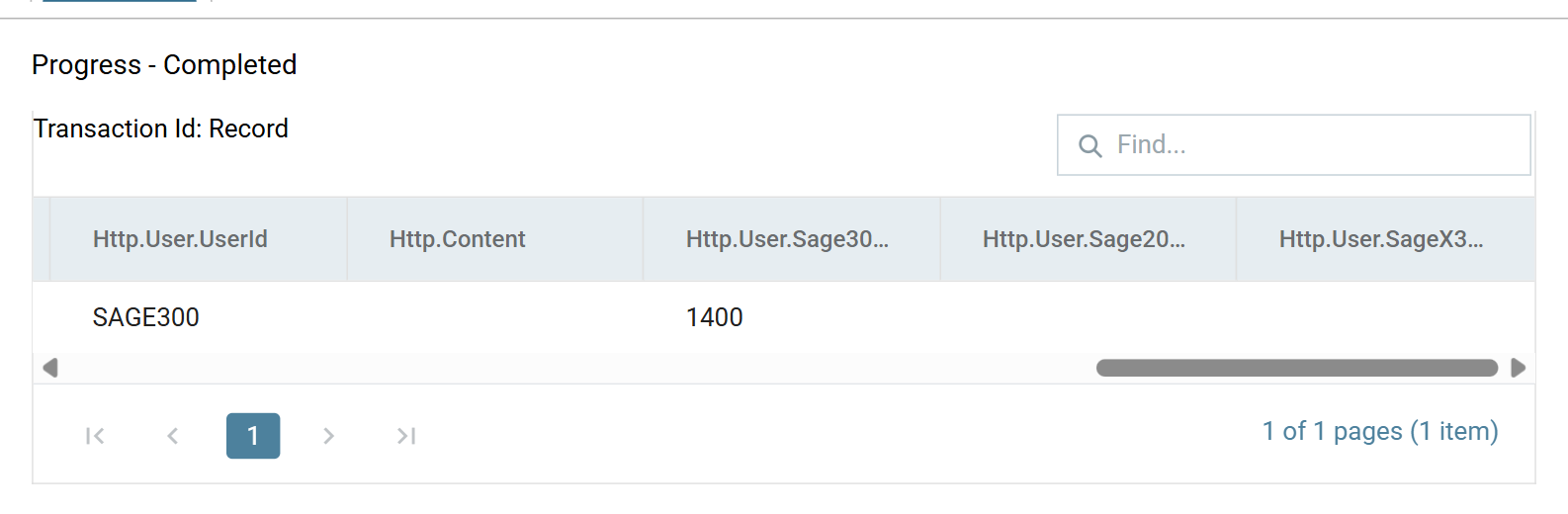
The WebAPI Reader accepts the request and presents it as one record. Two of
its fields do the work below: Http.Content, the body, which the JSON Reader
parses, and the user property the connector posts the order against.
User Property
The caller's property values arrive as Http.User.<property> fields. The
sample property set maps each web user to its customer account, and the
connector's mapping takes the order's customer from that field, so a caller
can only create orders for itself.
Map Transform
The first Map is empty in the samples. It is where the request would be validated before anything is read from it, with the Check function, as the GET samples do.
JSON Reader
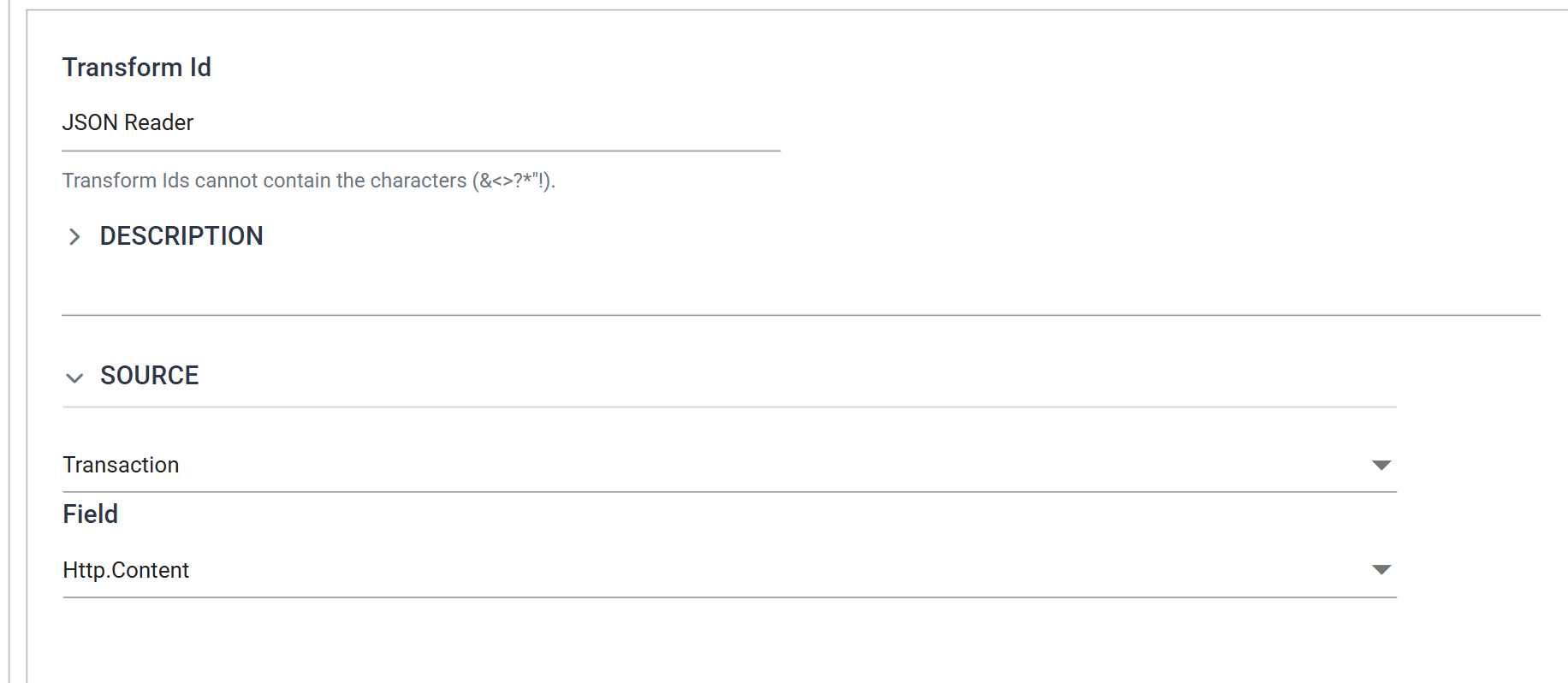
The JSON Reader parses the body into fields. Its Source is Transaction and
its Field is Http.Content.
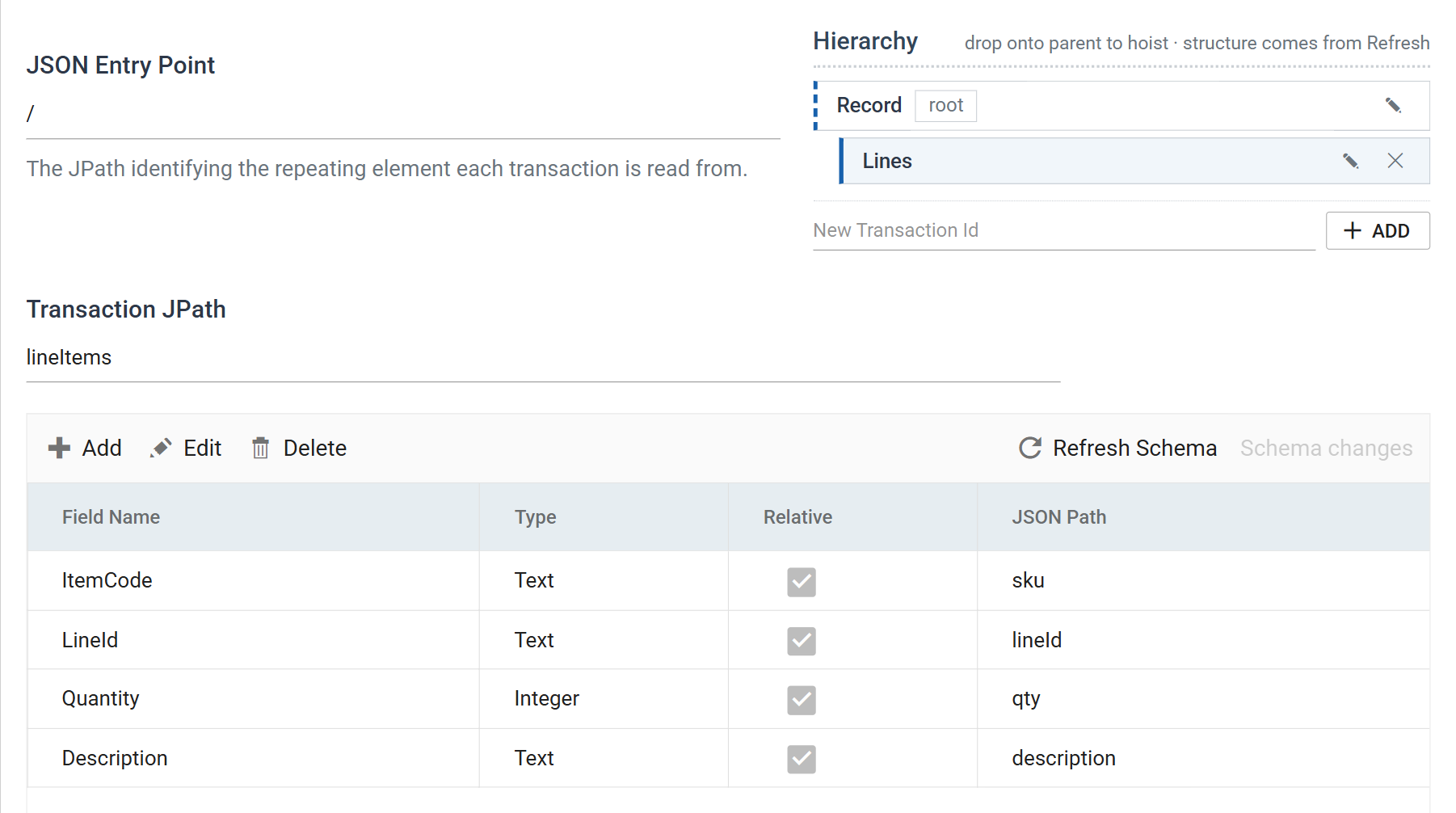
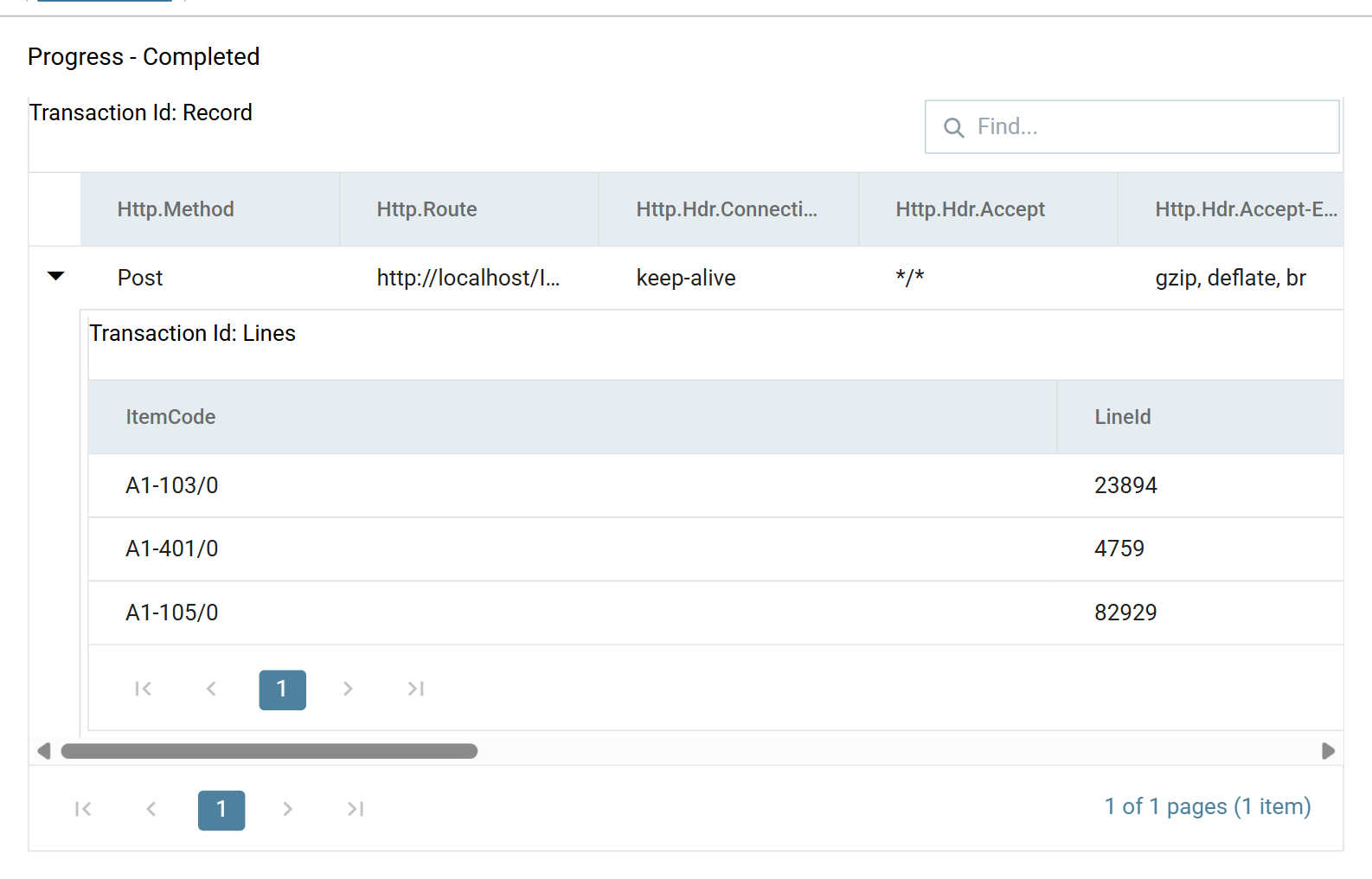
From there it is set up like any JSON Reader: its Refresh Schema detects the order and its line items from the queued request.
Preview shows the order the request carried.
Map Transform
The second Map holds any field-level transformation the connector needs. The Sage 200 sample sets the warehouse here.
Sage Connector
The connector is set up exactly as it would be for an order read from a file, with the customer taken from the user property.
JSON Writer
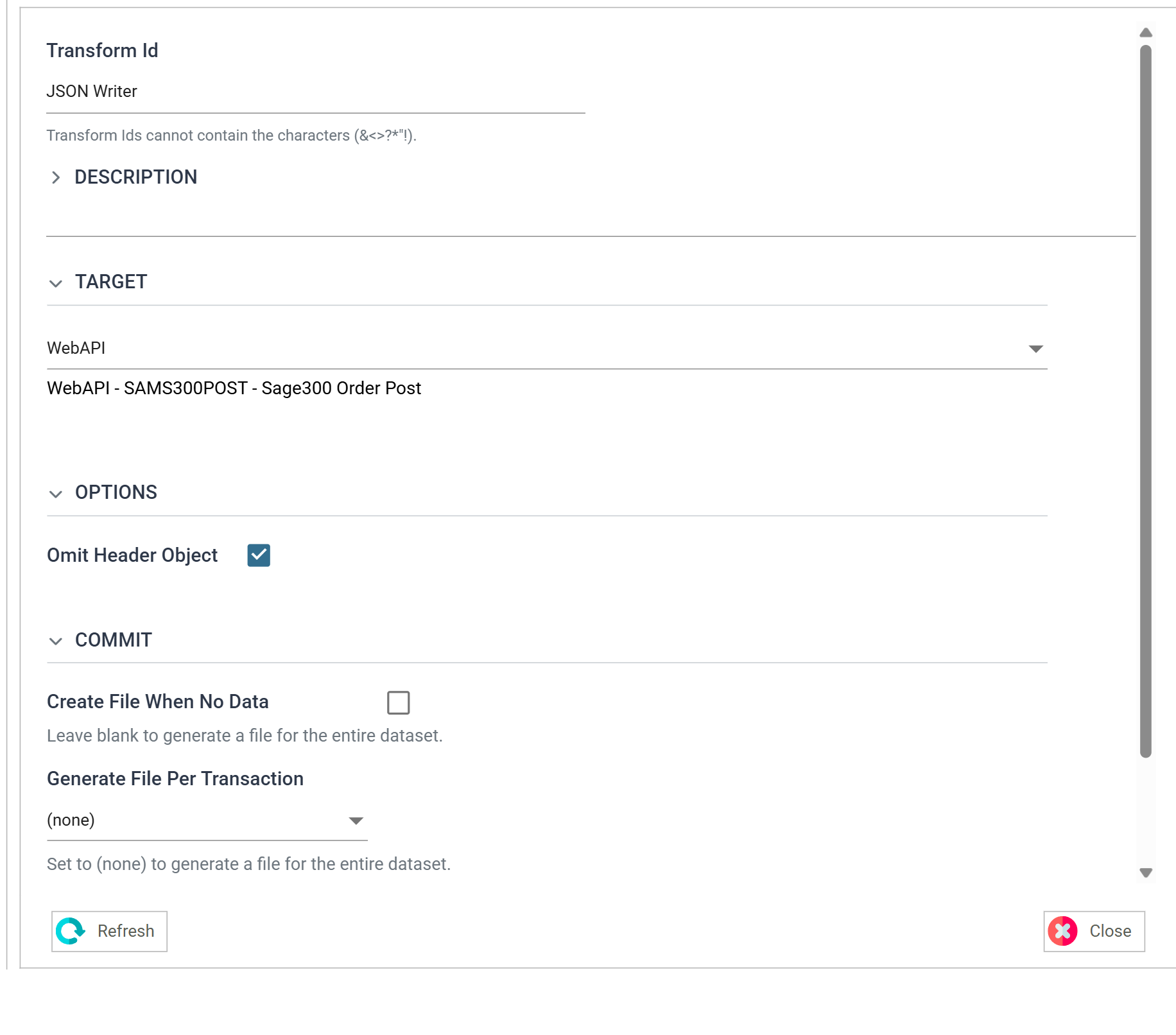
A JSON Writer returns the created order to the client: the client's own reference beside the number Sage gave it, and the lines. Its Target is WebAPI, which routes the output back to the client as the response.
Output
The response is the order as created. While designing, produce it with the steps under Sending the Response.