GET/Query Request Samples
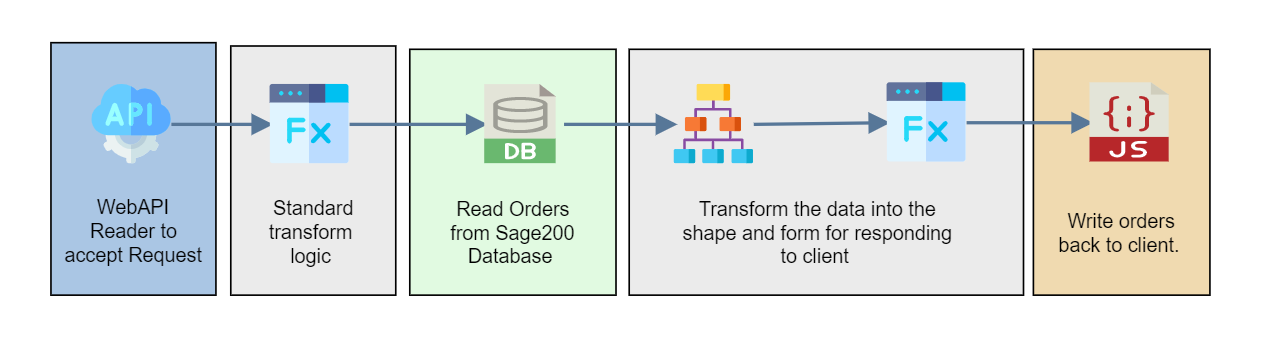
The three GET samples have the same shape. They accept the request, query the Sage database for the caller's orders, shape the rows into orders and lines, and write the result back to the client as JSON.
Making the Request
Url
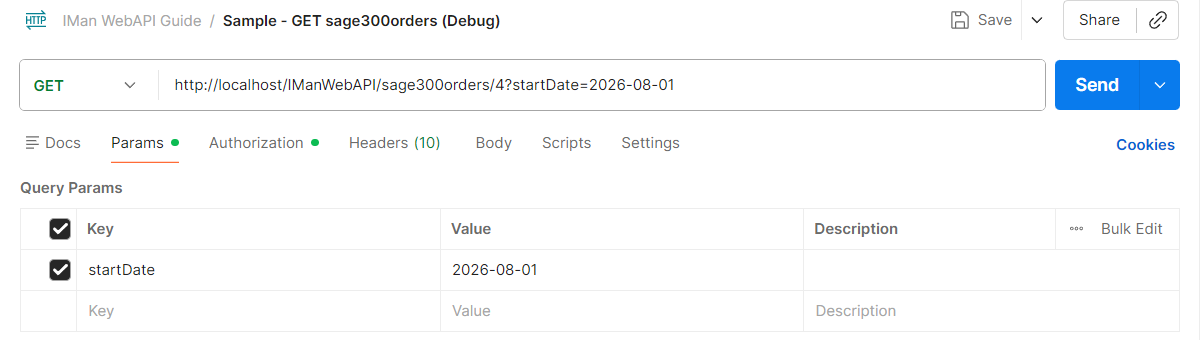
The route takes two parameters, a location in the path and a start date in the query string, which the integration uses to limit the orders returned.
| Route | location |
startDate |
Example | |
|---|---|---|---|---|
| Sage 200 | sage200orders/{location}?startDate={startDate} |
a warehouse name | the earliest document date, yyyy-MM-dd |
http://localhost/IManWebAPI/sage200orders/NEWCASTLE?startDate=2022-01-01 |
| Sage 300 | sage300orders/{location}?startDate={startDate} |
a location id | the earliest order date, yyyy-MM-dd |
http://localhost/IManWebAPI/sage300orders/4?startDate=2026-08-01 |
| Sage X3 | sagex3orders/{location}?startDate={startDate} |
a shipping site id | the earliest order date, yyyy-MM-dd |
http://localhost/IManWebAPI/sagex3orders/FR003?startDate=2022-01-01 |
Authorisation
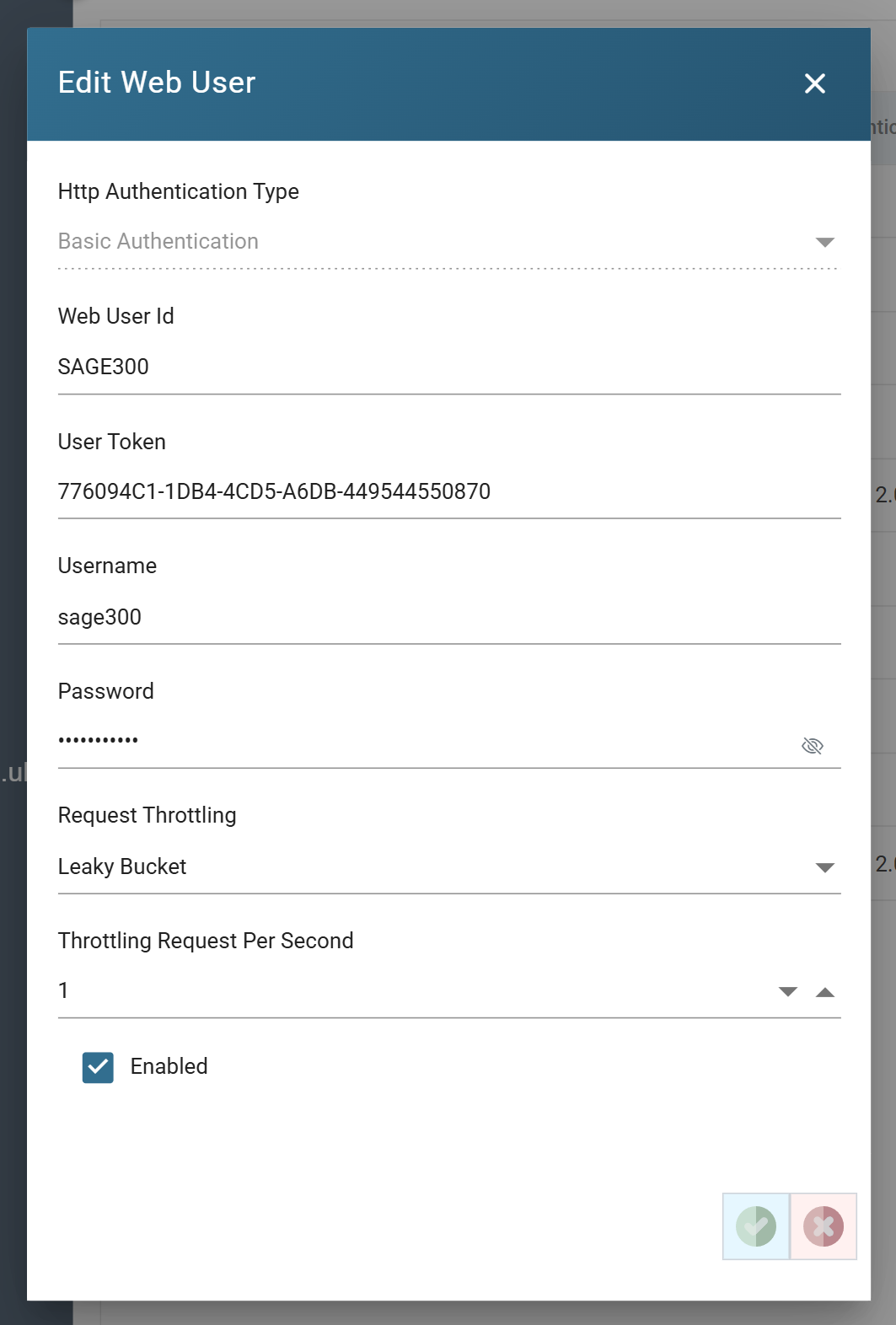
Every sample endpoint requires authentication. Set the request's authorisation to Basic Auth, with the username and password of the sample web user for the endpoint.

Web User Setup
Headers
Two request headers complete the request.
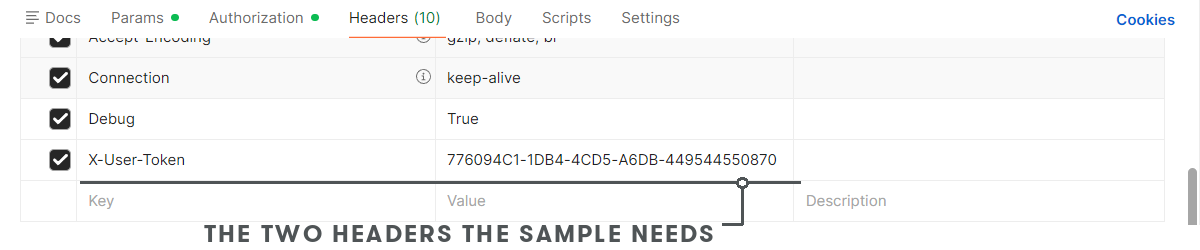
X-User-Token
The web user's User Token, from its setup. The username in the Authorization header and this token must belong to the same user; the token finds the user, and the username and password authenticate it.
Debug
True routes the request to the Designer, where the reader's Refresh Schema picks
it up. False, or no Debug header at all, runs the integration.
Integration Design
WebAPI Reader
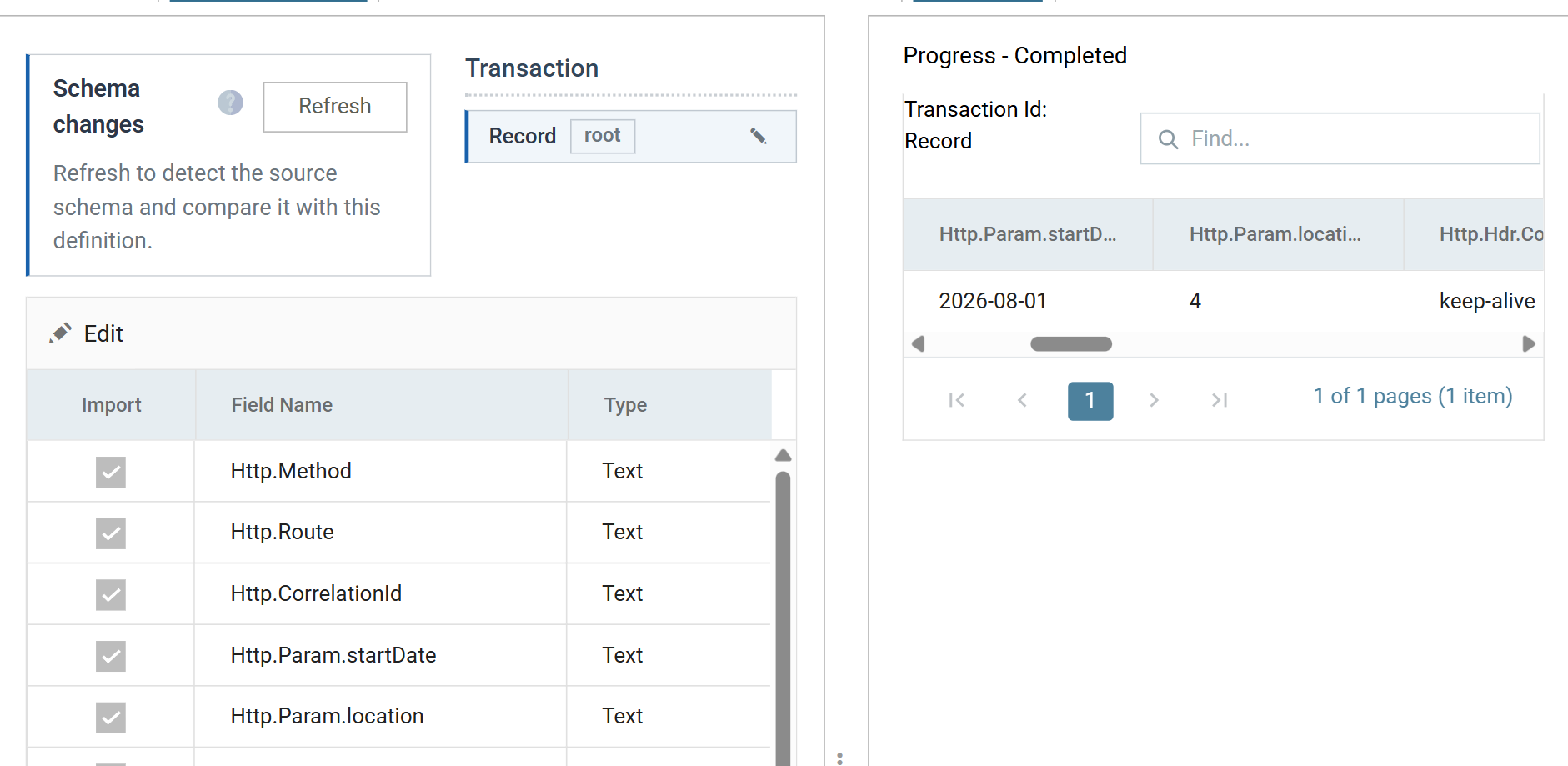
The WebAPI Reader accepts the request and presents it as one record, whose fields the Database Reader below uses.
Parameters
The route's two parameters arrive as Http.Param.location and
Http.Param.startDate.
User Property
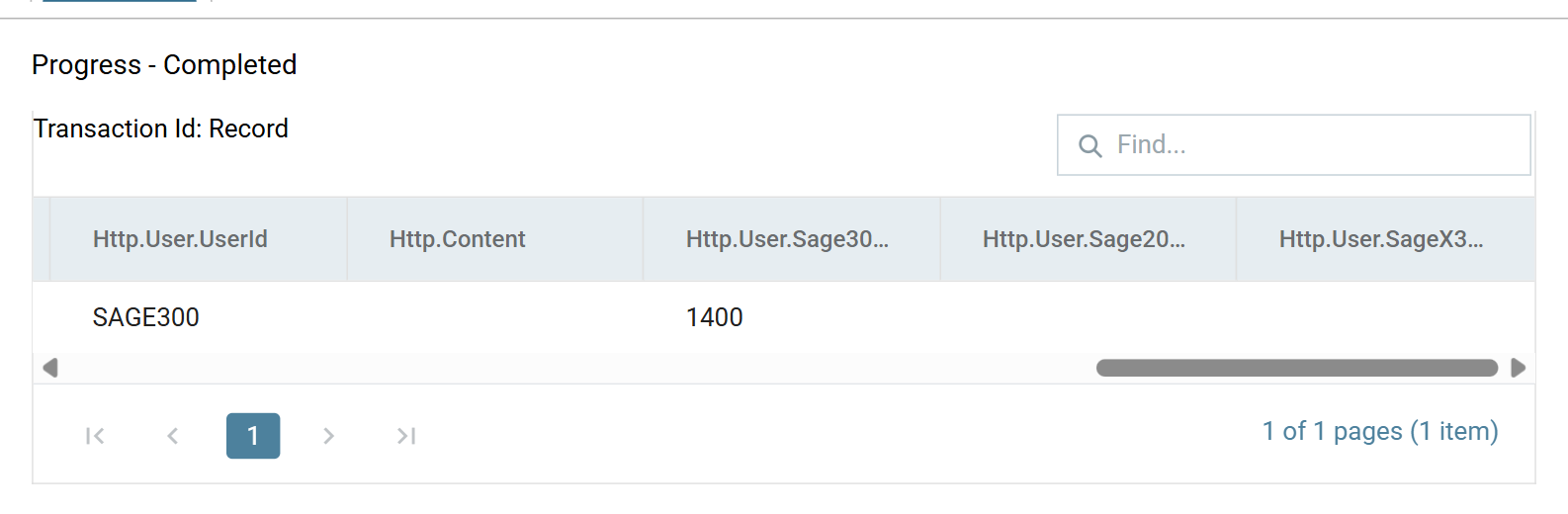
The caller's property values arrive as Http.User.<property> fields. The
sample property set maps each web user to its customer account, so
Http.User.Sage300CustID is the customer whose orders the Sage 300 sample
returns, and the caller cannot ask for anyone else's.
Map Transform
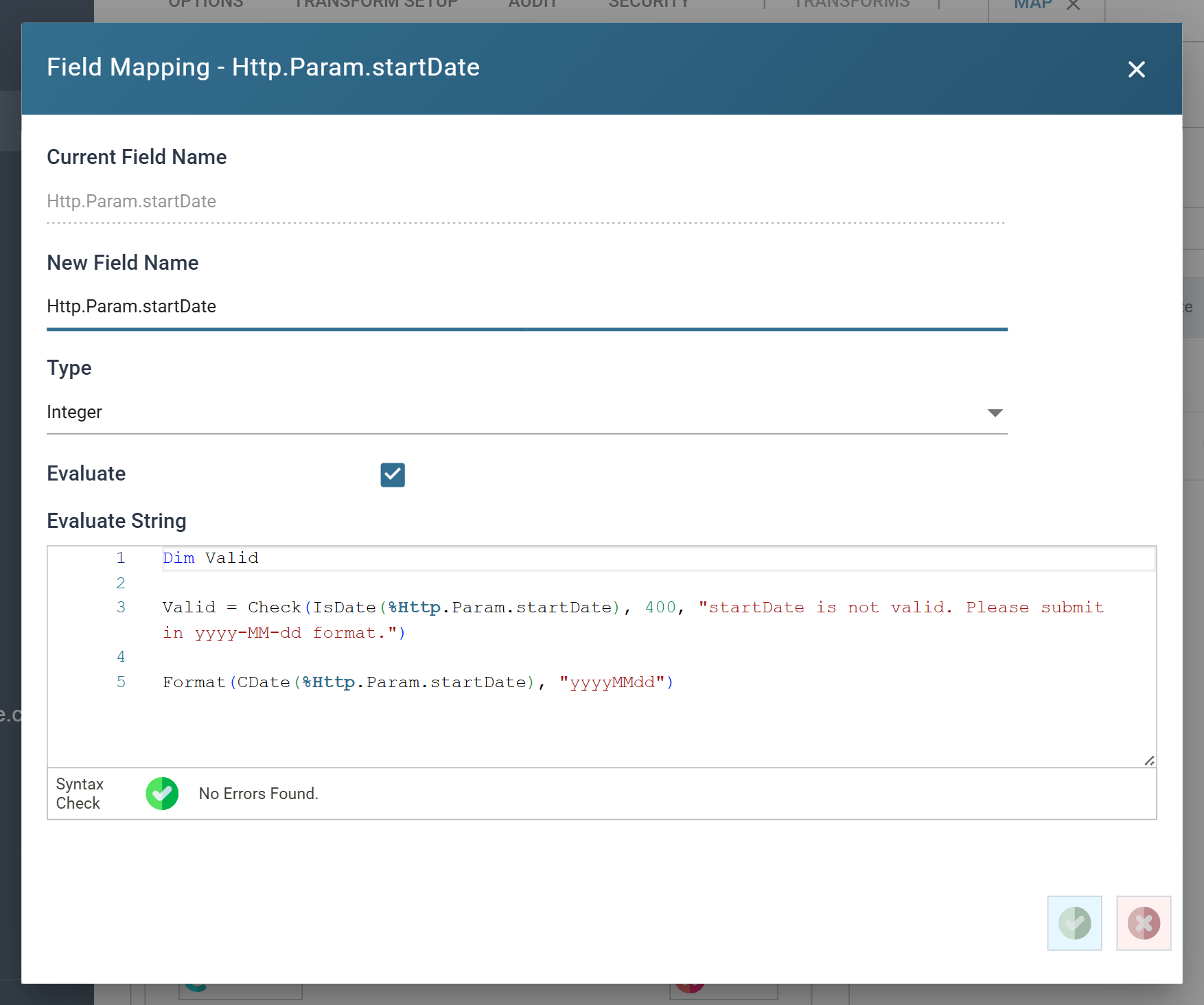
Validate what the client sent before using it. The Check function is the way: it stops the integration with an error code, and the WebAPI returns that code as the response's status.
Each sample checks startDate is a date, answering 400 otherwise, and
converts it to the form the database needs. The Sage 300 sample also checks
location against a lookup of the company's locations, answering 422 when
it is not one.
Dim Valid

Valid = Check(IsDate(%Http.Param.startDate), 400, "startDate is not valid. Please submit in yyyy-MM-dd format.")

Format(CDate(%Http.Param.startDate), "yyyyMMdd")
Database Reader
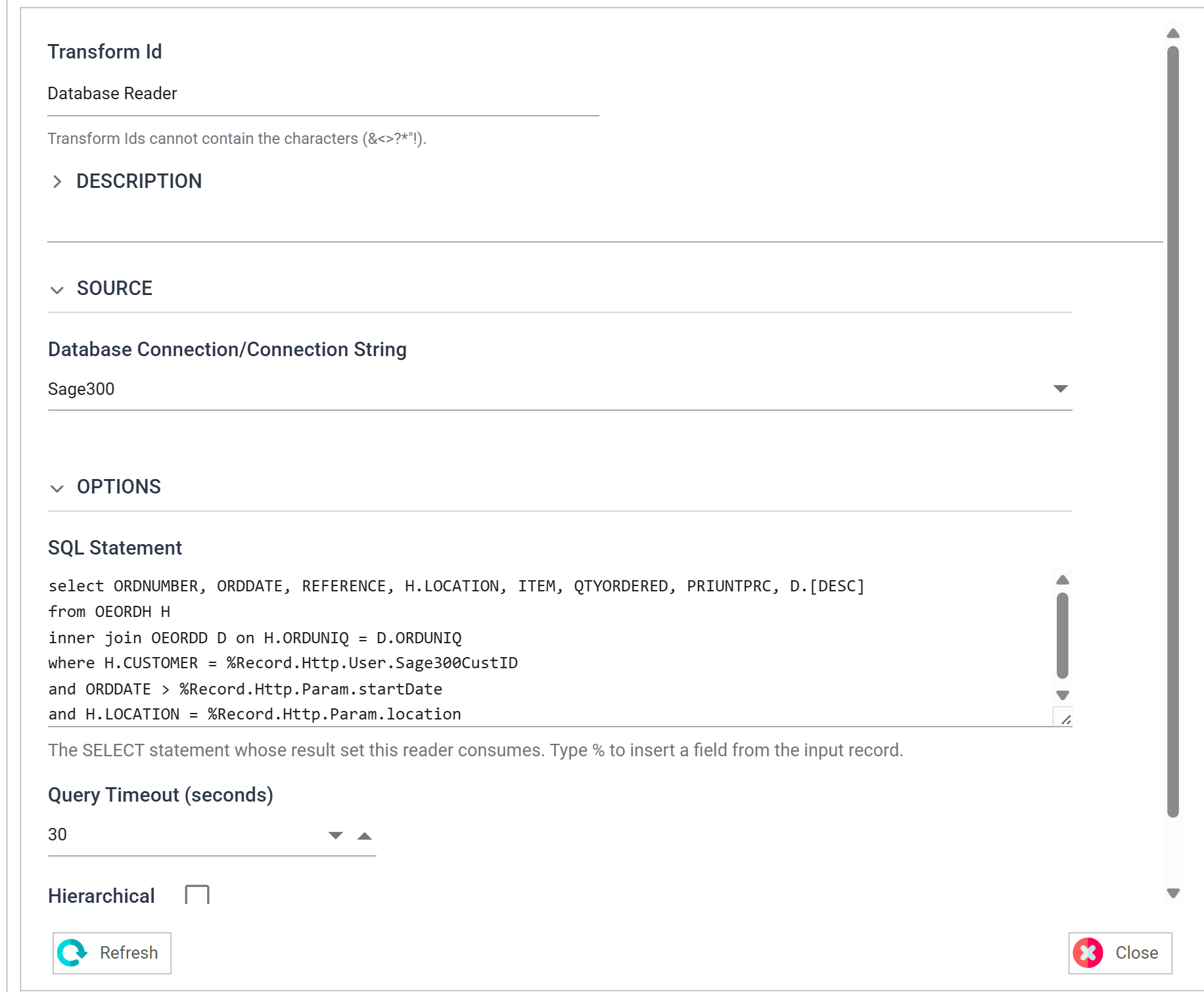
The Database Reader queries the orders. The parameterisation is the where clause, which takes the customer from the user property and the location and start date from the request.
select ORDNUMBER, ORDDATE, REFERENCE, H.LOCATION, ITEM, QTYORDERED, PRIUNTPRC, D.[DESC]
from OEORDH H
inner join OEORDD D on H.ORDUNIQ = D.ORDUNIQ
where H.CUSTOMER = %Record.Http.User.Sage300CustID
and ORDDATE > %Record.Http.Param.startDate
and H.LOCATION = %Record.Http.Param.location
Hierarchy & Map
The Hierarchy transform turns the flat rows into orders with their lines. The Map after it tidies the values: the order date to a date, the quantity to a whole number, the price to two decimals.
JSON Writer
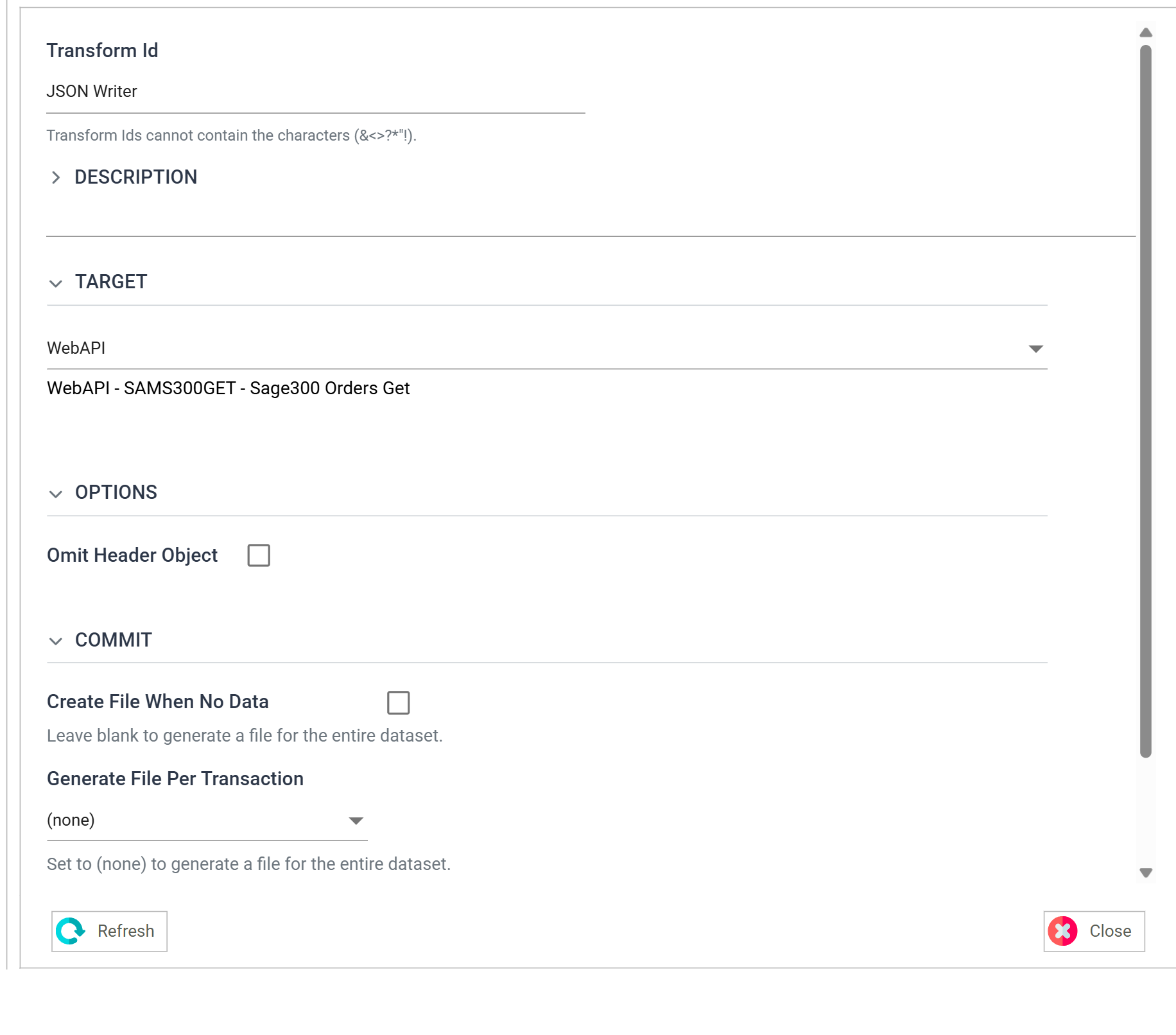
The writer's Target is WebAPI, which routes its output back to the client as the response.
Output
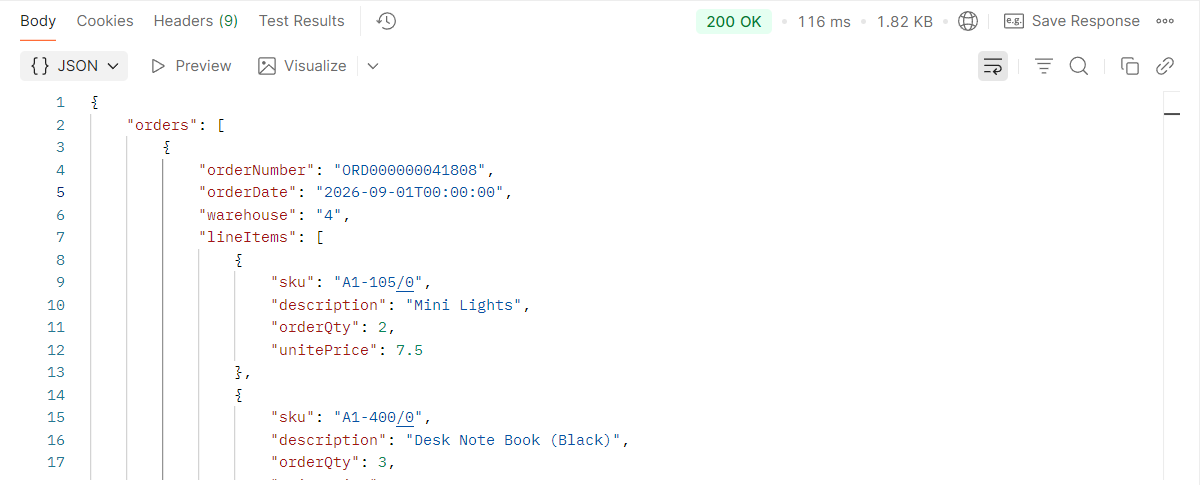
The response is the caller's orders since the start date, at the location. While designing, produce it with the steps under Sending the Response.