GET/File Response Sample
This sample answers a GET with a file rather than JSON. The route names a document, the integration finds it on disk, and the response is the file itself, offered as a download.
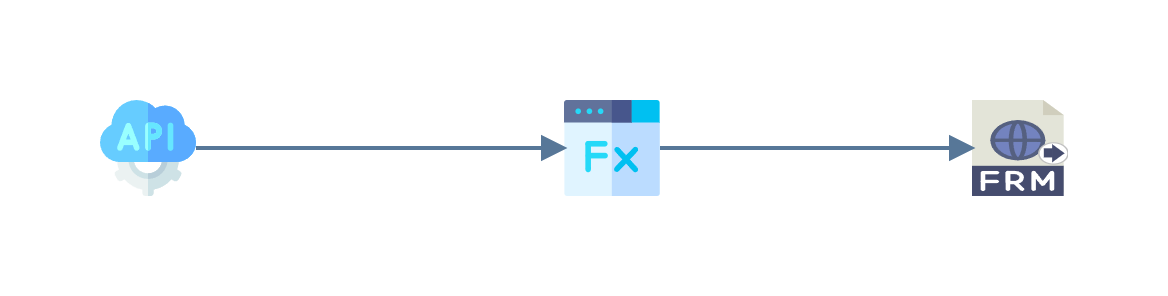
The sample ships with IMan
as WEBAPIDOCGET, on the endpoint DOCGET, and needs no ERP. The document
it serves, IN0000000000198.pdf, is read from C:\IMan\InputData\Docs\documents\;
the same file is in the documentation's sample data.
Making the Request
Url
| Method | Url | |
|---|---|---|
| Documents | GET | http://localhost/IManWebAPI/documents/IN0000000000198 |
The last segment of the route is the document's name without its extension. The endpoint allows anonymous requests, so no authorisation or headers are needed.
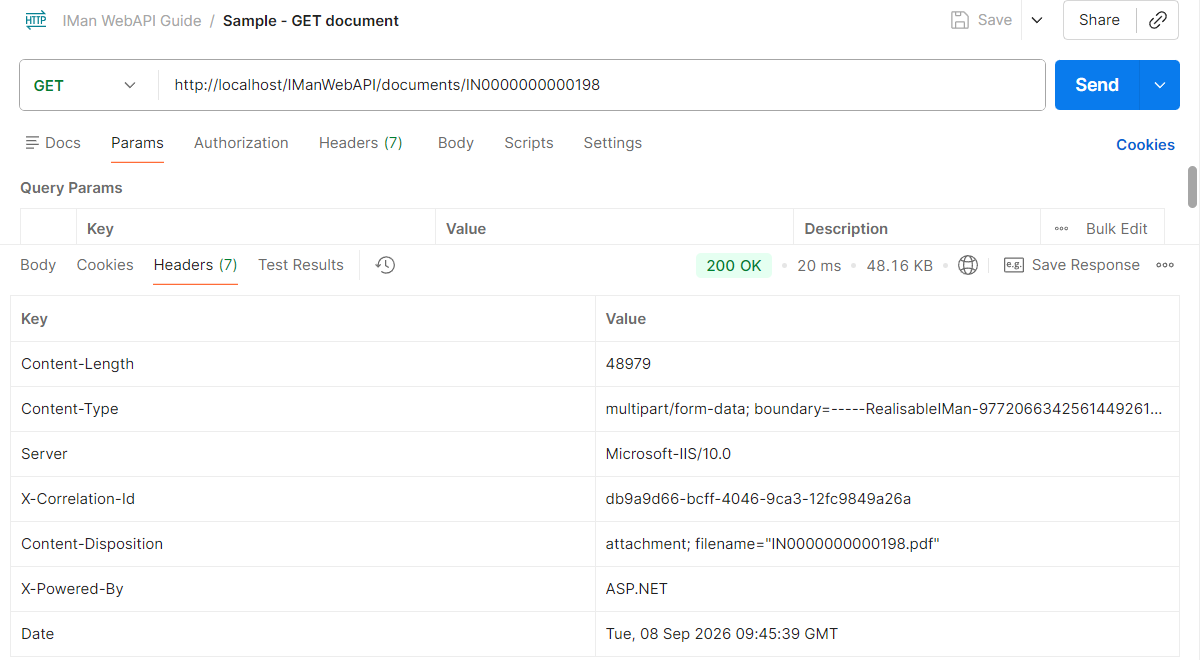
Postman shows the body as text, which for a PDF is mostly unreadable. Send and Download, on the Send button's menu, saves the response as a file instead.
Endpoint
| Setting | Value |
|---|---|
| Endpoint ID | DOCGET |
| Description | Documents Get |
| HTTP Method | Get |
| Route | documents/{id} |
| Allow Anonymous Requests | ticked |
| Result Status Code | 200 |
The rest of the endpoint is left at its defaults.
Integration Design
WebAPI Reader
The WebAPI Reader is set to the DOCGET endpoint, as in
Adding the WebAPI Reader.
The route parameter arrives as Http.Param.id.
Map Transform
The Map adds two fields to the record.
| Field | Type | Evaluate String |
|---|---|---|
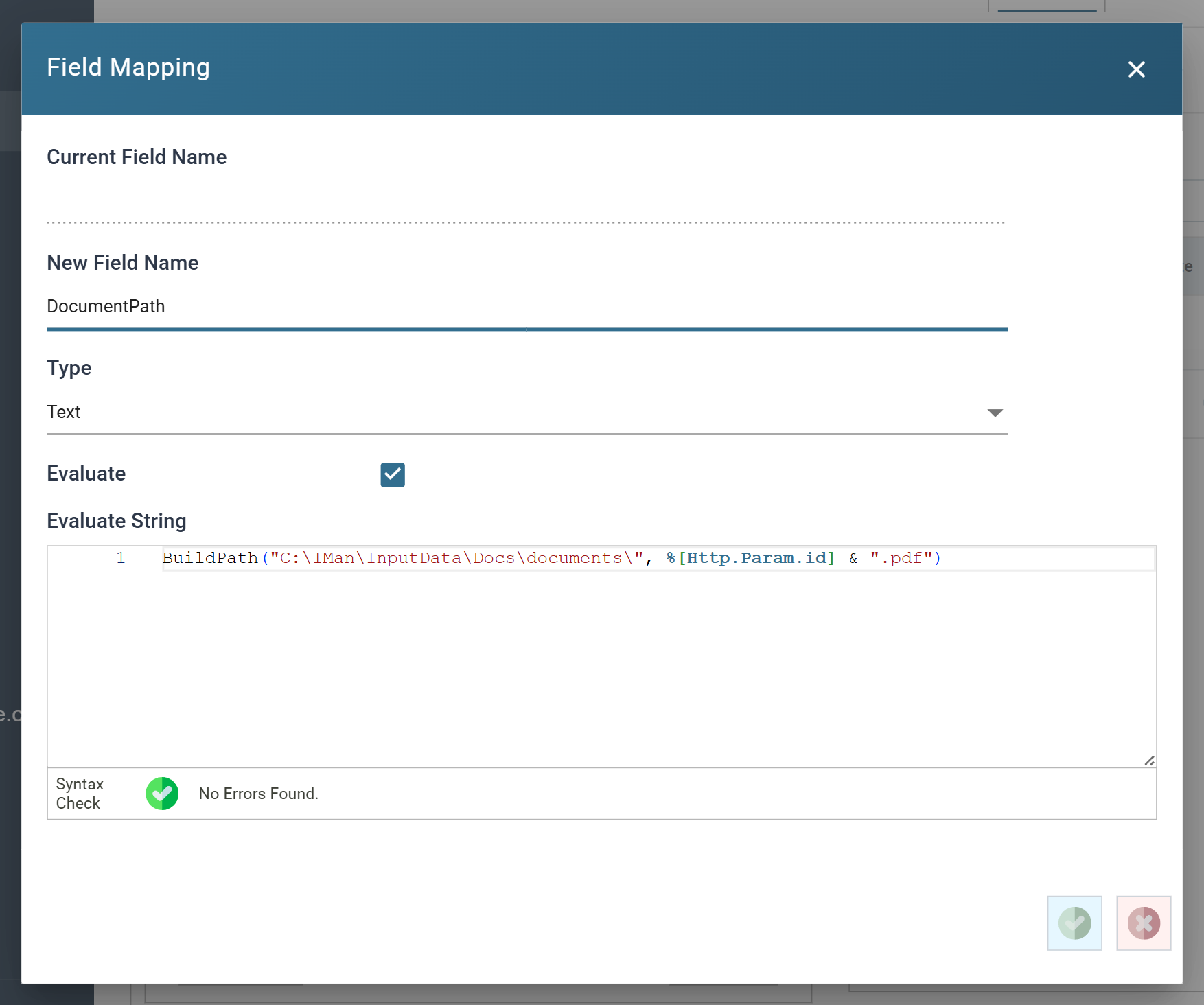
DocumentPath |
Text | BuildPath("C:\IMan\InputData\Docs\documents\", %[Http.Param.id] & ".pdf") |
DocumentFound |
Boolean | Check(FileExists(%[DocumentPath]), 404, "There is no document " & %[Http.Param.id]) |
DocumentPath turns the request's parameter into the path of a file under
one fixed folder. Building the path from a fixed folder and the extension
keeps a caller to that folder: the parameter is a name, never a path.
DocumentFound is a guard. Check
stops the integration with the status code and message when the file is not
there, and the WebAPI returns them as the response, so a request for a
document that does not exist gets a 404 rather than the writer's error as a
500.
Form URL Writer
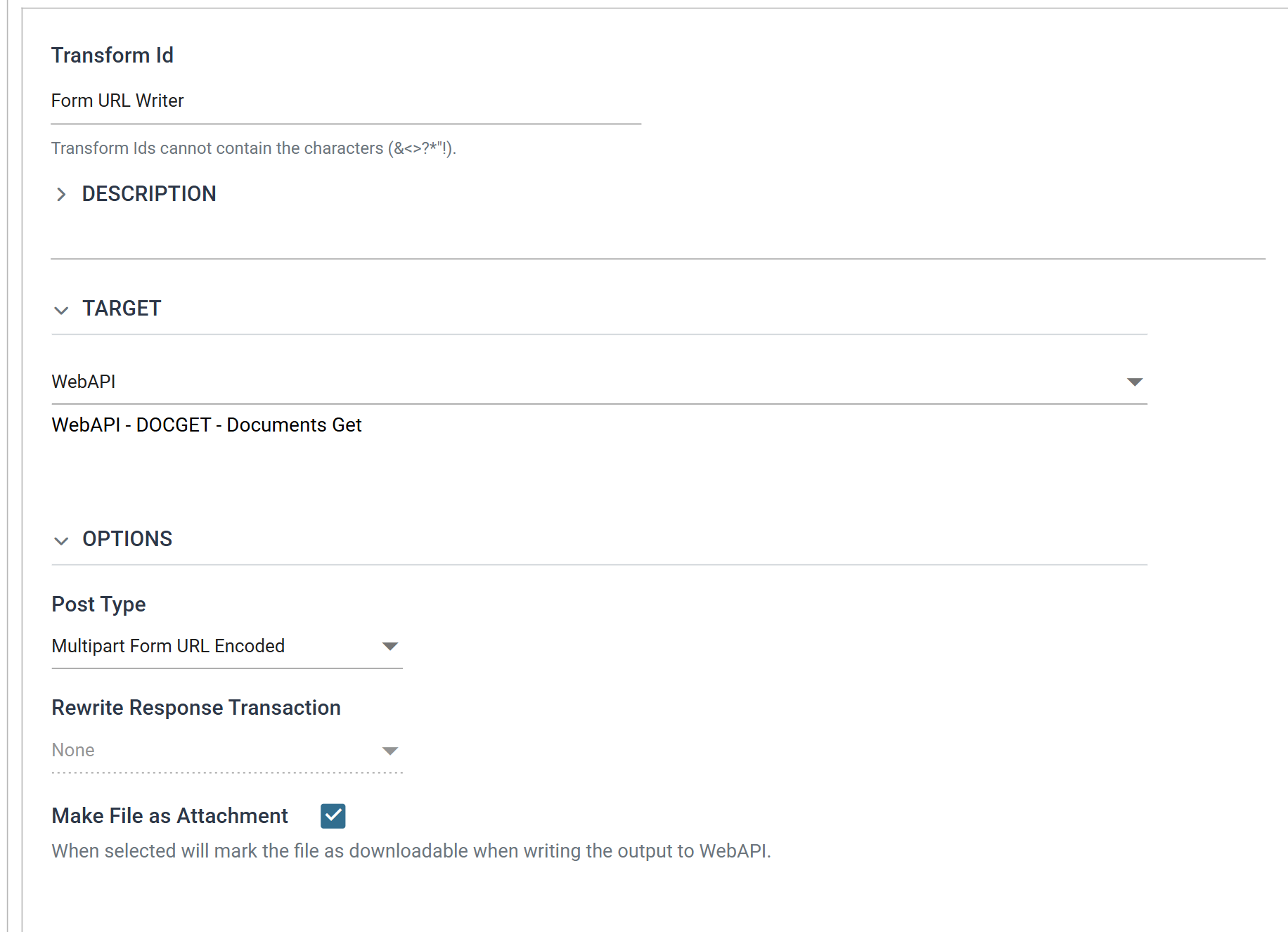
The Form URL Writer sends the file. Three settings make it a download.
| Setting | Value |
|---|---|
| Target | WebAPI |
| Post Type | Multipart Form URL Encoded |
| Make File as Attachment | ticked |
On the Field Mapping tab, DocumentPath is the one field exported, with its
Parameter Type
set to File Type: its value is the path of the file to send, and the file
takes its name and content type from that path. Every Http.* field the
reader supplied has Export unticked. Left ticked, they would be sent ahead of
the file as a form part.
Output
The response is the file, in the writer's multipart body, with headers that tell the caller to save it under its own name.
HTTP/1.1 200 OK
Content-Type: multipart/form-data; boundary=-----RealisableIMan-977206634256144926150311
Content-Disposition: attachment; filename="IN0000000000198.pdf"
Content-Length: 48979
X-Correlation-Id: bb57c16e-8ae3-40d0-9304-2e7755cc9fdd

-------RealisableIMan-977206634256144926150311
Content-Type: application/pdf
Content-Disposition: form-data; name="file1"; filename="IN0000000000198.pdf"

%PDF-1.7
...
-------RealisableIMan-977206634256144926150311--
A browser saves or opens the PDF. A program reading the response takes the one part between the boundaries, as any multipart parser does.
A document that is not there answers with the Map's guard:
HTTP/1.1 404 Not Found
Content-Type: application/problem+json; charset=utf-8

{"status":404,"title":"Not Found","correlationId":"53ad5b26-…","error":"There is no document NOPE"}
Printing a Sage document into the response
The same three transforms return a document that Sage prints on demand. Put the connector between the Map and the writer: the Map builds the path the document is to be printed to, the connector prints it there, and the writer's File Type field carries the same path.
- Sage 200: the SOP Invoice Print Post import type exports the invoice to the path in its Invoice Export File field, as the file type the path's extension names, and the Print Despatch Note and Print Picking List types do the same for theirs. Printing from IMan needs the data model setup in IMan Setup for Printing.
- Sage 300: the O/E Invoice Print import type does the same for Sage 300 forms; see Form Printing and Exporting.