Step 12 – Advanced File Archiving
Step 11 archived by folder and wildcard. That moves whatever is in the folder when the task runs, including files that arrived while the integration was running and were never read. In a folder that only ever holds one file this does not matter. In a busy folder it loses data, and nothing reports it.
In this step the task moves only the files the run processed.
SYS.INPUTFILE
Every file reader (CSV, XML, Excel and Fixed Width Text) carries an extra field
called SYS.INPUTFILE. It holds the full path of the file each row came from.
It is the last field in the reader's list, and IMan fills it for you. Refresh
the Excel reader and scroll the preview to the end to see it:
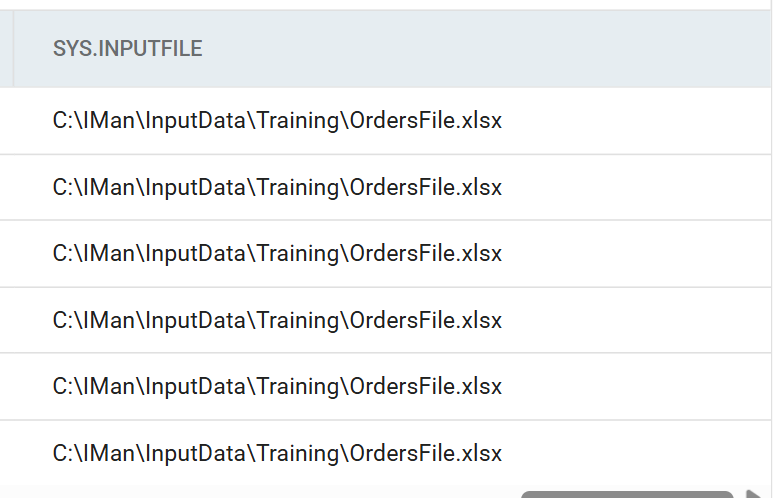
It is a field like any other, so it travels with the rows. If it reaches the File task, the task can move the files those rows came from and nothing else.
Making it reach the File task
The order connector is in the way. As step 8
explains, a field that is not mapped in a connector does not flow out of
it, and SYS.INPUTFILE has no Sage 300 field to map to. A Log Key makes it
flow.
- Open the Sage 300 order connector and go to the Field Mapping tab, with Orders as the current transaction.
- Press Edit and set the Log Key on
SYS.INPUTFILEto20. -
Save the grid, close the connector and save the integration.
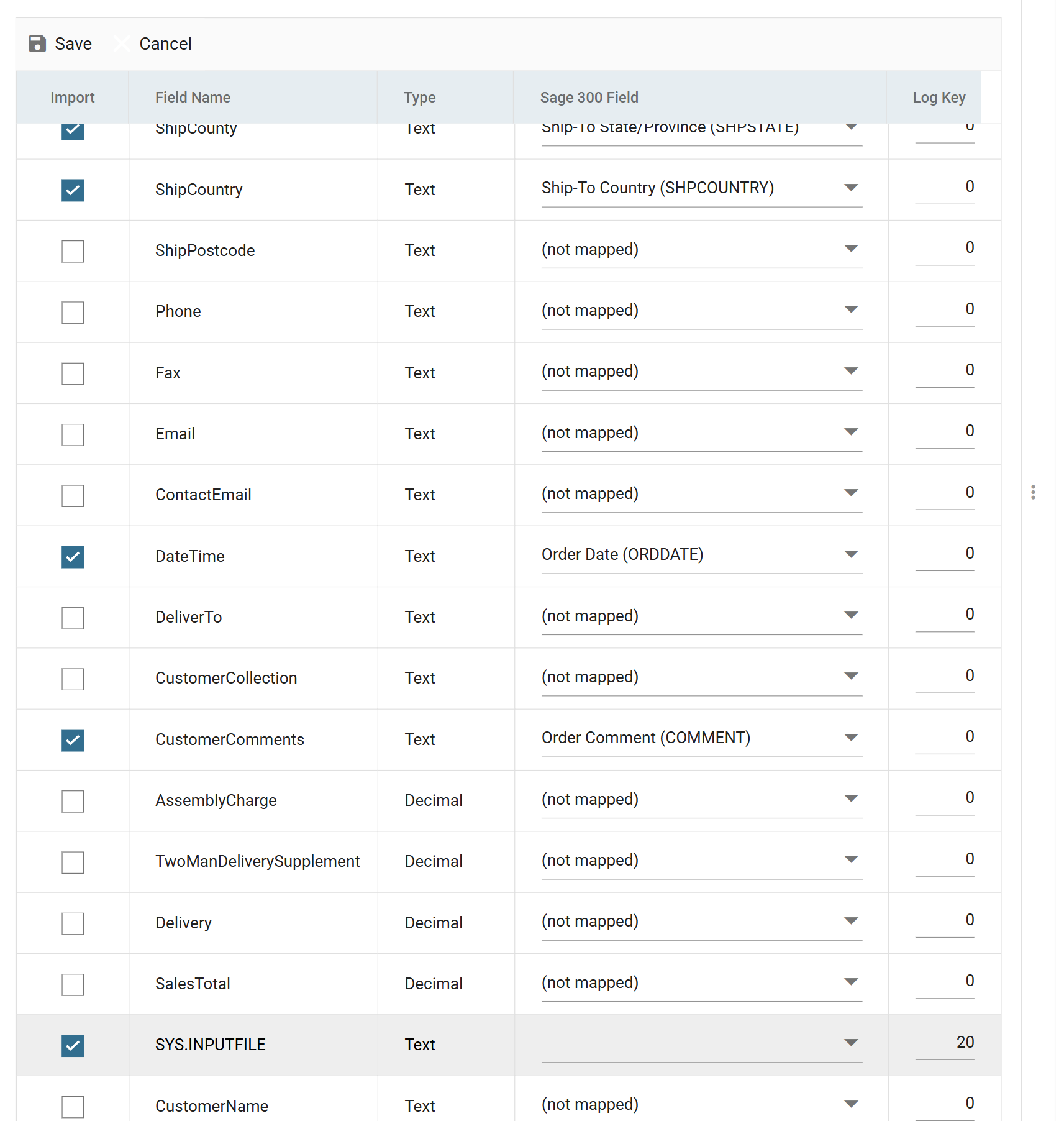
Use 20, not 3, for the reason given in step 8. IMan joins log keys numbered
in sequence from 1 to make the Source column of the audit report. A full
file path in that column would bury the order reference.
Clearing a log key does not untick Import
Setting the Log Key ticks the field's Import box for you. Clearing the key does not untick it. If you remove a log key from a field, untick Import in the same edit, or the field keeps flowing into every transform downstream.
File Task > Setup
Re-open the File task from step 11 and change two fields:
- Source Directory
- Clear it.
SYS.INPUTFILEis a full path, so there is no folder to give.
- Clear it.
- Source File
- Enter:
%[OE0520.SYS.INPUTFILE]
- Enter:
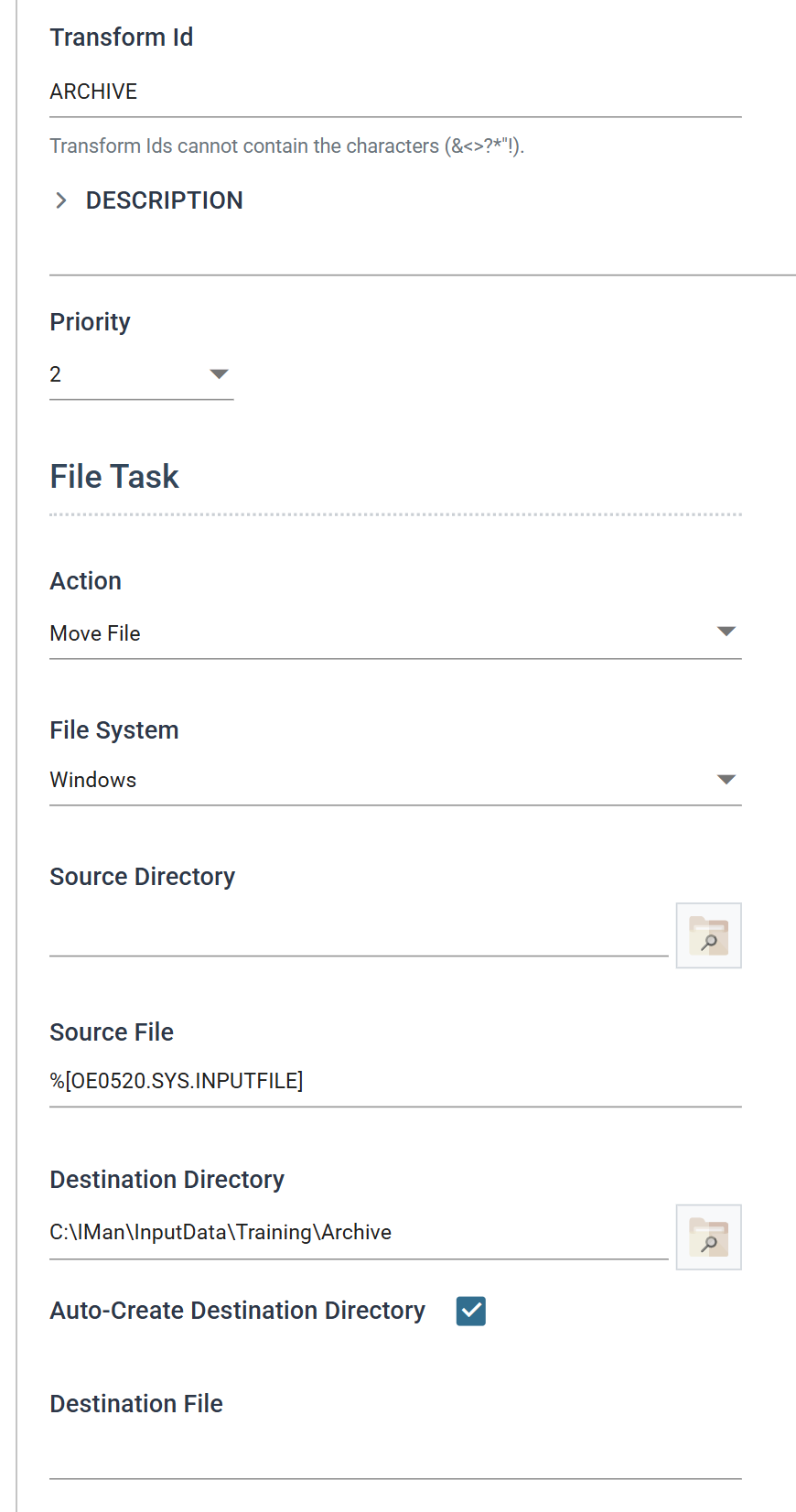
The reference must name the transaction as well as the field
The reference must name the transaction as well as the field.
%[SYS.INPUTFILE] on its own resolves to nothing, and the task stops with
The path is empty. (Parameter 'path').
It is OE0520, not Orders, because the connector renames the
transaction, as it renamed the fields in
step 7.
Use the name that the Current Transaction Id drop-down shows on the
transform after the connector.
Running it
Press Refresh. The workbook moves to Archive as it did in step 11. This
time it moves because the run processed it, not because it matched a pattern.
Close the task and save the integration.
Refresh the connector before you refresh the task
Refresh the connector before you refresh the task. A task's Refresh can reuse a dataset captured before the field mapping changed. The column is there but every value in it is empty, and the task stops with:
Error occurred whilst processing transform [ARCHIVE].
Error - Object reference not set to an instance of an object.
The message says nothing about a log key, and it is the only sign that the task used an out-of-date copy of the data. Refresh the connector first and the error goes away.
Running the whole thing
The integration is now complete. First move OrdersFile.xlsx out of Archive
and back into C:\IMan\InputData\Training, or there will be nothing to read.
Then save the integration, go to Scheduling and press Run Now to run it
end to end.