Replaying Response Data
A service that creates a record replies with the record it stored, and the reply carries the values the service allocated: ids, references, statuses and timestamps. IMan reads that reply for its status code and discards the rest. A rewrite keeps it.
This article turns a rewrite on for the writer built in JSON Writer — Flat Data. The ContactID Xero generates then lands back on the dataset, where the rest of the integration and the source system can use it.
What the response carries
Xero's reply to a created contact, trimmed:
{
  "Id": "ad61aeaa-389e-4bf9-8540-c12b6dcdb1f0",
  "Status": "OK",
  "Contacts": [
    {
      "ContactID": "13ec4055-faf4-4d4f-a74e-d94ea36ad0ff",
      "AccountNumber": "KCR-001",
      "ContactStatus": "ACTIVE",
      "Name": "Kestrel Coffee Roasters",
      "EmailAddress": "[email protected]",
      "UpdatedDateUTC": "/Date(1788379142047+0000)/",
      "IsSupplier": false,
      "IsCustomer": false,
      "HasValidationErrors": false
    }
  ]
}
Three parts of it are worth reading.
ContactID is Xero's id for the contact. Write it to the source system and every later run holds it already.
ContactStatus and UpdatedDateUTC record the state Xero holds. An incremental sync reads them, and so does an audit trail.
IsCustomer and IsSupplier came back false, and the request sent a value for each. The writer article covers this: the request succeeded and Xero ignored two fields. The response is the only place that shows it.
Does this replace the lookup?
A lookup runs before the request and reports what the service already holds. A rewrite runs after it and reports what the service just did.
A rewrite removes the next run's lookup. The id comes back on the response, a second writer stores it in the source system, and the run after that reads the id from its own data — one request per record instead of two, and no dependency on a name being unique. An integration that writes should almost always rewrite.
A rewrite tells the current run nothing about whether a record already exists. The lookup answers that, and it stays.
Step a — Turn it on
On the writer's Setup tab:
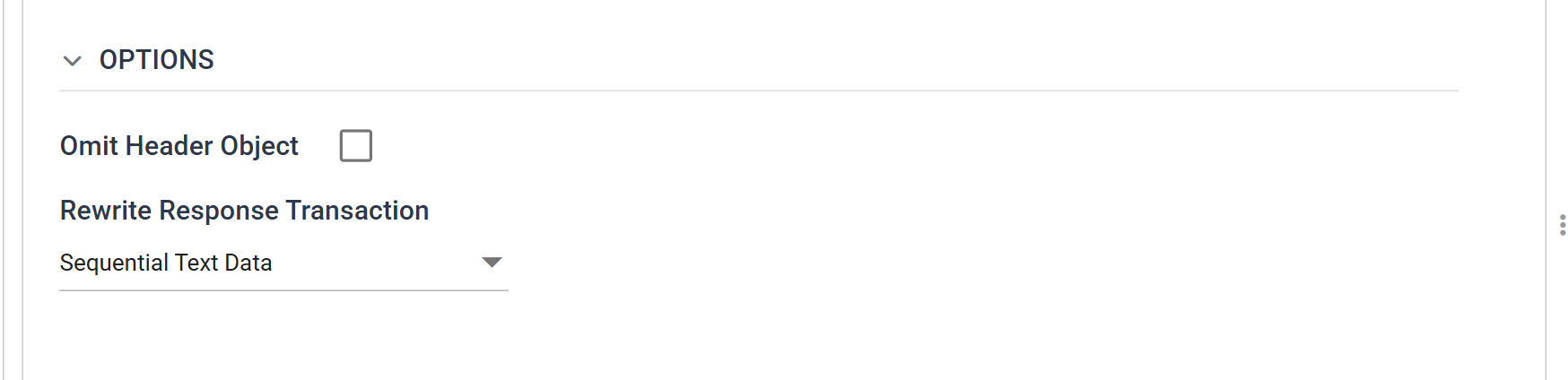
Rewrite Response Transaction offers four values. The shape of the response decides which one to use:
| None | The response is discarded. The default |
| Sequential Text Data | The response is parsed and matched to the records sent, in order |
| Keyed Text Data | Matched by key, for a service that reorders |
| Binary Data | The response is a file — a label, a PDF — written to a field as binary |
Sequential Text Data suits this writer and most others. The writer sends one contact per request and Xero replies with that contact, so the ordering matches one record to one record.
Keyed handles a service that takes a batch and answers in whatever order suits it. Against a reordered response a positional match writes every record's values onto the wrong record, and nothing reports it. Use Keyed whenever you batch and the vendor does not promise the order.
Changing the Target leaves this setting behind
The drop-down renders only against an http(s) target, because a file returns no response to rewrite. Repoint a writer that has a rewrite set at a file and the writer keeps the setting, with no control on screen to show it or clear it. Set the rewrite back to None before you change the Target.
Step b — The return paths
The writer reads the response exactly the way a JSON Reader reads a document: an initial path, a path per transaction, and a path per field. Every path here is relative. A rewrite does not support absolute property access.
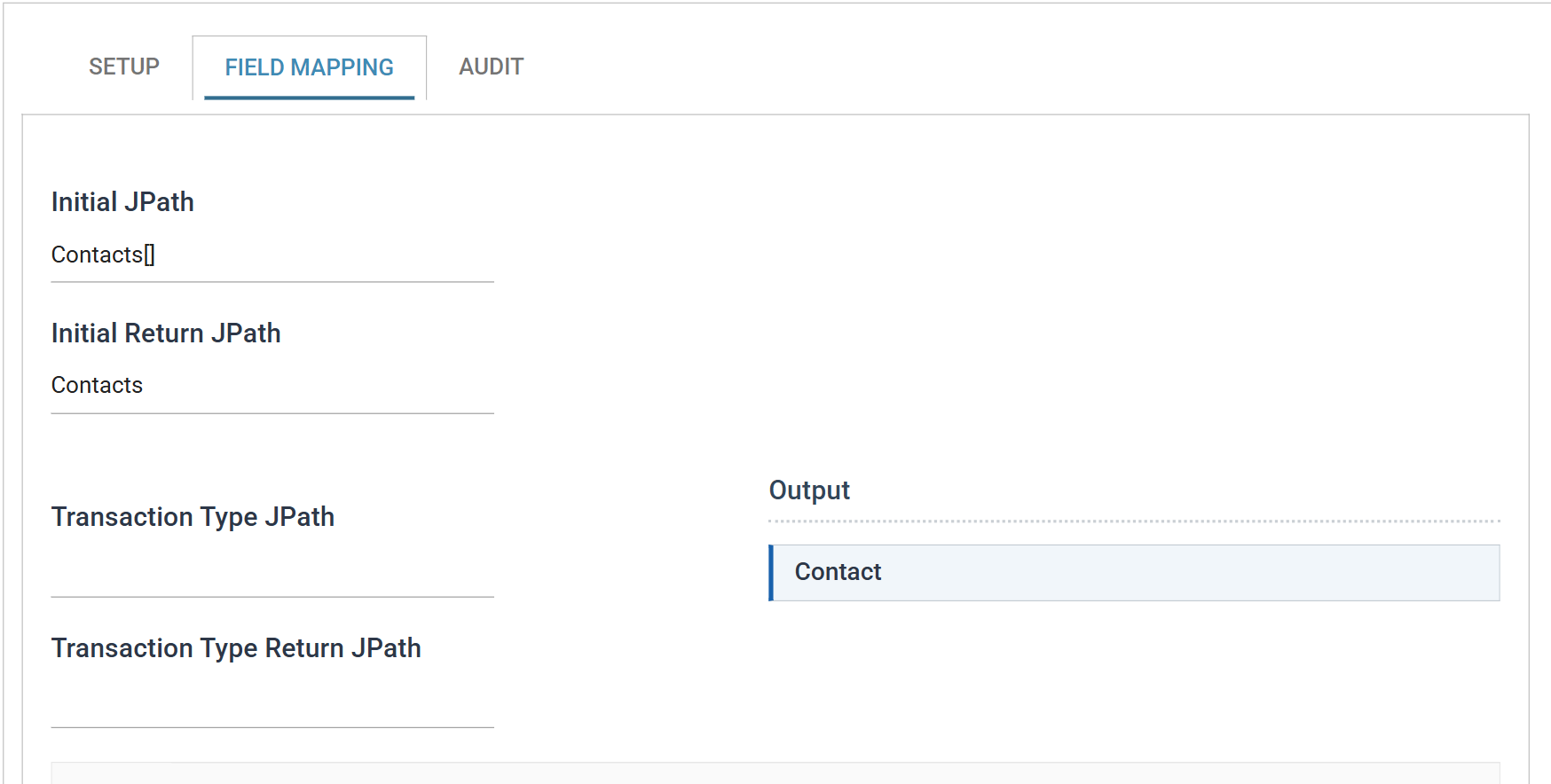
Select a text rewrite and two new boxes appear on the Field Mapping tab:
| Value | ||
|---|---|---|
| Initial JPath | Contacts[] |
The request wrapper, unchanged |
| Initial Return JPath | Contacts |
The response wrapper — where the repeating records start |
| Transaction Type JPath | (empty) | |
| Transaction Type Return JPath | (empty) | The records are the elements of Contacts itself |
Request and response are different documents, so each side carries its own path. The two differ here. The request wraps its contact in an array, and the [] marks it. The response's Contacts is already an array, and it sits alongside Id, Status and DateTimeUTC at the top of the reply.
Transaction Type Return JPath is per transaction, and relative to its parent. A hierarchical write, orders with lines, sets one on each level so that each line's response values land on the right line. This dataset is flat. Its records are the elements of the Initial Return JPath's array, so the box stays empty.
Hiding the return paths clears them
Switch the rewrite back to None and IMan empties the return paths. Switch it on again and you retype them. The rewrite drop-down keeps its own value through the opposite change, as the warning above describes.
Step c — The fields
A field receives a response value only when it has a Response JPath. Every other field keeps the value it went out with. There is no "rewrite everything" switch.
Two fields need one.
ContactID already exists on the Map, where the lookup populates it. Give it a Response JPath and the response populates it too: the lookup fills it before the request, and the reply fills it after.
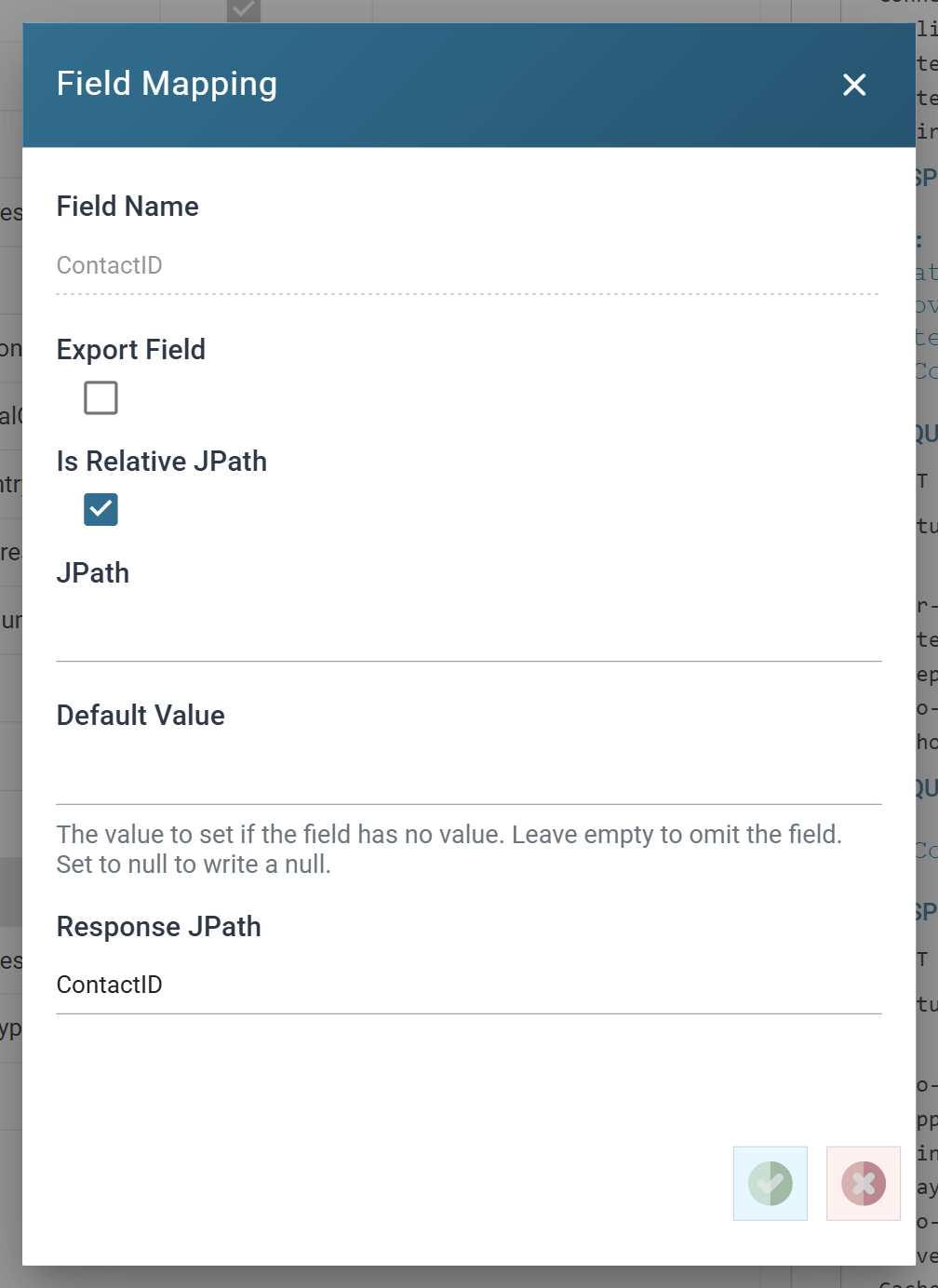
XeroStatus exists only to receive. Add it on the Map with Evaluate unticked and no formula so that it starts empty, then give it a Response JPath on the writer.
| Field | Export | JPath | Response JPath |
|---|---|---|---|
ContactID |
ContactID |
||
XeroStatus |
ContactStatus |
Neither field is exported. A field takes a response value without ever being sent.
A Response JPath is relative to the transaction's path. Here that resolves to Contacts, so write ContactID, not Contacts[]/ContactID.
Step d — Run it
Refresh the reader, then the Map, then the writer. A Refresh replays its parent's last output, and this run needs the parent's XeroStatus to be empty.
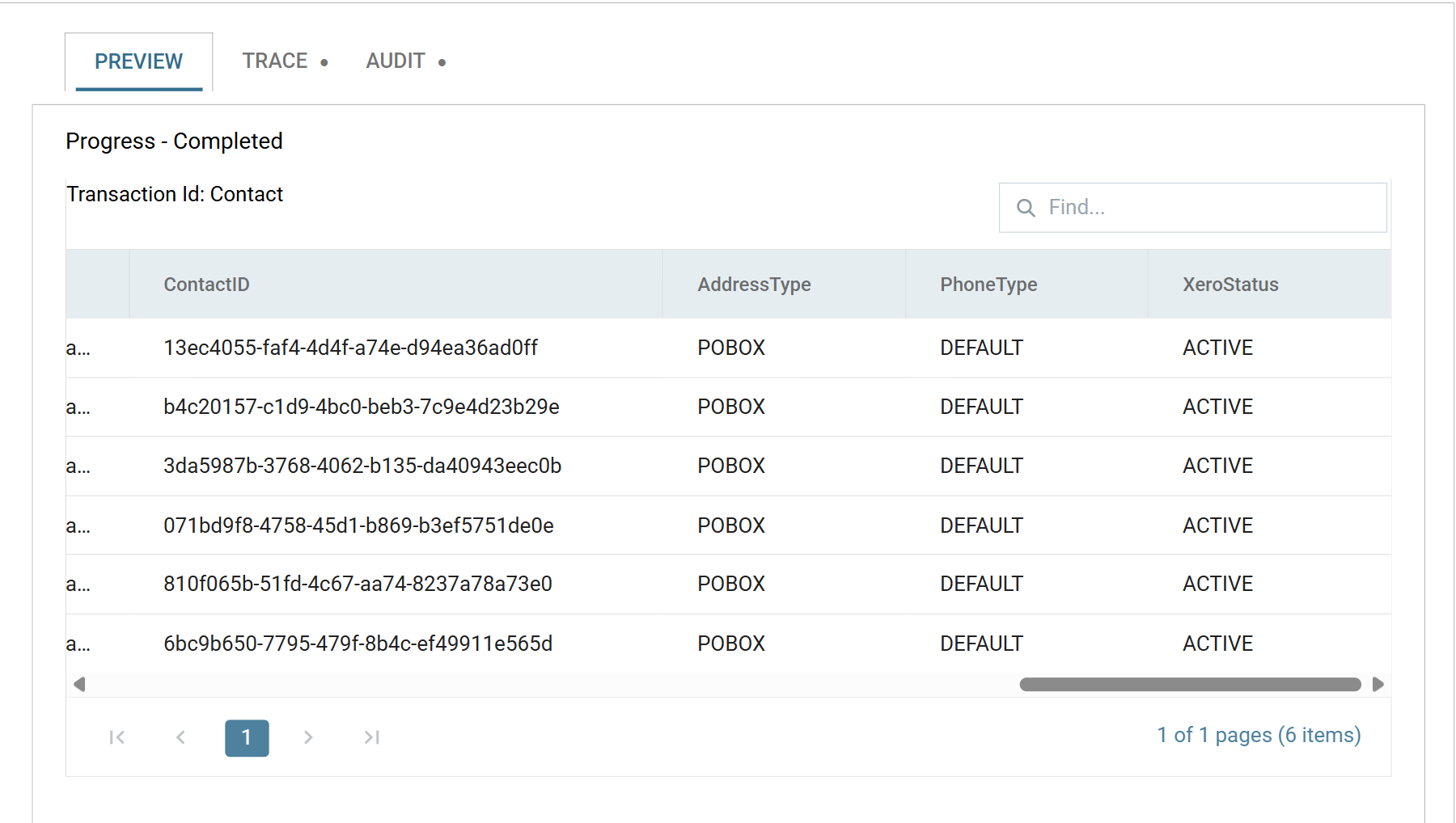
XeroStatus went into the writer empty on every row and came out ACTIVE. The rewrite put it there. ContactID is filled too, but the lookup found these contacts, so it would have carried a value on this run either way.
On a first run, where the contacts do not exist yet, both columns start empty and the response fills both.
What the rest of the integration does with it
A rewritten field is an ordinary field of the dataset from that point on. Another transform usually follows the writer:
- A second writer, back into the source system, storing
ContactIDagainst the customer record so the next run needs no lookup. - A Map or Filter reading
XeroStatus, to route or report on what came back.
Without one of these the values appear in the preview and vanish when the run ends.
When it does not work
- Nothing comes back and nothing errors. The Initial Return JPath is almost always the cause. Read the response in the Trace tab and check the path against it. A reply's wrapper often differs from the request's.
- The values land on the wrong records. A Sequential rewrite ran against a service that reordered its response. Switch to Keyed.
- Only the first few records are updated. The response carried fewer elements than the request sent. The remaining records keep the values they had and the run still succeeds, so where that matters, test a rewritten field for emptiness downstream.
- The return paths emptied on their own. Someone switched the rewrite to None. That clears them.
- A field takes no response value. It has no Response JPath. The writer touches only the fields that have one.
Verified against IMan 6.1 and the Xero Accounting API, on 2 September 2026.