Databases Named by the Data
Sometimes the database is not known when the integration is built. A group runs one company database per region; a bureau runs one per client; a migration runs one per source system. The rows arriving carry the answer, and the connection has to be resolved from them, one row at a time.
This article builds that in both directions — a reader that fetches each order from the database its request names, and a writer that inserts each order into the database its data names — because they are two halves of one idea.
Where the reference material is
Every field on these screens is described in the User Guide, for the Database Reader and the Database Writer. This article is the worked example.
The setup
Two databases, IMANDOCSUK and IMANDOCSUS, each with an Orders table of the
same shape. The three sample orders are split between them: the two London
orders in the UK database, the Fairbanks one in the US database.
There are two databases because one would prove nothing. A parameterised connection exists to send each record somewhere the data chooses, and against a single target that is indistinguishable from a connection string with no parameter in it. Split the data and a preview returning all three orders has demonstrably opened two connections.
The connection
Under Setup → Database Connections, a connection whose database segment is a parameter rather than a name:
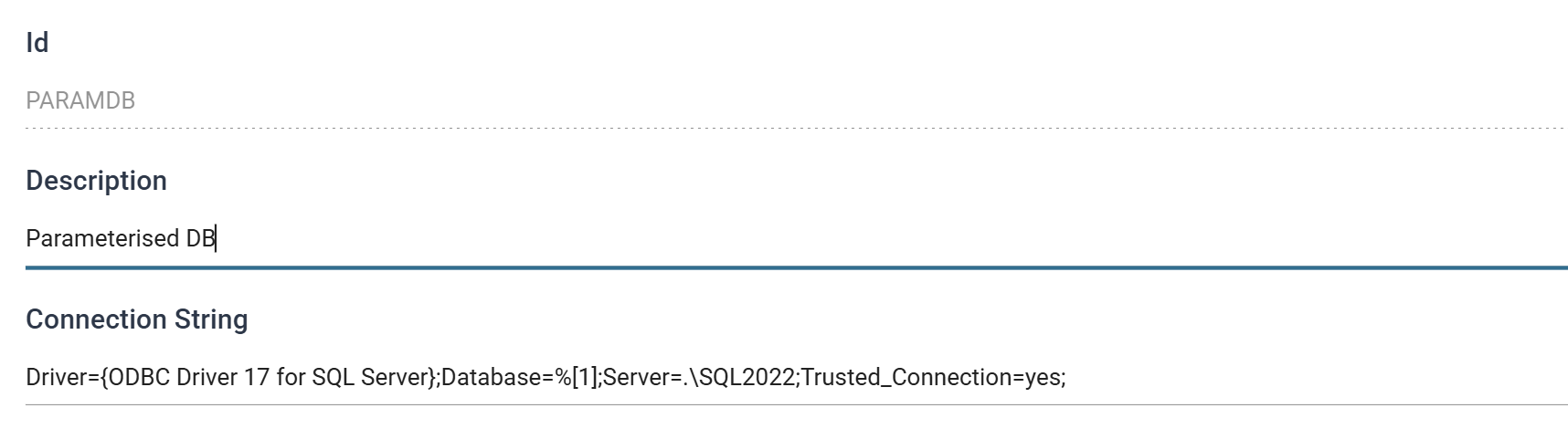
| Field | Value |
|---|---|
| Id | PARAMDB |
| Description | Parameterised DB |
Everything else is fixed — same server, same driver, same credentials. Only the database is left to the data.
The string must be ODBC or OleDB format; native .NET connection strings are not valid.
The transform's Database Connection drop-down lists the Description, not the
Id, so it is Parameterised DB you pick there and PARAMDB you will find in
an exported job definition.
Part 1 — Reading
Step a — The requests
The reader has to be told what to fetch, so something has to feed it. Here that
is a CSV file, order-requests.csv:
Two columns: which database, and which order from it.
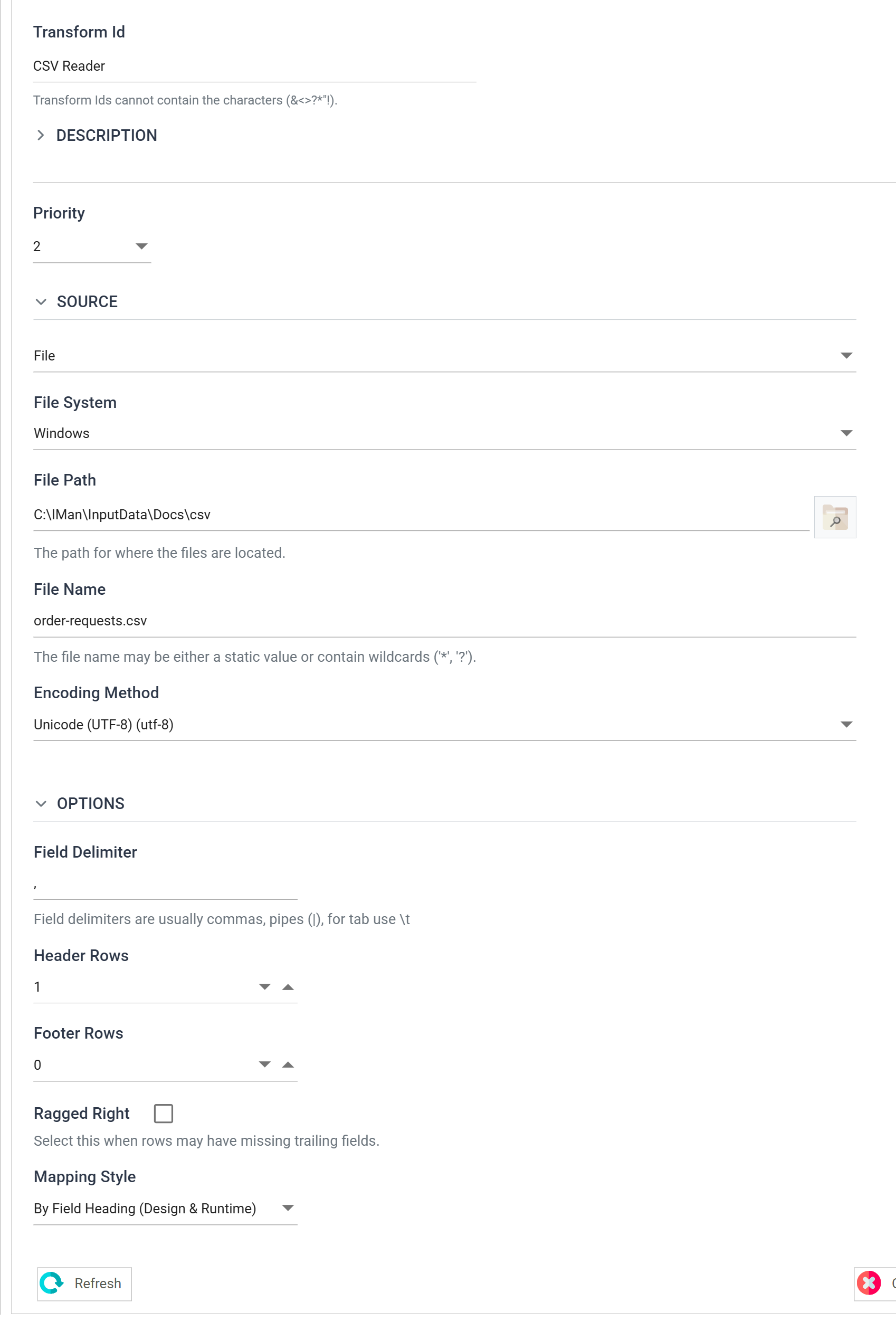
| Field | Value |
|---|---|
| Transform Id | CSV Reader |
| File Path | C:\IMan\InputData\Docs\csv |
| File Name | order-requests.csv |
| Header Rows | 1 |
| Mapping Style | By Field Heading (Design & Runtime) |
| Hierarchy Style | (none) |
Do not call the key column OrderId
It is RequestedOrderId deliberately. The reader's own result set contains
an OrderId, and two fields of the same name collide — the second arrives
suffixed _1.
Nothing fails; you simply end up with OrderId and OrderId_1 in every
downstream mapping, and have to remember which is which. Naming the input
column something the output cannot also be called avoids it entirely.
Step b — The Database Reader
Drag a Database Reader onto the surface and make it a child of the CSV Reader by dragging a connector from the CSV Reader to it.
A parameterised connection needs a parent
The Connection Parameters rows render only on a reader that is the child of another transform. A top-level Database Reader has no incoming data to resolve a parameter from, so no rows are offered and none can be saved.
If the parameter rows are missing, this is why.
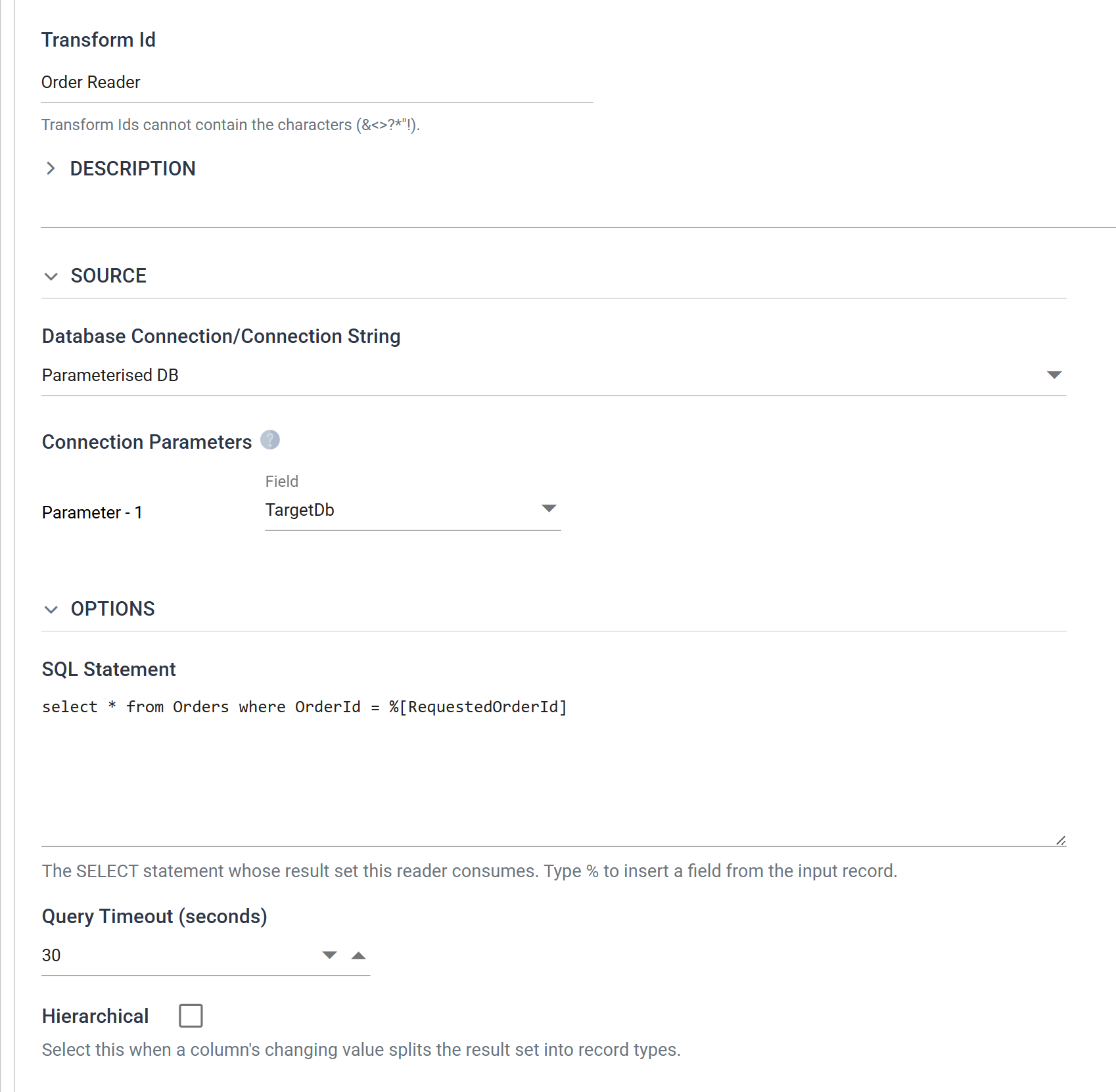
| Field | Value | |
|---|---|---|
| Transform Id | Order Reader |
|
| Database Connection | Parameterised DB |
|
| Parameter - 1 → Field | TargetDb |
Which incoming field fills %[1] in the connection string |
| SQL Statement | select * from Orders where OrderId = %[RequestedOrderId] |
|
| Query Timeout (seconds) | 30 |
The two different %[ ] on this one screen
This is the part worth slowing down for, because the same syntax is doing two unrelated jobs:
| Where | Resolved | Chooses | |
|---|---|---|---|
%[1] |
in the connection string | before the connection opens | which database |
%[RequestedOrderId] |
in the SQL statement | after it opens | which rows |
The connection parameter is bound through the Parameter - 1 drop-down, and it
is positional — %[1] is the first placeholder in the string. The SQL parameter
is written straight into the statement and names its field directly; typing %
in the SQL box offers the available fields.
The drop-down only offers fields the reader carries from its parent. A
connection has to be resolved before the read can run, so a column that the read
itself would return can never supply one. TargetDb qualifies because it comes
from the CSV; Country would not, because it comes out of the database this
parameter is choosing.
Step c — What comes back
A child Database Reader extends the incoming transaction rather than creating a new one. Its field list is the request's fields followed by the result set's:
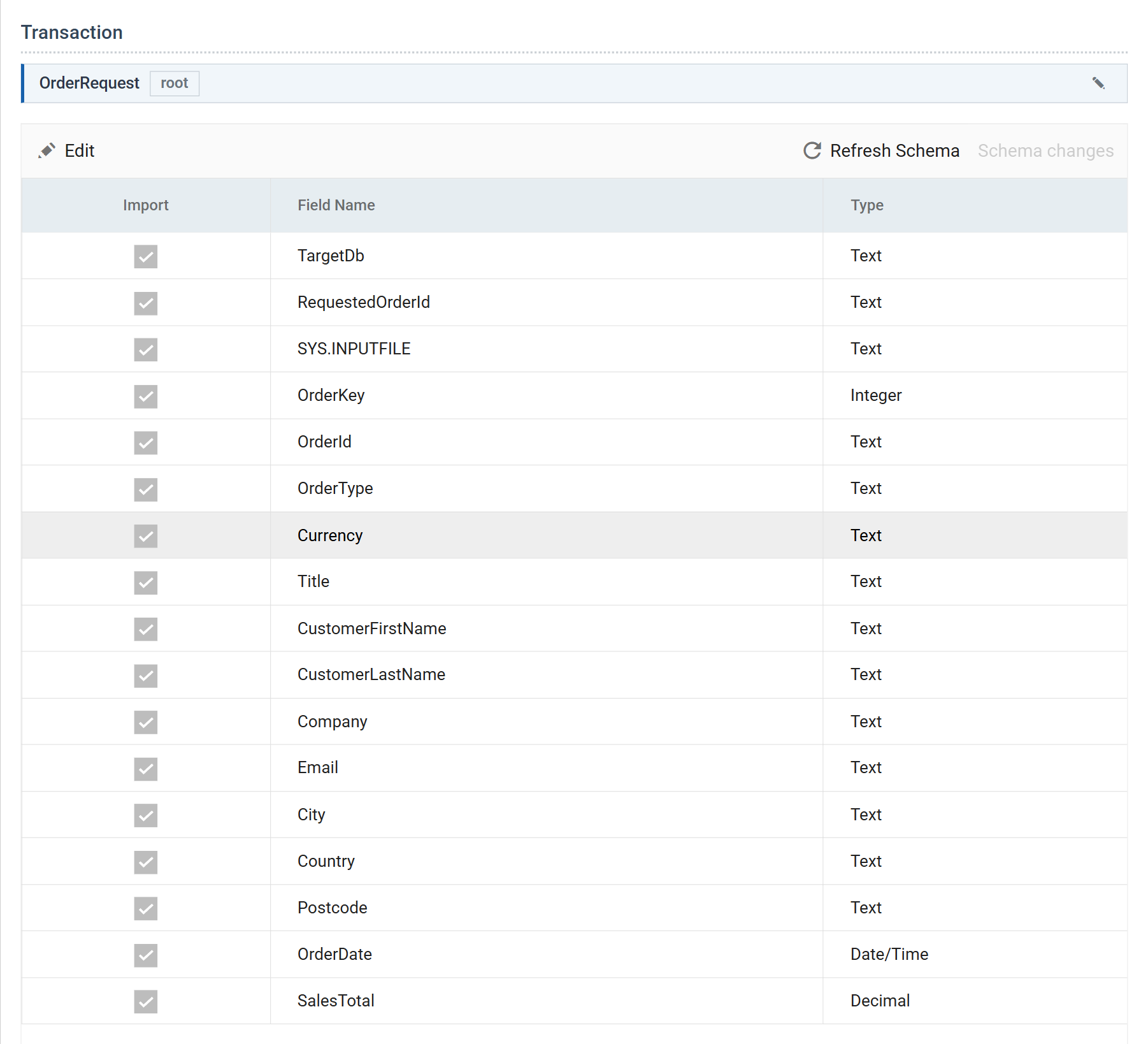
| From | Fields |
|---|---|
| The CSV request | TargetDb, RequestedOrderId, SYS.INPUTFILE |
The SELECT |
OrderKey, OrderId, OrderType, Currency, Title, CustomerFirstName, CustomerLastName, Company, Email, City, Country, Postcode, OrderDate, SalesTotal |
One row in, one row out — this is a lookup that happens to be spelled as a
reader. Had the SELECT returned several rows per request, they would have
arrived as several transactions.
Press Refresh.
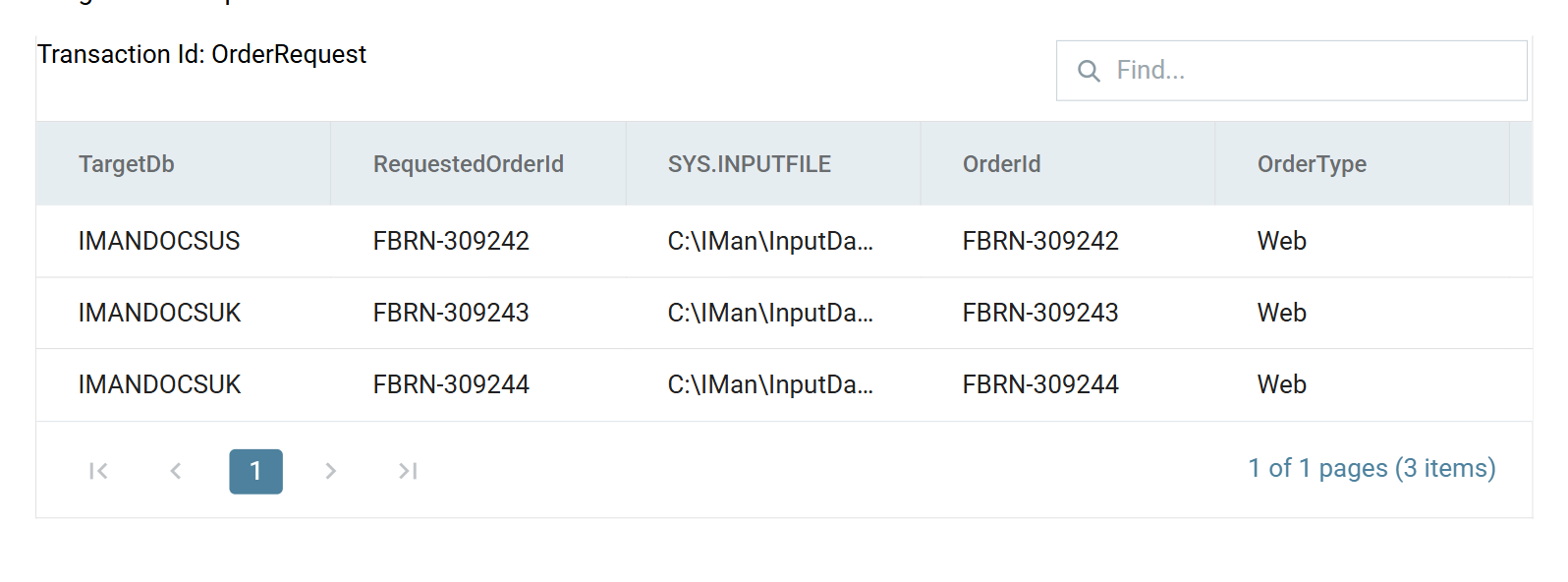
All three orders come back. Two came from IMANDOCSUK and one from
IMANDOCSUS; no single connection string could have returned this result set.
Part 2 — Writing
The writer half is the mirror image. orders-by-database.csv carries a leading
TargetDb column naming the database each order is to be written to, and the
writer is pointed at the same Parameterised DB connection.
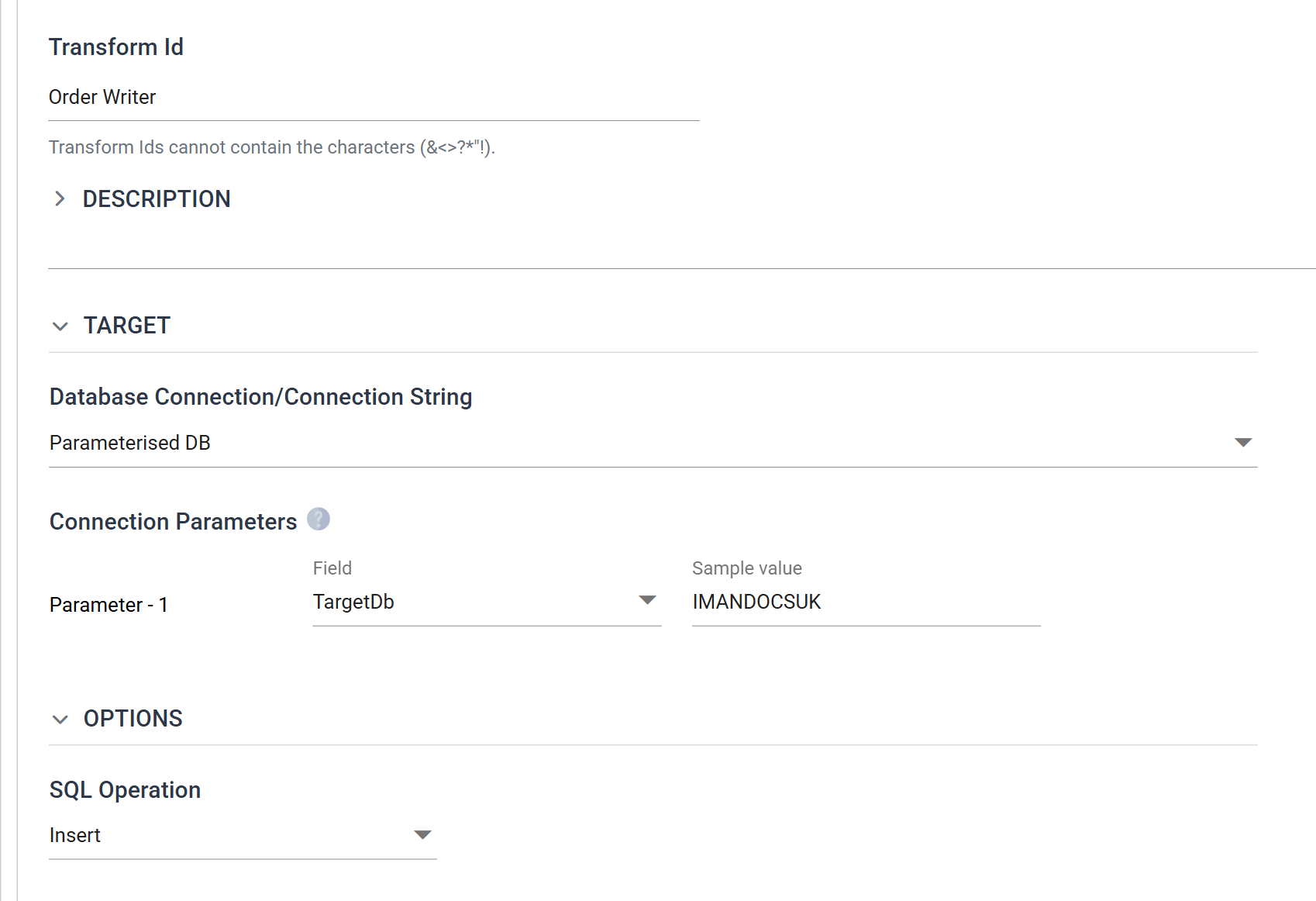
| Field | Value | |
|---|---|---|
| Transform Id | Order Writer |
|
| Database Connection | Parameterised DB |
|
| Parameter - 1 → Field | TargetDb |
|
| Parameter - 1 → Sample value | IMANDOCSUK |
Only the writer has this |
| SQL Operation | Insert | |
| Commit Transaction | (none) | Commits the whole dataset as one transaction |
Why the writer needs a sample value and the reader does not
A writer has to show you a list of tables and columns to map onto, and it cannot fetch one without opening a connection — at design time, before any row exists. The Sample value is a stand-in used for exactly that, and for nothing at runtime.
The reader needs none, because at design time it resolves the connection from the first row of the preceding transform's preview, which is a real value.
Leave TargetDb unmapped
The column exists to steer the connection, not to be written. Mapping it to a table column would store the routing decision in the routed data.
A hierarchical reader from a UNION
One more thing a Database Reader can do that is not obvious: split a single result set into record types, the same way the CSV Reader splits a file.
This one is a top-level reader on an ordinary, non-parameterised connection:
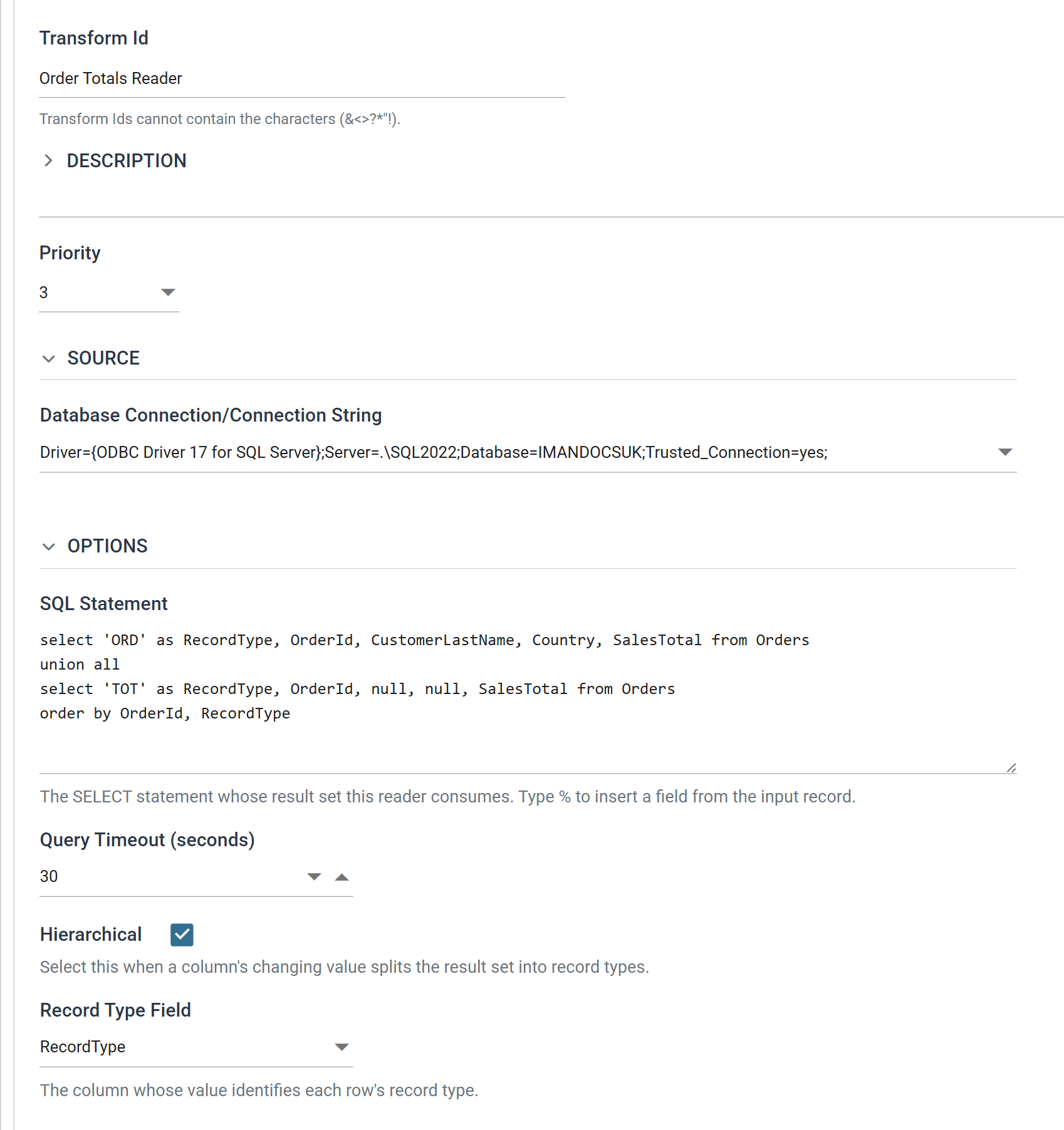
select 'ORD' as RecordType, OrderId, CustomerLastName, Country, SalesTotal from Orders
union all
select 'TOT' as RecordType, OrderId, null, null, SalesTotal from Orders
order by OrderId, RecordType
| Field | Value |
|---|---|
| Transform Id | Order Totals Reader |
| Hierarchical | ticked |
| Record Type Field | RecordType |
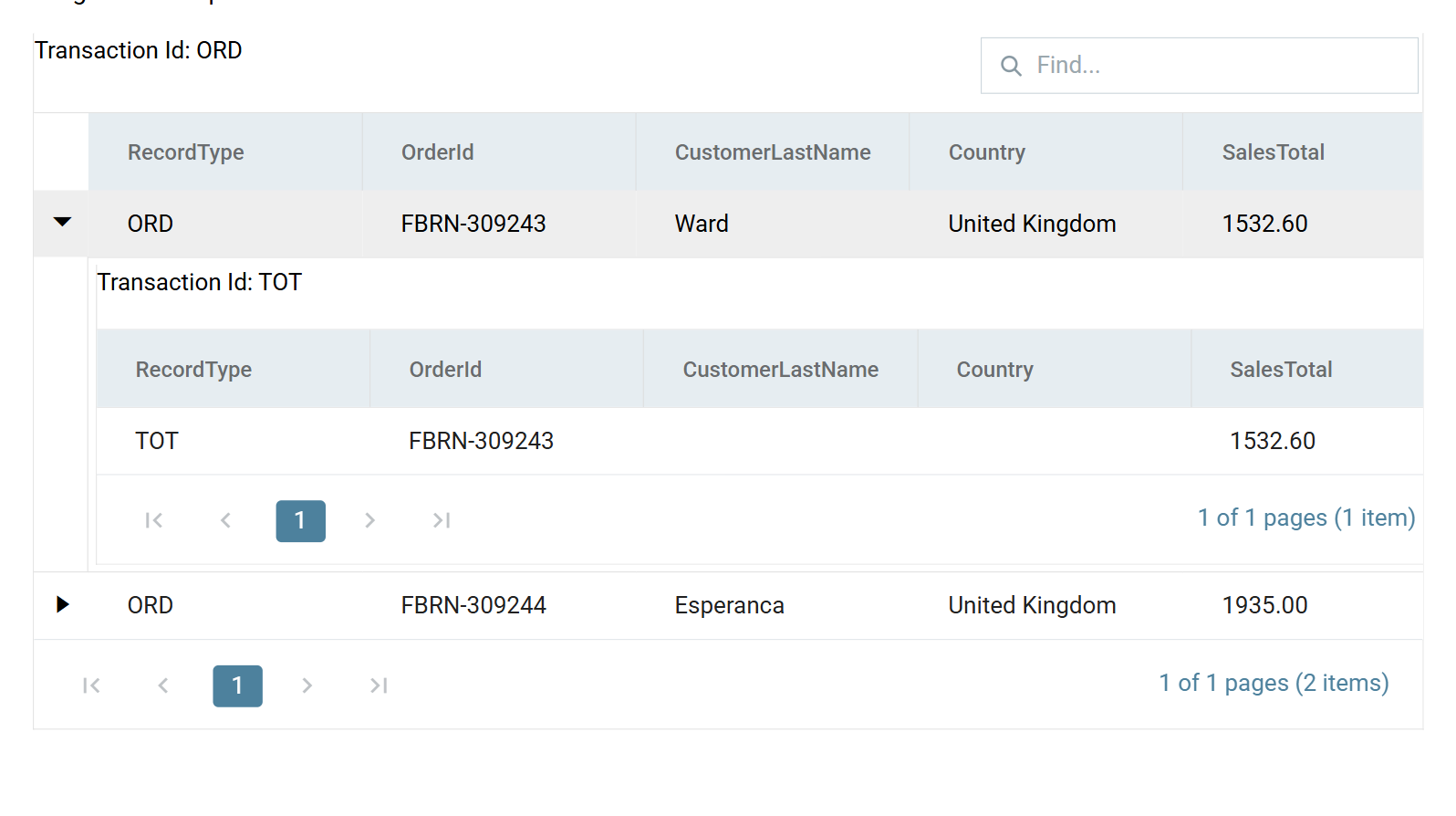
The SELECT labels its own rows, and RecordType is an ordinary column that
happens to hold a constant. Hierarchical turns that column into the record
type, and the reader builds one transaction per distinct value — ORD as the
root, TOT as its child — keyed on OrderId.
The ORDER BY is not decoration
The reader streams, so a parent must be read before its children exactly as
in a hierarchical file. order by OrderId,
RecordType guarantees each ORD arrives before its TOT — ORD
sorts before TOT alphabetically.
A SELECT without an ORDER BY has no defined row order, whatever it
happens to return today; a UNION ALL is free to interleave its two halves,
and the plan can change when the data does. Order the result set explicitly
whenever a Database Reader is hierarchical.
Verified against IMan 6.1, September 2026.