Installing Realisable IMan
To install IMan:
- Run
IManInstaller.exeto start the IMan installer.
User Account Control may prompt
If User Account Control (UAC) is enabled on the workstation or server, Windows may show a UAC prompt.
- Enter a directory to store the IMan configuration files:
- Use a path that is local to the machine.
- Realisable recommends a folder named
IMandirectly under the root of a drive, as shown below.
-
Accept the license agreement. Rejecting it cancels the installation.
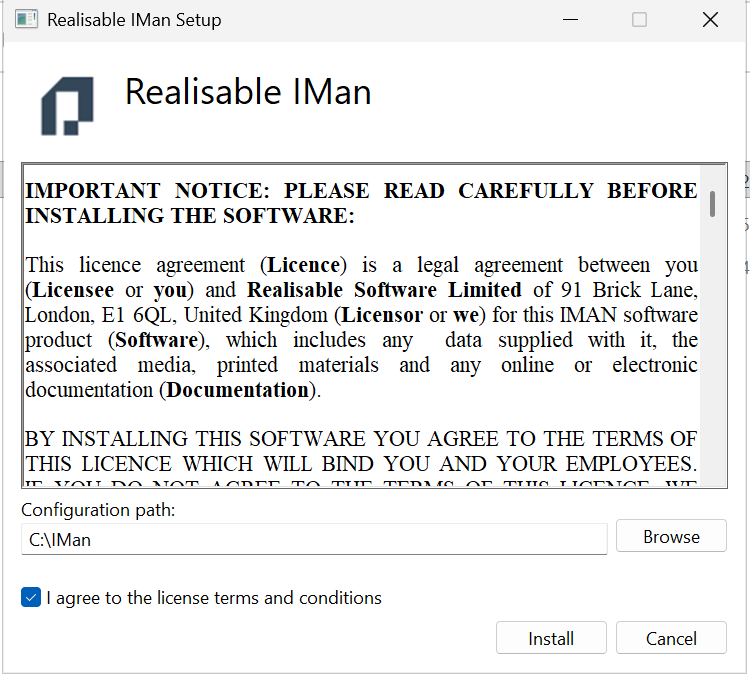
This folder holds the job configuration and needs backing up
This folder contains the job configuration files. Back it up.
-
Press Install to start the installation.
Installing is not the last step
After the installation, you need to complete several configuration steps before you can use IMan. See
for details.