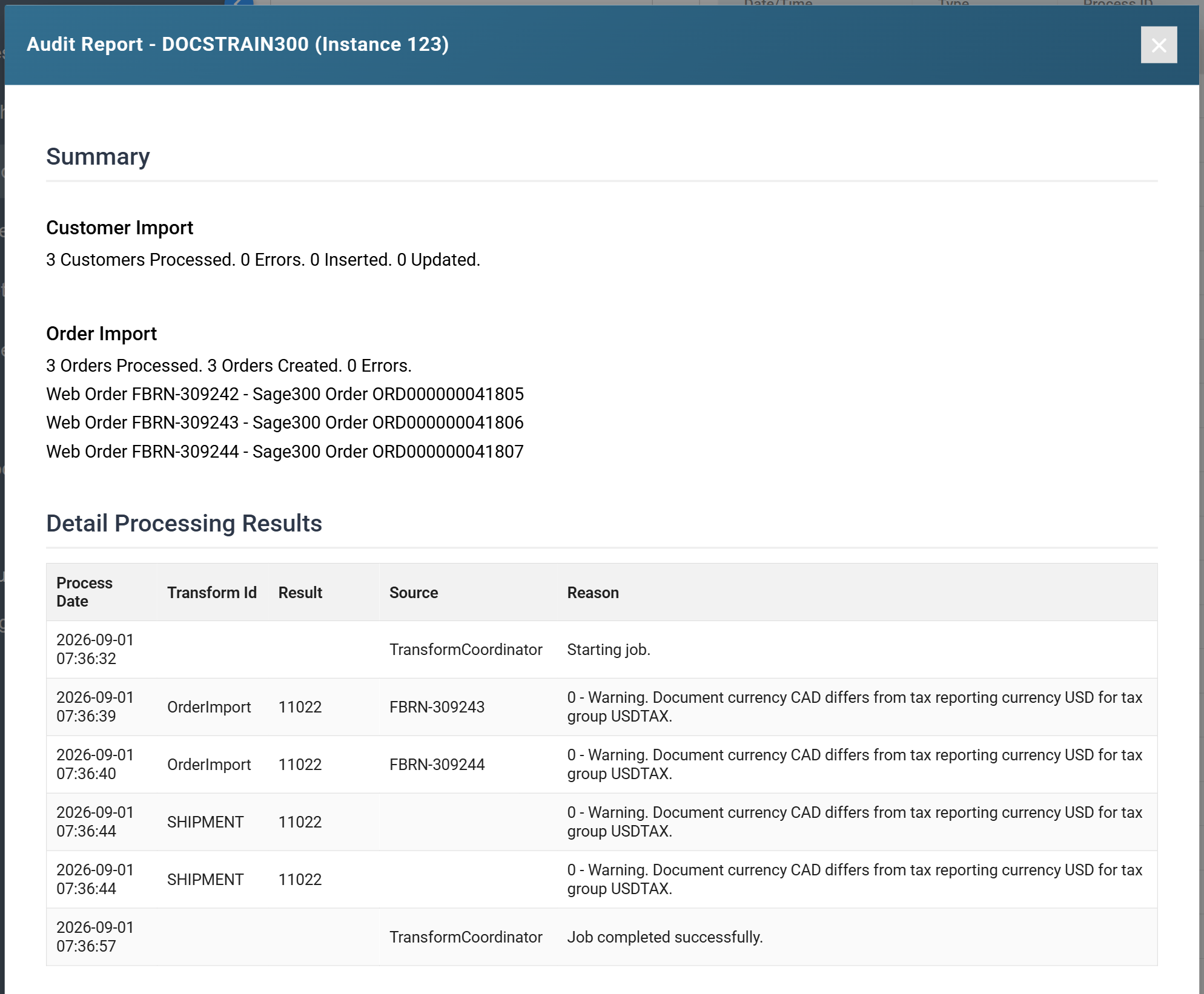
The Audit Report
Each time IMan runs a process, it compiles an audit report of errors, warnings and user-defined audit data.
You configure the audit report as part of the integration setup.
Open the report for a finished run from Audit Log on the menu down the left of the screen. Watch a run still in progress from the Integration Monitor.
The audit report is divided into two sections:
Summary
In the summary section, you define the data that appears on the report. It becomes the reconciliation report between your systems.
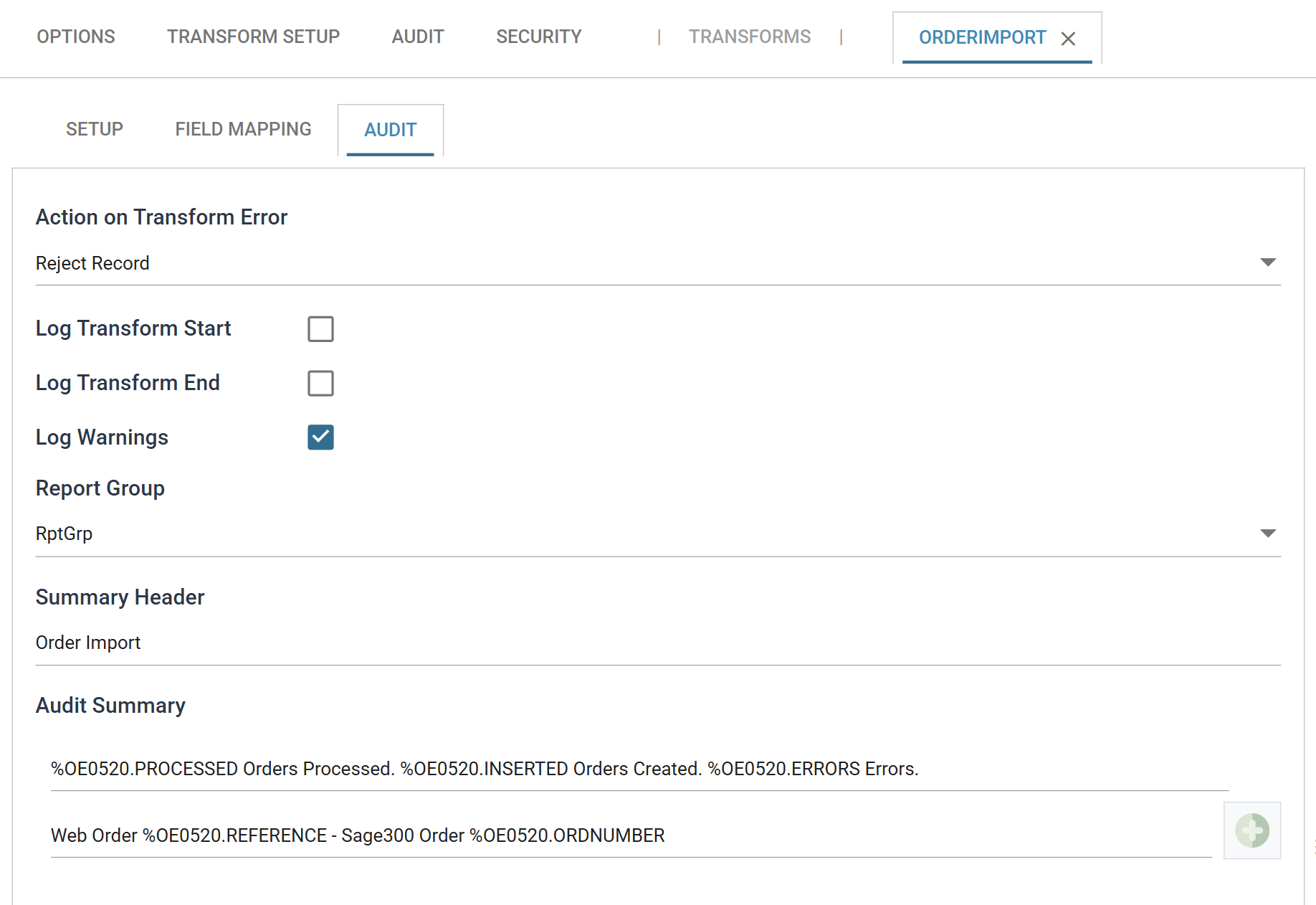
You set up the summaries on the Audit tab of each transform setup screen. The Summary Header names the section on the report, and each line of the Audit Summary becomes a line beneath it.
Detail Processing Results
The detail section contains any errors, warnings or other messages generated during processing.