SMTP Server Types
These are the properties you need to configure IMan to send email through an SMTP server. If you use Office 365, follow the Office 365 SMTP Server instructions instead.
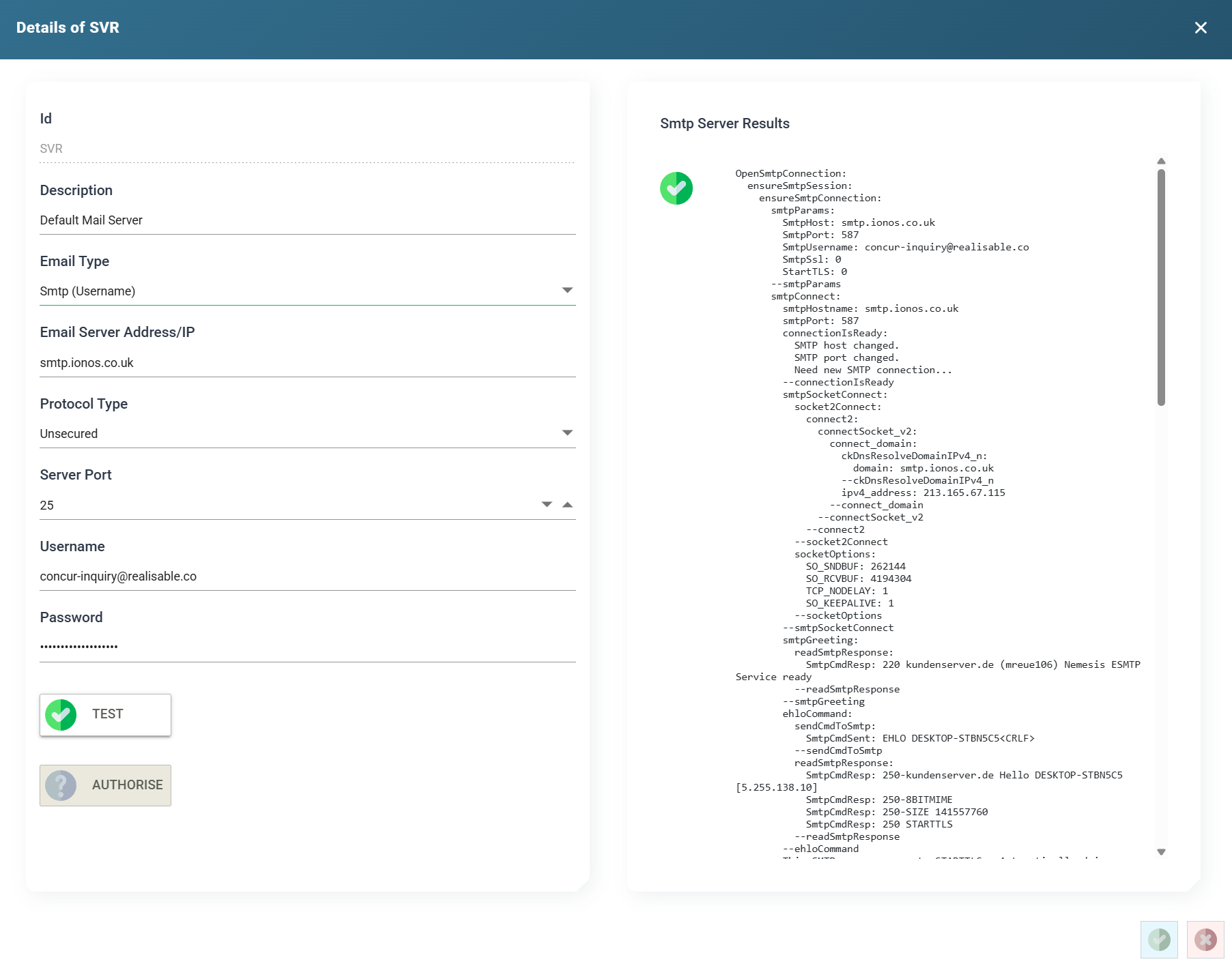
ID
The unique Id of the SMTP Server.
Description
A useful description of the SMTP Server.
Email Type
Set to Smtp (Username). The grid's Server Type column shows this choice.
Host
The SMTP server host.
Username
The username of the email account to connect to.
Password
The password of the email account to connect to.
IMan masks the saved password. The box shows ********, followed by the last three characters when the password is eight or more characters long. Press the eye button beside the box to show the stored password, and press it again to hide it. Showing a stored password needs the Can reveal a stored secret in full permission. To change the password, click in the box and type the new one. Leave the box empty to keep the stored password.
Protocol type
- Unsecured
- IMan connects to the server without encryption.
- SSL (Deprecated)
- IMan connects to the server over SSL. This option exists only for old servers and backwards compatibility, because SSL is no longer considered secure.
- TLS
- IMan connects over TLS, typically TLS 1.2.
Port
The port on which the server's SMTP service accepts connections. Changing the Protocol Type sets the Port to the standard value for that protocol.
- SMTP: 25
- SSL: 465
- TLS: 587
Test
Press Test to connect to the SMTP server.
IMan shows the connection trace on the right-hand side to help you debug the connection.