Imports
The Shopify connector reads from Shopify with pull imports and writes to Shopify with push imports. A reader runs a pull import, and a push connector runs a push import.
Shopify API Version
The imports use Shopify's GraphQL Admin API, version 2026-10. A few older imports still use the REST Admin API, and their pages say so.
Pull Imports
On the reader's Setup tab, select the store in Shopify Connectors and the pull import in Shopify Entity. The options below the entity choose which records the pull reads, and each import's page says which of them apply. Choose the entity before you map any fields. Changing it later deletes the reader's field configuration.
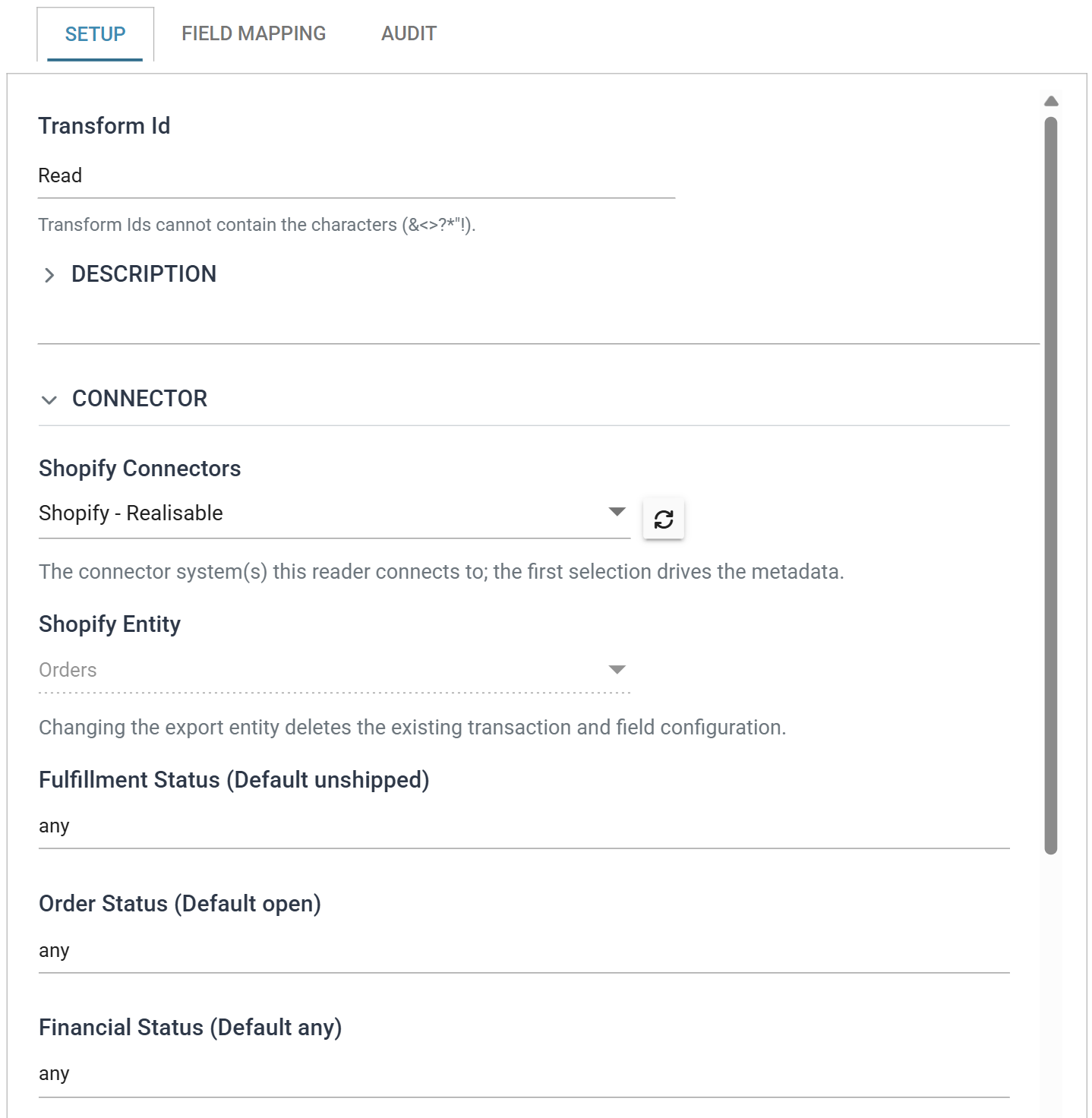
- Orders
- Orders, with their lines, discounts, shipping, taxes and payments.
- Fulfilments
- Fulfilments against orders. A fulfilment pull brings orders into IMan once they ship, rather than when customers place them.
- Refunds
- Refunds against orders, with their transactions, adjustments and refunded lines.
- Product Variants
- Every product variant, with its ids, prices, inventory item and metafields.
- Customers
- Customers created or updated since the last run, with their addresses and metafields.
- Payouts
- Shopify Payments payouts, with the balance transactions each one settles.
The Orders, Fulfilments, Refunds, Customers and Payouts pulls keep a last run time, and each run reads on from where the last one finished.
Push Imports
On the push connector's Setup tab, select the store in Shopify Connector, the push import in Shopify Import Type, and the Update Operation.
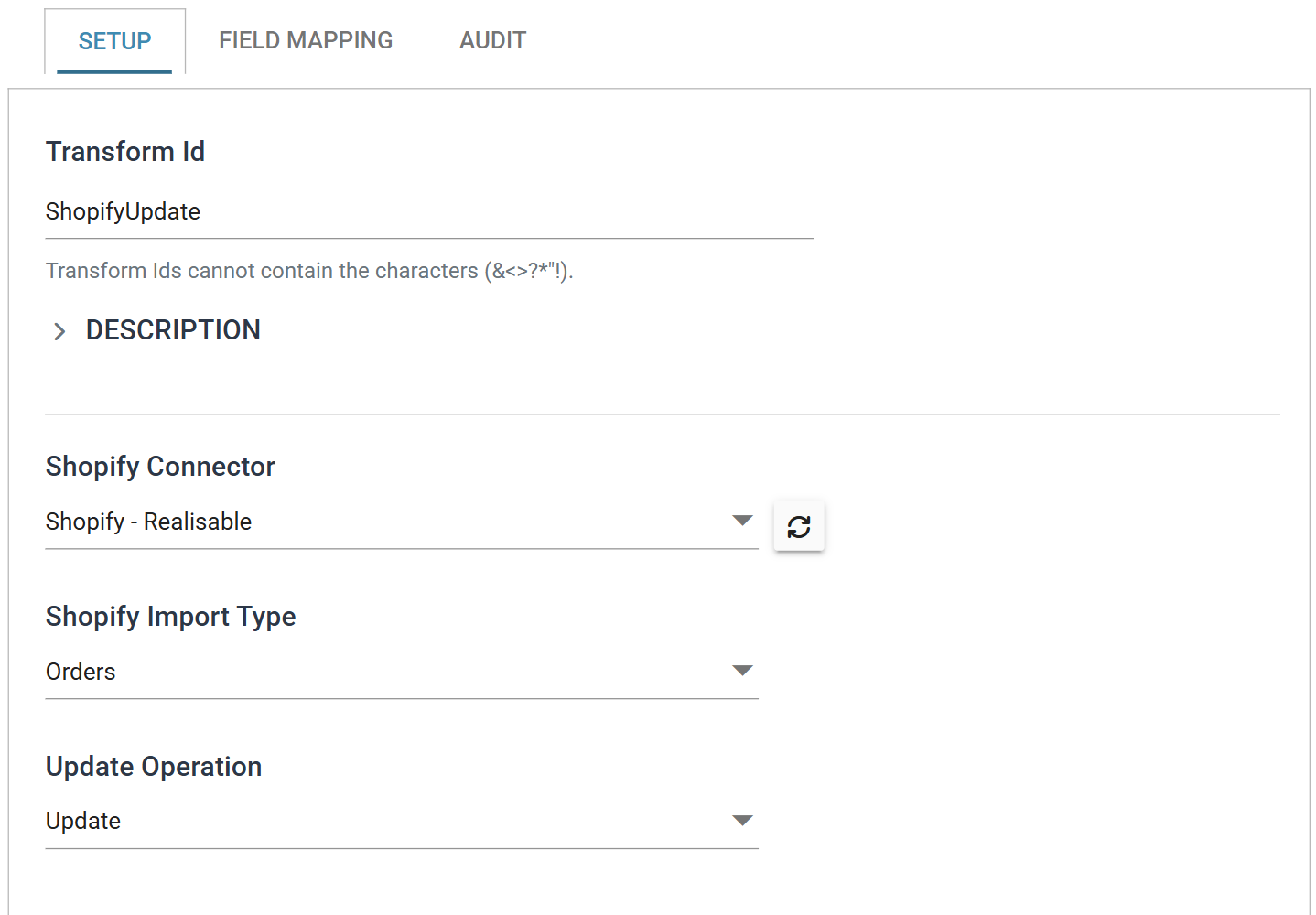
Update Strategy describes how a push import decides between creating a record and updating one. For a large load, many push imports can send their records through Shopify's bulk operations.
Products & Inventory
- Products
- Creates and updates products with their options, variants and metafields, and updates variants by Variant Id.
- Bundles
- Records the component variants and quantities of a bundle variant.
- Inventory Levels v2
- Sets inventory quantities at locations, with an optional check against the quantity Shopify holds.
- Variant and Inventory Levels
- The older REST imports, superseded by Products and Inventory Levels v2.
Metafields
- Metafields
- Sets and deletes metafields on products, variants, customers and any other owner.
- Product MetaFields and Customer MetaFields
- The older metafield imports, superseded by Metafields.
Customers & Companies
- Customers
- Creates and updates customers by id or email, with their addresses, marketing consent, invite and metafields.
- Companies
- Creates B2B companies with their first location, and updates them.
- Company Locations
- Creates and updates company locations, matching on Location Id or External ID.
- Company - Assign Customer As Contacts
- Makes customers contacts of a company.
- Company - Contact Assign Roles
- Gives contacts a role at a company location.
Orders
- Orders
- Creates orders with their lines, customer, discounts, shipping, taxes and payments, and updates a few fields on existing orders.
- Order Edit
- Adds shipping, custom items, variants and line discounts to an existing order.
- Cancel Order
- Cancels orders, with restock and refund.
- Fulfillments
- Fulfils orders, in full or chosen lines, with carrier and tracking.
- Transactions (Payment)
- Captures, voids, records and refunds payments against orders.
Pricing & Catalogs
- Pricelist
- Sets fixed variant prices on a B2B price list, finding or creating the price list and catalog.
- PricelistQtyBreak
- Sets quantity price breaks on a B2B price list.
- CatalogUpdate
- Assigns company locations to a B2B catalog.
Typical Integrations
The imports work together. Each step below is an integration of its own, run on a schedule.
Order to Cash
An order placed in Shopify goes into the ERP, ships from the ERP, and ends as a payout to the bank:
- Orders brings each new order into the ERP as a sales order. Record the order's
id, and each line'sid, with the sales order. Filter out the orders the ERP already holds. - Fulfillments tells Shopify that the ERP has shipped the order. Map the order's
idto Order Id, with the carrier and tracking. For a part shipment, add a LineItems record for each line shipped, with the line'sidas Order Line Id. Set Notify Customer toTrueto have Shopify email the customer. - Transactions (Payment) captures the payment, for a store that authorises payments at checkout and captures them on shipment. Set Kind to
captureand Amount to the value shipped. With Parent Transaction (Authorisation) Id blank, IMan captures from the order's open authorisation. - Refunds brings the refunds made in Shopify into the ERP as credit notes. Set the reader options as the Refunds page describes, and record each refund's
id. - Payouts brings each Shopify Payments payout into the ERP for bank reconciliation. A payout gives the amount paid to the bank, with the charges, refunds and fees on each order it settles.
When the ERP changes an order, Order Edit adds lines and shipping to it in Shopify. Cancel Order cancels an order the ERP cancels.
A store that ships from Shopify, or through a fulfillment service, can bring orders into the ERP once they ship instead. Use the Fulfilments pull for step 1, and leave out step 2.
Stock and Prices from the ERP
The ERP holds the items, their stock and their prices, and Shopify sells them:
- Products creates the ERP's new items in Shopify. Leave Product Id blank, and IMan writes back the product's and its variants' ids.
- Product Variants reads every variant in the store, with its
id,skuandinventory_item_id. The steps below each start from this pull, and a Map transform looks up each variant's SKU in the ERP. - Inventory Levels v2 sets each variant's stock at a location from the ERP's figure. Map the variant's
inventory_item_idto Inventory Item Id, the location to Location Id, and the ERP's stock to Qty. - Products updates retail prices by Variant Id. Map only the price, with each changed variant's Variant Id and its Product Id. The product's other fields and variants stay as they are.
- Pricelist sets B2B customers' fixed prices, and PricelistQtyBreak their quantity breaks. Map the variant's
idtoPriceToAddVariantId.
Leave bulk operations off for routine runs of up to a few thousand records. Switch them on for the first load of the catalogue, a stock take across every location or a full price list. See When to Use Bulk Operations.
B2B Customers
Building a B2B Customer gives the order of the company, contact, price list and catalog imports.
Shopify API Reference
Shopify's GraphQL Admin API reference describes each object and field the imports read and write. This guide describes how each import creates, updates and reads them.