Accounts Payable
This page describes the integration points for Accounts Payable supported by the connector.
AP BIll
Create A/P Bills and Credit Notes
Intacct API Resource
https://developer.intacct.com/api/accounts-payable/bills/#create-bill
Update
Insert Only
creating An Invoice or Credit Note
To create an invoice or credit note set the following fields:
Document Header
- Vendor
- RecordId - The document number.
- WhenCreated, WhenPosted - The two key dates.
Invoice Detail/Allocation
- AccountNo - The GL Account Number.
- Trx_Amount - The line amount.
Writeback Fields
| invoiceno | Invoice Number |
| recordno | Record Number/Id. |
AP Payment
Create A/P Payments where the payment is applied to a single document.
Intacct API Resource
https://developer.intacct.com/api/accounts-payable/ap-payments/
Update
Insert Only
creating a payment against a document
To create a payment against a document set the following fields:
Document Header
- FinancialEntity - The bank code.
- PaymentMethod - Cash, Check, etc.
- Vendor
- PaymentDate
Payment Detail/Allocation
- RecordKey - The document wishing to be allocated/paid.
- Trx_PaymentAmount - The amount wishing to be allocated/paid.
Writeback Fields
| RECORDNO | The auto generated payment number. |
Vendor
Intacct API Resource
https://developer.intacct.com/api/accounts-payable/vendors/
Views/Record Types Supported
All
Update
Insert/Update
A new Vendor record will be created if the value mapped to the vendor id field does not exist, otherwise the existing record will be updated.
Contact Handling
Display Contact
The primary contact/address fields are displayed with DisplayContact prefixed to the contact field.
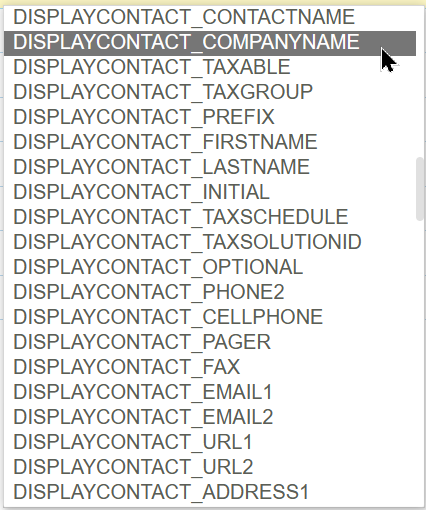
CONTACTINFO, PayTo, ReturnTo Contact
The ContactInfo, PayTo and ReturnTo contact fields are displayed towards the bottom of the list.