HTTPS Certificate Management
IMan uses one HTTPS certificate. Every IMan service serves HTTPS with it, and the IIS binding for the WebAPI on port 44304 uses it too. The services also address each other by the certificate's name. That name must resolve to the IMan server. See IMan Architecture.
The installer creates a self-signed certificate named after the server. To manage the certificate, press Certificates in the Admin Console. The Manage HTTPS Certificate window opens. Choose an Action, fill in its settings and press the button below them.
When you close the window after a change, the Admin Console restarts the services and recycles the WebAPI application pool. They then use the new certificate.
Create New
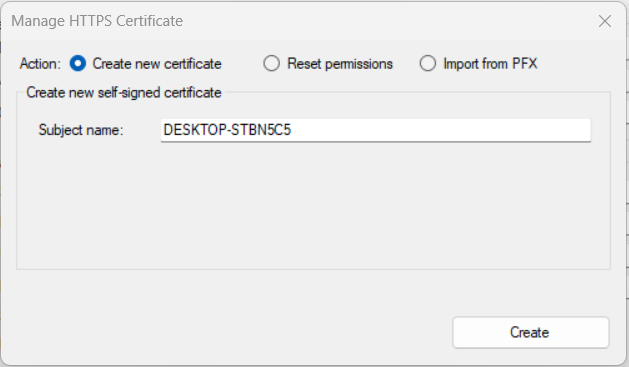
Creates a new self-signed certificate for the name in Subject name. The name defaults to the server's name. If IMan already has a self-signed certificate, the Admin Console asks before it replaces it.
The Admin Console installs the certificate in the server's Personal and Trusted Root stores, sets its permissions and binds it to the WebAPI on port 44304. Browsers on the server trust the certificate. Browsers on other computers show a warning until you trust it on them as well.
Reset Permissions
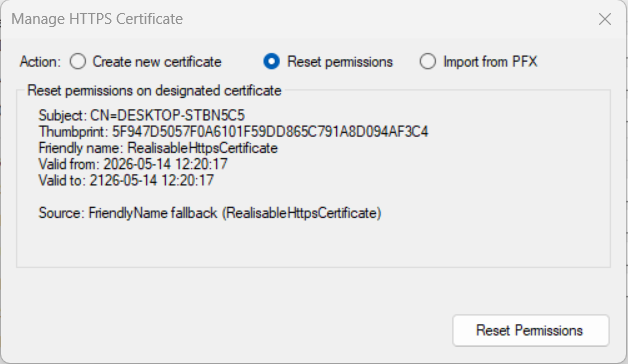
Shows the certificate IMan uses, with its subject, thumbprint, friendly name and validity dates, and resets the permissions on its private key. Use it when a service cannot open the certificate.
Import from Pfx
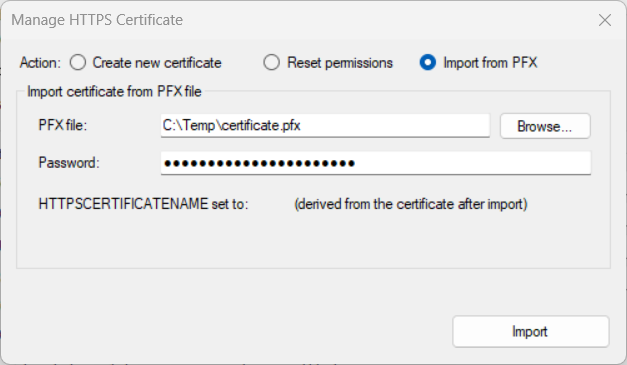
Makes IMan use a certificate from a certificate authority (CA) or your own PKI in place of the self-signed one. Browse to the PFX file and enter its Password. Leave Password empty for a PFX without one.
The Admin Console installs the certificate in the server's Personal store, sets its permissions and binds it to the WebAPI on port 44304. It makes the certificate's DNS name IMan's certificate name, and the window shows that name next to HTTPSCERTIFICATENAME set to:. If the certificate has expired, the Admin Console warns you.
The certificate must include its private key, and its name must resolve to the
IMan server. Once it is in place, open IMan at https://<name>:44303, where
<name> is the certificate's name.
The Key Certificate
The server's Personal store also holds a second IMan certificate, IMan KEK <database>. It protects IMan's stored passwords, keys and tokens, and has nothing to do with HTTPS. Do not bind it to a site, import it with Import from Pfx or delete it. Manage it with Secrets in the Admin Console. See Managing Secrets.