Daily Exchange Rates
This scenario loads exchange rates from a spreadsheet into Sage Intacct each day. It adds a rate for each new date, and corrects the rate for a date Intacct already has. A bank or a rates service usually supplies the file.
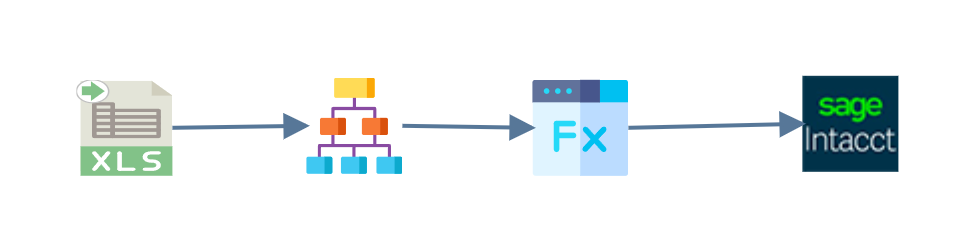
Set Up the Exchange Rates in Intacct
The Exchange Rate import updates an exchange rate and cannot create one. Set up each exchange rate in Intacct first: its rate type, its from currency and its to currency. See Exchange Rate.
Read the Rates
An Excel reader reads one row per rate:
| ID | TypeName | FromCurrency | ToCurrency | StartDate | FXRate |
|---|---|---|---|---|---|
| 1 | Intacct Daily Rate | EUR | USD | 10/29/2026 | 1.0812 |
| 1 | Intacct Daily Rate | EUR | USD | 10/30/2026 | 1.0797 |
| 2 | Intacct Daily Rate | GBP | USD | 10/29/2026 | 1.2954 |
| 2 | Intacct Daily Rate | GBP | USD | 10/30/2026 | 1.2971 |
Group the Rates by Exchange Rate
The Exchange Rate import takes one record for each exchange rate, with its dated rates beneath it. A Hierarchise transform groups the rows into one Record for each exchange rate, with each row's StartDate and FXRate in a child Rates transaction. A Map follows it, before the writer.
Write the Rates
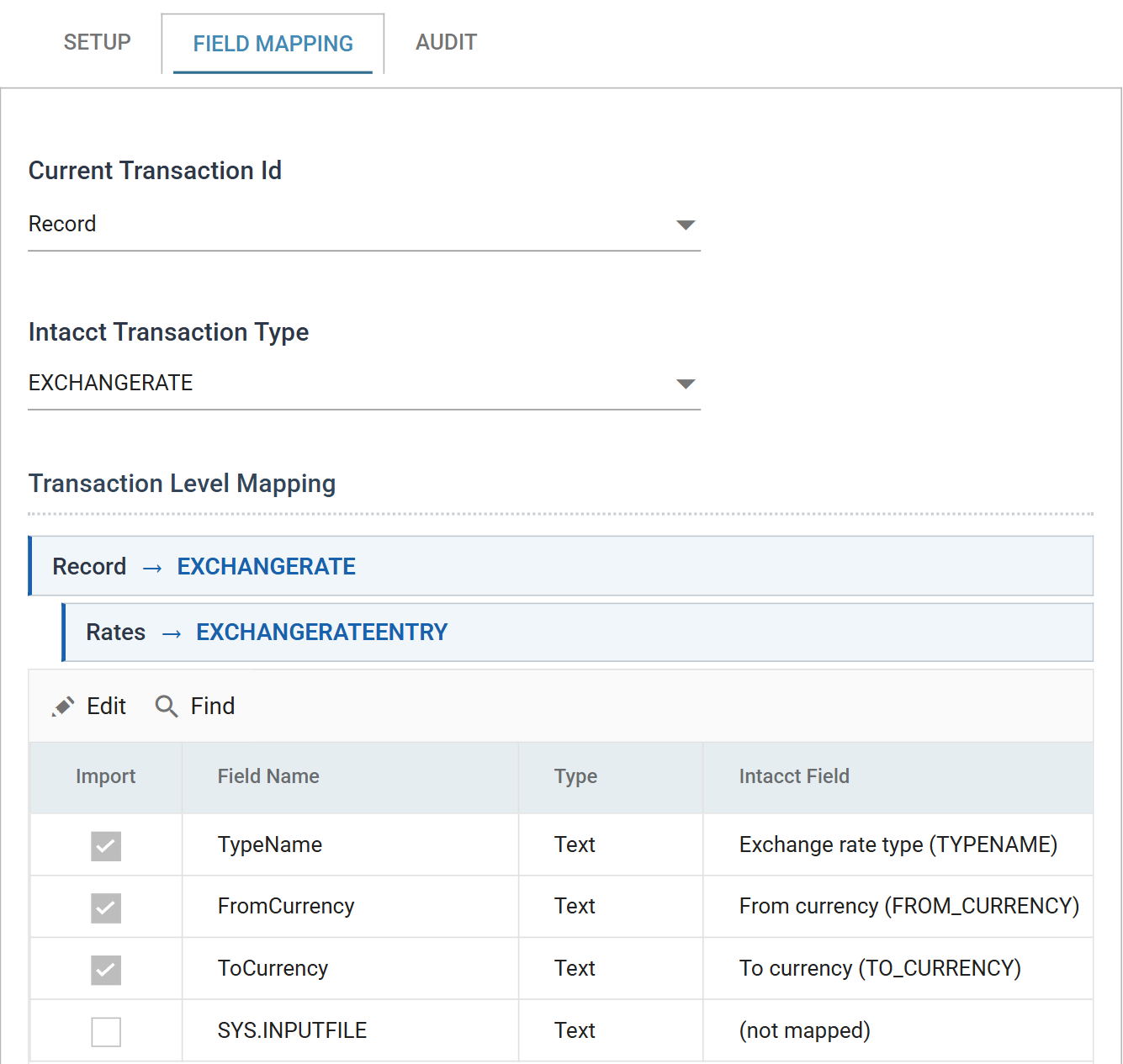
An Intacct writer on EXCHANGERATE maps:
RecordtoEXCHANGERATE:TypeNametoTYPENAME,FromCurrencytoFROM_CURRENCYandToCurrencytoTO_CURRENCY. IMan finds the exchange rate in Intacct by its type and from currency;RatestoEXCHANGERATEENTRY:StartDatetoEFFECTIVE_START_DATEandFXRatetoEXCHANGE_RATE.
In a company with more than one base currency, two exchange rates can share a type and a from currency. Map the exchange rate's RECORDNO there to name the one you mean.
Running It
Schedule the integration once a day, after the file arrives. A second run over the same file is safe: IMan sets the same rate on the same date again. Rates on dates the file leaves out stay as they are.